

 v0.0.2
floating_menu_panel
फ्लोटिंग मेनू पैनल
29लाइक 4230-दिन डाउनलोड130Pub अंक
AndroidiOSWebmacOSWindowsLinux
GioRey/floating_menu_panel open-source repository details.

यह अंग्रेज़ी मूल स्नैपशॉट है। नवीनतम सामग्री GitHub पर देखें।
Floating menu panel
This is what you needs to get the widget working. Import Widget -> Add 'FloatingMenuPanel' at the bottom of your stack widget. Add icons inside the "buttons" list.
import 'package:floating_menu_panel/floating_menu_panel.dart'; // Import Floating Menu Panel

return MaterialApp(
      home: Scaffold(
        body: Stack(
          children: [
            FloatingMenuPanel(
              onPressed: (index) {
                print('SELECT__: $index');
              },
              buttons: [
                Icons.star_border_outlined,
                Icons.add_comment,
                Icons.music_note
              ],
            ),
          ],
        ),
      ),
    );
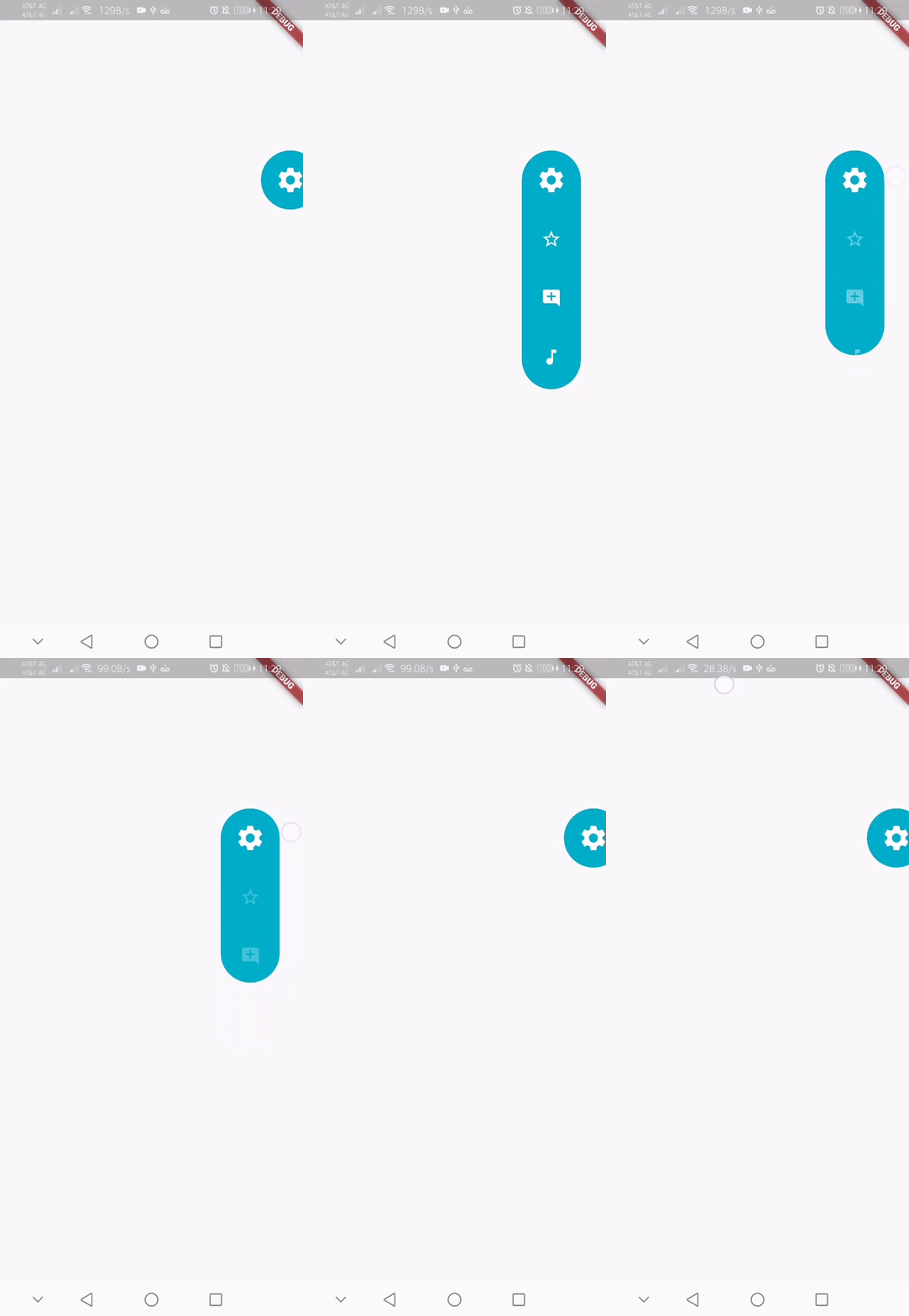
These are all the properties you can customize of the floating panel.
    import 'package:floating_menu_panel/floating_menu_panel.dart'; // Import Floating Menu Panel

    Stack(
        children: [
            ...

            // Add Float Box Panel at the bottom of the 'stack' widget.
            FloatingMenuPanel(
                positionTop: 0.0, // Initial Top Position
                positionLeft: 0.0, // Initial Left Position
                backgroundColor: Color(0xFFEDEDED), // Color of the panel
                contentColor: Colors.black, // Color of the icons
                panelShape: PanelShape.rectangle, // 'PanelShape.rectangle' or 'PanelShape.rounded', border radius property doesn't work in the rounded shape
                borderRadius: BorderRadius.circular(8.0), // Border radius of the panel
                dockType: DockType.inside, // 'DockType.inside' or 'DockType.outside', weather to dock the panel outside or inside the edge of the screen
                dockOffset: 5.0, // Offset the dock from the edge depending on the 'dockType' property
                panelAnimDuration: 300, // Duration for panel open and close animation
                panelAnimCurve: Curves.easeOut, // Curve for panel open and close animation
                dockAnimDuration: 300, // Auto dock to the edge of screen - animation duration
                dockAnimCurve: Curves.easeOut, // Auto dock animation curve
                panelOpenOffset: 20.0, // Offset from the edge of screen when panel is open
                panelIcon: Icons.menu, // Panel open/close icon
                size: 70.0, // Size of single button in the panel
                iconSize: 24.0, // Size of icons
                borderWidth: 1.0, // Width of panel border
                borderColor: Colors.black, // Color of panel border
                onPressed: (index) {
                    print("Clicked on item: $index");
                }
                buttons: [
                    // Add Icons to the buttons list.
                    Icons.message,
                    Icons.photo_camera,
                    Icons.video_library
                ]
            );
        ]
    );
निर्भरता सूची 2 आइटम
{"sdk":"flutter"}{"sdk":"flutter"}उपयोग के अनुसार छाँटें, गतिविधि की तुलना करें और अपनाने से पहले मूल प्रोजेक्ट की आवश्यकताएँ जाँचें।
“A repository is the most basic element of GitHub.”
GitHub Docs — About repositories ↗