
v0.57.1
shadcn_ui
shadcn/ui को Flutter में पोर्ट किया गया है। Flutter के लिए अद्वितीय UI घटक, पूरी तरह से कस्टमाइज़ करने योग्य।
962लाइक 65.6 हज़ार30-दिन डाउनलोड160Pub अंक
AndroidiOSWebmacOSWindowsLinux
सामान्य कोड स्निपेट को दृश्य रूप से आकर्षक, साझा करने योग्य छवियों में बदलता है, जिससे विकासकर्मी अपने काम में रचनात्मकता जोड़ सकते हैं और प्लेटफॉर्म के बीच आसानी से साझा कर सकते हैं।

shadcn/ui को Flutter में पोर्ट किया गया है। Flutter के लिए अद्वितीय UI घटक, पूरी तरह से कस्टमाइज़ करने योग्य।
Dart के लिए सुपरपावर। उपयोगी स्टैटिक एक्सटेंशन विधियों का संग्रह।
 v0.7.1
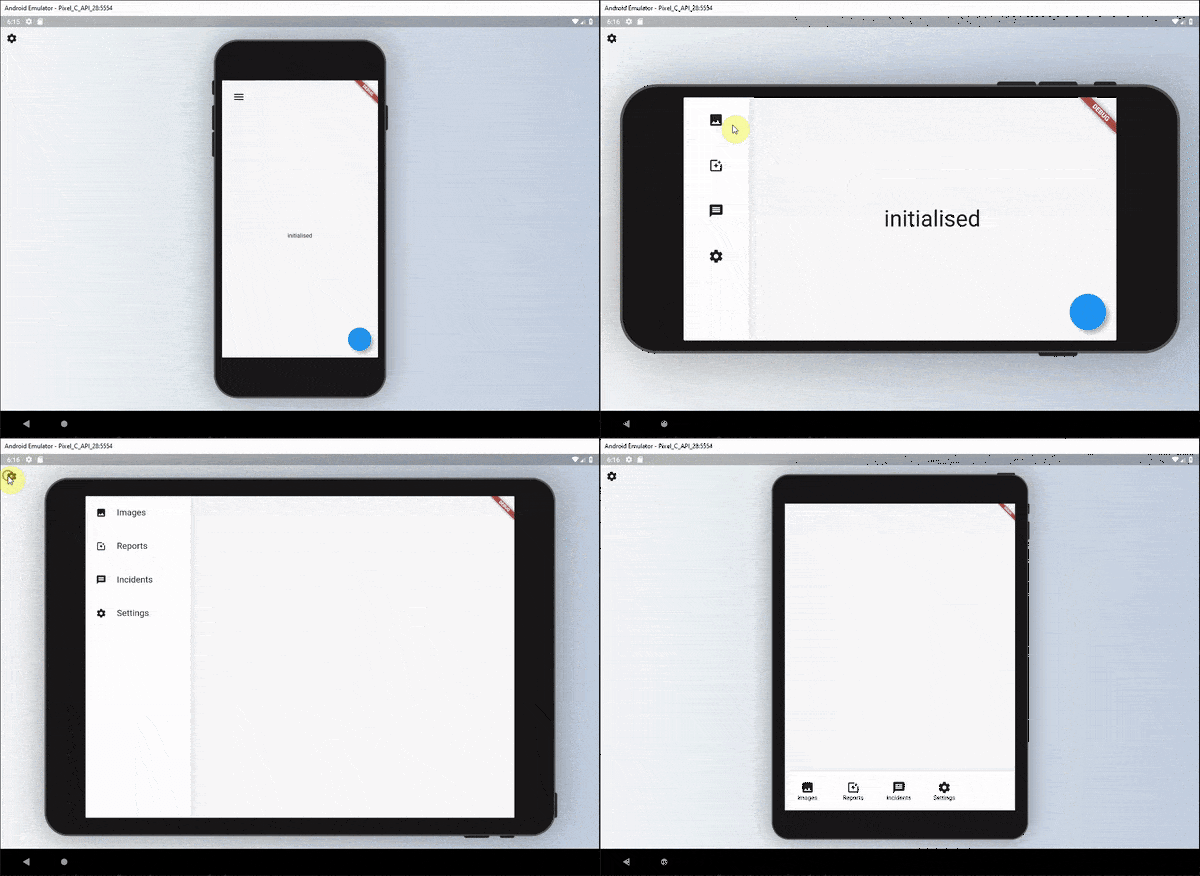
एक सेट जो विजेट्स के लिए पठनीय प्रतिक्रियाशील UI को परिभाषित करने के लिए उपयोग किया जा सकता है।
एक प्लगइन जो उपयोगकर्ता को आपके फ्लटर डेस्कटॉप एप्लिकेशन में फ़ाइलों को खींचकर रखने की अनुमति देता है।
 v3.1.0
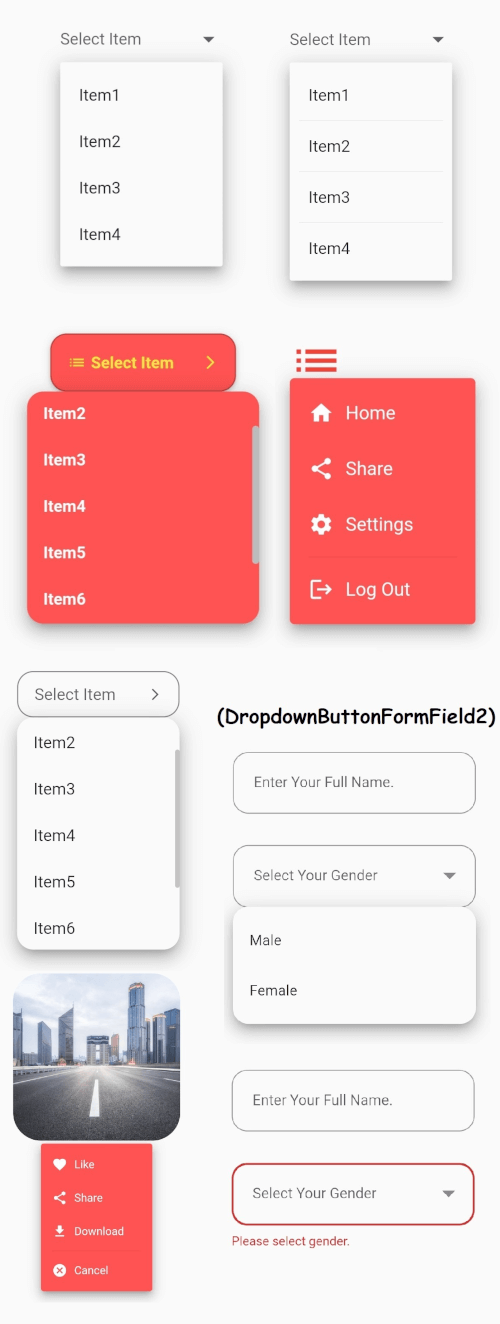
फ्लटर के मुख्य ड्रॉपडाउन बटन विजेट जिसमें स्थिर ड्रॉपडाउन मेनू होता है और आपकी आवश्यकताओं के अनुसार कई अन्य विकल्प भी होते हैं।
Android, iOS, Web, Windows, macOS और Linux पर बाइट्स, मार्ग, स्ट्रीम और URL से फ़ाइलें सहेजें।
यूनिकोड/ग्राफेम क्लस्टर संवेदनशील ऑपरेशन के साथ स्ट्रिंग प्रतिस्थापन।
Dart/Flutter के लिए एक स्वचालित पूर्ण करने वाला इंजन, जो एक अनुकूलित Trie के आधार पर है।
 v5.0.0
Icons Plus एक पैकेज है जिसमें लोकप्रिय और आसान उपयोग के लिए बहुत सारे आइकन पैक हैं, जैसे कि Bootstrap, Font Awesome, Eva Icons, Line Awesome, Ionicons आदि।
ASCII और सामान्य गैर-ASCII अक्षर कोड के लिए स्थिरांक। व्यक्तिगत अक्षरों के कोड पॉइंट्स के संगत पूर्णांक स्थिरांक।
{"sdk":"flutter"}—^0.24.0^5.0.0^1.0.8any—^0.5.0^2.3.9^8.1.3^0.2.14—^2.0.0^1.2.1^1.3.1^1.17.2^2.0.5^1.2.0^1.9.1^1.0.1^0.3.5^2.0.1^6.1.8any{"sdk":"flutter"}यह अंग्रेज़ी मूल स्नैपशॉट है। नवीनतम सामग्री GitHub पर देखें।
SnapInk is a tool that transforms your code into beautiful, print-ready images. It allows developers to easily customize, share, and showcase their code with style. image
Whether you’re new to open source or a seasoned pro, your contributions can help bring SnapInk to the next level.
SnapInk is just getting started! Starring helps spread the word, and each contribution or feedback brings us closer to an even better tool. You can help shape SnapInk by suggesting features, fixing bugs, or refining its performance.
To run SnapInk locally using Flutter Web, follow these steps:
Clone the Repository
git clone https://github.com/ildysilva/SnapInk.git
cd SnapInk
Install Flutter Follow the instructions on the Flutter official website.
Get Dependencies
flutter pub get
Run the Project
flutter run -d chrome
git checkout -b my-feature-branch
git commit -m "Add a new feature"
git push origin my-feature-branch
Let SnapInk be part of your coding journey—don’t forget to star and share with your dev community!