

 v1.0.1
pretty_gauge
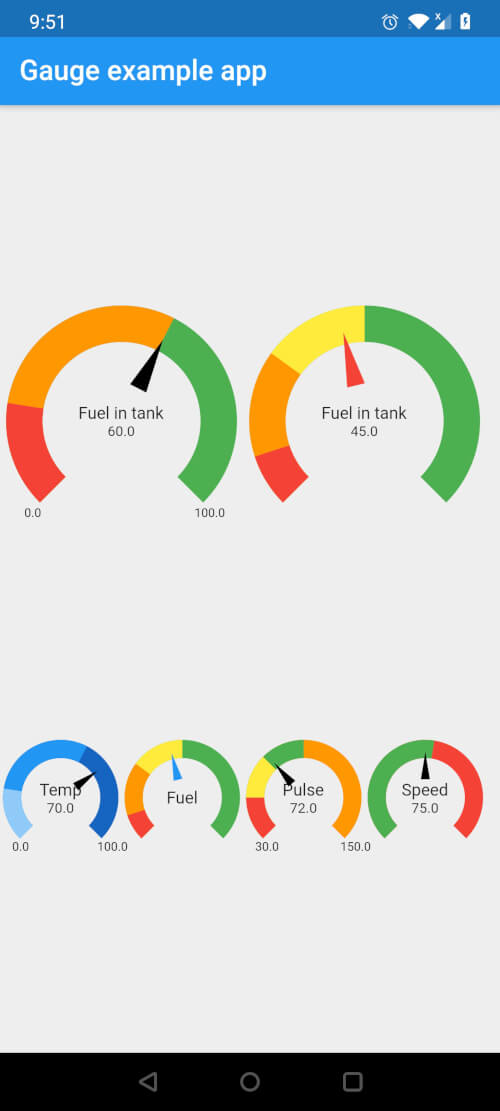
फ्लटर के लिए पूरी तरह से कस्टमाइज़ेबल गेज विजेट जिसमें कई सेगमेंट, रंग और वर्तमान मान और पाठ को दिखाने के लिए कस्टमाइज़ेबल स्टाइलिंग के विकल्प हैं
22लाइक 3.7 हज़ार30-दिन डाउनलोड150Pub अंक
AndroidiOSWebmacOSWindowsLinux
एक फ्लटर पैकेज जो विभिन्न खंडों, रंगों और कस्टम स्टाइलिंग के विकल्पों के साथ गेज को कस्टमाइज़ करने की अनुमति देता है, जिससे वर्तमान मान और पाठ को दिखाया जा सके।

यह अंग्रेज़ी मूल स्नैपशॉट है। नवीनतम सामग्री GitHub पर देखें।
Fully customizable Gauge widget for Flutter

In your pubspec.yaml, add the following dependency
dependencies:
  pretty_gauge: 1.0.0
import 'package:pretty_gauge/pretty_gauge.dart';

PrettyGauge(
    gaugeSize: 200,
    segments: [
        GaugeSegment('Low', 20, Colors.red),
        GaugeSegment('Medium', 40, Colors.orange),
        GaugeSegment('High', 40, Colors.green),
    ],
    currentValue: 46,
    displayWidget: Text('Fuel in tank', style: TextStyle(fontSize: 12)),
),
This project is licensed under the BSD 2-Clause license - see the LICENSE file for details
निर्भरता सूची 2 आइटम
{"sdk":"flutter"}{"sdk":"flutter"}उपयोग के अनुसार छाँटें, गतिविधि की तुलना करें और अपनाने से पहले मूल प्रोजेक्ट की आवश्यकताएँ जाँचें।
“A repository is the most basic element of GitHub.”
GitHub Docs — About repositories ↗