
 v2.3.2
scaled_app
सभी UI डिजाइन को अनुपात में स्केल करें, जब आपका UI डिजाइन निश्चित चौड़ाई के होता है तो उपयोगी होता है।
95लाइक 73.2 हज़ार30-दिन डाउनलोड160Pub अंक
AndroidiOSWebmacOSWindowsLinux
सभी UI डिजाइन को अनुपात में स्केल करें, जब आपका UI डिजाइन निश्चित चौड़ाई के होता है तो उपयोगी होता है।

{"sdk":"flutter"}{"sdk":"flutter"}^6.0.0यह अंग्रेज़ी मूल स्नैपशॉट है। नवीनतम सामग्री GitHub पर देखें।
Scale the entire UI design proportionally.
Button, image, font, every widget is scaled simultaneously.
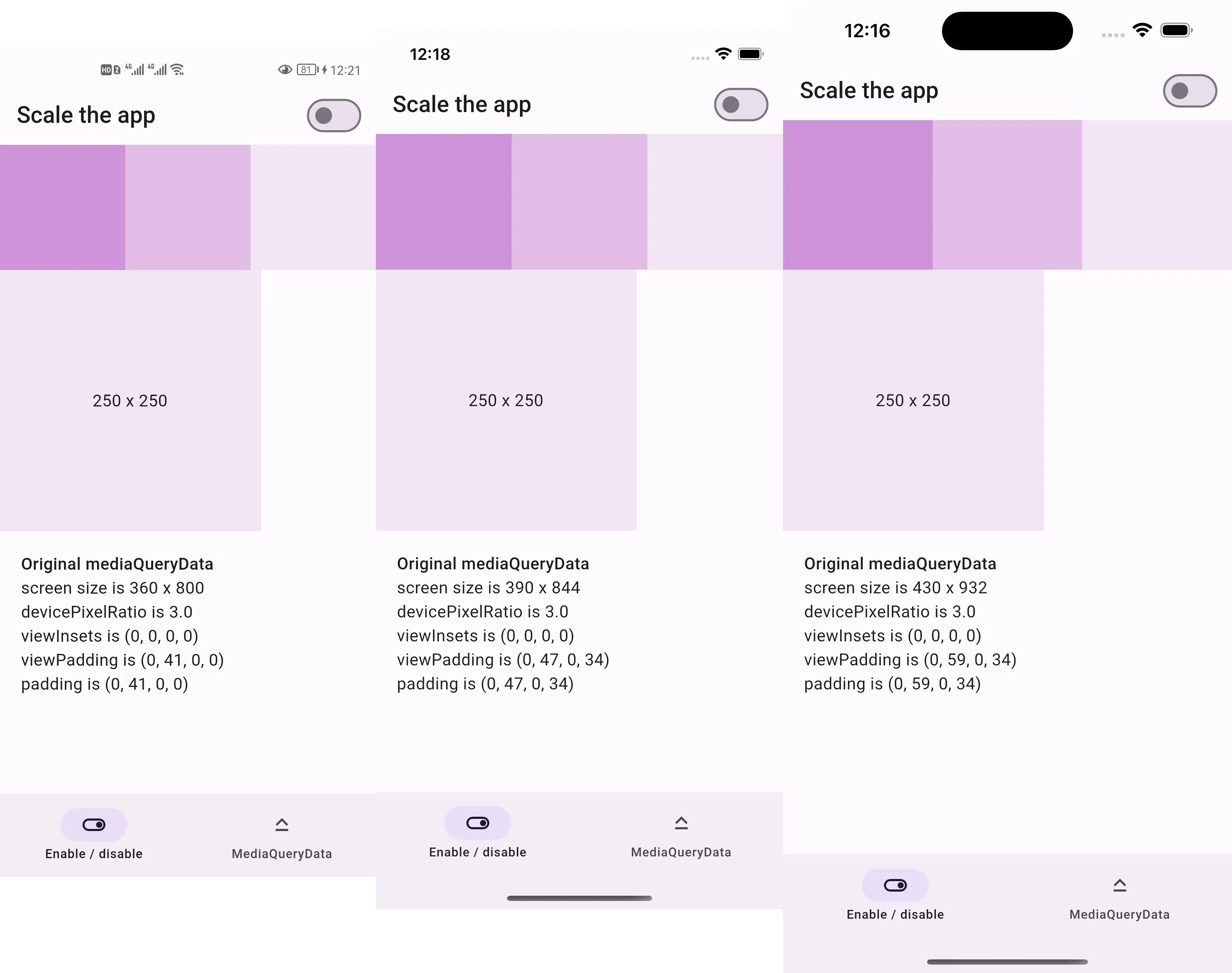
Before:
Screenshots of the same design before scaling
After:
Screenshots of the same design after scaling
Resized screenshots of the same design after scaling
This package is sponsored by 庞征博引, which breaks complex subjects into 5–10 minute reads you work through, and ask questions about, at your own pace.
https://lastmonopoly.github.io/flutter_web_app/scaled_app_demo/
Use this package in your Flutter app when:
Firstly, replace runApp with runAppScaled
void main() {
  // 1st way to use this package
  runAppScaled(const MyApp(), scaleFactor: (deviceSize) {
    // screen width used in your UI design
    const double widthOfDesign = 375;
    return deviceSize.width / widthOfDesign;
  });
}
Or, replace WidgetsFlutterBinding with ScaledWidgetsFlutterBinding
void main() {
  // 2nd way to use this package
  // Scaling will be applied based on [scaleFactor] callback.
  ScaledWidgetsFlutterBinding.ensureInitialized(
    scaleFactor: (deviceSize) {
      // screen width used in your UI design
      const double widthOfDesign = 375;
      return deviceSize.width / widthOfDesign;
    },
  );
  runApp(const MyApp());
}
Then, use MediaQueryData.scale to scale size, viewInsets, viewPadding, etc.
class PageRoute extends StatelessWidget {
  const PageRoute({Key? key}) : super(key: key);

  @override
  Widget build(BuildContext context) {
    return MediaQuery(
      data: MediaQuery.of(context).scale(),
      child: const Scaffold(...),
    );
  }
}
Optionally, update ScaledWidgetsFlutterBinding.instance.scaleFactor to enable / disable scaling on demand.
https://juejin.cn/post/7078816723666731021