


 v1.0.2
time_slot
एक नया Flutter पैकेज जो दिए गए समय अंतराल या तारीख समय की सूची के साथ समय के स्लॉट बनाने में मदद करता है और समय के दिन के हिस्से का नाम प्राप्त करता है।
32लाइक 63230-दिन डाउनलोड140Pub अंक
AndroidiOSWebmacOSWindowsLinux
एक नया Flutter पैकेज जो दिए गए समय अंतराल या तिथि-समय की सूची के साथ समय के स्लॉट बनाने में मदद करता है और समय के दिन के हिस्से का नाम प्राप्त करता है, और इस पैकेज में ar और en के लिए स्थानीयकरण की अनुमति है।

यह अंग्रेज़ी मूल स्नैपशॉट है। नवीनतम सामग्री GitHub पर देखें।
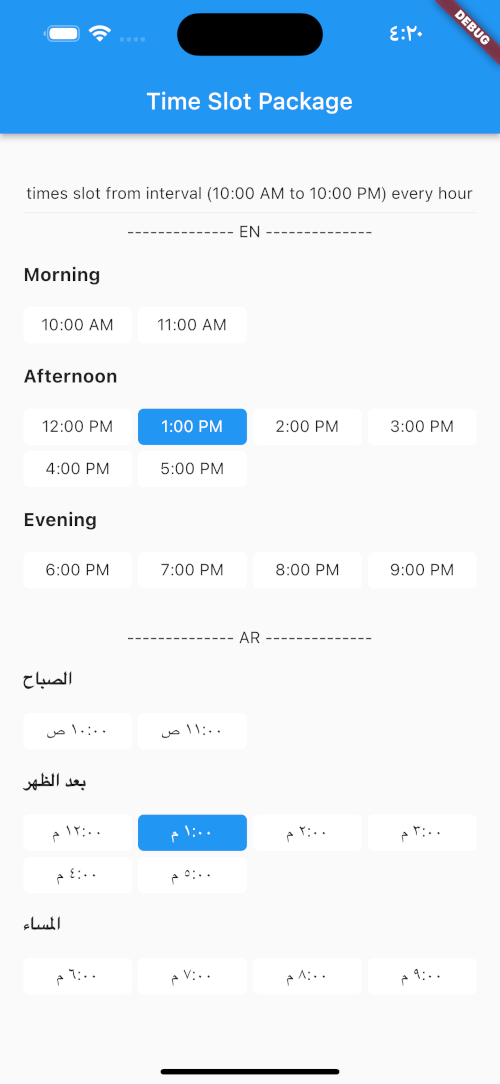
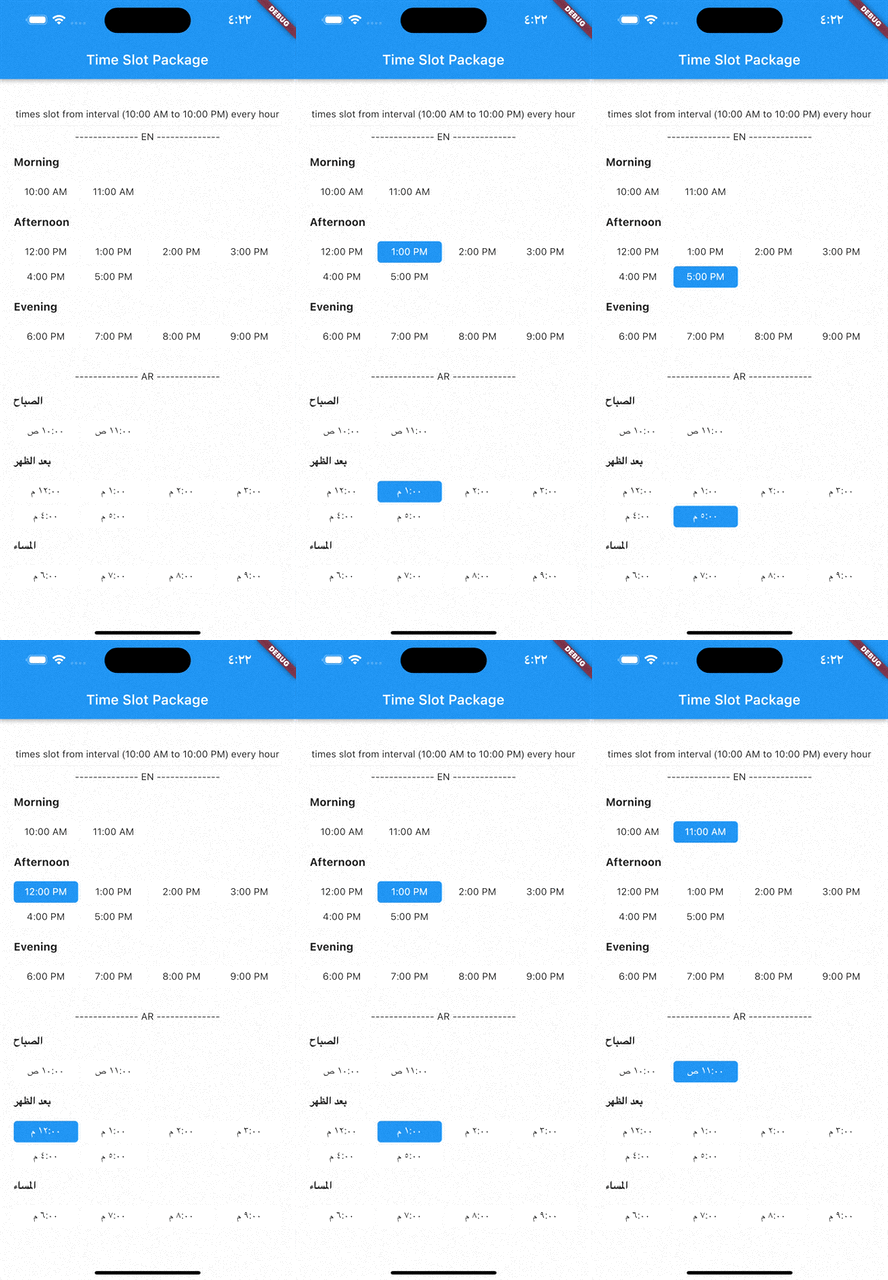
A new Flutter package which helps in creating time slots with given time interval or list of date times and get day part name of time, and this package allow localization ar and en.
pubspec.yaml file:dependencies:
time_slot: any
$ pub get
time_slot.dart file in your appimport 'package:time_slot/time_slot.dart';
DayPartController
DayPartController dayPartController = DayPartController();
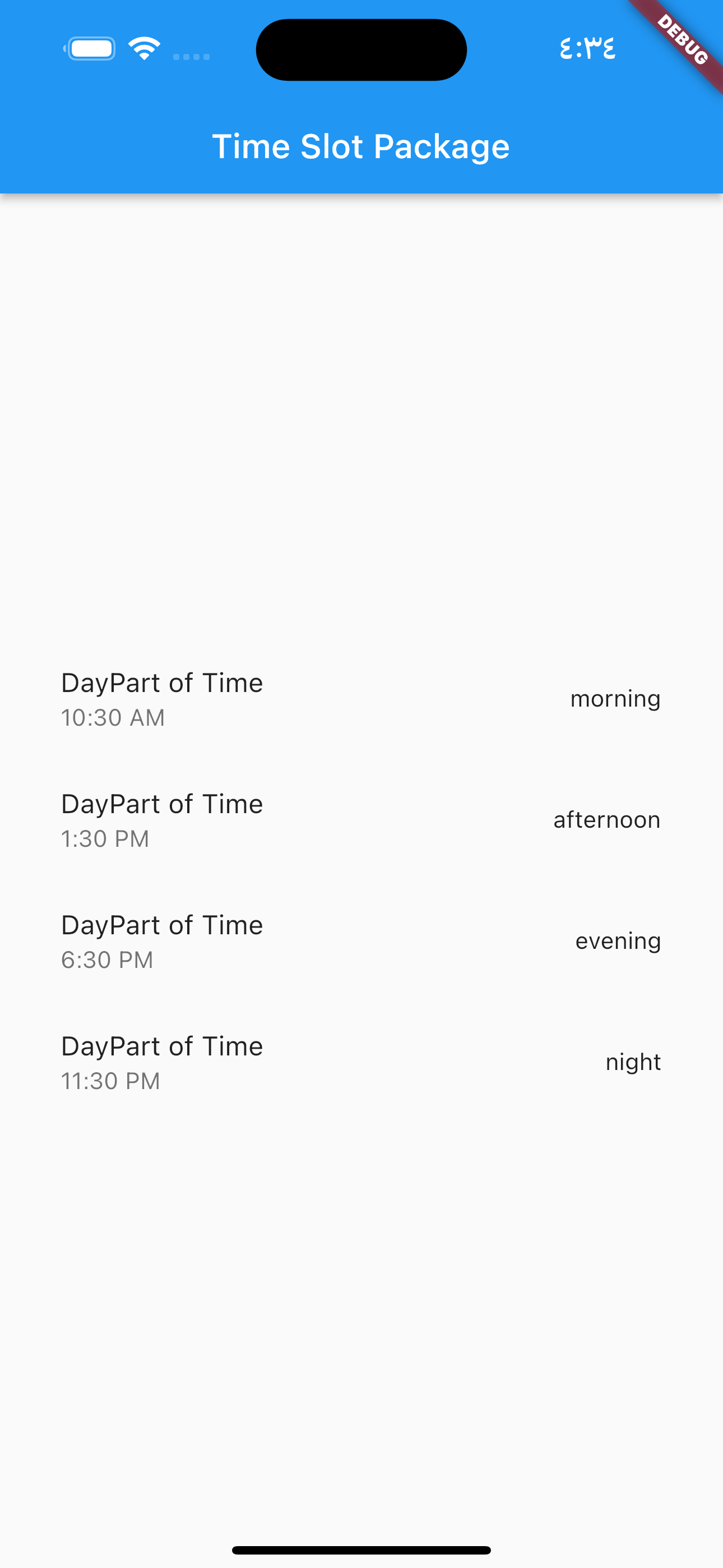
to get day part of time
  DayParts dayPart = dayPartController.getDayPartOfTime(
    time: DateTime(2023, 1, 1, 10, 30),
  ); ///  DayParts.morning
to get day part name from DayParts
  DayParts dayPart = dayPartController.getDayPartName(dayPart: dayPart),);
  /// morning
to build time slot grid view from interval (10:00 AM to 10:00 PM) every hour
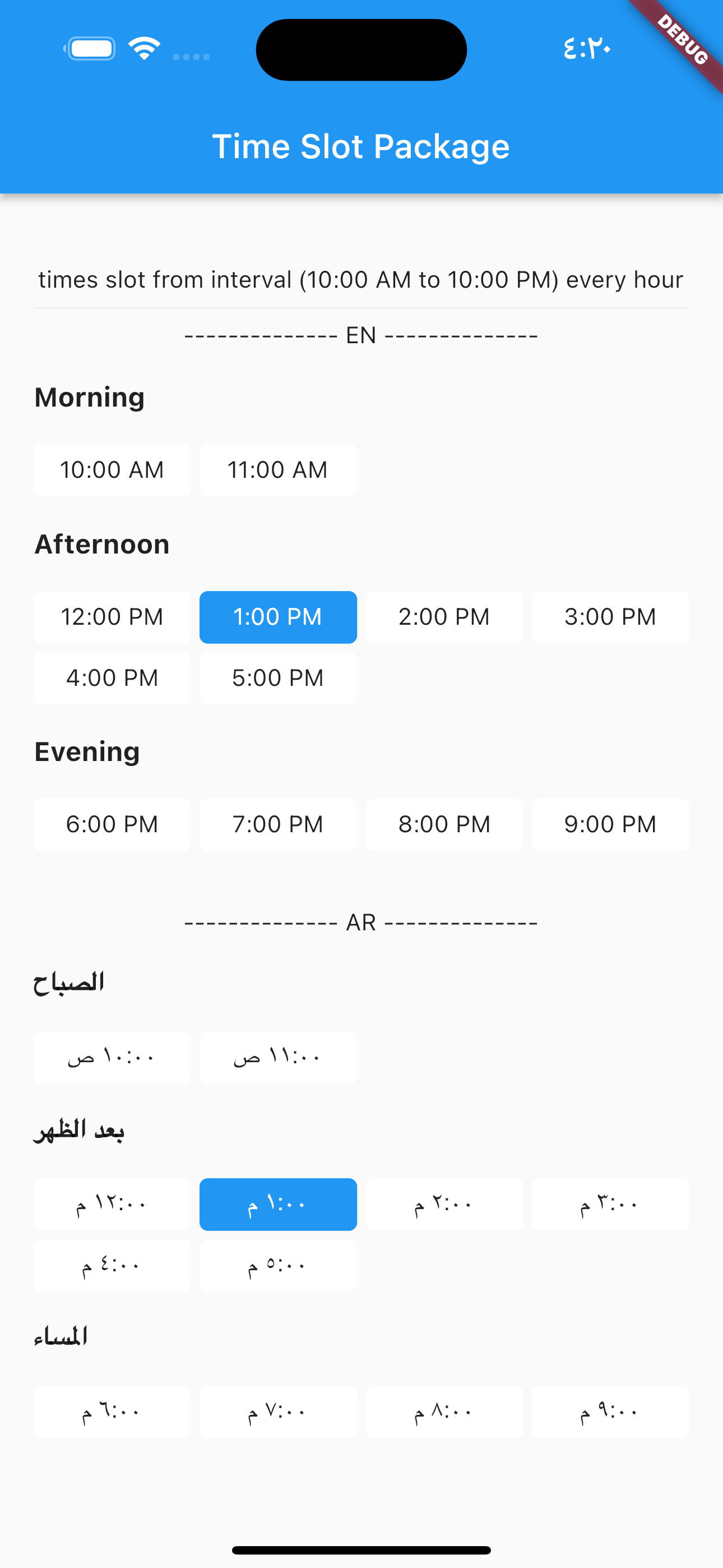
            TimesSlotGridViewFromInterval(
                locale: "en",
                initTime: selectTime,
                crossAxisCount: 4,
                timeSlotInterval: const TimeSlotInterval(
                  start: TimeOfDay(hour: 10, minute: 00),
                  end: TimeOfDay(hour: 22, minute: 0),
                  interval: Duration(hours: 1, minutes: 0),
                ),
                onChange: (value) {
                  setState(() {
                    selectTime = value;
                  });
                },
              ),
locale = "ar",
                TimesSlotGridViewFromInterval(
                locale: "ar",
                initTime: selectTime,
                crossAxisCount: 4,
                timeSlotInterval: const TimeSlotInterval(
                  start: TimeOfDay(hour: 10, minute: 00),
                  end: TimeOfDay(hour: 22, minute: 0),
                  interval: Duration(hours: 1, minutes: 0),
                ),
                onChange: (value) {
                  setState(() {
                    selectTime = value;
                  });
                },
              ),
to build time slot grid view from list date.
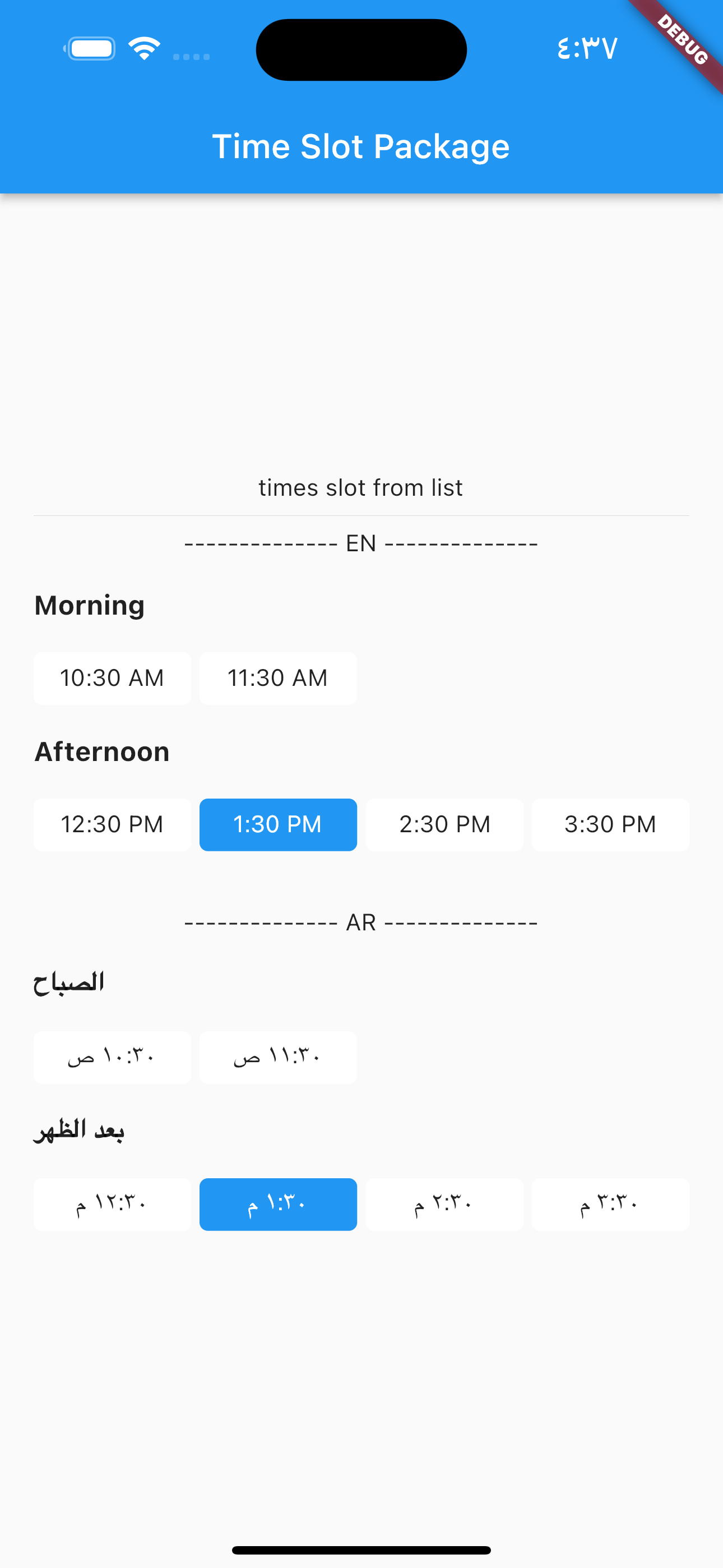
            TimesSlotGridViewFromList(
                locale: "en",
                initTime: selectTime,
                crossAxisCount: 4,
                listDates: [
                  DateTime(2023, 1, 1, 10, 30),
                  DateTime(2023, 1, 1, 11, 30),
                  DateTime(2023, 1, 1, 12, 30),
                  DateTime(2023, 1, 1, 13, 30),
                  DateTime(2023, 1, 1, 14, 30),
                  DateTime(2023, 1, 1, 15, 30)
                ],
                onChange: (value) {
                  setState(() {
                    selectTime = value;
                  });
                },
              ),
locale = "ar",
                TimesSlotGridViewFromList(
                locale: "ar",
                initTime: selectTime,
                crossAxisCount: 4,
                listDates: [
                  DateTime(2023, 1, 1, 10, 30),
                  DateTime(2023, 1, 1, 11, 30),
                  DateTime(2023, 1, 1, 12, 30),
                  DateTime(2023, 1, 1, 13, 30),
                  DateTime(2023, 1, 1, 14, 30),
                  DateTime(2023, 1, 1, 15, 30)
                ],
                onChange: (value) {
                  setState(() {
                    selectTime = value;
                  });
                },
              ),
निर्भरता सूची 4 आइटम
{"sdk":"flutter"}^0.19.0{"sdk":"flutter"}—उपयोग के अनुसार छाँटें, गतिविधि की तुलना करें और अपनाने से पहले मूल प्रोजेक्ट की आवश्यकताएँ जाँचें।
“A repository is the most basic element of GitHub.”
GitHub Docs — About repositories ↗