

 v1.1.1
horizontal_card_pager
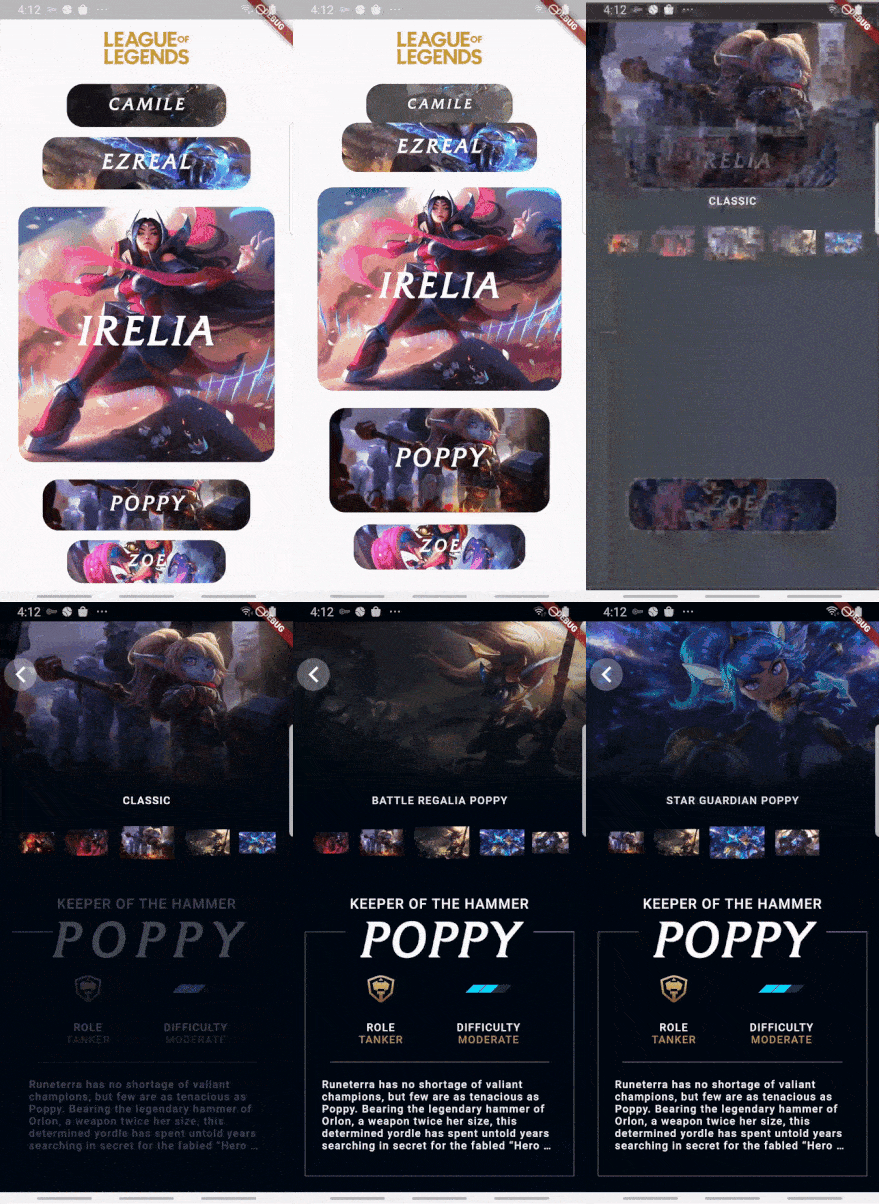
गतिशील और सुंदर कार्ड व्यू पेजर (क्षैतिज दिशा) का उपयोग करके आप शानदार एप्लिकेशन बनाने में मदद करें।
173लाइक 18330-दिन डाउनलोड140Pub अंक
AndroidiOSWebmacOSWindowsLinux
गतिशील और सुंदर कार्ड व्यू पेजर (क्षैतिज दिशा) का उपयोग करके आप शानदार एप्लिकेशन बनाने में मदद करें।

यह अंग्रेज़ी मूल स्नैपशॉट है। नवीनतम सामग्री GitHub पर देखें।


Use dynamic and beautiful card view pagers (horizontal direction) to help you create great apps.


Add dependency to pubspec.yaml
Get the latest version in the 'Installing' tab on pub.dartlang.org
dependencies:
    horizontal_card_pager: ^1.1.1
import 'package:horizontal_card_pager/horizontal_card_pager.dart';
import 'package:horizontal_card_pager/card_item.dart';
HorizontalCardPagerWith optional parameters
HorizontalCardPager(
    initialPage : 2 // default value is 2
    onPageChanged: (page) => print("page : $page"),
    onSelectedItem: (page) => print("selected : $page"),
    items: { ... },  // set ImageCardItem or IconTitleCardItem class
))
CardItem object in items parameter in HorizontalCardPagerIf the contents of the card contain only images, use the ImageCardItem class. and If the contents of the card include an icon and a title, use the IconTitleCardItem class.
| Image | Icon & Text |
|---|---|
 |
 |
ImageCardItem
class ImageCarditem extends CardItem {
  final Widget image;

  ImageCarditem({this.image});
}
IconTitleCardItemclass IconTitleCardItem extends CardItem {
final IconData iconData;
final String text;
final Color selectedBgColor;
final Color noSelectedBgColor;
final Color selectedIconTextColor;
final Color noSelectedIconTextColor;
IconTitleCardItem(
{this.iconData,
this.text,
this.selectedIconTextColor = Colors.white,
this.noSelectedIconTextColor = Colors.grey,
this.selectedBgColor = Colors.blue,
this.noSelectedBgColor = Colors.white});
}
Check out the example app in the example directory or the 'Example' tab on pub.dartlang.org for a more complete example.
This package's animation is inspired from from this Dribbble art.
निर्भरता सूची 2 आइटम
{"sdk":"flutter"}{"sdk":"flutter"}उपयोग के अनुसार छाँटें, गतिविधि की तुलना करें और अपनाने से पहले मूल प्रोजेक्ट की आवश्यकताएँ जाँचें।
“A repository is the most basic element of GitHub.”
GitHub Docs — About repositories ↗