

v0.0.7
easy_url_launcher
अपने ऐप में URL, ईमेल, कॉल और एसएमएस लॉन्च करने के लिए एक सरल और बहुत आसान फ्लटर पैकेज
40लाइक 20330-दिन डाउनलोड140Pub अंक
AndroidiOSWebmacOSWindowsLinux
Qasim345/easy_url_launcher open-source repository details.

यह अंग्रेज़ी मूल स्नैपशॉट है। नवीनतम सामग्री GitHub पर देखें।
A flutter package based on url_launcher package for call,sms,email and launch url in browser or app with url parameters and launch mode as platform default or platform specific mode for web
Add package to your project by running the follwing command in your terminal
flutter pub add easy_url_launcher
Import pakage
import 'pakage:easy_url_launcher/easy_url_launcher.dart';
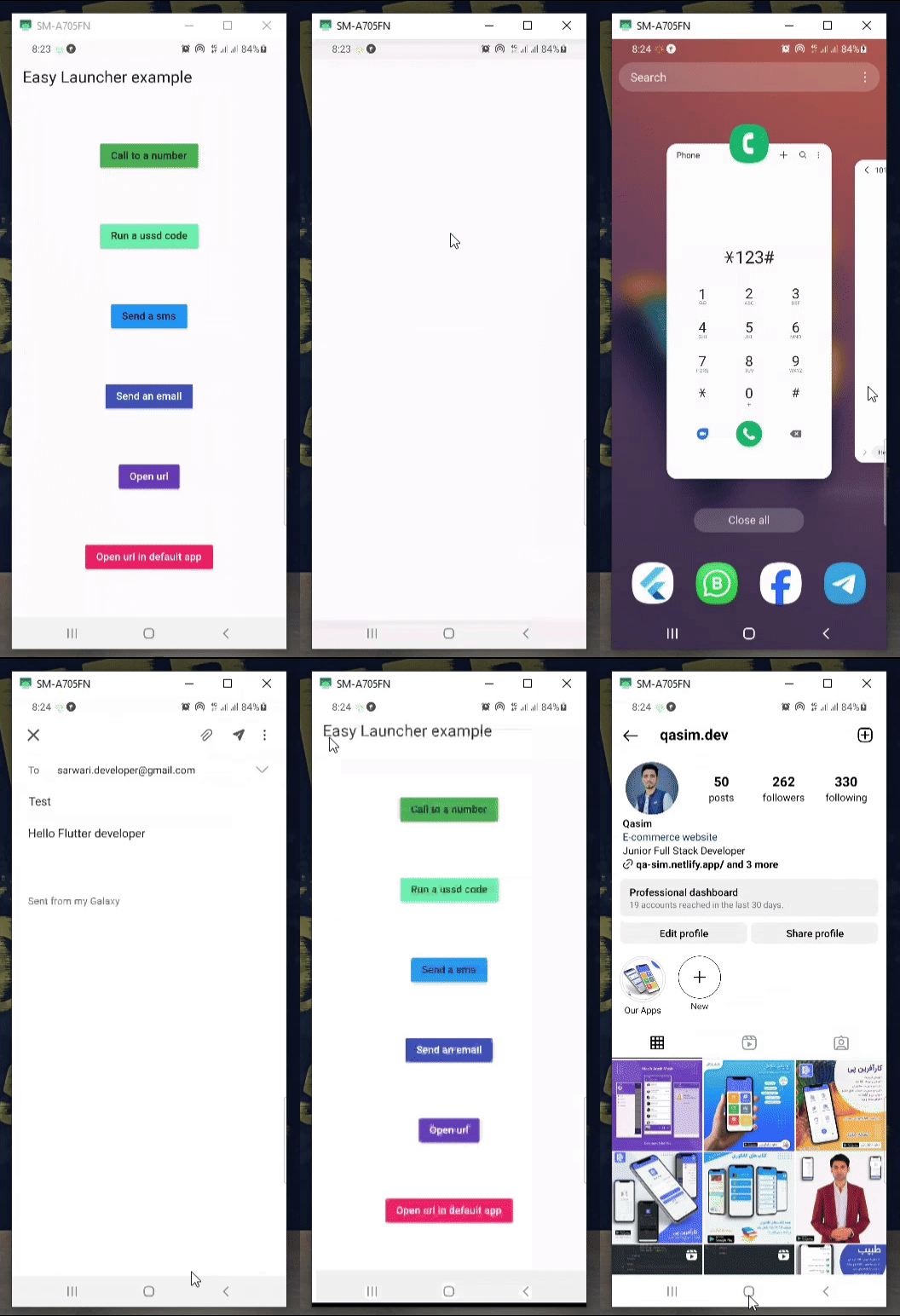
    Column(
            mainAxisAlignment: MainAxisAlignment.spaceAround,
            children: [
              MaterialButton(
                color: Colors.green,
                onPressed: () async {
                  await EasyLauncher.call(number: "767676776");
                },
                child: const Text("Call to a number"),
              ),
              MaterialButton(
                color: Colors.greenAccent,
                onPressed: () async {
                  await EasyLauncher.call(number: "*123#");
                },
                child: const Text("Run a ussd code"),
              ),
              MaterialButton(
                color: Colors.blue,
                onPressed: () async {
                  await EasyLauncher.sms(number: "1010", message: "Hello");
                },
                child: const Text("Send a sms"),
              ),
              MaterialButton(
                color: Colors.indigo,
                textColor: Colors.white,
                onPressed: () async {
                  await EasyLauncher.email(
                      email: "sarwari.developer@gmail.com",
                      subject: "Test",
                      body: "Hello Flutter developer");
                },
                child: const Text("Send an email"),
              ),
              MaterialButton(
                color: Colors.deepPurple,
                textColor: Colors.white,
                onPressed: () async {
                  await EasyLauncher.url(url: "https://pub.dev");
                },
                child: const Text("Open url"),
              ),
              MaterialButton(
                color: Colors.red,
                textColor: Colors.white,
                onPressed: () async {
                  await EasyLauncher.openMap(
                      lati: "36.7032925", long: "67.1891222");
                },
                child: const Text("Open Google map"),
              ),
              MaterialButton(
                color: Colors.pink,
                textColor: Colors.white,
                onPressed: () async {
                  await EasyLauncher.url(
                      url: "https://www.instagram.com/qasim.dev",
                      mode: Mode.platformDefault);
                },
                child: const Text("Open url in default app"),
              ),
               MaterialButton(
                color: Colors.green[700],
                textColor: Colors.white,
                onPressed: () async {
                  await EasyLauncher.sendToWhatsApp(
                      phone: "+93700000000", message: "hi");
                },
                child: const Text("Send to whatsapp"),
              ),
            ],
          ),
निर्भरता सूची 4 आइटम
{"sdk":"flutter"}^6.2.4{"sdk":"flutter"}^2.0.0उपयोग के अनुसार छाँटें, गतिविधि की तुलना करें और अपनाने से पहले मूल प्रोजेक्ट की आवश्यकताएँ जाँचें।
“A repository is the most basic element of GitHub.”
GitHub Docs — About repositories ↗