श्रेणियाँ, पैकेज और रिपॉज़िटरी खोजें

GitHub रिपॉज़िटरीTNorbury/flutter-fader

flutter-fader

एक सरल flutter विजेट जो अपने बच्चों को फेड आउट करने की अनुमति देता है, उन्हें अदृश्य और उपयोग नहीं करने योग्य बनाता है, जब तक आप उन्हें फिर से फेड इन नहीं करते।

flutter-fader प्रोजेक्ट कवर
स्टार
2
फ़ोर्क
0
अंतिम पुश (UTC)
24 अग॰ 2022
प्रोजेक्ट स्थिति
सक्रिय

मूल README

यह अंग्रेज़ी मूल स्नैपशॉट है। नवीनतम सामग्री GitHub पर देखें।

flutter_fader

pub package codecov style: flutter lints License: MIT

A widget for Flutter that allows you to fade in and out a child widget.
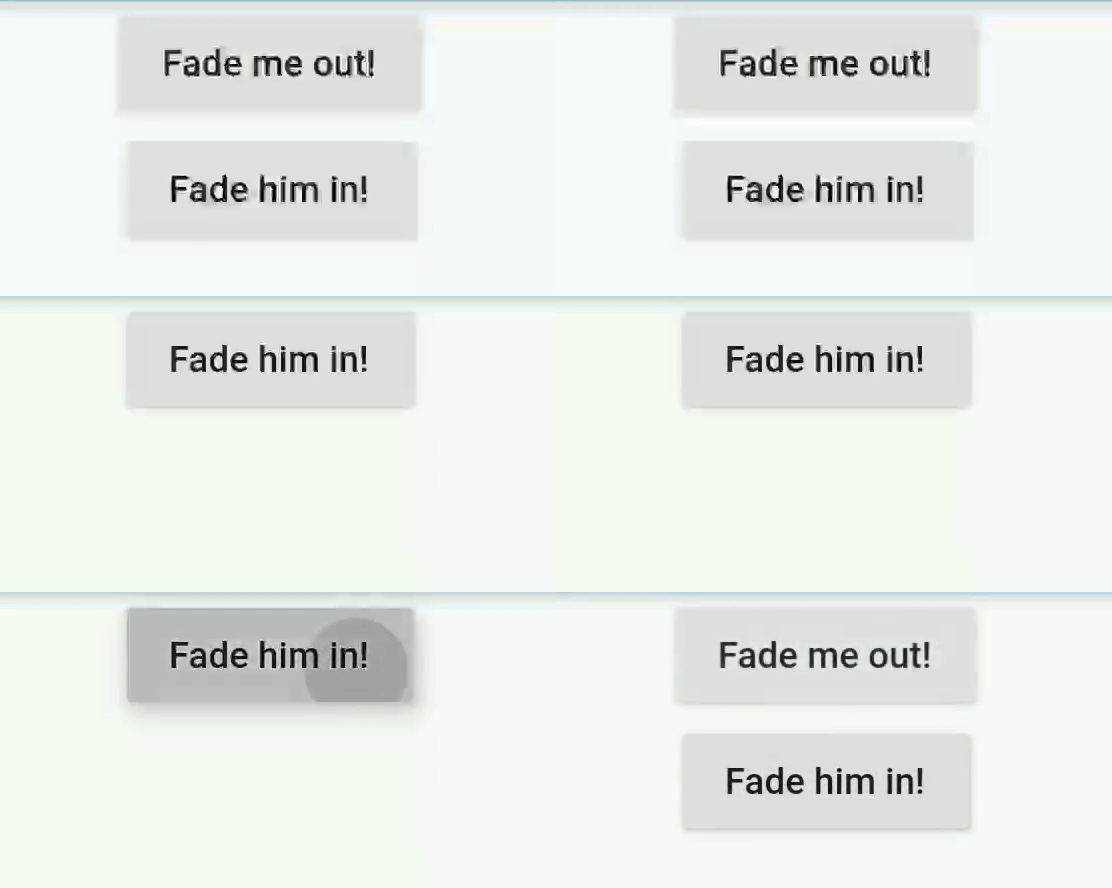
When a widget is faded out it is no longer in the view tree. Meaning that it can't be used or interacted with. Handy for hiding buttons.
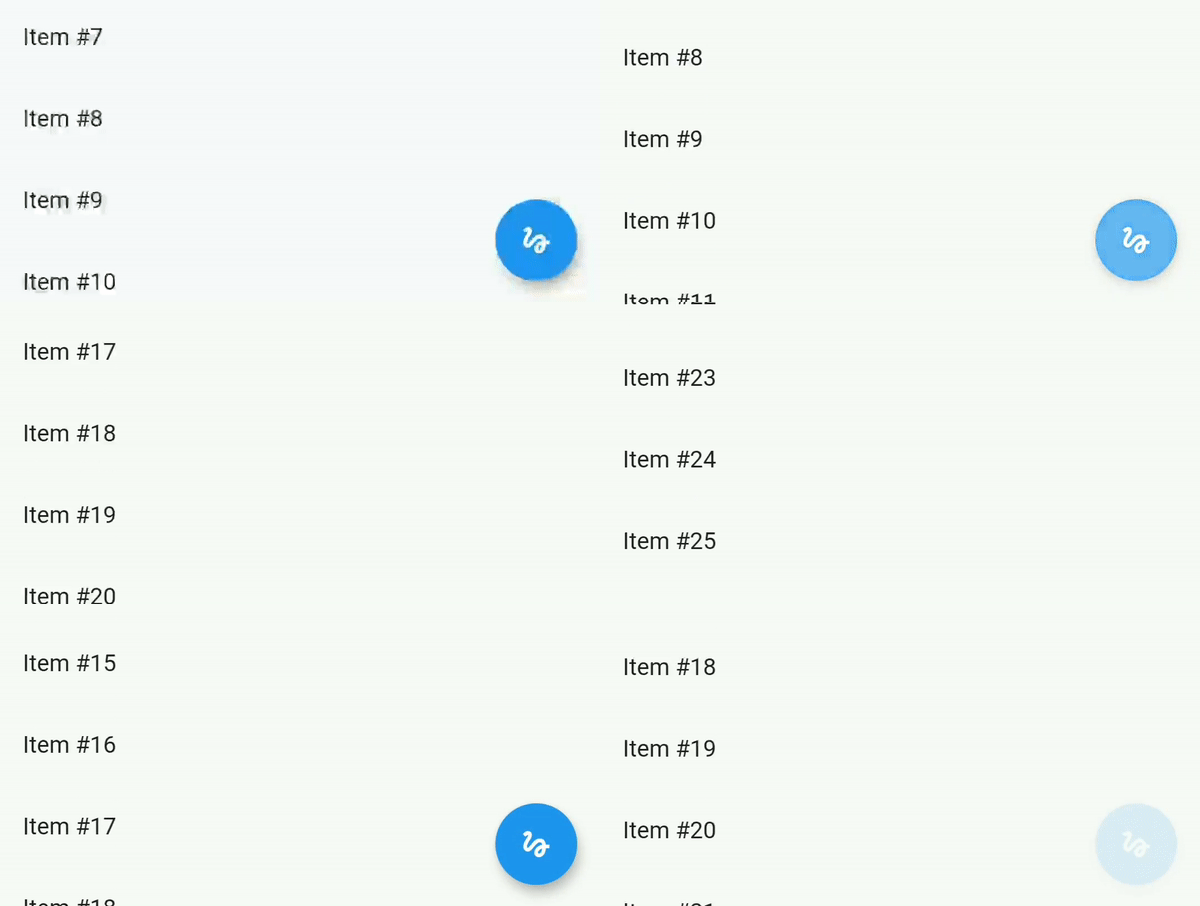
Example of fader with buttons Example of fader with scroll

Getting started

In your Flutter project, add the package to your dependencies

dependencies:
  ...
  flutter_fader: ^2.0.0

Usage example

Examples of how to use the widget, and that can also be ran on your device, can be found in the example directory

Import the fader package

import 'package:flutter_fader/flutter_fader.dart';

Create a fader controller, this allows you to control when the Fader fades in or out

FaderController faderController = new FaderController();

Create a fader widget, and pass it the fader controller

Fader(
  controller: faderController,
  duration: const Duration(milliseconds: 50),
  child: Text("Hello, world!"),
)

Now you can fade the child widget in and out at will

faderController.fadeOut();
faderController.fadeIn();

Tyler Norbury GitHub avatar
GitHub लेखक

Tyler Norbury ↗

Head of Mobile Development at @vakaros

@vakarosUK
भाषाएँDart

श्रेणियाँ

इस रिपॉज़िटरी के पैकेज

उपयोग की गई निर्भरताएँ

निर्भरता सूची 3 आइटम

  • flutter{"sdk":"flutter"}
  • flutter_lintsडेवलपमेंट^2.0.1
  • flutter_testडेवलपमेंट{"sdk":"flutter"}

अपने प्रोजेक्ट के लिए रिपॉज़िटरी कैसे चुनें?

उपयोग के अनुसार छाँटें, गतिविधि की तुलना करें और अपनाने से पहले मूल प्रोजेक्ट की आवश्यकताएँ जाँचें।

  1. नाम, लेखक या विवरण से खोजें और तकनीकी विषय से परिणाम सीमित करें।
  2. स्टार, फ़ोर्क और हाल के पुश की तुलना करें। स्टार रुचि दर्शाते हैं, गुणवत्ता की गारंटी नहीं।
  3. उपयोग से पहले GitHub पर README, लाइसेंस और Issues जाँचें।

स्रोत और रखरखाव

“A repository is the most basic element of GitHub.”

GitHub Docs — About repositories ↗