

 v1.0.0
flip_box_bar_plus
Dannniel द्वारा Dribbble डिज़ाइन से प्रेरित 3D BottomNavigationBar
34लाइक 3830-दिन डाउनलोड140Pub अंक
AndroidiOSWebmacOSWindowsLinux
फ्लटर में 3D बॉटम नेविगेशन बार

यह अंग्रेज़ी मूल स्नैपशॉट है। नवीनतम सामग्री GitHub पर देखें।
Forked from Flip_box_bar, added support for vertical position
A 3D BottomNavigationBar inspired by Dribbble design by Dannniel.
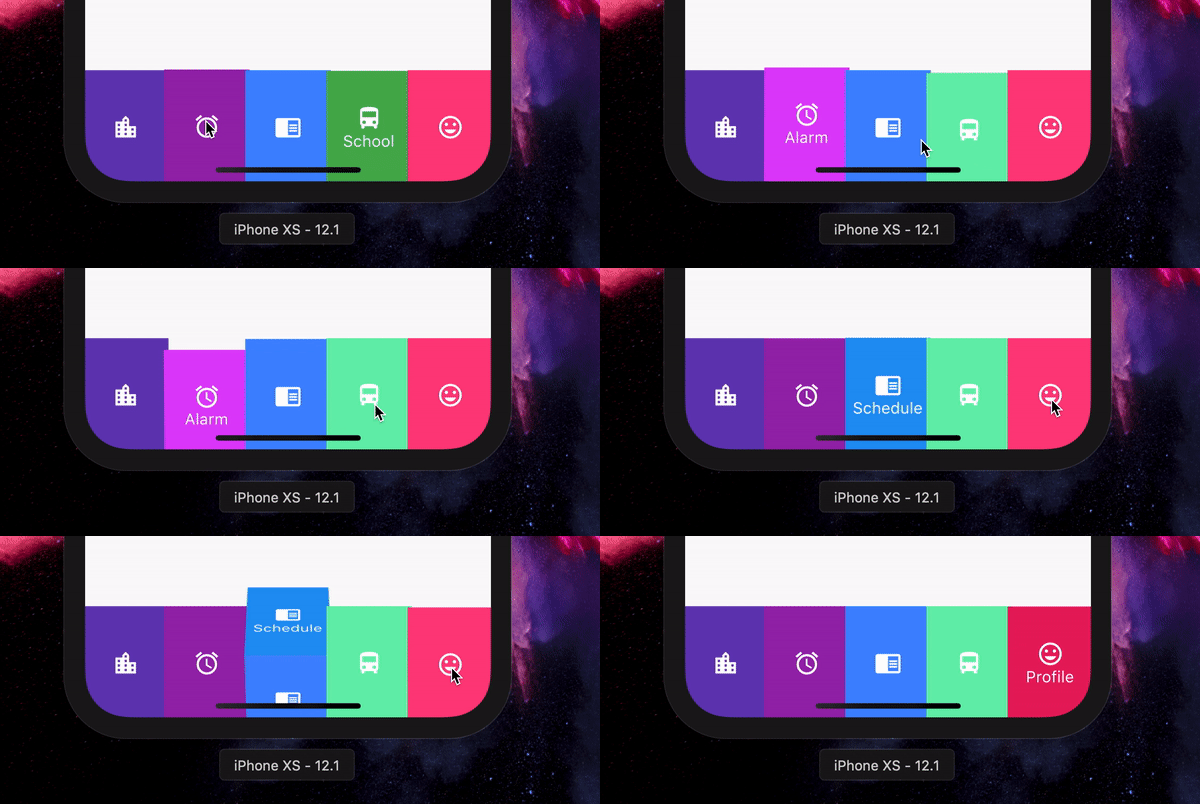
      // In Scaffold
      int selectedIndex = 0;

      FlipBoxBarPlus(
              selectedIndex: index,
              items: [
                FlipBarItem(icon: Icon(Icons.map), text: Text("Map"), frontColor: Colors.blue, backColor: Colors.blueAccent),
                FlipBarItem(icon: Icon(Icons.add), text: Text("Add"), frontColor: Colors.cyan, backColor: Colors.cyanAccent),
                FlipBarItem(icon: Icon(Icons.chrome_reader_mode), text: Text("Read"), frontColor: Colors.orange, backColor: Colors.orangeAccent),
                FlipBarItem(icon: Icon(Icons.print), text: Text("Print"), frontColor: Colors.purple, backColor: Colors.purpleAccent),
                FlipBarItem(icon: Icon(Icons.print), text: Text("Print"), frontColor: Colors.pink, backColor: Colors.pinkAccent),
              ],
              onIndexChanged: (newIndex) {
                setState() {
                    selectedIndex = newIndex;
                }
              },
            ),
The items to be displayed in the NavBar.
The duration of the animation of the box flip.
Callback for getting value of item selection.
The initial selected index of the NavBar.
The height of the NavBar when it is in bottom nav position.
Set the navigation bar as vertical.
The width of the NavBar when it is in vertical position.
निर्भरता सूची 2 आइटम
{"sdk":"flutter"}{"sdk":"flutter"}उपयोग के अनुसार छाँटें, गतिविधि की तुलना करें और अपनाने से पहले मूल प्रोजेक्ट की आवश्यकताएँ जाँचें।
“A repository is the most basic element of GitHub.”
GitHub Docs — About repositories ↗