

v1.0.7
date_range_picker
मोबाइल पर डेट रेंज पिकर्स एक डायलॉग विंडो का उपयोग करके एक अवधि के दिनों का चयन करते हैं।
119लाइक 79630-दिन डाउनलोड25Pub अंक
प्लेटफ़ॉर्म डेटा नहीं
फ्लटर डेट रेंज पिकर मोबाइल पर एक डायलॉग विंडो का उपयोग करके तारीख के एक श्रेणी का चयन करते हैं।

यह अंग्रेज़ी मूल स्नैपशॉट है। नवीनतम सामग्री GitHub पर देखें।


Currently Flutter has supported date range picker, so I think my mission is done. Thanks for using my lib. Link: https://api.flutter.dev/flutter/material/showDateRangePicker.html
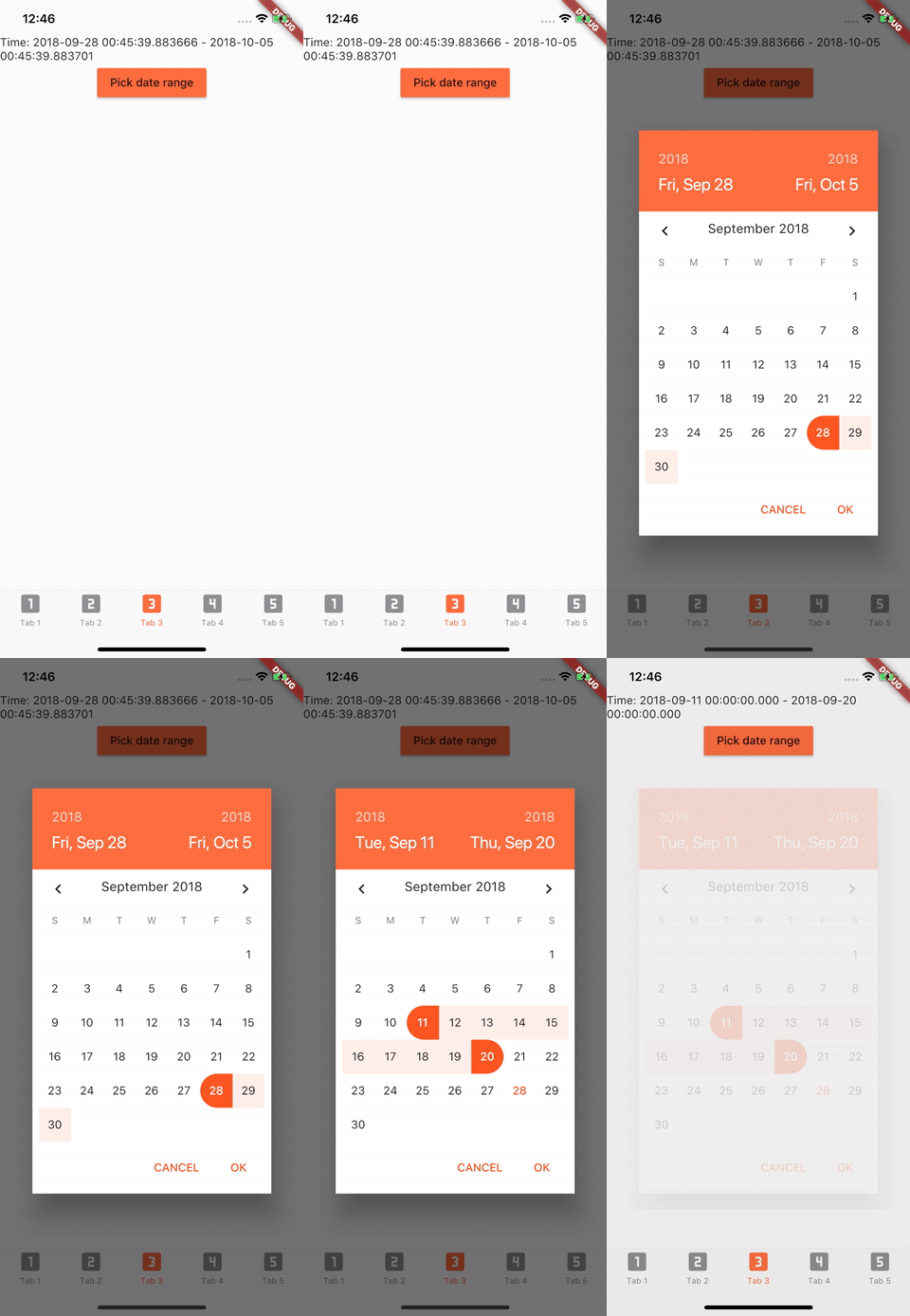
Add to pubspec.yaml in dependencies
date_range_picker: ^1.0.5
import 'package:date_range_picker/date_range_picker.dart' as DateRagePicker;
...
new MaterialButton(
    color: Colors.deepOrangeAccent,
    onPressed: () async {
      final List<DateTime> picked = await DateRagePicker.showDatePicker(
          context: context,
          initialFirstDate: new DateTime.now(),
          initialLastDate: (new DateTime.now()).add(new Duration(days: 7)),
          firstDate: new DateTime(2015),
          lastDate: new DateTime(DateTime.now().year + 2)
      );
      if (picked != null && picked.length == 2) {
          print(picked);
      }
    },
    child: new Text("Pick date range")
)
To change the colors to your preferred ones, you can wrap it in a Theme and a builder.
Theme(
    data: Theme.of(context).copyWith(
        accentColor: Colors.green,
        primaryColor: Colors.black,
        buttonTheme: ButtonThemeData(
        highlightColor: Colors.green,
        buttonColor: Colors.green,
        colorScheme: Theme.of(context).colorScheme.copyWith(
            secondary: Colors.red,
            background: Colors.white,
            primary: Colors.green,
            primaryVariant: Colors.green,
            brightness: Brightness.dark,
            onBackground: Colors.green),
            textTheme: ButtonTextTheme.accent)),
            child: Builder(
                builder: (context) => RaisedButton(
                    color: Color.fromRGBO(212, 20, 15, 1.0),
                    shape: RoundedRectangleBorder(borderRadius: BorderRadius.circular(30.0)),
                    child: Padding(
                        padding: const EdgeInsets.only(top: 10.0, bottom: 10.0, left: 30.0, right: 30.0),
                        child: Text(
                          "Date Picker",
                          style: TextStyle(
                            color: primaryColor,
                            fontSize: 28,
                            fontWeight: FontWeight.w300,
                          ),
                        ),
                      ),
                      onPressed: () async {
                        final List<DateTime> picked = await DateRangePicker.showDatePicker(
                            context: context,
                            initialFirstDate: new DateTime.now(),
                            initialLastDate: (new DateTime.now()).add(new Duration(days: 7)),
                            firstDate: new DateTime(2015),
                            lastDate: new DateTime(DateTime.now().year + 2));
                        if (picked != null && picked.length == 2) {
                          print(picked);
                        }
                      },
                    ),
                ),
            )
निर्भरता सूची 2 आइटम
{"sdk":"flutter"}{"sdk":"flutter"}उपयोग के अनुसार छाँटें, गतिविधि की तुलना करें और अपनाने से पहले मूल प्रोजेक्ट की आवश्यकताएँ जाँचें।
“A repository is the most basic element of GitHub.”
GitHub Docs — About repositories ↗