
 v0.4.4
flutter_cached_pdfview
iOS और Android के लिए मूल पीडीएफ दृश्य दिखाने के लिए एक पैकेज, पथ, संसाधन या URL से खोलने और इसे कैश करने का समर्थन करता है।
501लाइक 47 हज़ार30-दिन डाउनलोड140Pub अंक
AndroidiOS
Flutter के लिए सुधारित PDF दृश्य।

{"sdk":"flutter"}>=1.0.0 <2.0.0>=3.0.0 <4.0.0>=2.0.0 <3.0.0>=1.0.0 <2.0.0{"sdk":"flutter"}यह अंग्रेज़ी मूल स्नैपशॉट है। नवीनतम सामग्री GitHub पर देखें।
Pub Version GitHub repo size issues-raw license last-commit stars Dart CI
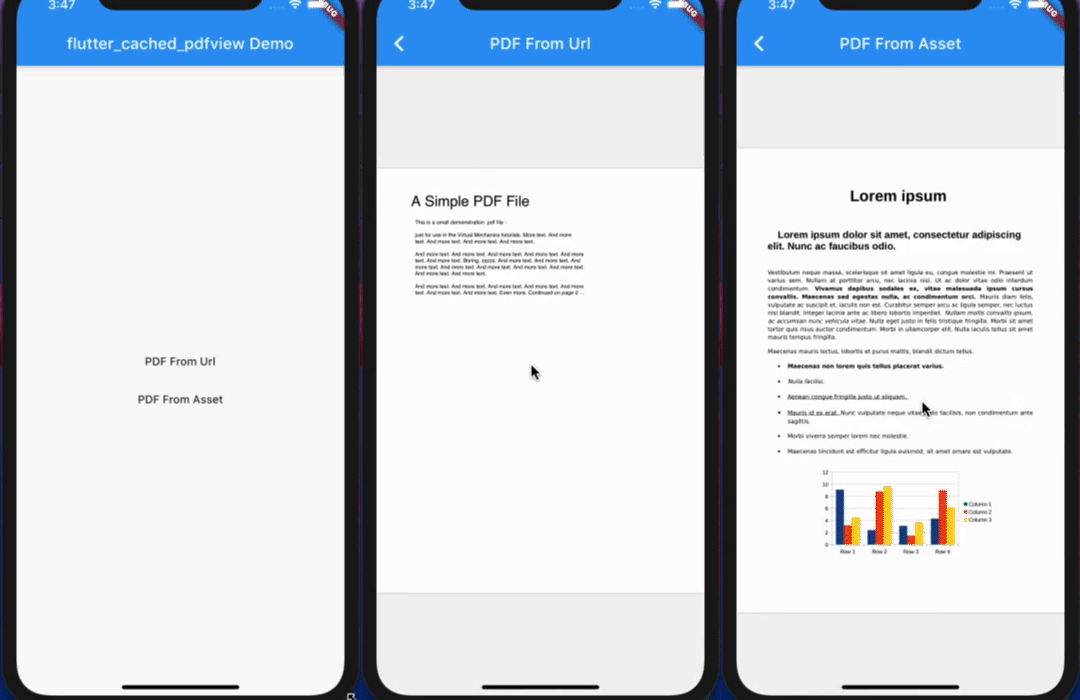
https://github.com/user-attachments/assets/77ccded4-5c51-4583-9830-0f1c66e627c4
A package to show Native PDF View for iOS and Android, support Open from a different resource like Path, Asset or Url and Cache it.
📖 Read the case study — how this package is built and maintained — and the step-by-step usage guide by the author.
Opt-in to the embedded views preview by adding a boolean property to the app's Info.plist file
with the key io.flutter.embedded_views_preview and the value YES.
iOS (only support> 11.0) you need to add this line in your ios/Podfile
platform :ios, '11.0'
ready-made in the Example
Now in your Dart code, you can use:
import 'package:flutter_cached_pdfview/flutter_cached_pdfview.dart';
| Name | Android | iOS | Default |
|---|---|---|---|
| defaultPage | ✅ | ✅ | 0 |
| onViewCreated | ✅ | ✅ | null |
| onRender | ✅ | ✅ | null |
| onPageChanged | ✅ | ✅ | null |
| onError | ✅ | ✅ | null |
| onPageError | ✅ | ❌ | null |
| onLinkHandle | ✅ | ✅ | null |
| gestureRecognizers | ✅ | ✅ | null |
| filePath | ✅ | ✅ | |
| fitPolicy | ✅ | ❌ | FitPolicy.WIDTH |
| enableSwipe | ✅ | ✅ | true |
| swipeHorizontal | ✅ | ✅ | false |
| password | ✅ | ✅ | null |
| nightMode | ✅ | ❌ | false |
| autoSpacing | ✅ | ✅ | true |
| pageFling | ✅ | ✅ | true |
| pageSnap | ✅ | ❌ | true |
| preventLinkNavigation | ✅ | ✅ | false |
| bockgroundColor | ✅ | ✅ | null |
| Name | Description | Parameters | Return |
|---|---|---|---|
| getPageCount | Get total page count | - | Future<int> |
| getCurrentPage | Get current page | - | Future<int> |
| setPage | Go to/Set page | int page |
Future<bool> |
       PDF(
        enableSwipe: true,
        swipeHorizontal: true,
        autoSpacing: false,
        pageFling: false,
        backgroundColor: Colors.grey,
        onError: (error) {
          print(error.toString());
        },
        onPageError: (page, error) {
          print('$page: ${error.toString()}');
        },
        onPageChanged: (int page, int total) {
          print('page change: $page/$total');
        },
      ).fromAsset('assets/pdf/file-example.pdf'),
      PDF(
        swipeHorizontal: true,
      ).cachedFromUrl('https://ontheline.trincoll.edu/images/bookdown/sample-local-pdf.pdf'),
      PDF().cachedFromUrl(
             'https://ontheline.trincoll.edu/images/bookdown/sample-local-pdf.pdf',
             placeholder: (progress) => Center(child: Text('$progress %')),
             errorWidget: (error) => Center(child: Text(error.toString())),
           )
If you use proguard, you should include this line [ready-made in the Example].
-keep class com.shockwave.**
IOS
https://user-images.githubusercontent.com/33700292/84597606-ec4b6180-ae19-11ea-9013-b3b5a977a87a.gifWEB