
 v0.0.4
pushable_button
3D दबाने योग्य बटन। ऐप में महत्वपूर्ण CTA के लिए आदर्श।
50लाइक 7830-दिन डाउनलोड155Pub अंक
AndroidiOSWebmacOSWindowsLinux
फ्लटर में बनाई गई 3D दबाने योग्य बटन। ऐप में महत्वपूर्ण CTA के लिए आदर्श।

{"sdk":"flutter"}{"sdk":"flutter"}यह अंग्रेज़ी मूल स्नैपशॉट है। नवीनतम सामग्री GitHub पर देखें।
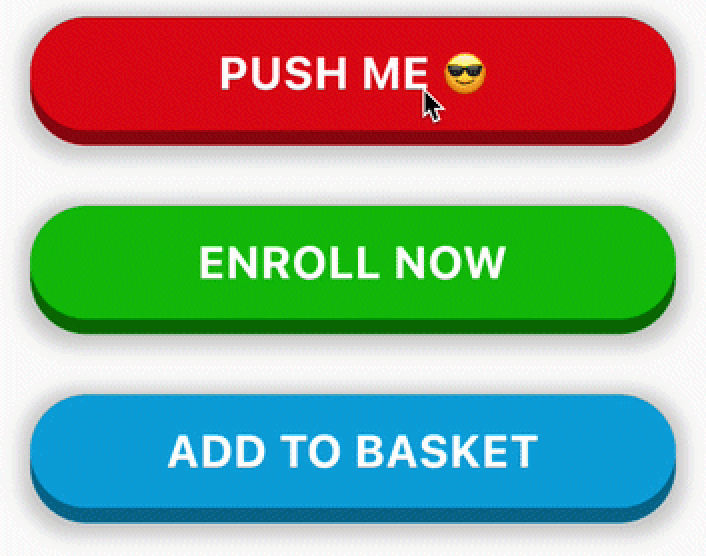
A 3D pushable button built in Flutter. Ideal for important CTAs in the app.
PushableButton preview
PushableButton(
  child: Text('ENROLL NOW', style: someTextStyle),
  height: 60,
  elevation: 8,
  hslColor: HSLColor.fromAHSL(1.0, 120, 1.0, 0.37),
  shadow: BoxShadow(
    color: Colors.grey.withOpacity(0.5),
    spreadRadius: 5,
    blurRadius: 7,
    offset: Offset(0, 2),
  ),
  onPressed: () => print('Button Pressed!'),
)
Text or Icon)HSLColor is used instead of Color so that the bottom layer is automatically calculated by reducing the luminosity