

 v0.7.0
vector_map
Flutter के लिए वेक्टर मानचित्र। उच्च स्तर पर कस्टमाइज़ेबल। GeoJSON के साथ संगत। मानचित्र चार्ट। शुद्ध Flutter।
80लाइक 25030-दिन डाउनलोड150Pub अंक
AndroidiOSWebmacOSWindowsLinux
Flutter के लिए वेक्टर मानचित्र
यह अंग्रेज़ी मूल स्नैपशॉट है। नवीनतम सामग्री GitHub पर देखें।



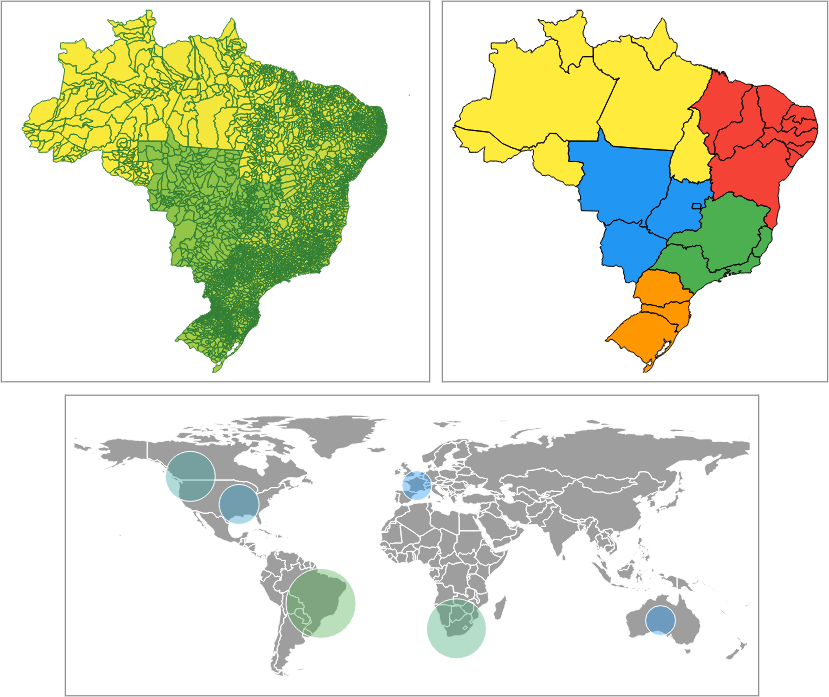
Simplified GeoJSONs will be used in the examples to demonstrate package usage. The following examples will assume that GeoJSONs have already been loaded into Strings. The full code is at https://github.com/caduandrade/vector_map_flutter_demo.
polygons.json (link)
| Name | Seq | Rnd | Gts |
|---|---|---|---|
| "Einstein" | 1 | "73" | 15000 |
| "Newton" | 2 | "92" | 7500 |
| "Galileu" | 3 | "10" | 3000 |
| "Darwin" | 4 | 15000 | |
| "Pasteur" | 5 | "77" | 17000 |
| "Faraday" | 6 | "32" | 17500 |
| "Arquimedes" | 7 | "87" | 25000 |
| "Tesla" | 8 | "17" | 12500 |
| "Lavoisier" | 9 | 4000 | |
| "Kepler" | 10 | "32" | 18000 |
| "Turing" | 11 | "93" | 31400 |
points.json (link)
| Name | AN |
|---|---|
| "Titanium" | 22 |
| "Niobium" | 41 |
| "Carbon" | 6 |
| "Neon" | 10 |
| "Silicon" | 14 |
| "Hydrogen" | 1 |
Reading the geometries only.
MapDataSource polygons = await MapDataSource.geoJson(geoJson: geoJson);
The keys argument defines which properties must be loaded.
The parseToNumber argument defines which properties will have numeric values in quotes parsed to numbers.
The labelKey defines which property will be used to display its values as feature labels.
  MapDataSource polygons = await MapDataSource.geoJson(
      geoJson: geoJson,
      keys: ['Seq', 'Rnd'],
      parseToNumber: ['Rnd'],
      labelKey: 'Rnd');
VectorMapController _controller = VectorMapController();
  MapDataSource polygons = await MapDataSource.geoJson(geoJson: geoJson);
  MapLayer layer = MapLayer(dataSource: polygons);
  _controller.addLayer(layer);
VectorMap map = VectorMap(controller: _controller);
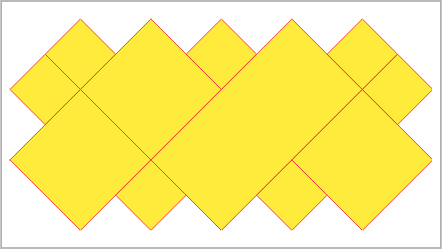
  MapLayer layer = MapLayer(
      dataSource: polygons,
      theme: MapTheme(color: Colors.yellow, contourColor: Colors.red));
  MapDataSource polygons =
      await MapDataSource.geoJson(geoJson: geoJson, labelKey: 'Name');
  MapLayer layer = MapLayer(
      dataSource: polygons,
      theme: MapTheme(labelVisibility: (feature) => true));
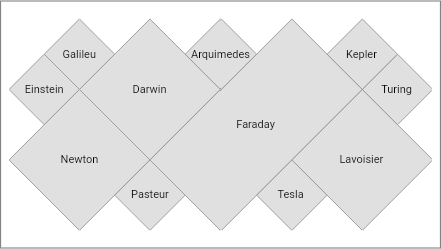
  MapLayer layer = MapLayer(
      dataSource: polygons,
      theme: MapTheme(labelVisibility: (feature) => feature.label == 'Darwin'));
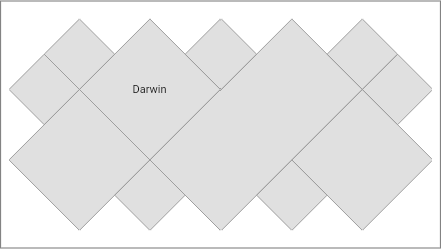
  MapLayer layer = MapLayer(
      dataSource: polygons,
      theme: MapTheme(
          labelVisibility: (feature) => true,
          labelStyleBuilder: (feature, featureColor, labelColor) {
            if (feature.label == 'Darwin') {
              return TextStyle(
                color: labelColor,
                fontWeight: FontWeight.bold,
                fontSize: 11,
              );
            }
            return TextStyle(
              color: labelColor,
              fontSize: 11,
            );
          }));
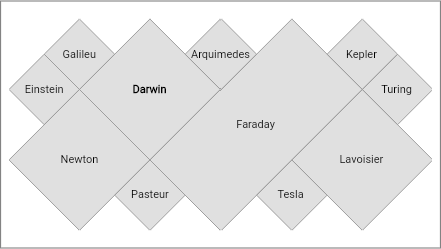
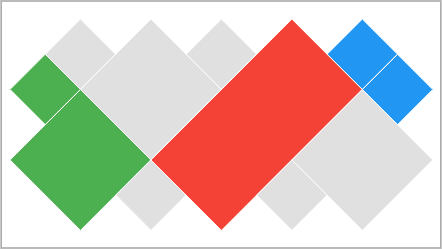
Sets a color for each property value in GeoJSON. If a color is not set, the default color is used.
Mapping the property key:
  MapDataSource polygons = await MapDataSource.geoJson(
      geoJson: geoJson, keys: ['Seq'], labelKey: 'Seq');
Setting the colors for the property values:
  MapLayer layer = MapLayer(
      dataSource: polygons,
      theme: MapValueTheme(
          contourColor: Colors.white,
          labelVisibility: (feature) => true,
          key: 'Seq',
          colors: {
            2: Colors.green,
            4: Colors.red,
            6: Colors.orange,
            8: Colors.blue
          }));
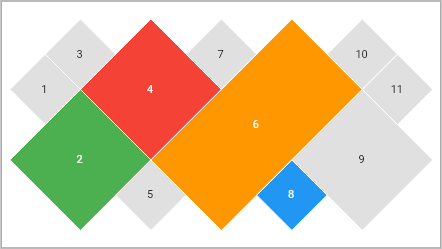
The feature color is obtained from the first rule that returns a non-null color. If all rules return a null color, the default color is used.
Mapping the property key:
  MapDataSource polygons =
      await MapDataSource.geoJson(geoJson: geoJson, keys: ['Name', 'Seq']);
Setting the rules:
  MapLayer layer = MapLayer(
      dataSource: polygons,
      theme: MapRuleTheme(contourColor: Colors.white, colorRules: [
        (feature) {
          String? value = feature.getValue('Name');
          return value == 'Faraday' ? Colors.red : null;
        },
        (feature) {
          double? value = feature.getDoubleValue('Seq');
          return value != null && value < 3 ? Colors.green : null;
        },
        (feature) {
          double? value = feature.getDoubleValue('Seq');
          return value != null && value > 9 ? Colors.blue : null;
        }
      ]));
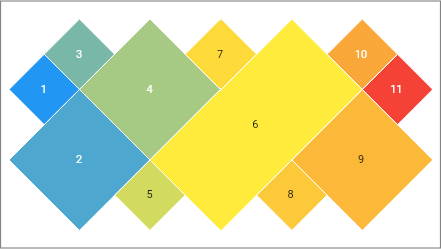
The gradient is created given the colors and limit values of the chosen property. The property must have numeric values.
Uses the min and max values read from data source.
  MapDataSource polygons = await MapDataSource.geoJson(
      geoJson: geoJson, keys: ['Seq'], labelKey: 'Seq');
  MapLayer layer = MapLayer(
      dataSource: polygons,
      theme: MapGradientTheme(
          contourColor: Colors.white,
          labelVisibility: (feature) => true,
          key: 'Seq',
          colors: [Colors.blue, Colors.yellow, Colors.red]));
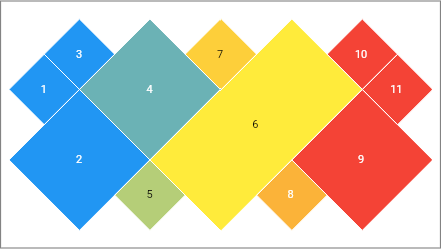
If the min value is set, all lower values will be displayed using the first gradient color.
If the max value is set, all higher values will be displayed using the last gradient color.
  MapDataSource polygons = await MapDataSource.geoJson(
      geoJson: geoJson, keys: ['Seq'], labelKey: 'Seq');
  MapLayer layer = MapLayer(
      dataSource: polygons,
      theme: MapGradientTheme(
          contourColor: Colors.white,
          labelVisibility: (feature) => true,
          key: 'Seq',
          min: 3,
          max: 9,
          colors: [Colors.blue, Colors.yellow, Colors.red]));
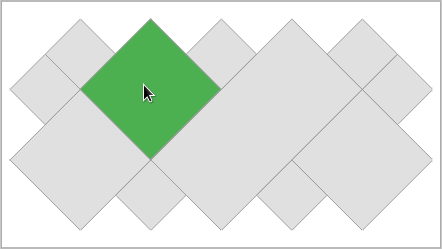
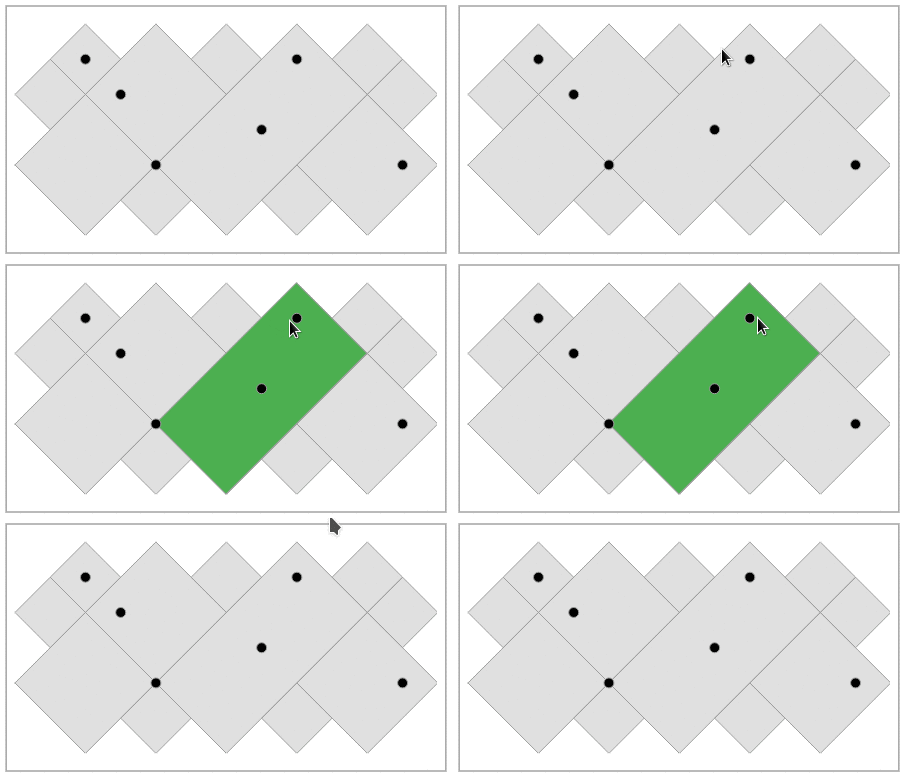
Used by addons and cursor hover to highlight layer features on the map.
  MapLayer layer = MapLayer(
      dataSource: polygons,
      highlightTheme: MapHighlightTheme(color: Colors.green));
  MapLayer layer = MapLayer(
      dataSource: polygons,
      highlightTheme: MapHighlightTheme(contourColor: Colors.red));
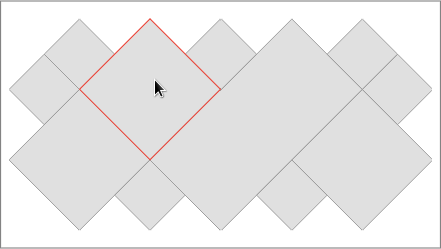
  MapDataSource polygons =
      await MapDataSource.geoJson(geoJson: geoJson, labelKey: 'Name');
  MapLayer layer = MapLayer(
      dataSource: polygons,
      highlightTheme: MapHighlightTheme(labelVisibility: (feature) => true));
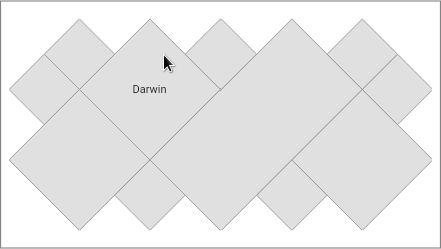
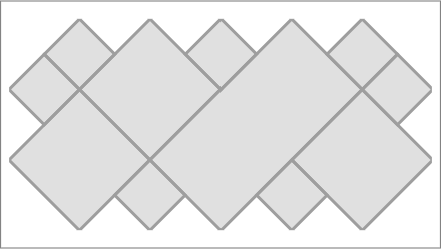
VectorMapController _controller = VectorMapController(contourThickness: 3);
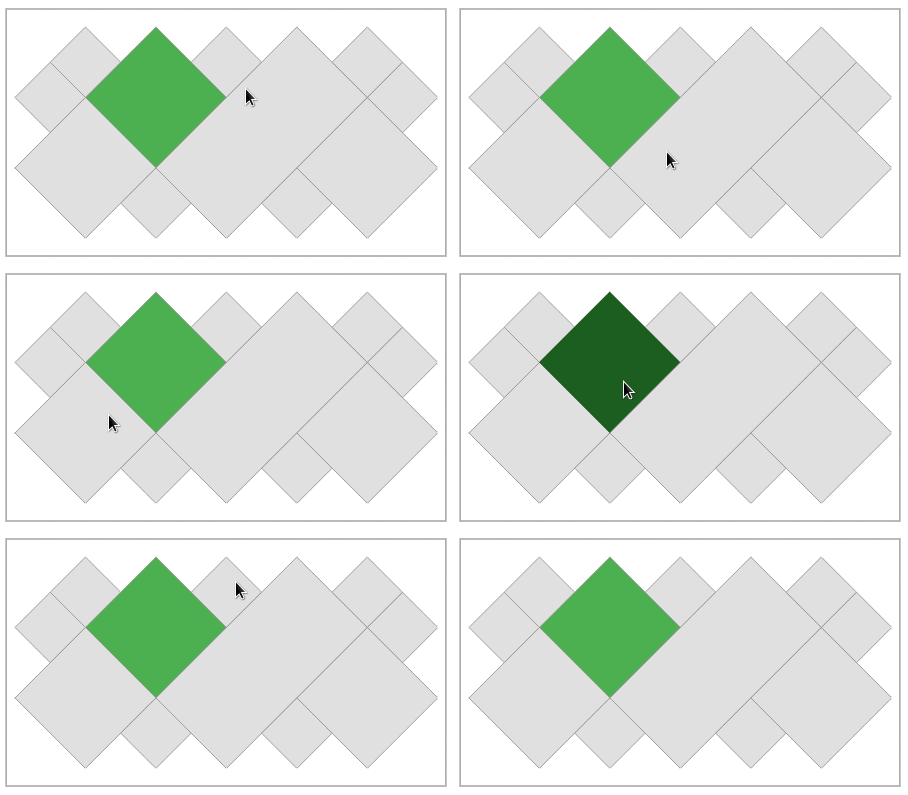
  MapDataSource polygons =
      await MapDataSource.geoJson(geoJson: geoJson, keys: ['Seq']);
  // coloring only the 'Darwin' feature
  MapLayer layer = MapLayer(
      dataSource: polygons,
      theme: MapValueTheme(key: 'Seq', colors: {4: Colors.green}),
      highlightTheme: MapHighlightTheme(color: Colors.green[900]!));
  // enabling hover only for the 'Darwin' feature
  VectorMap map = VectorMap(
      controller: _controller,
      hoverRule: (feature) {
        return feature.getValue('Seq') == 4;
      });
  VectorMap map = VectorMap(
      controller: _controller,
      hoverListener: (MapFeature? feature) {
        if (feature != null) {
          int id = feature.id;
        }
      });
  MapHighlightTheme highlightTheme = MapHighlightTheme(color: Colors.green);

  MapDataSource polygons =
      await MapDataSource.geoJson(geoJson: polygonsGeoJson);
  MapLayer polygonLayer =
      MapLayer(dataSource: polygons, highlightTheme: highlightTheme);
  _controller.addLayer(polygonLayer);

  MapDataSource points = await MapDataSource.geoJson(geoJson: pointsGeoJson);
  MapLayer pointsLayer = MapLayer(
      dataSource: points,
      theme: MapTheme(color: Colors.black),
      highlightTheme: highlightTheme);
  _controller.addLayer(pointsLayer);
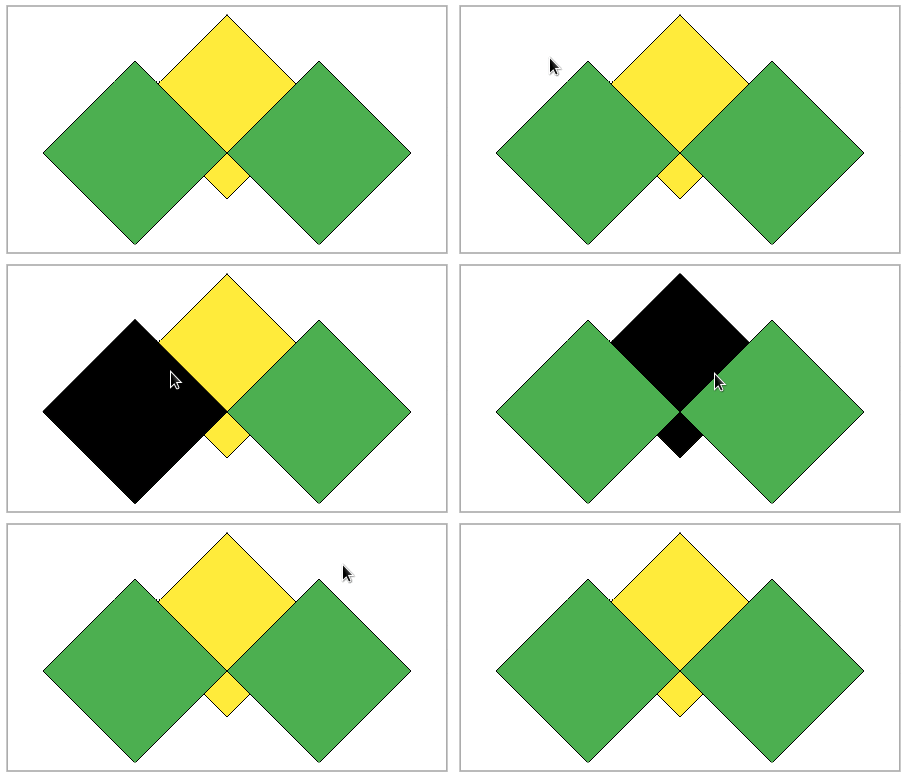
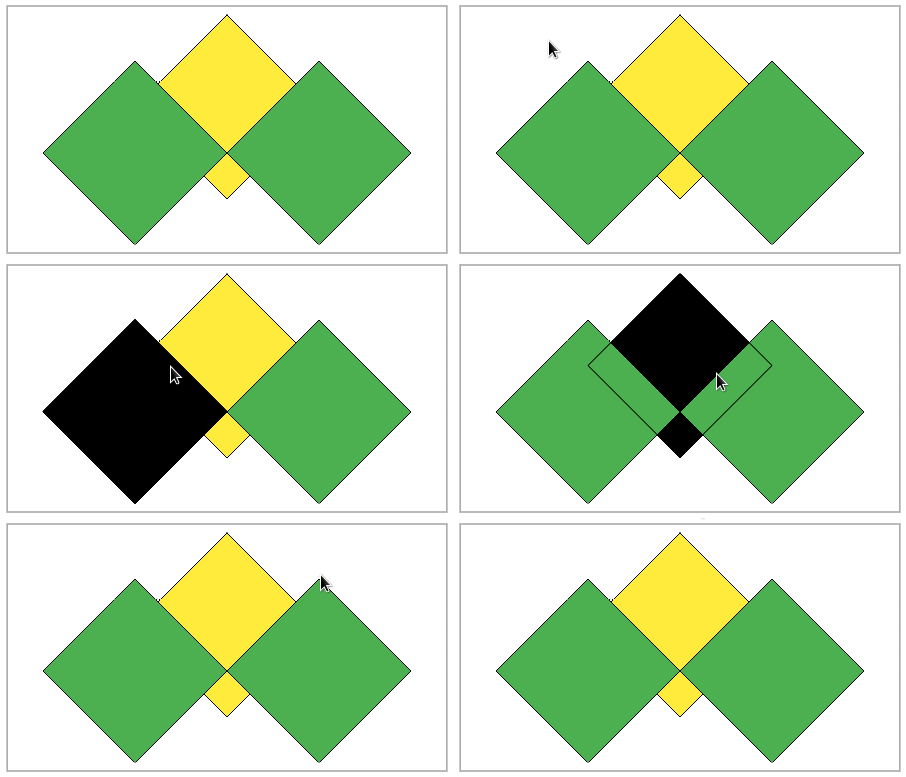
Allows you to draw the contour over all layers
  MapDataSource dataSource1 = MapDataSource.geometries([
    MapPolygon.coordinates([2, 3, 4, 5, 6, 3, 4, 1, 2, 3])
  ]);
  MapDataSource dataSource2 = MapDataSource.geometries([
    MapPolygon.coordinates([0, 2, 2, 4, 4, 2, 2, 0, 0, 2]),
    MapPolygon.coordinates([4, 2, 6, 4, 8, 2, 6, 0, 4, 2])
  ]);
Overlay disabled:
  MapHighlightTheme highlightTheme =
      MapHighlightTheme(color: Colors.black, contourColor: Colors.black);

  MapLayer layer1 = MapLayer(
      dataSource: dataSource1,
      theme: MapTheme(color: Colors.yellow, contourColor: Colors.black),
      highlightTheme: highlightTheme);
  MapLayer layer2 = MapLayer(
      dataSource: dataSource2,
      theme: MapTheme(color: Colors.green, contourColor: Colors.black),
      highlightTheme: highlightTheme);

  _controller = VectorMapController(layers: [layer1, layer2]);
Overlay enabled:
  MapLayer layer1 = MapLayer(
      dataSource: dataSource1,
      theme: MapTheme(color: Colors.yellow, contourColor: Colors.black),
      highlightTheme: MapHighlightTheme(
          color: Colors.black,
          contourColor: Colors.black,
          overlayContour: true));
  MapLayer layer2 = MapLayer(
      dataSource: dataSource2,
      theme: MapTheme(color: Colors.green, contourColor: Colors.black),
      highlightTheme:
          MapHighlightTheme(color: Colors.black, contourColor: Colors.black));

  _controller = VectorMapController(layers: [layer1, layer2]);
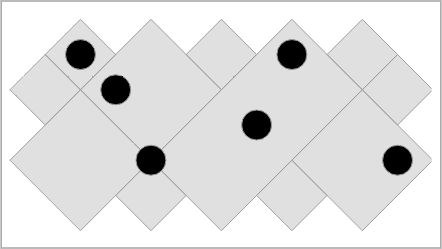
Allows different displays for point geometry.
Default marker.
Sets a fixed size radius.
  MapDataSource polygons =
      await MapDataSource.geoJson(geoJson: polygonsGeoJson);
  MapLayer polygonsLayer = MapLayer(dataSource: polygons);
  _controller.addLayer(polygonsLayer);

  MapDataSource points = await MapDataSource.geoJson(
      geoJson: pointsGeoJson, keys: ['AN'], labelKey: 'AN');
  MapLayer pointsLayer = MapLayer(
      dataSource: points,
      theme: MapTheme(
          color: Colors.black,
          markerBuilder: CircleMakerBuilder.fixed(radius: 15)));
  _controller.addLayer(pointsLayer);
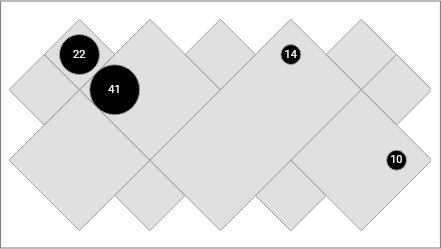
Maps property values to radius values.
  MapDataSource polygons =
      await MapDataSource.geoJson(geoJson: polygonsGeoJson);
  MapLayer polygonsLayer = MapLayer(dataSource: polygons);
  _controller.addLayer(polygonsLayer);

  MapDataSource points = await MapDataSource.geoJson(
      geoJson: pointsGeoJson, keys: ['AN'], labelKey: 'AN');
  MapLayer pointsLayer = MapLayer(
      dataSource: points,
      theme: MapTheme(
          color: Colors.black,
          labelVisibility: (feature) => true,
          markerBuilder: CircleMakerBuilder.map(
              key: 'AN', radiuses: {41: 25, 22: 20, 14: 10, 10: 10})));
  _controller.addLayer(pointsLayer);
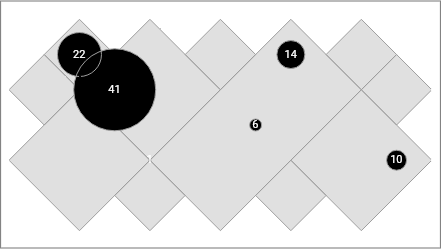
Uses the property values as radius values.
  MapDataSource polygons =
      await MapDataSource.geoJson(geoJson: polygonsGeoJson);
  MapLayer polygonsLayer = MapLayer(dataSource: polygons);
  _controller.addLayer(polygonsLayer);

  MapDataSource points = await MapDataSource.geoJson(
      geoJson: pointsGeoJson, keys: ['AN'], labelKey: 'AN');
  MapLayer pointsLayer = MapLayer(
      dataSource: points,
      theme: MapTheme(
          color: Colors.black,
          labelVisibility: (feature) => true,
          markerBuilder: CircleMakerBuilder.property(key: 'AN')));
  _controller.addLayer(pointsLayer);
  MapDataSource polygons =
      await MapDataSource.geoJson(geoJson: polygonsGeoJson);
  MapLayer polygonsLayer = MapLayer(dataSource: polygons);
  _controller.addLayer(polygonsLayer);

  MapDataSource points = await MapDataSource.geoJson(
      geoJson: pointsGeoJson, keys: ['AN'], labelKey: 'AN');
  MapLayer pointsLayer = MapLayer(
      dataSource: points,
      theme: MapTheme(
          color: Colors.black,
          labelVisibility: (feature) => true,
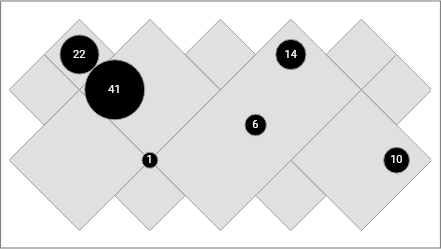
          markerBuilder: CircleMakerBuilder.proportion(
              key: 'AN', minRadius: 8, maxRadius: 30)));
  _controller.addLayer(pointsLayer);
Allows adding components on the map.
Available customizations:
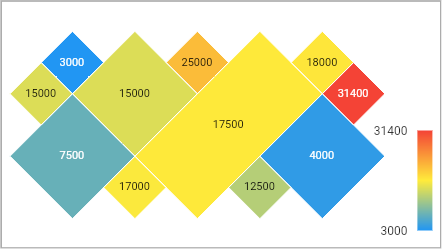
Legend for gradient themes.
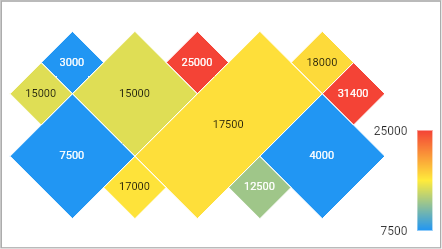
  MapDataSource polygons = await MapDataSource.geoJson(
      geoJson: geoJson, keys: ['Gts'], labelKey: 'Gts');
  MapLayer layer = MapLayer(
      id: 1,
      dataSource: polygons,
      theme: MapGradientTheme(
          contourColor: Colors.white,
          labelVisibility: (feature) => true,
          key: 'Gts',
          colors: [Colors.blue, Colors.yellow, Colors.red]));
  _controller.addLayer(layer);
_addons = [GradientLegend(layer: layer)];
  VectorMap map = VectorMap(
      controller: _controller,
      layersPadding: EdgeInsets.fromLTRB(8, 8, 56, 8),
      addons: _addons);
  MapLayer layer = MapLayer(
      id: 1,
      dataSource: polygons,
      theme: MapGradientTheme(
          contourColor: Colors.white,
          labelVisibility: (feature) => true,
          key: 'Gts',
          min: 7500,
          max: 25000,
          colors: [Colors.blue, Colors.yellow, Colors.red]));
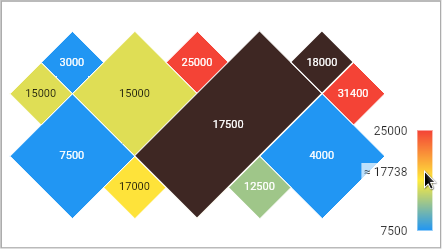
  MapLayer layer = MapLayer(
      id: 1,
      dataSource: polygons,
      theme: MapGradientTheme(
          contourColor: Colors.white,
          labelVisibility: (feature) => true,
          key: 'Gts',
          min: 7500,
          max: 25000,
          colors: [Colors.blue, Colors.yellow, Colors.red]),
      highlightTheme: MapHighlightTheme(color: Colors.brown[900]));
Available customizations:
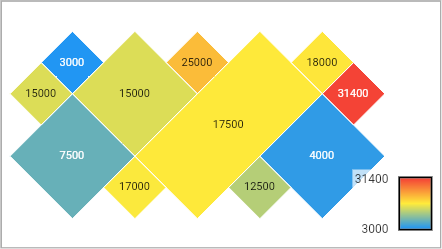
  MapLayer layer = MapLayer(
      id: 1,
      dataSource: polygons,
      theme: MapGradientTheme(
          contourColor: Colors.white,
          labelVisibility: (feature) => true,
          key: 'Gts',
          colors: [Colors.blue, Colors.yellow, Colors.red]));
  _addons = [
    GradientLegend(
        layer: layer,
        barBorder: Border.all(width: 2),
        barHeight: 50,
        barWidth: 30)
  ];
  VectorMap map = VectorMap(
      controller: _controller,
      layersPadding: EdgeInsets.fromLTRB(8, 8, 56, 8),
      addons: _addons);
  VectorMap map = VectorMap(
      controller: _controller,
      clickListener: (feature) {
        print('feature id: ${feature.id}');
      });
This is the default mode
  VectorMapController _controller =
      VectorMapController(mode: VectorMapMode.autoFit);
  VectorMapController _controller =
      VectorMapController(mode: VectorMapMode.panAndZoom);
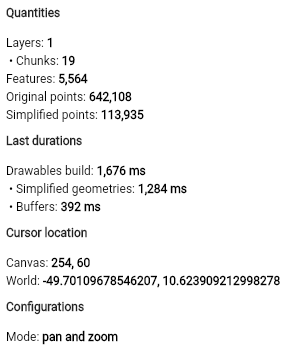
Building a debugger
MapDebugger debugger = MapDebugger();
Binding the debugger on the map
_controller = VectorMapController(debugger: widget.debugger);
Building the debugger widget
MapDebuggerWidget debuggerWidget = MapDebuggerWidget(debugger);
bc1qhqy84y45gya58gtfkvrvass38k4mcyqnav803h
0x9eB815FD4c88A53322304143A9Aa8733D3369985

निर्भरता सूची 3 आइटम
{"sdk":"flutter"}^1.7.0{"sdk":"flutter"}उपयोग के अनुसार छाँटें, गतिविधि की तुलना करें और अपनाने से पहले मूल प्रोजेक्ट की आवश्यकताएँ जाँचें।
“A repository is the most basic element of GitHub.”
GitHub Docs — About repositories ↗