Easy Notifications
A secure and privacy-focused Flutter plugin for handling local notifications with enhanced features and SOC 2 compliance considerations. Supports Android, iOS, Web platforms.
Features
🔒 Secure handling of notification data
🎯 Precise scheduling with timezone support
🖼️ Rich media notifications (images, custom styles)
📱 Cross-platform support (Android, iOS, Web)
🔐 Granular permission controls
📋 Action buttons support
⏰ Exact timing with background wake-up support
🛡️ Privacy-first approach
🎨 Highly customizable appearance (NotificationStyle)
🔧 Advanced configuration (NotificationSettings)
🔄 JSON serialization support
Getting Started
Installation
Add this to your package's pubspec.yaml file:
dependencies:
  easy_notifications: ^1.2.5
Platform Setup
Android
Add the following permissions to your AndroidManifest.xml:
<uses-permission android:name ="android.permission.RECEIVE_BOOT_COMPLETED" />
<uses-permission android:name ="android.permission.SCHEDULE_EXACT_ALARM" />
<uses-permission android:name ="android.permission.POST_NOTIFICATIONS" />
This plugin depends on flutter_local_notifications, which requires Android core
library desugaring. Add this to your app's android/app/build.gradle.kts:
android {
  //...
  compileOptions {
    isCoreLibraryDesugaringEnabled = true
  }
}

dependencies {
  coreLibraryDesugaring("com.android.tools:desugar_jdk_libs:2.1.4")
}
(build.gradle instead of build.gradle.kts? See the
Android docs
for the Groovy syntax.)
iOS
Add the following keys to your Info.plist:
<key > UIBackgroundModes</key >
<array >
<string > fetch</string >
<string > remote-notification</string >
</array >
Web
To enable web notifications, you need to add the following script to your index.html file:
<script >
if ('Notification' in window ) {
Notification .requestPermission ().then (permission =>if (permission === 'granted' ) {
console .log ('Notification permission granted.' );
}
});
}
</script >
Basic Usage
await EasyNotifications .init ();
await EasyNotifications .show (
title: 'Hello!' ,
body: 'This is a notification' ,
);
await EasyNotifications .show (
title: 'Styled Notification' ,
body: 'With custom appearance' ,
style: NotificationStyle (
backgroundColor: '#FFFFFF' ,
titleColor: '#000000' ,
padding: const EdgeInsets .all (16 ),
),
);
await EasyNotifications .schedule (
title: 'Reminder' ,
body: 'Time for your meeting!' ,
scheduledDate: DateTime .now ().add (Duration (hours: 1 )),
);
Usage
EasyNotifications .showMessage (
title: 'New Message' ,
body: 'You have a new notification' ,
id: 1001 ,
);
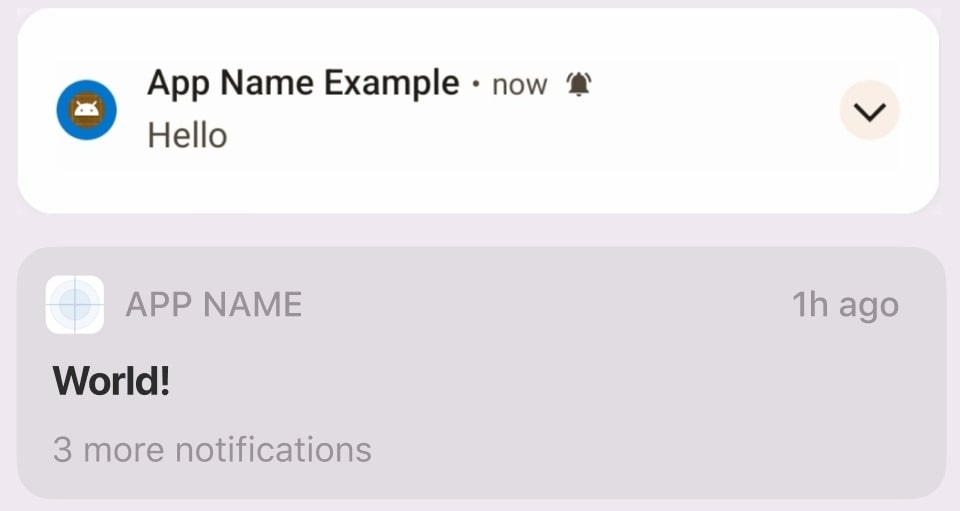
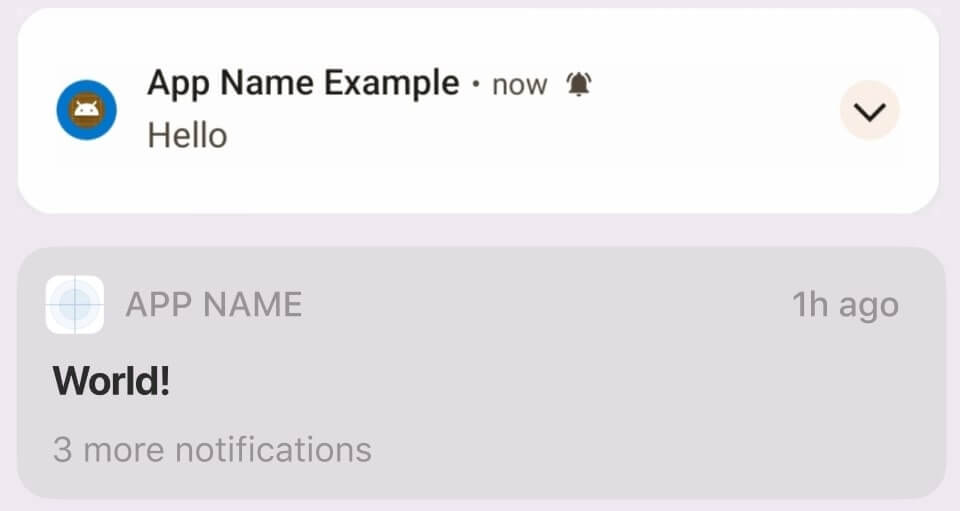
Notifications Preview
Recent Updates
1.2.6
Removed inaccurate return-value docs on hide(), updateMessage(), and scheduleMessage()
Documented the Android core library desugaring setup required by flutter_local_notifications
1.2.5
Fixed web notifications registration
Added proper error handling for web platform
1.2.4
Added back NotificationLevel class for backwards compatibility
1.2.3
Fixed platform support documentation
Removed unsupported platforms from pubspec.yaml
Security & Privacy
Data Handling
🔐 All sensitive data encrypted at rest
🗑️ Automatic cleanup of temporary files
📁 Secure local storage practices
Compliance
SOC 2 Type II compliant architecture
GDPR-ready data processing
CCPA privacy controls
Contributing
We welcome contributions! Please see our contributing guide .
License
MIT License - see LICENSE for details.










 v1.2.6