
v1.1.0
watermark_unique
watermark_unique एक फ्लटर पैकेज है जिससे एक छवि पर पाठ और चित्र जलाकर जोड़ा जा सकता है। आप जलाकर की स्थिति, रंग, पृष्ठभूमि रंग और पैडिंग को कस्टमाइज कर सकते हैं।
29लाइक 10530-दिन डाउनलोड150Pub अंक
AndroidiOSWeb
छवि पर जलस्पर्श लगाने के लिए Flutter पैकेज
यह अंग्रेज़ी मूल स्नैपशॉट है। नवीनतम सामग्री GitHub पर देखें।
watermark_unique is a flutter package to add text and image watermarks on an image. You can customize the watermark's position, color, background color, and padding. Check on pub.dev: https://pub.dev/packages/watermark_unique
Parameters for image that you can change
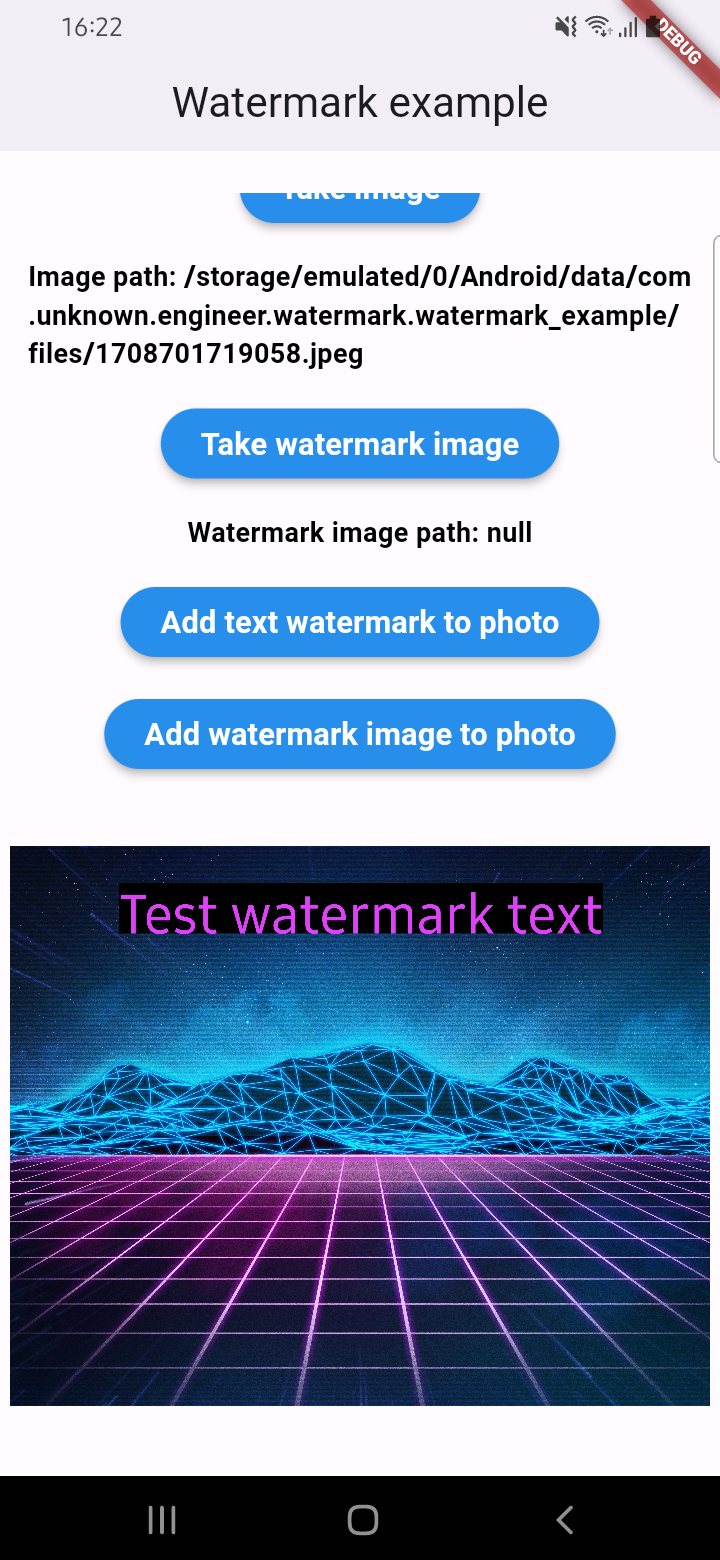
An example of how you can add text to an image (only IOS or Android):
final image = await watermarkPlugin.addTextWatermark(
  filePath: photo!.path, // image file path
  text: 'Test watermark text', // watermark text
  x: 500, // position by x
  y: 400, // position by y
  textSize: 250, // text size
  color: Colors.purpleAccent, // color of text
  isNeedRotateToPortrait: true, // rotation image to portrait (Default: false) ONLY ANDROID
  backgroundTextColor: Colors.black.withOpacity(0.5), // color of background text (optional)
  quality: 100, // quality of image with watermark
  backgroundTextPaddingLeft: 12, // padding of background text (optional)
  backgroundTextPaddingTop: 12, // padding of background text (optional)
  backgroundTextPaddingRight: 12, // padding of background text (optional)
  backgroundTextPaddingBottom: 12, // padding of background text (optional)
  imageFormat: ImageFormat.jpeg, // image format that you will use to compress
);
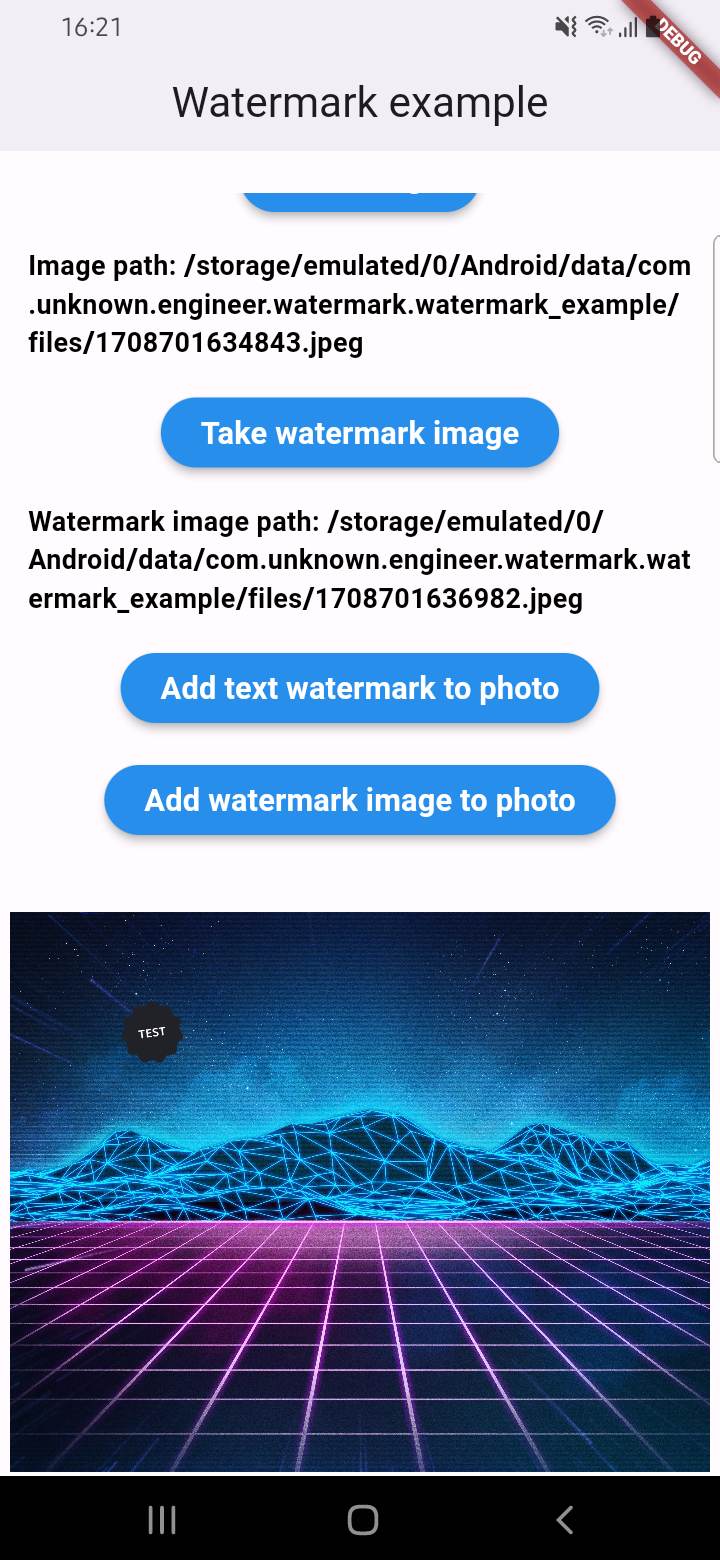
An example of how you can add a watermark to an image (only IOS or Android):
final image = await watermarkPlugin.addImageWatermark(
  filePath: photo!.path, // image file path
  watermarkImagePath: watermark!.path, // watermark image file path
  x: 500, // position by x
  y: 400, // position by x
  quality: 100, // quality of image with watermark
  imageFormat: ImageFormat.jpeg, // image format that you will use to compress
  watermarkWidth: 300, // watermark image width
  watermarkHeight: 300,  // watermark image height
);
An example of how you can add text to an image and get results via Uint8List (IOS || Android || WEB):
final image = await watermarkPlugin.addTextWatermarkUint8List(
  filePath: photo!.path, // image file path
  text: 'Test watermark text', // watermark text
  x: 500, // position by x
  y: 400, // position by y
  textSize: 250, // text size
  color: Colors.purpleAccent, // color of text
  isNeedRotateToPortrait: true, // rotation image to portrait (Default: false) ONLY ANDROID
  backgroundTextColor: Colors.black, // color of background text (optional)
  backgroundTextPaddingLeft: 12, // padding of background text (optional)
  backgroundTextPaddingTop: 12, // padding of background text (optional)
  backgroundTextPaddingRight: 12, // padding of background text (optional)
  backgroundTextPaddingBottom: 12, // padding of background text (optional)
);
An example of how you can add a watermark to an image and get results via Uint8List (IOS || Android || WEB):
final image = await watermarkPlugin.addImageWatermarkUint8List(
  filePath: photo!.path, // image file path
  watermarkImagePath: watermark!.path, // watermark image file path
  x: 500, // position by x
  y: 400, // position by x
  watermarkWidth: 300, // watermark image width
  watermarkHeight: 300,  // watermark image height
);

निर्भरता सूची 6 आइटम
{"sdk":"flutter"}{"sdk":"flutter"}^2.1.8^4.5.4{"sdk":"flutter"}^5.0.0उपयोग के अनुसार छाँटें, गतिविधि की तुलना करें और अपनाने से पहले मूल प्रोजेक्ट की आवश्यकताएँ जाँचें।
“A repository is the most basic element of GitHub.”
GitHub Docs — About repositories ↗