
v0.2.0
fast_qr_reader_view
एक बहु-कोड रीडर विजेट जिसमें iOS और Android दोनों के लिए लाइव प्रीव्यू है। मूल कोड का उपयोग करके पहचान करता है, QR, PDF417 और CODE39 सहित अन्य कोड को स्कैन करता है।
51लाइक 5630-दिन डाउनलोड40Pub अंक
प्लेटफ़ॉर्म डेटा नहीं
Flutter के लिए एक तेज़ QR रीडर विंडजेट। दोनों Android और iOS के लिए
यह अंग्रेज़ी मूल स्नैपशॉट है। नवीनतम सामग्री GitHub पर देखें।
A Flutter plugin for iOS and Android allowing access to the device cameras to scan multiple type of codes (QR, PDF417, CODE39, etc). Heavily based on camera
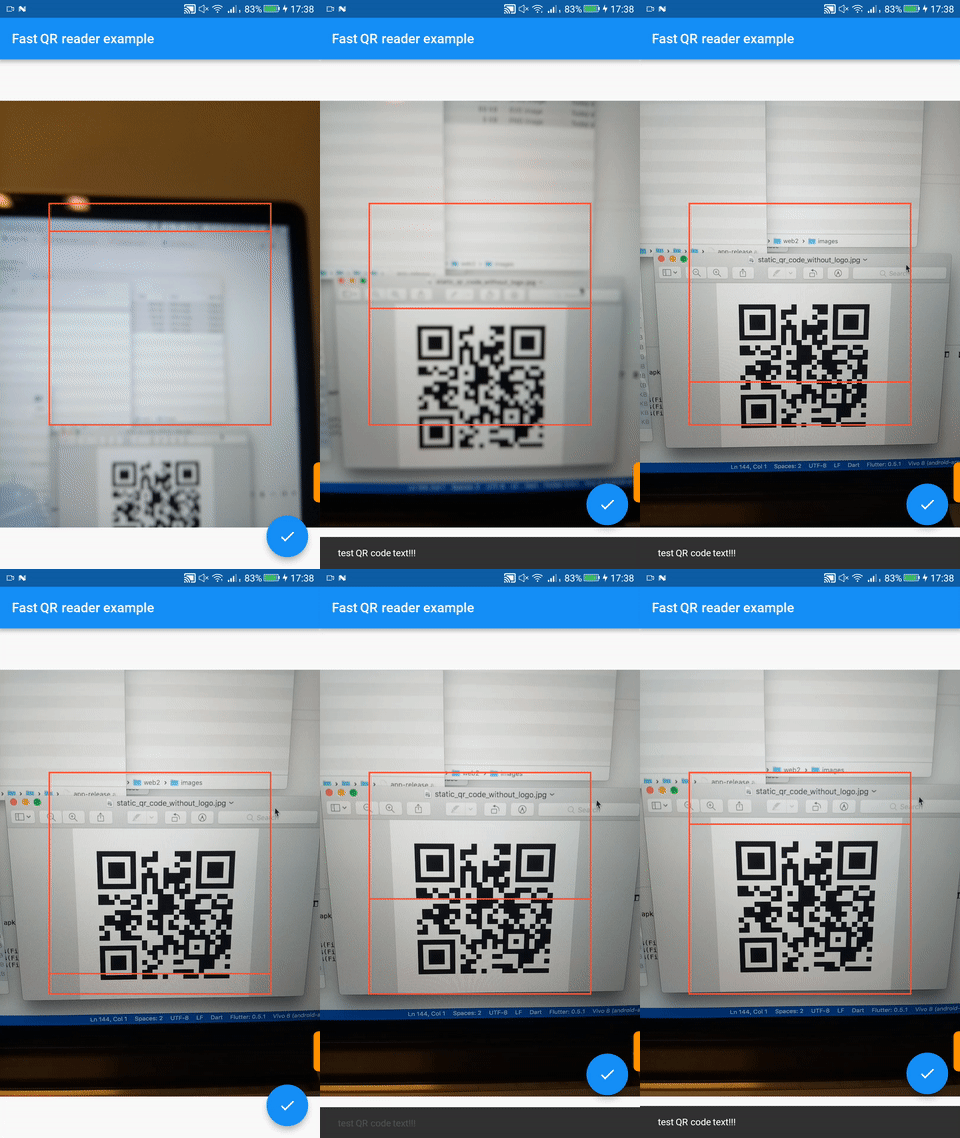

Red box is a Flutter animation (removable). Low FPS due to GIF
First, add fast_qr_reader_view as a dependency in your pubspec.yaml file.
Add a row to the ios/Runner/Info.plist with the key Privacy - Camera Usage Description and a usage description.
Or in text format add the key:
<key>NSCameraUsageDescription</key>
<string>Can I use the camera please?</string>
Change the minimum Android sdk version to 21 (or higher) in your android/app/build.gradle file.
minSdkVersion 21
Here is a small example flutter app displaying a full screen camera preview.
import 'dart:async';
import 'package:flutter/material.dart';
import 'package:fast_qr_reader_view/fast_qr_reader_view.dart';

List<CameraDescription> cameras;

Future<Null> main() async {
  cameras = await availableCameras();
  runApp(new CameraApp());
}

class CameraApp extends StatefulWidget {
  @override
  _CameraAppState createState() => new _CameraAppState();
}

class _CameraAppState extends State<CameraApp> {
  QRReaderController controller;

  @override
  void initState() {
    super.initState();
    controller = new QRReaderController(cameras[0], ResolutionPreset.medium, [CodeFormat.qr], (dynamic value){
        print(value); // the result!
    // ... do something
    // wait 3 seconds then start scanning again.
    new Future.delayed(const Duration(seconds: 3), controller.startScanning);
    });
    controller.initialize().then((_) {
      if (!mounted) {
        return;
      }
      setState(() {});
      controller.startScanning();
    });
  }

  @override
  void dispose() {
    controller?.dispose();
    super.dispose();
  }

  @override
  Widget build(BuildContext context) {
    if (!controller.value.isInitialized) {
      return new Container();
    }
    return new AspectRatio(
        aspectRatio:
        controller.value.aspectRatio,
        child: new QRReaderPreview(controller));
  }
}
For a more elaborate usage example see here.
Note: This plugin is still under development, and some APIs might not be available yet. Feedback welcome and Pull Requests are most welcome!

निर्भरता सूची 1 आइटम
{"sdk":"flutter"}उपयोग के अनुसार छाँटें, गतिविधि की तुलना करें और अपनाने से पहले मूल प्रोजेक्ट की आवश्यकताएँ जाँचें।
“A repository is the most basic element of GitHub.”
GitHub Docs — About repositories ↗