

 v0.0.7
random_text_reveal
एक पाठ एनीमेशन पैकेज जिसमें यादृच्छिक पाठ प्रदर्शन प्रभाव होता है जहां पाठ अक्षर दर अक्षर प्रदर्शित होता है (अधिकांशतः फिल्मों में उपयोग किया जाता है)
85लाइक 11830-दिन डाउनलोड160Pub अंक
AndroidiOSWebmacOSWindowsLinux
रैंडम टेक्स्ट रिवील इफेक्ट के साथ टेक्स्ट एनिमेशन फ्लटर पैकेज

यह अंग्रेज़ी मूल स्नैपशॉट है। नवीनतम सामग्री GitHub पर देखें।


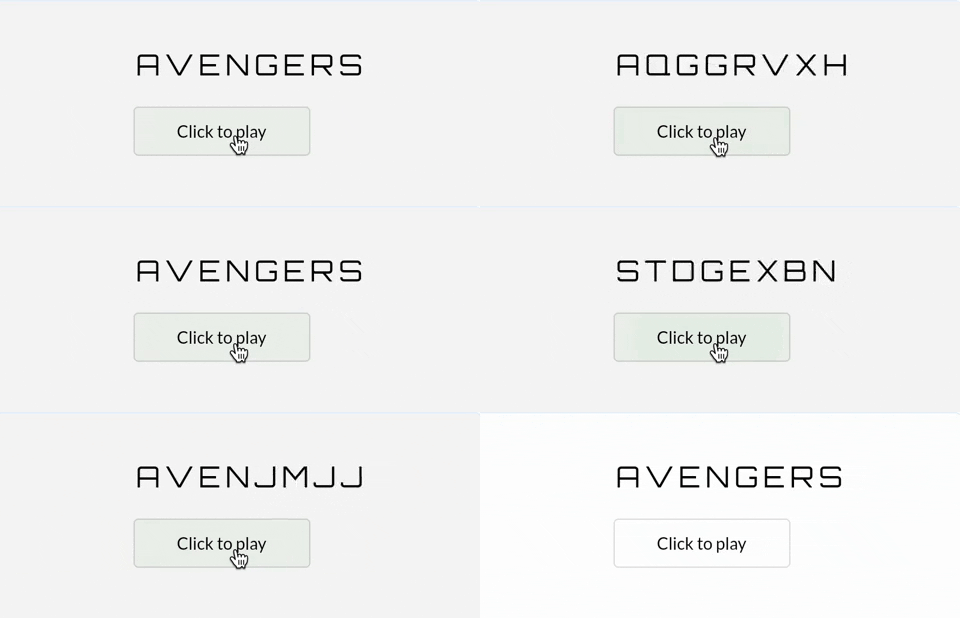
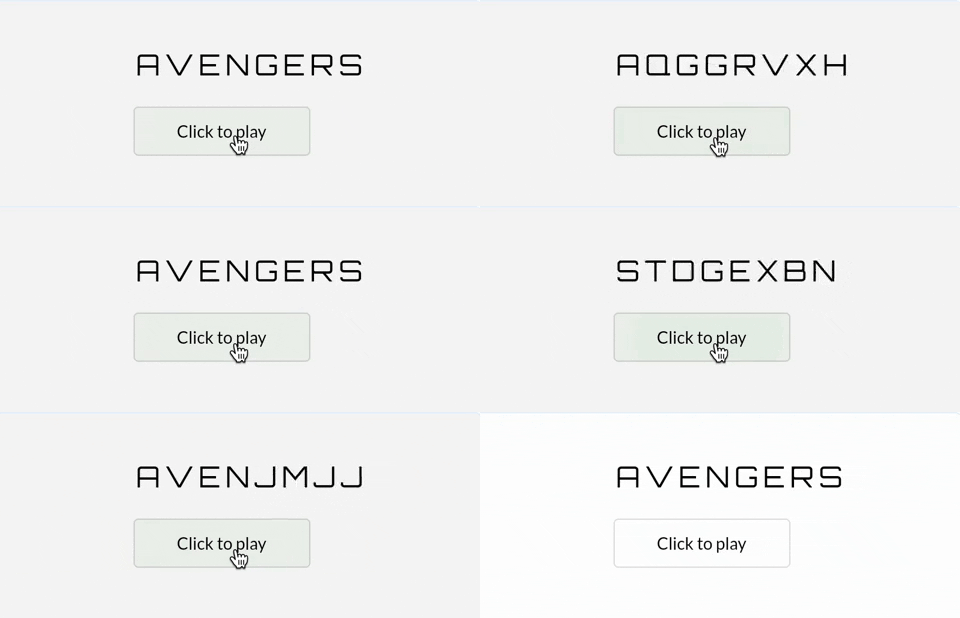
A Flutter package that helps you create animated Text widgets with Random Text Reveal Effect for all platforms.
You should pass in a text value to the RandomTextReveal widget. It will automatically
animate by generating random characters & slowly reveal text one by one. You can customize
the text by various parameters: style, duration, randomString etc.
const RandomTextReveal(
  text: 'Random Text Reveal',
  duration: Duration(seconds: 2),
  style: TextStyle(
    fontSize: 36,
    color: Colors.blue,
    fontWeight: FontWeight.bold,
  ),
  curve: Curves.easeIn,
)
You can customize the RandomTextReveal widget by overriding the default values. Using
GoogleFonts package, you can make it a lot appealing
RandomTextReveal(
  key: globalKey,
  text: 'PASSWORD',
  initialText: 'Ae8&vNQ32cK^',
  shouldPlayOnStart: false,
  duration: const Duration(seconds: 2),
  style: GoogleFonts.orbitron(
    textStyle: const TextStyle(
      fontSize: 24,
      color: Colors.green,
      fontWeight: FontWeight.bold,
      letterSpacing: 8,
    ),
  ),
  randomString: Source.alphabets,
  onFinished: () {
    debugPrint('Password cracked successfully');
  },
  curve: Curves.easeIn,
  overflow: TextOverflow.ellipsis,
  maxLines: 2,
)
text: StringinitialText: String?shouldPlayOnStart: boolrandomString: Stringduration: DurationonFinished: VoidCallback?curve: Curvestyle: TextStyle?textDirection: TextDirection?locale: Locale?maxLines: int?overflow: TextOverflow?softWrap: bool?textAlign: TextAlign?semanticsLabel: String?निर्भरता सूची 3 आइटम
{"sdk":"flutter"}{"sdk":"flutter"}^2.0.0उपयोग के अनुसार छाँटें, गतिविधि की तुलना करें और अपनाने से पहले मूल प्रोजेक्ट की आवश्यकताएँ जाँचें।
“A repository is the most basic element of GitHub.”
GitHub Docs — About repositories ↗