
 v2.6.0
image_network
Image Network एक पैकेज है जो आपको CORS की समस्या के बिना वेब पर CanvasKit का उपयोग करके छवियाँ दिखाने की अनुमति देता है।
160लाइक 12.3 हज़ार30-दिन डाउनलोड150Pub अंक
iOSWeb
gabrielpatricksouza/image_network open-source repository details.
यह अंग्रेज़ी मूल स्नैपशॉट है। नवीनतम सामग्री GitHub पर देखें।

Image Network is a package that allows you to render images on the web using CanvasKit without having problems with CORS.


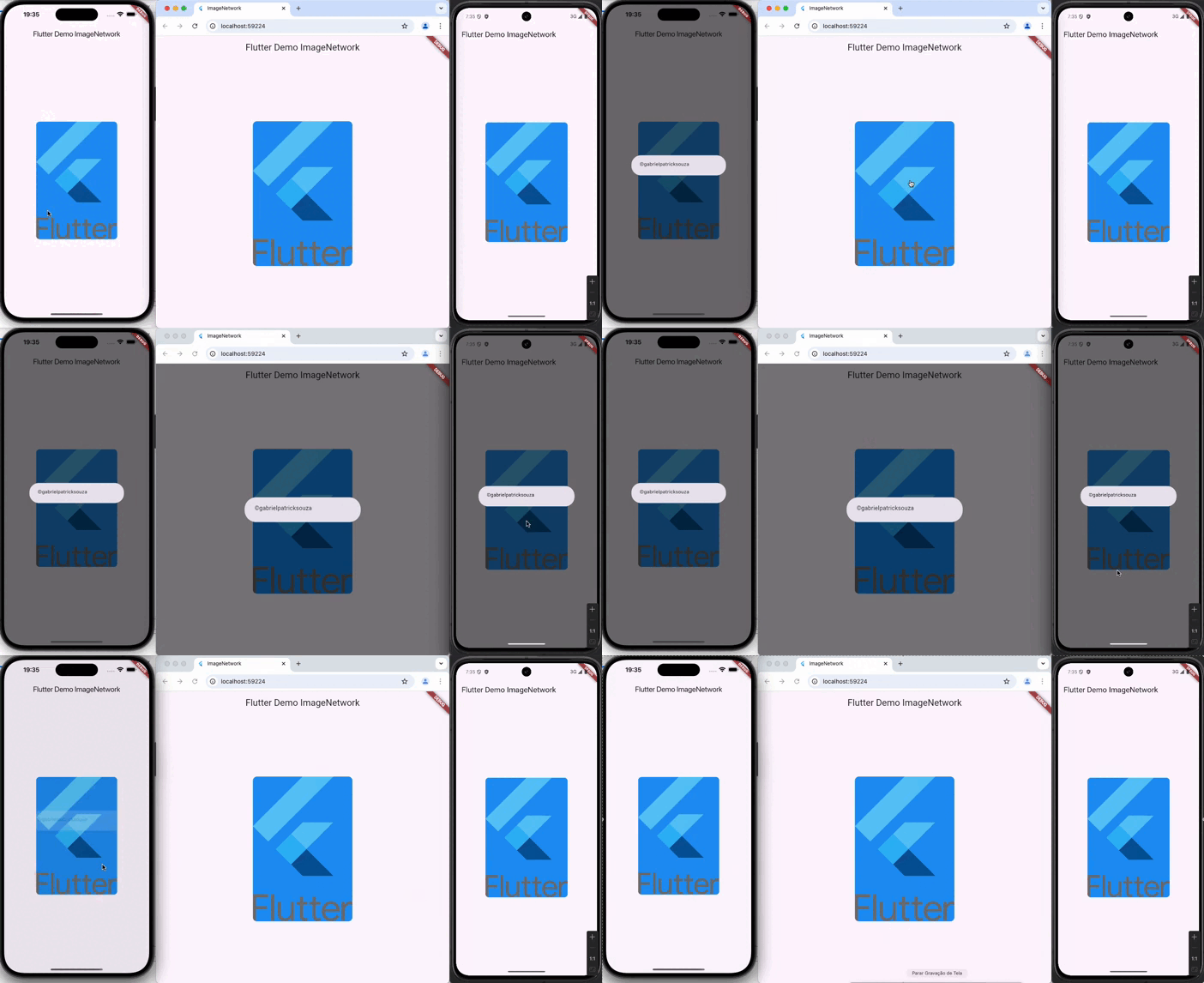
Add image_network as a dependency in your pubspec.yaml file .
Import Image Network:
import 'package:image_network/image_network.dart';
String imageUrl = "https://storage.googleapis.com/cms-storage-bucket/a9d6ce81aee44ae017ee.png";
ImageNetwork(
    image: imageUrl,
    height: 350.0,
    width: 240.0,
    duration: 1500,
    curve: Curves.easeIn,
    onPointer: true,
    debugPrint: false,
    backgroundColor: Colors.blue,
    fitAndroidIos: BoxFit.cover,
    fitWeb: BoxFitWeb.cover,
    borderRadius: BorderRadius.circular(70),
    onLoading: const CircularProgressIndicator(
      color: Colors.indigoAccent,
    ),
    onError: const Icon(
      Icons.error,
      color: Colors.red,
    ),
    onTap: () {
      debugPrint("©gabriel_patrick_souza");
    },
  )
Copyright (c) 2021 Gabriel Patrick Souza

निर्भरता सूची 5 आइटम
{"sdk":"flutter"}>= 0.13.6 < 2.0.0>= 0.0.4 < 1.0.0{"sdk":"flutter"}^2.0.1उपयोग के अनुसार छाँटें, गतिविधि की तुलना करें और अपनाने से पहले मूल प्रोजेक्ट की आवश्यकताएँ जाँचें।
“A repository is the most basic element of GitHub.”
GitHub Docs — About repositories ↗