

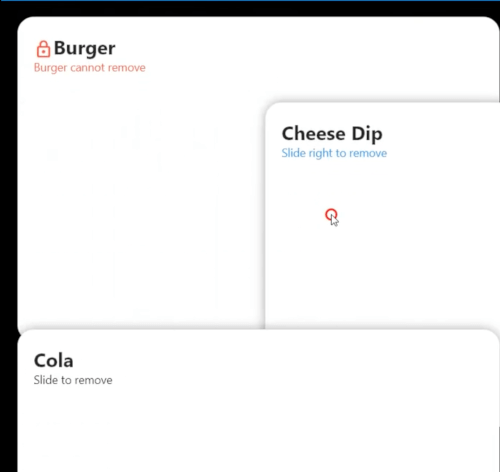
 v1.0.4
stacked_listview
एक स्टैक किए गए बच्चों का ListView। प्रत्येक बच्चे को स्क्रॉल करने पर पहले स्टैक किया जाता है।
52लाइक 1.6 हज़ार30-दिन डाउनलोड150Pub अंक
AndroidiOSWebmacOSWindowsLinux
Flutter ListView

यह अंग्रेज़ी मूल स्नैपशॉट है। नवीनतम सामग्री GitHub पर देखें।
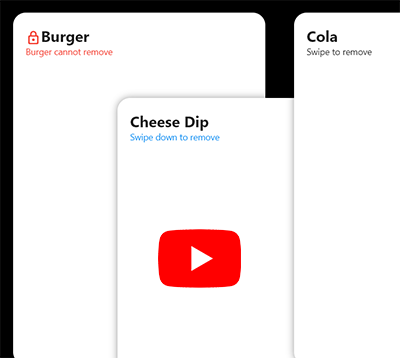
flutter pub add stacked_listview
Example code:
Scaffold(
  appBar: AppBar(),
  backgroundColor: Colors.black,
  body: SafeArea(
    child: StackedListView(
      padding: EdgeInsets.only(left: 20, right: 20, top: 50),
      itemCount: data.length,
      itemExtent: itemHeight,
      heightFactor: 0.7,
      fadeOutFrom: 0.7,
      onRemove: (index, direction) {
        setState(() {
          data.removeAt(index);
        });
      },
      beforeRemove: (index, direction) async {
        return await showDialog<bool>(
          context: context,
          builder: (_) => AlertDialog(
            title: Text('Delete ${data[index]} ?'),
            actions: [
              TextButton(
                  onPressed: () => Navigator.pop(context),
                  child: Text('Cancel')),
              ElevatedButton(
                onPressed: () => Navigator.pop(context, true),
                child: Text('Delete'),
              ),
            ],
          ),
        ).then((value) => value == true);
      },
      builder: (_, index) {
        return Container(
          width: double.infinity,
          height: itemHeight,
          decoration: BoxDecoration(
            borderRadius: BorderRadius.all(Radius.circular(20.0)),
            color: Colors.white,
            boxShadow: [
              BoxShadow(color: Colors.black.withAlpha(100), blurRadius: 10),
            ],
          ),
          child: Column(
            crossAxisAlignment: CrossAxisAlignment.start,
            children: [
              Text(
                data[index],
                style: TextStyle(fontSize: 24, fontWeight: FontWeight.bold),
              ),
              Text('Slide to left or right to delete'),
            ],
          ),
          padding: EdgeInsets.all(20),
        );
      },
    ),
  ),
);
निर्भरता सूची 2 आइटम
{"sdk":"flutter"}{"sdk":"flutter"}उपयोग के अनुसार छाँटें, गतिविधि की तुलना करें और अपनाने से पहले मूल प्रोजेक्ट की आवश्यकताएँ जाँचें।
“A repository is the most basic element of GitHub.”
GitHub Docs — About repositories ↗