


v1.1.1
awesome_shake_widget
एक फ्लटर विजेट जो हिलाने के एनीमेशन और वैकल्पिक कंपन प्रभाव प्रदान करता है, अवैध फॉर्म, ध्यान आह्वान और उपयोगकर्ता इंटरैक्शन प्रतिक्रिया के लिए बहुत अच्छा है।
21लाइक 1.1 हज़ार30-दिन डाउनलोड160Pub अंक
AndroidiOS
juanmadelboca/awesome_shake_widget open-source repository details.

यह अंग्रेज़ी मूल स्नैपशॉट है। नवीनतम सामग्री GitHub पर देखें।
A customizable Flutter widget that adds shake animations with haptic and vibration feedback. Perfect for invalid forms, error indicators, or drawing attention to UI components.


light, medium, heavyGlobalKeydependencies:
awesome_shake_widget: ^1.0.1
Run:
flutter pub get
By using the built-in presets — light, medium, heavy and custom — you can quickly apply different vibration intensities and patterns, perfectly paired with UI shake animations for a dynamic and responsive user experience.
final shakeKey = GlobalKey<ShakeWidgetState>();

ShakeWidget(
  key: shakeKey,
  preset: ShakePreset.medium,
  child: Text("Tap Me"),
);

// Somewhere else, e.g., on button press:
shakeKey.currentState?.shake();
If you only want the visual shake effect without vibration, you can set vibrationType to VibrationType.none using the ShakeConfig. To customize the intensity of the shake, adjust the offset value — higher values will produce a stronger visual effect.
ShakeWidget(
  key: shakeKey,
  customConfig: ShakeConfig(
    offset: 20,
    vibrationType: VibrationType.none,
  ),
  child: Icon(Icons.info),
);
You can also create custom vibration patterns by setting vibrationType to VibrationType.custom, and providing your own pattern and intensities. This gives you full control over the vibration behavior.
ShakeWidget(
key: shakeKey,
customConfig: ShakeConfig(
offset: 32,
pattern: [0, 50, 100, 50],
intensities: [255, 0, 255, 0],
vibrationType: VibrationType.custom,
),
child: Text("Custom Shake!"),
);
Trigger it via:
shakeKey.currentState?.shake();
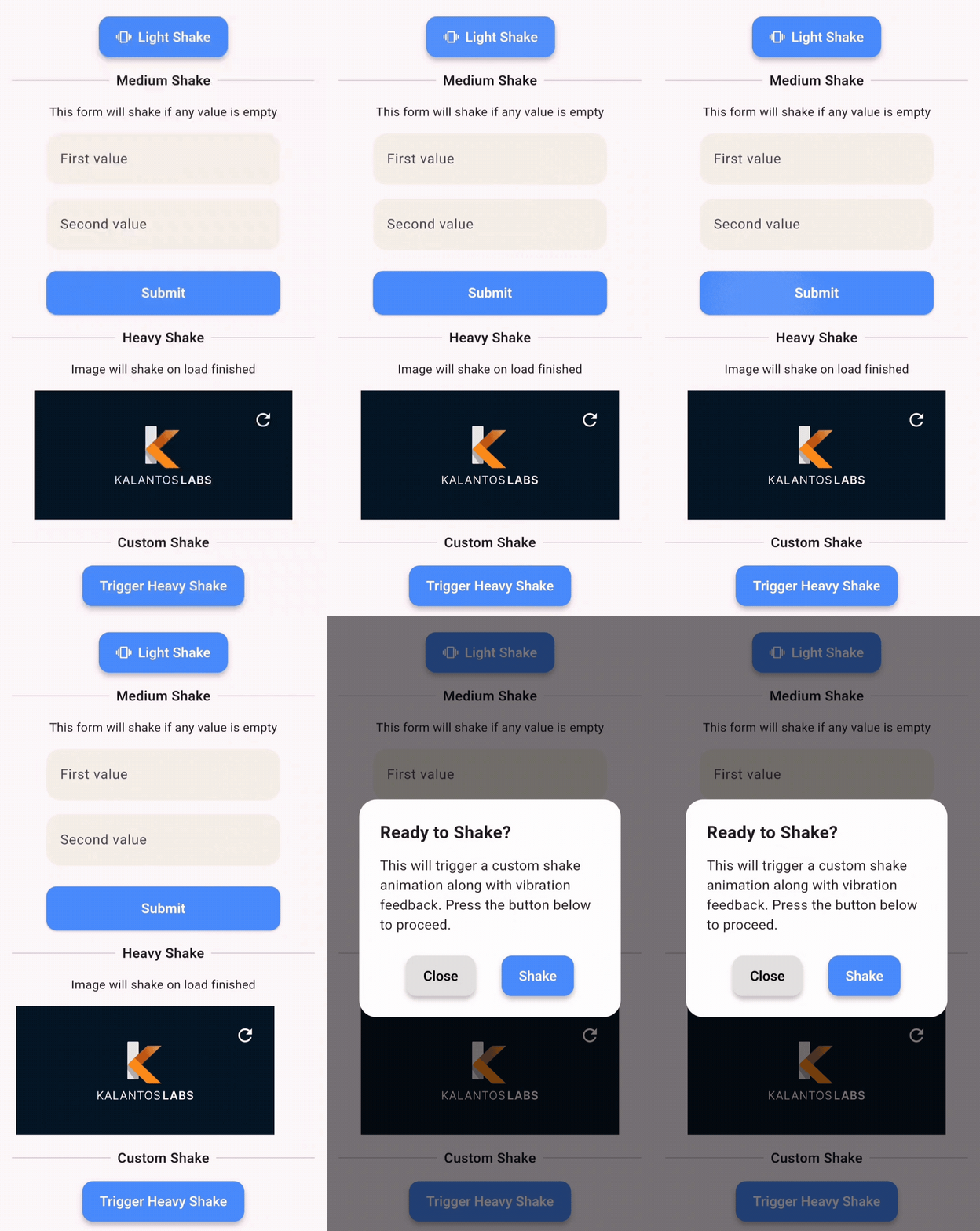
This demo shows how you can apply shake animations to:
ShakePreset| Value | Offset | Vibration |
|---|---|---|
| light | 8 | Haptic |
| medium | 16 | Haptic |
| heavy | 24 | Patterned Vibe |
| custom | User-defined | Custom |
VibrationTypenone – no vibrationhaptic – system haptic feedbackcustom – vibration with pattern/intensity (Android only)ShakeConfigShakeConfig({
required double offset,
List<int>? pattern,
List<int>? intensities,
VibrationType vibrationType = VibrationType.haptic,
});
Clone and run the example:
cd example
flutter run
Example main.dart:
import 'package:flutter/material.dart';
import 'package:awesome_shake_widget/shake_widget.dart';

void main() => runApp(const MyApp());

class MyApp extends StatelessWidget {
  const MyApp({super.key});

  @override
  Widget build(BuildContext context) {
    return MaterialApp(
      home: ShakeDemo(),
    );
  }
}

class ShakeDemo extends StatelessWidget {
  final shakeKey = GlobalKey<ShakeWidgetState>();

  @override
  Widget build(BuildContext context) {
    return Scaffold(
      appBar: AppBar(title: const Text('Shake Demo')),
      body: Center(
        child: Column(
          mainAxisAlignment: MainAxisAlignment.center,
          children: [
            ShakeWidget(
              key: shakeKey,
              preset: ShakePreset.heavy,
              child: const Icon(Icons.warning, size: 64),
            ),
            const SizedBox(height: 32),
            ElevatedButton(
              onPressed: () => shakeKey.currentState?.shake(),
              child: const Text("Shake it!"),
            ),
          ],
        ),
      ),
    );
  }
}
MIT © Juanma Del Boca
निर्भरता सूची 4 आइटम
{"sdk":"flutter"}^3.1.8{"sdk":"flutter"}^6.0.0उपयोग के अनुसार छाँटें, गतिविधि की तुलना करें और अपनाने से पहले मूल प्रोजेक्ट की आवश्यकताएँ जाँचें।
“A repository is the most basic element of GitHub.”
GitHub Docs — About repositories ↗