

 v8.2.2
flutter_map_marker_cluster
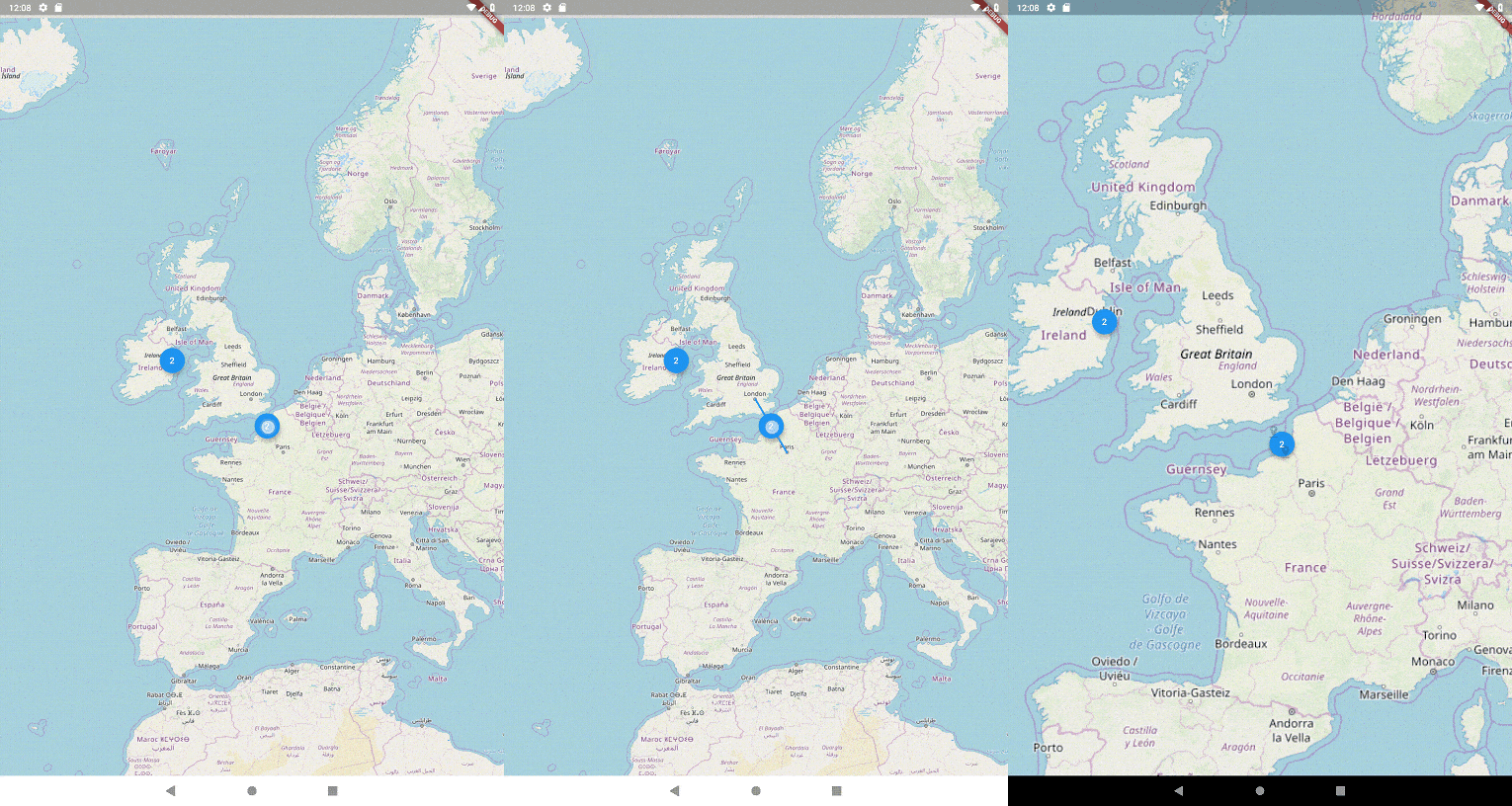
Flutter ऐप्स के लिए Leaflet.makercluster का डार्ट वास्तुकला। flutter_map के लिए सुंदर एनीमेटेड मार्कर क्लस्टरिंग कार्यक्षमता प्रदान करता है।
224लाइक 93.7 हज़ार30-दिन डाउनलोड150Pub अंक
AndroidiOSWebmacOSWindowsLinux
flutter_map के लिए सुंदर एनीमेटेड मार्कर क्लस्टरिंग कार्यक्षमता प्रदान करता है। Leaflet.markercluster से प्रेरित

यह अंग्रेज़ी मूल स्नैपशॉट है। नवीनतम सामग्री GitHub पर देखें।


A Dart implementation of Leaflet.markercluster for Flutter apps. This is a plugin for flutter_map package

|
Add flutter_map and flutter_map_marker_cluster to your pubspec:
dependencies:
  flutter_map: any
  flutter_map_marker_cluster: any # or the latest version on Pub
flutter_map package removed old layering system with v3.0.0 use MarkerClusterLayerWidget as member of children parameter list and configure it using MarkerClusterLayerOptions.
 @override
  Widget build(BuildContext context) {
    return Scaffold(
      appBar: AppBar(title: const Text('Clustering Many Markers Page')),
      drawer: buildDrawer(context, ClusteringManyMarkersPage.route),
      body: FlutterMap(
        options: MapOptions(
          center: LatLng((maxLatLng.latitude + minLatLng.latitude) / 2,
              (maxLatLng.longitude + minLatLng.longitude) / 2),
          zoom: 6,
          maxZoom: 15,
        ),
        children: <Widget>[
          TileLayer(
            urlTemplate: 'https://tile.openstreetmap.org/{z}/{x}/{y}.png',
          ),
          MarkerClusterLayerWidget(
            options: MarkerClusterLayerOptions(
              maxClusterRadius: 45,
              size: const Size(40, 40),
              alignment: Alignment.center,
              padding: const EdgeInsets.all(50),
              maxZoom: 15,
              markers: markers,
              builder: (context, markers) {
                return Container(
                  decoration: BoxDecoration(
                      borderRadius: BorderRadius.circular(20),
                      color: Colors.blue),
                  child: Center(
                    child: Text(
                      markers.length.toString(),
                      style: const TextStyle(color: Colors.white),
                    ),
                  ),
                );
              },
            ),
          ),
        ],
      ),
    );
  }
See the example/ folder for a working example app.
A donation through my Ko-Fi page would be infinitly appriciated:

but, if you can't or won't, a star on GitHub and a like on pub.dev would also go a long way!
Every donation gives me fuel to continue my open-source projects and lets me know that I'm doing a good job.
निर्भरता सूची 6 आइटम
{"sdk":"flutter"}^8.2.2^8.1.0^0.9.1^4.0.0{"sdk":"flutter"}उपयोग के अनुसार छाँटें, गतिविधि की तुलना करें और अपनाने से पहले मूल प्रोजेक्ट की आवश्यकताएँ जाँचें।
“A repository is the most basic element of GitHub.”
GitHub Docs — About repositories ↗