

 v0.3.0
flutter_file_info
एक फ्लटर प्लगइन जो फ़ाइल प्रकार द्वारा निर्धारित मूल आइकन सहित विस्तृत फ़ाइल मेटाडेटा के लिए प्राप्त करता है।
11लाइक 23330-दिन डाउनलोड130Pub अंक
AndroidiOSmacOSWindows
एक फ्लटर प्लगइन जो फ़ाइल प्रकार द्वारा निर्धारित मूल आइकन सहित विस्तृत फ़ाइल मेटाडेटा के लिए प्राप्त करता है।

यह अंग्रेज़ी मूल स्नैपशॉट है। नवीनतम सामग्री GitHub पर देखें।



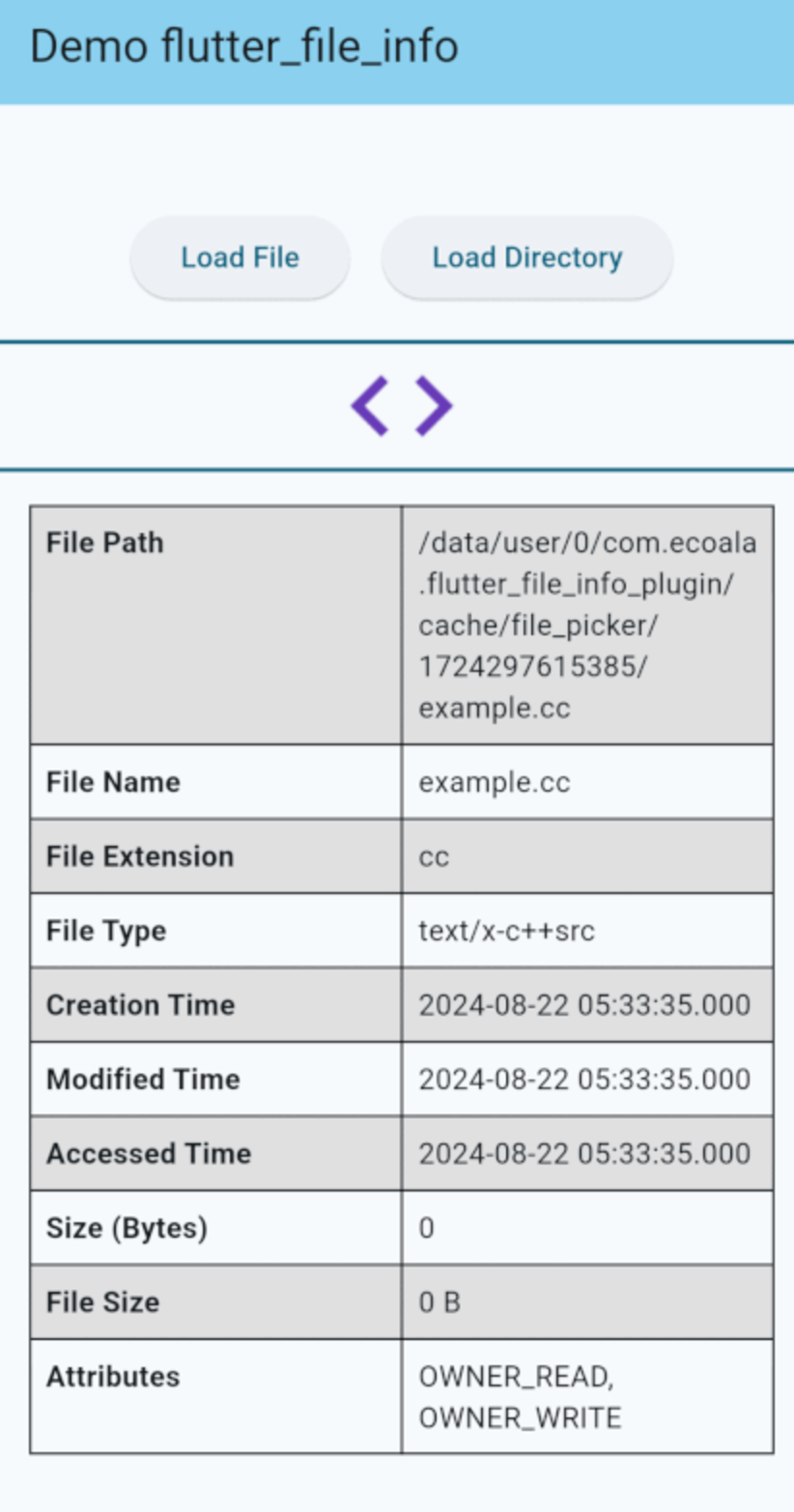
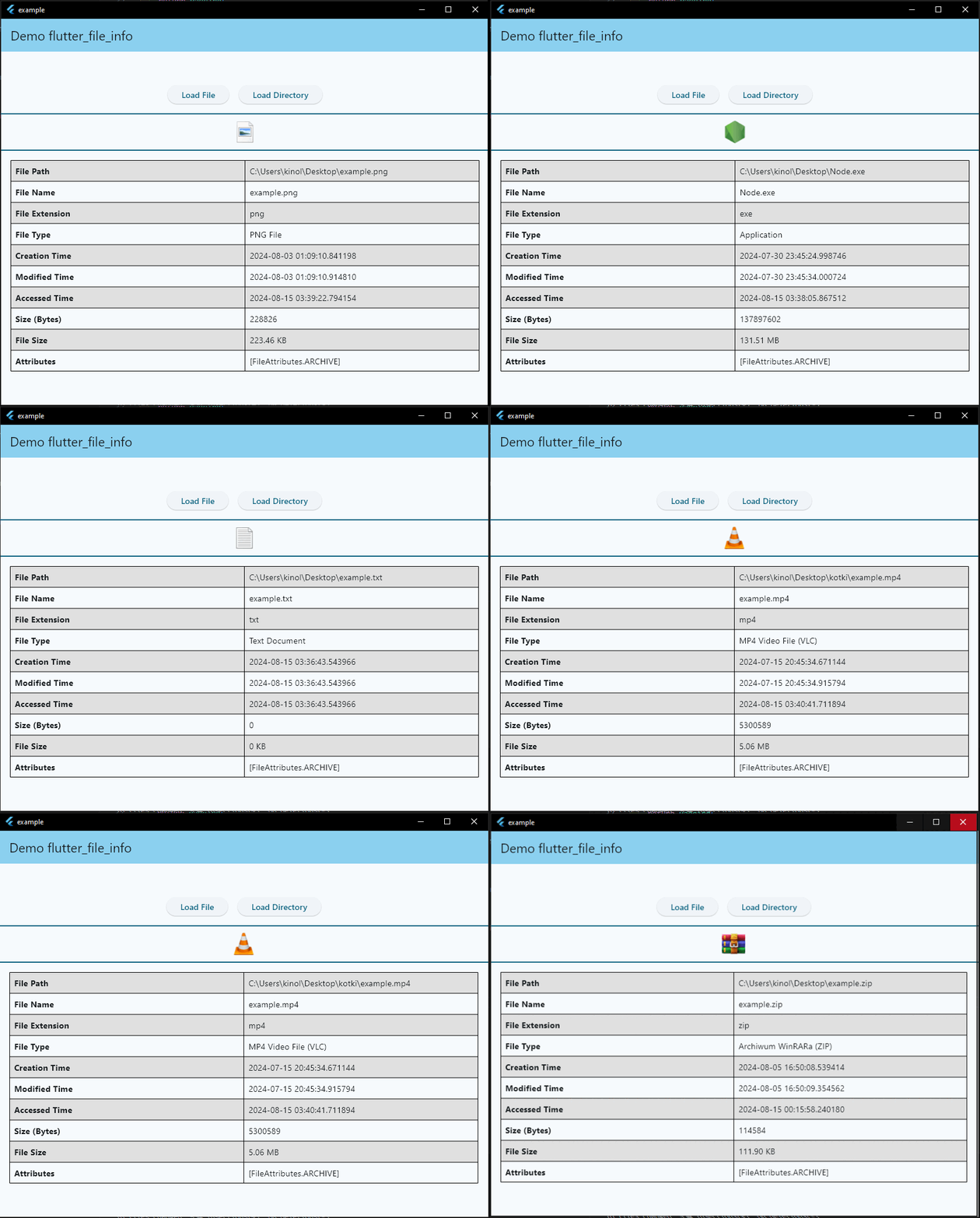
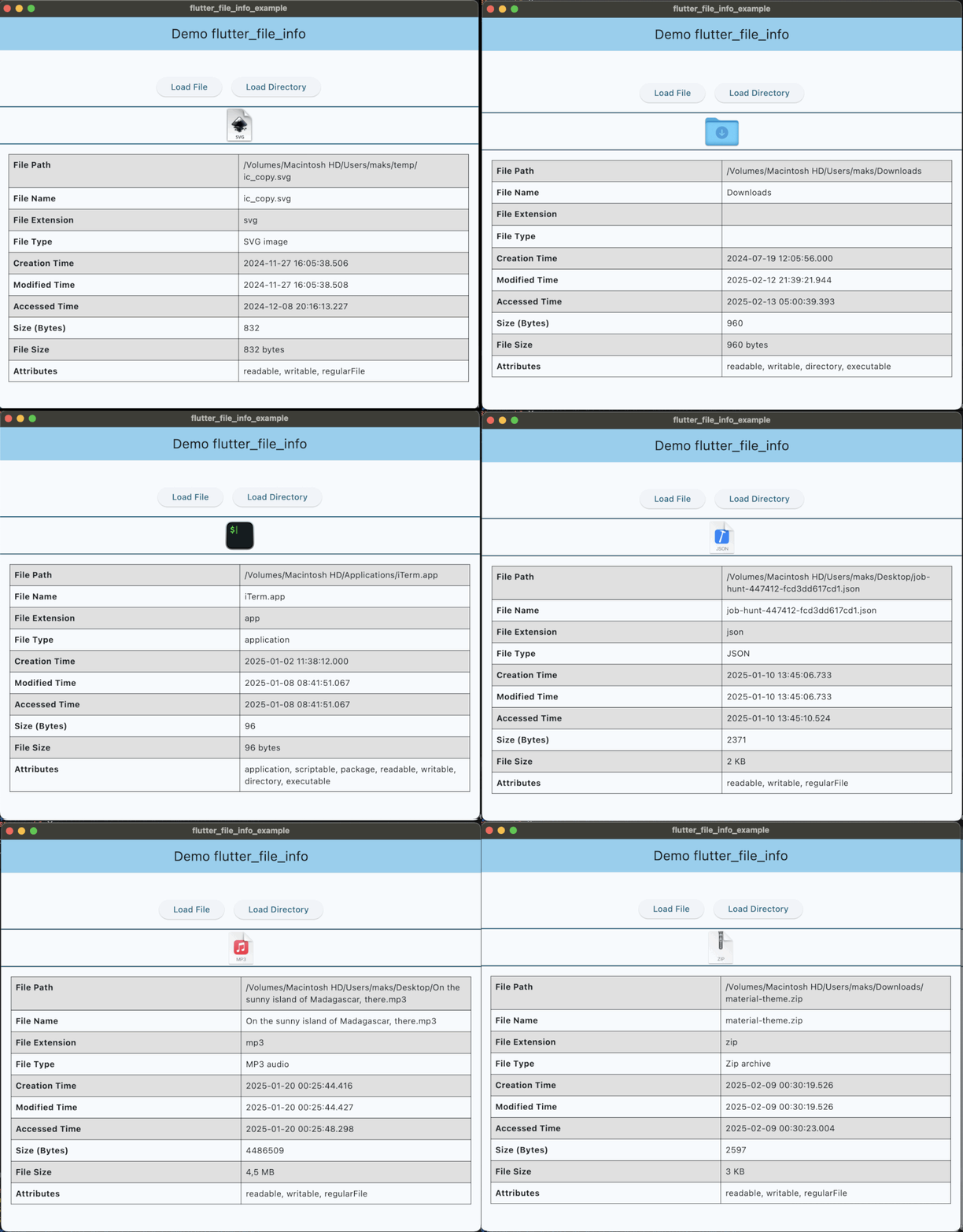
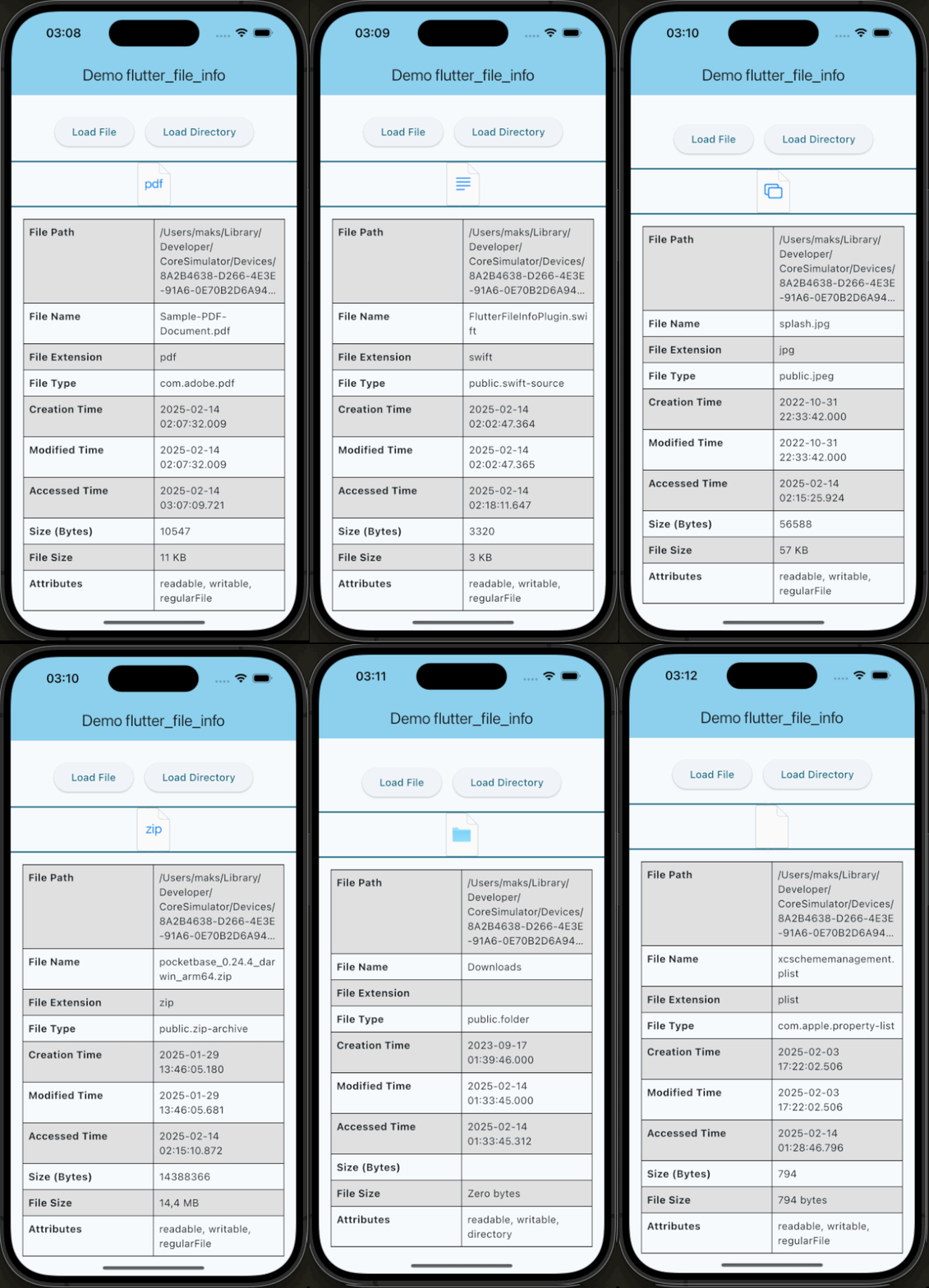
A Flutter plugin for retrieving detailed file metadata, including system-native file icons. You can retrieve the native icon assigned to a file based on its type, ensuring a consistent visual representation across platforms. Perfect for applications that require access to file details and icons.
| API | Android | iOS | Linux | macOS | Windows | Web |
|---|---|---|---|---|---|---|
| getFileIconInfo() | :heavy_check_mark: | :heavy_check_mark: | :x: | :heavy_check_mark: | :heavy_check_mark: | :x: |
| getFileInfo() | :heavy_check_mark: | :heavy_check_mark: | :x: | :heavy_check_mark: | :heavy_check_mark: | :x: |
This plugin requires a minimum iOS deployment target of 13.0. Ensure that your project is configured correctly by following these steps:
Update the Podfile
In the ios/Podfile file, set the deployment target:
platform :ios, '13.0'
After making this change, run:
cd ios && pod install
Update Xcode Project Settings
These steps ensure that your project is compatible with the required iOS version.
Quick simple usage example:
IconInfo? iconInfo = await FileInfo.instance.getFileIconInfo('path/to/example/file.txt');

Widget _buildFileIcon() {
    if (iconInfo == null) return const SizedBox.shrink();
    return Image.memory(
      iconInfo!.pixelData,
      width: iconInfo!.width.toDouble(),
      height: iconInfo!.height.toDouble(),
    );
  }
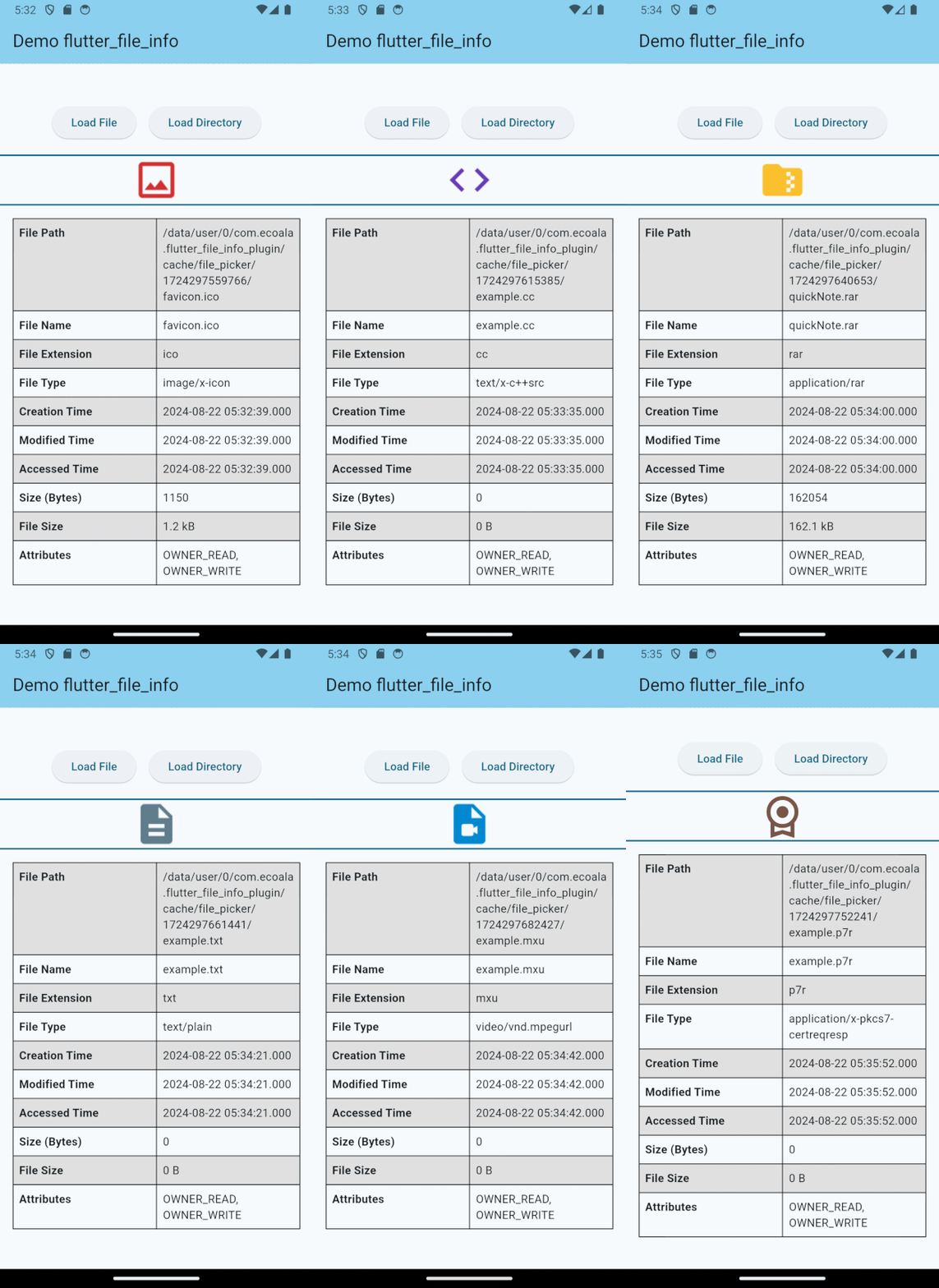
FileMetadata? fileMetadata = await FileInfo.instance.getFileInfo('path/to/example/file.txt');

if (fileMetadata != null) {
    print(fileMetadata.fileName);                    // Output: file.txt
    print(fileMetadata.fileExtension);               // Output: txt
    print(fileMetadata.fileType);                    // Output: TextDocument
    print(fileMetadata.creationTime?.toString());    // Output: 2024-08-01 17:16:26.500018
    // ...
}
If you would like to contribute to the development of this plugin, please fork the repository and submit a pull request. For detailed contribution guidelines, please refer to the CONTRIBUTING.md file.
This plugin is licensed under the MIT License.
निर्भरता सूची 10 आइटम
{"sdk":"flutter"}^2.0.2^2.0.5^2.1.3^4.2.0^5.5.4{"sdk":"flutter"}^3.0.0^5.4.4^2.4.11उपयोग के अनुसार छाँटें, गतिविधि की तुलना करें और अपनाने से पहले मूल प्रोजेक्ट की आवश्यकताएँ जाँचें।
“A repository is the most basic element of GitHub.”
GitHub Docs — About repositories ↗