

v1.0.0
configurable_expansion_tile
एक कॉन्फ़िगरेबल एक्सपांशन टाइल जिसे फ्लटर मैटेरियल इम्प्लीमेंटेशन से संपादित किया गया है जो कस्टमाइज़ेशन की अनुमति देता है
65लाइक 11530-दिन डाउनलोड40Pub अंक
प्लेटफ़ॉर्म डेटा नहीं
एक कॉन्फ़िगरेबल एक्सपांशन टाइल जो फ्लटर मैटेरियल वास्तुकला से बदली गई है और आंतरिक घटकों के कस्टमाइज़ेशन की अनुमति देती है।

यह अंग्रेज़ी मूल स्नैपशॉट है। नवीनतम सामग्री GitHub पर देखें।
A Configurable Expansion Tile edited from the flutter material implementation that allows for customization of the internal components. Includes providing colours, replacement widgets on expansion, and custom animations.
Tile animations still takes place (which are also configurable), and a widget can be set to precede and/or follow the provided header, which will rotate on expand/collapse of the tile.
Configure any or all parameters or leave default behaviour - header works out of the box.
In the dependencies: section of your pubspec.yaml, add the following line:
configurable_expansion_tile: <latest_version>
import 'package:configurable_expansion_tile/configurable_expansion_tile.dart';

class MyWidget extends StatelessWidget {
  Widget build(BuildContext context) {
    return ConfigurableExpansionTile(
      headerExpanded: Flexible(child: Center(child: Text("A Header Changed"))),
      header: Container(child: Center(child: Text("A Header"))),
      children: [
        Row(
          children: <Widget>[Text("CHILD 1")],
        ),
        // + more params, see example !!
      ],
    );
  }
}
View the Flutter app in the example directory.
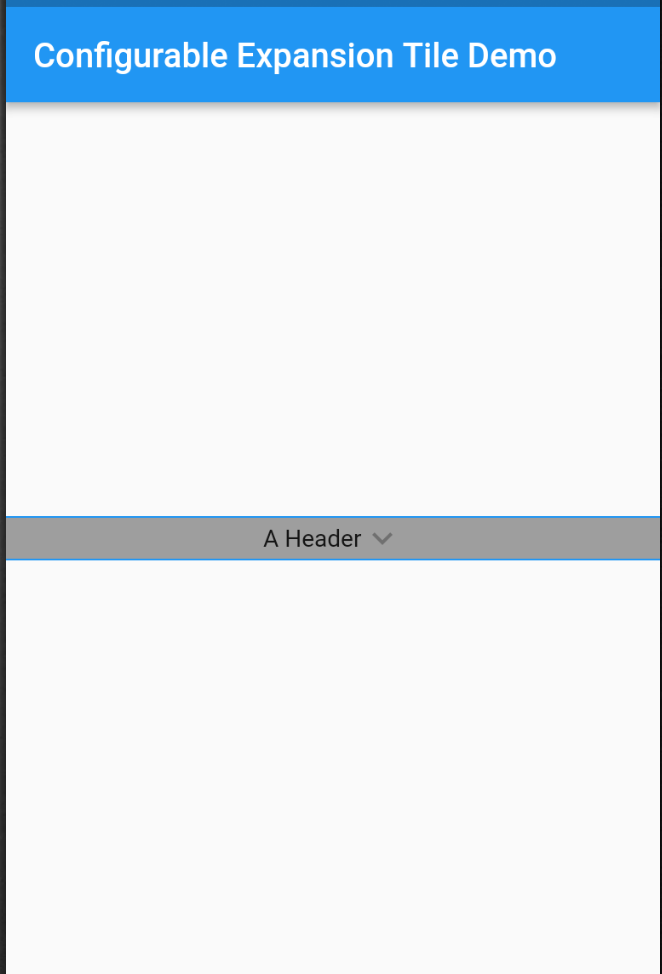
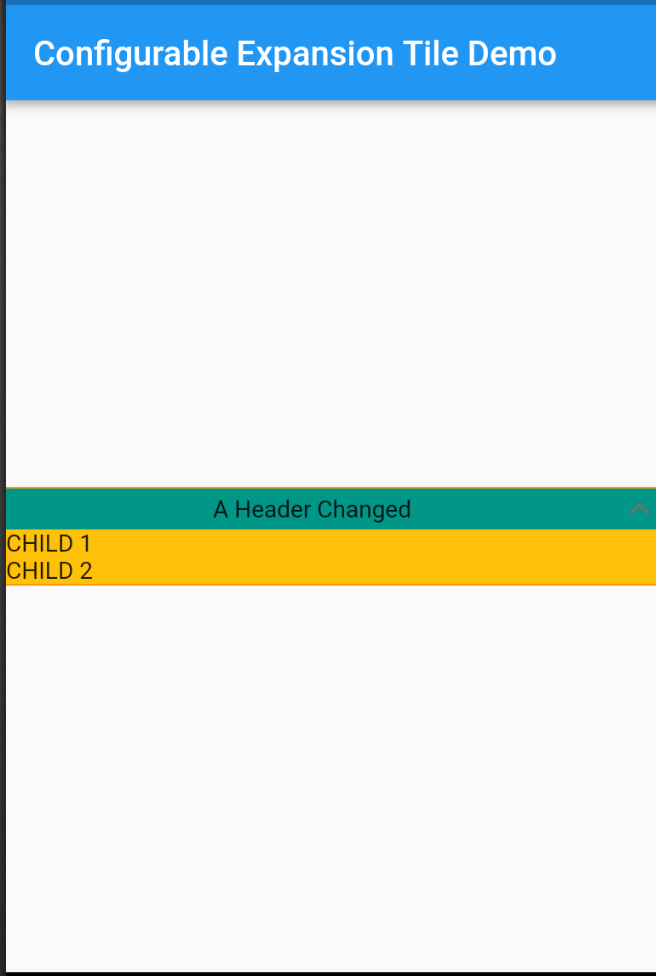
निर्भरता सूची 2 आइटम
{"sdk":"flutter"}{"sdk":"flutter"}उपयोग के अनुसार छाँटें, गतिविधि की तुलना करें और अपनाने से पहले मूल प्रोजेक्ट की आवश्यकताएँ जाँचें।
“A repository is the most basic element of GitHub.”
GitHub Docs — About repositories ↗