यह अंग्रेज़ी मूल स्नैपशॉट है। नवीनतम सामग्री GitHub पर देखें।
This plugin is not under active development. If you'd like to contribute, PRs are welcomed.
Flutter Interactive Keyboard
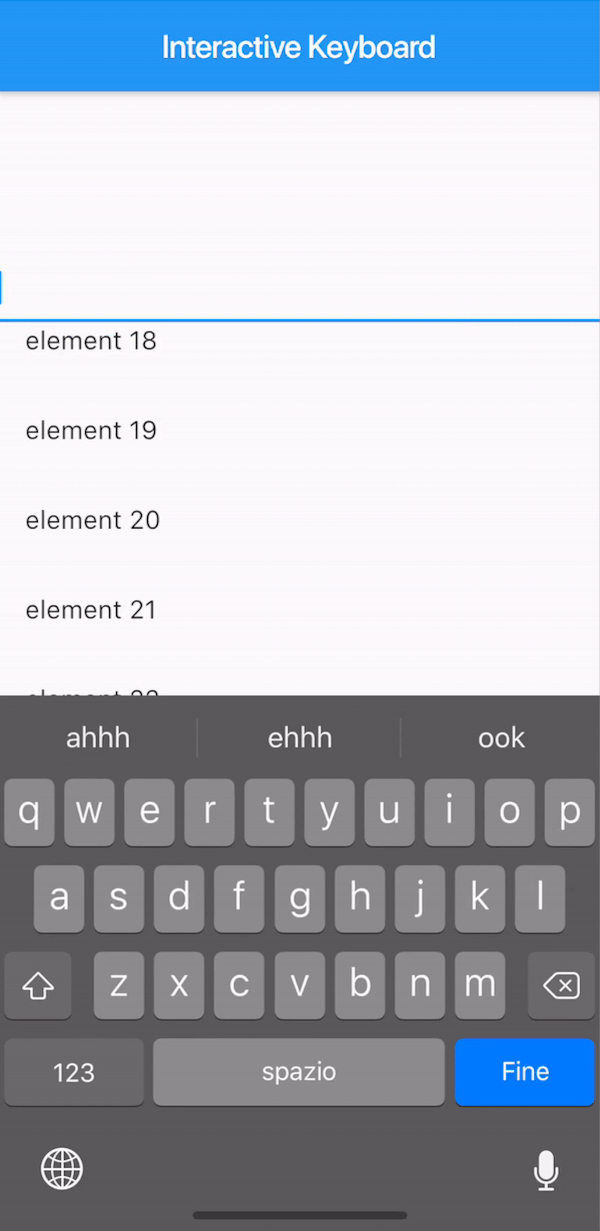
A way to mimic the iOS interactive dismissable keyboard in Flutter.
For Android, the behavior will still be applied without animation due to the Android keyboard limitations.
How to use it
The KeyboardManagerWidget defines the area where the draggable keyboard is enabled. Gestures are passed to the widget in order to permit both scrolling and drag-to-dismiss behavior.
focusNode is required when using a TextField to manage the keyboard opening and closing.
See the full example to see a complete implementation.
If your app has more than one TextField that should trigger the keyboard, you can change the current FocusNode from the KeyboardManagerWidgetState as follows:
// Init variableGlobalKey<KeyboardManagerWidgetState> _key = GlobalKey();
// In the build methodKeyboardManagerWidget(
key: _key,
...
)
// Wherever you like
_key.currentState.substituteFocusNode = newFocusNode;


 v0.2.0