

v1.3.0
rich_text_view
एक सरल लेकिन शक्तिशाली रिच टेक्स्ट दृश्य जो उल्लेख, हैशटैग, ईमेल, URL और अधिक देखें का समर्थन करता है।
65लाइक 5.1 हज़ार30-दिन डाउनलोड140Pub अंक
AndroidiOSWebmacOSWindowsLinux
Flutter के लिए एक सरल लेकिन शक्तिशाली धनुष्टेक्स्ट दृश्य और संपादक जो उल्लेख, हैशटैग, ईमेल, URL और अधिक देखें का समर्थन करता है।

यह अंग्रेज़ी मूल स्नैपशॉट है। नवीनतम सामग्री GitHub पर देखें।
A simple yet powerful rich text view that supports mention, hashtag, email, url and view more.
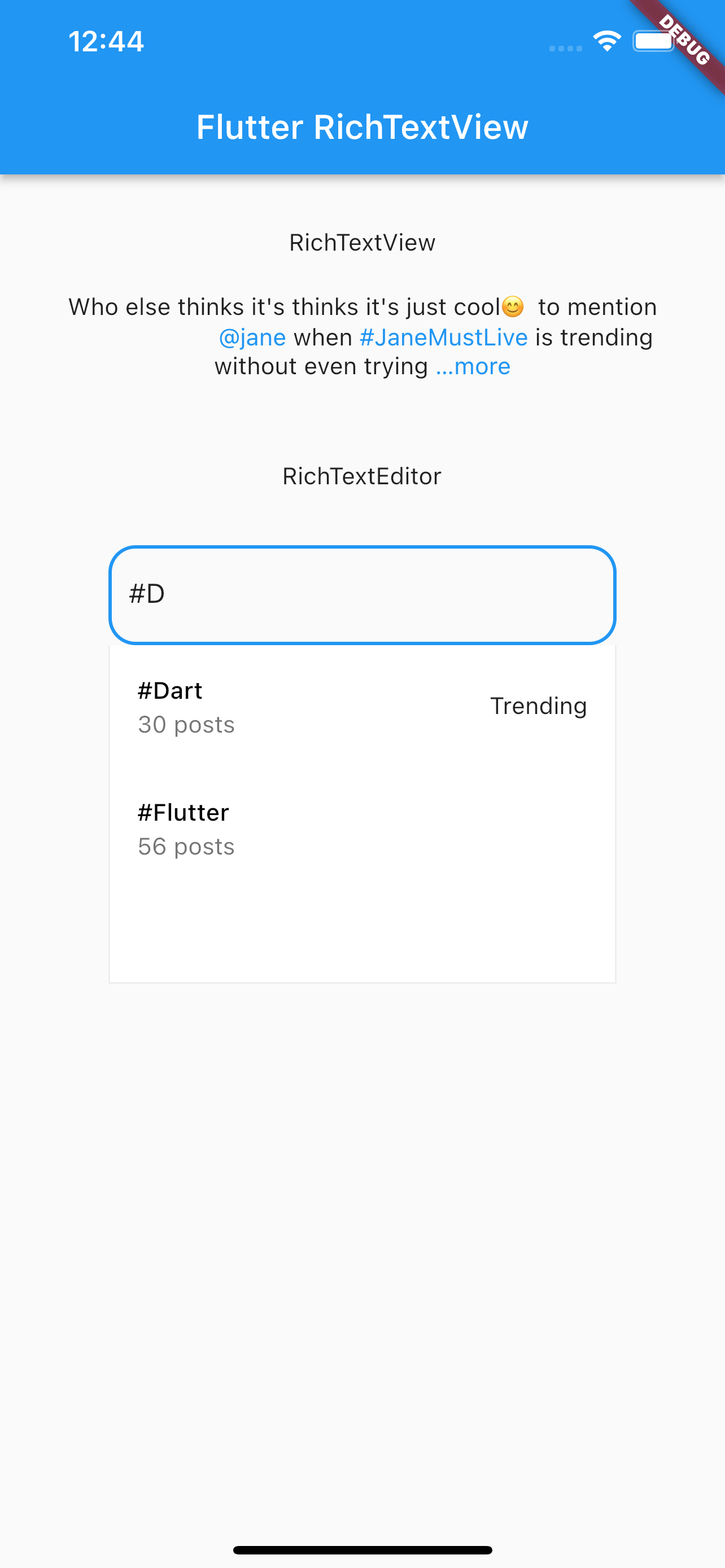
 RichTextView(
           text:
                      '''Who else thinks it's thinks it's just cool😎 to mention
                      @jane when #JaneMustLive is trending without even trying
                      to send a *bold* email to janedoe@gmail.com and verify the
                       facts talkmore of visiting www.janedoe.com''',
                  maxLines: 3,
                  truncate: true,
                  viewLessText: 'less',
                  linkStyle: TextStyle(color: Colors.blue),
                  supportedTypes: [
                    EmailParser(
                        onTap: (email) => print('${email.value} clicked')),
                    PhoneParser(
                        onTap: (phone) => print('click phone ${phone.value}')),
                    MentionParser(
                        onTap: (mention) => print('${mention.value} clicked')),
                    UrlParser(onTap: (url) => print('visting ${url.value}?')),
                    BoldParser(),
                    HashTagParser(
                        onTap: (hashtag) =>
                            print('is ${hashtag.value} trending?'))
                  ]
                )
RichTextEditor is an input field that supports suggestions when mentioning or using hashtags
        RichTextEditor(
                      decoration: InputDecoration(
                        border: OutlineInputBorder(
                          borderRadius: BorderRadius.circular(16)),
                      ),
                      suggestionController: SuggestionController(
                      mentionSymbol: '/',
                      position: SuggestionPosition.bottom,
                      mentionSuggestions: [
                        Mention(
                            imageURL: 'imageURL',
                            subtitle: 'nelly',
                            title: 'Nelly Gane'),
                        Mention(
                            imageURL: 'imageURL',
                            subtitle: 'gaus',
                            title: 'Gaus Shell')
                      ],
                      onSearchMention: (term) async {
                        return List.generate(
                            20,
                            (index) => Mention(
                                id: index.toString(),
                                imageURL: 'imageURL',
                                subtitle: term.toLowerCase(),
                                title: '$term $index'));
                      },
                      onMentionSelected: (suggestion) {
                        print(suggestion.id);
                      },
                      onSearchTags: (term) async {
                        return [
                          HashTag(
                              hashtag: '#Dart',
                              subtitle: '30 posts',
                              trending: true),
                          HashTag(
                            hashtag: '#Flutter',
                            subtitle: '56 posts',
                          )
                        ];
                      },
                    ))
निर्भरता सूची 3 आइटम
{"sdk":"flutter"}{"sdk":"flutter"}^1.11.0उपयोग के अनुसार छाँटें, गतिविधि की तुलना करें और अपनाने से पहले मूल प्रोजेक्ट की आवश्यकताएँ जाँचें।
“A repository is the most basic element of GitHub.”
GitHub Docs — About repositories ↗