
 v6.2.1
responsive_navigation_bar
एक प्रतिक्रियाशील बॉटम नेविगेशन बार। बहुत शुरुआती दोस्ताना। स्वच्छंदता से योगदान दें।
83लाइक 76530-दिन डाउनलोड160Pub अंक
AndroidiOSWebmacOSWindowsLinux
nohli/responsive_navigation_bar open-source repository details.
यह अंग्रेज़ी मूल स्नैपशॉट है। नवीनतम सामग्री GitHub पर देखें।
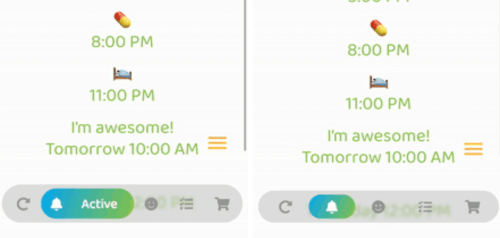
Very easy to set up, beginner friendly
Everything is documented + you will be asked to add required values - the rest is optional (with sound null safety)
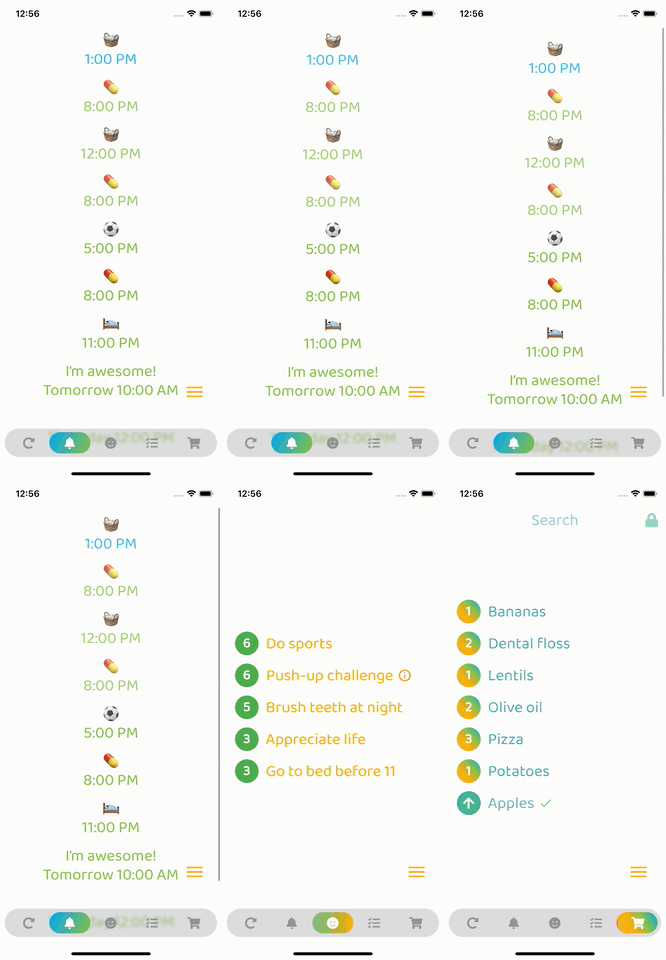
By default, fontSize, iconSize and padding are responsive (change size with screen size)
Set iconSize to control icon size independently (defaults to fontSize if not specified)
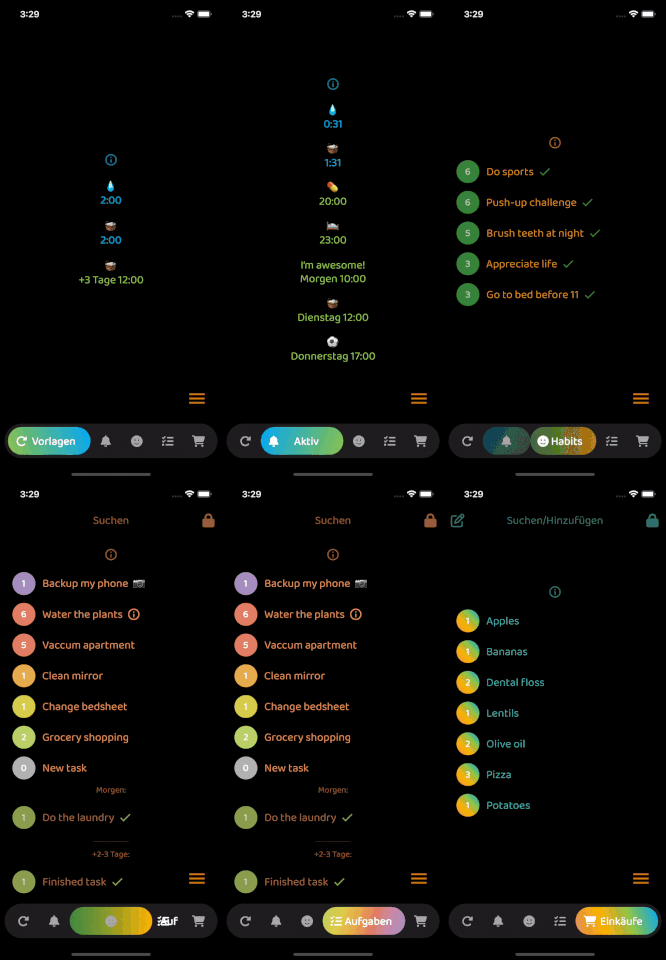
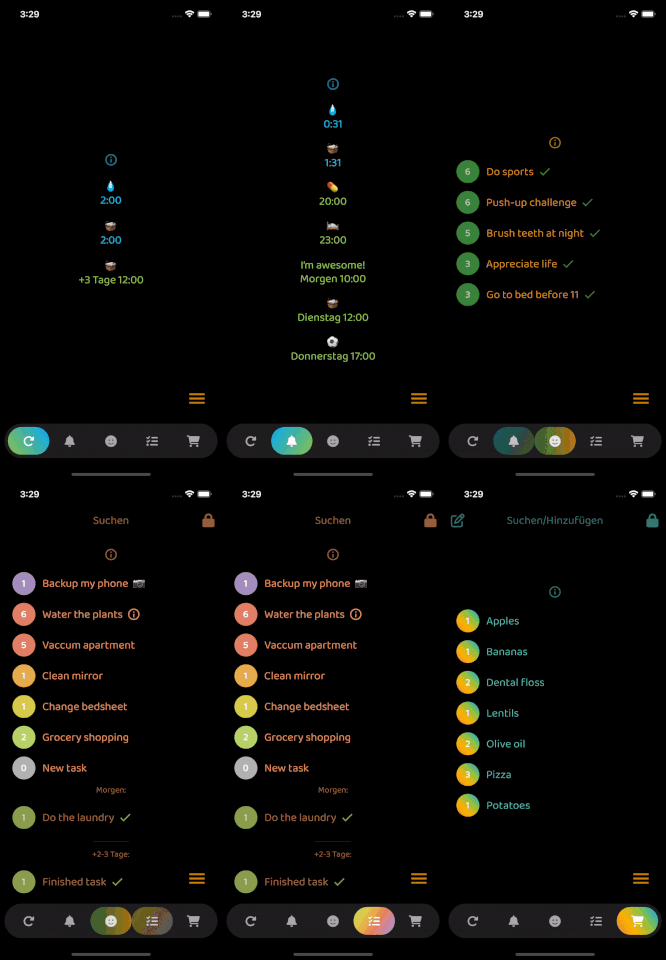
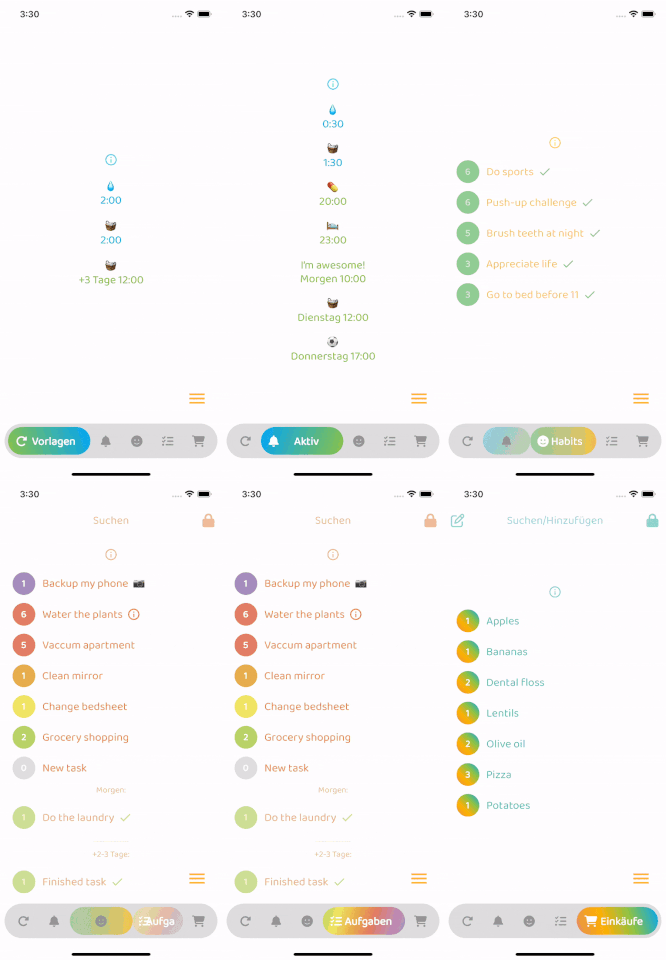
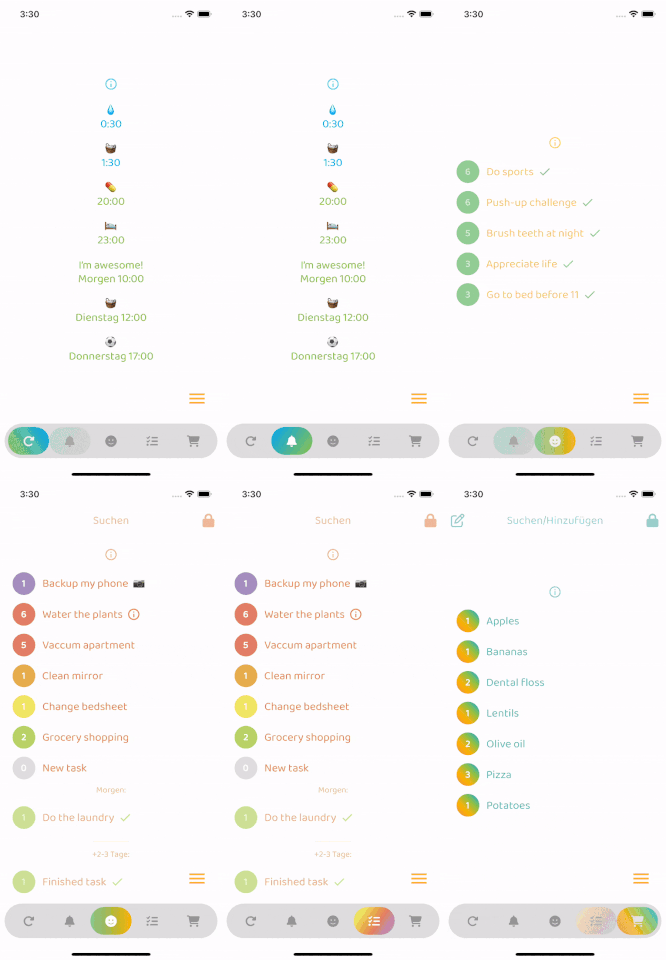
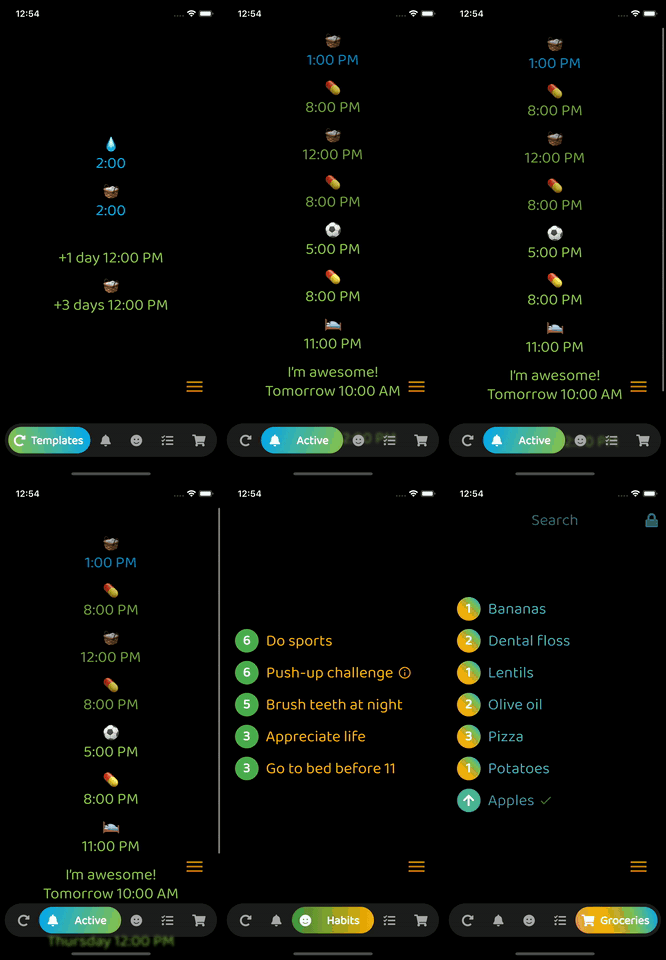
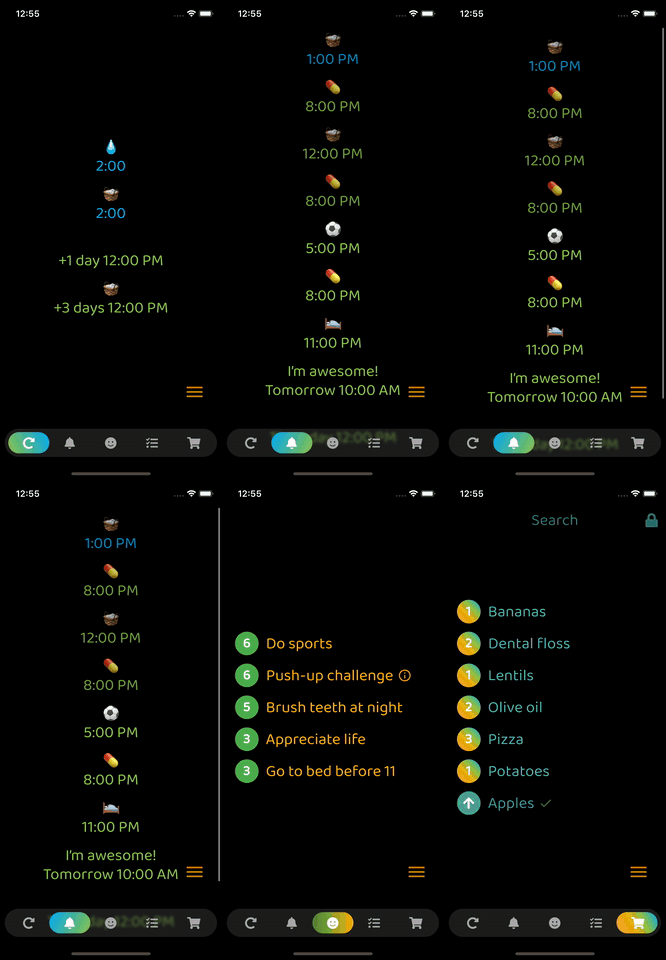
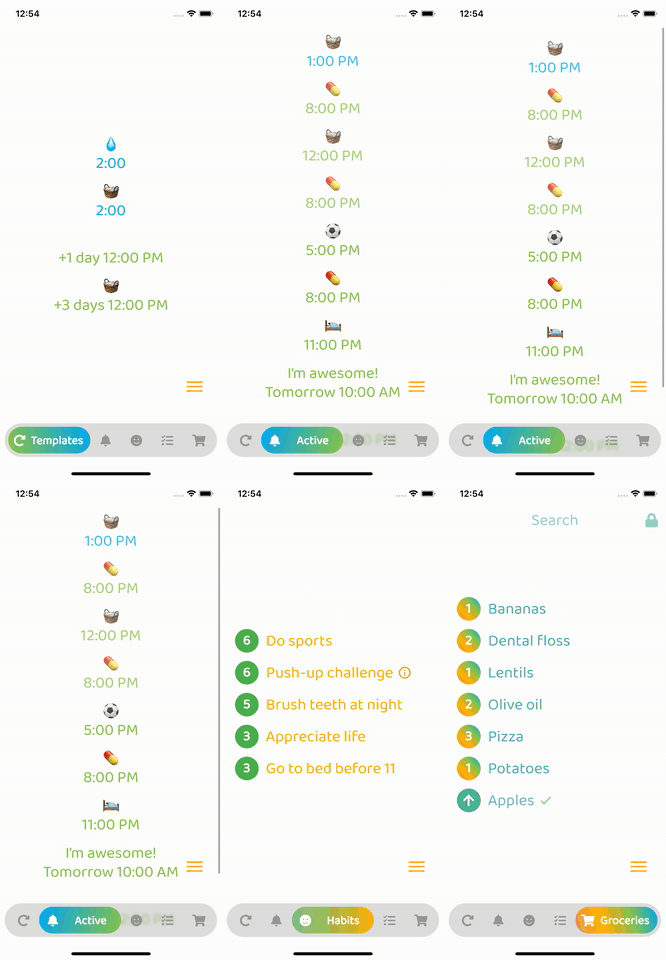
Optional: Beautiful gradient (backgroundGradient) for navigation bar and/or buttons (or solid colors)
Optional: Colored borders (border) for navigation bar and/or buttons
Optional: Change the opacity (backgroundOpacity) of the menu bar
Optional: Blurred background (backgroundBlur) from the top of the navigation bar to the bottom of the screen
Optional: Separate border radius controls (borderRadius, buttonBorderRadius)
Optional: Control button spacing (buttonSpacing)
By default shows text on selected button, optionally show on inactive buttons too (showInactiveButtonText)
Only StatelessWidgets
How to make the bottomNavigationBar float above the Scaffold's body:
Scaffold(
  extendBody: true,
  body: SafeArea(bottom: false, ...),
  bottomNavigationBar: ...
  ...
)
backgroundColor:
    Theme.of(context).brightness == Brightness.dark
        ? const Color(0xff3c3c3c)
        : const Color(0xffbebebe),
inactiveIconColor:
    Theme.of(context).brightness == Brightness.dark
        ? const Color(0xffaaaaaa)
        : const Color(0xff969696),

निर्भरता सूची 3 आइटम
{"sdk":"flutter"}^6.0.0{"sdk":"flutter"}उपयोग के अनुसार छाँटें, गतिविधि की तुलना करें और अपनाने से पहले मूल प्रोजेक्ट की आवश्यकताएँ जाँचें।
“A repository is the most basic element of GitHub.”
GitHub Docs — About repositories ↗