
 v1.2.2
wheel_slider
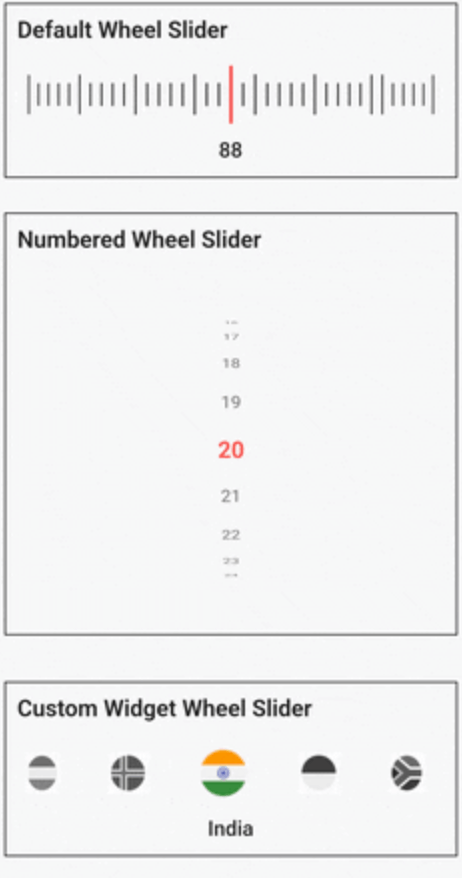
Wheel Slider को बहुत कस्टमाइजेशन मिलता है और आपको एक चक्की के जैसा दिखने वाले तरीके से घूमने की अनुमति देता है।
133लाइक 7 हज़ार30-दिन डाउनलोड150Pub अंक
AndroidiOSWebmacOSWindowsLinux
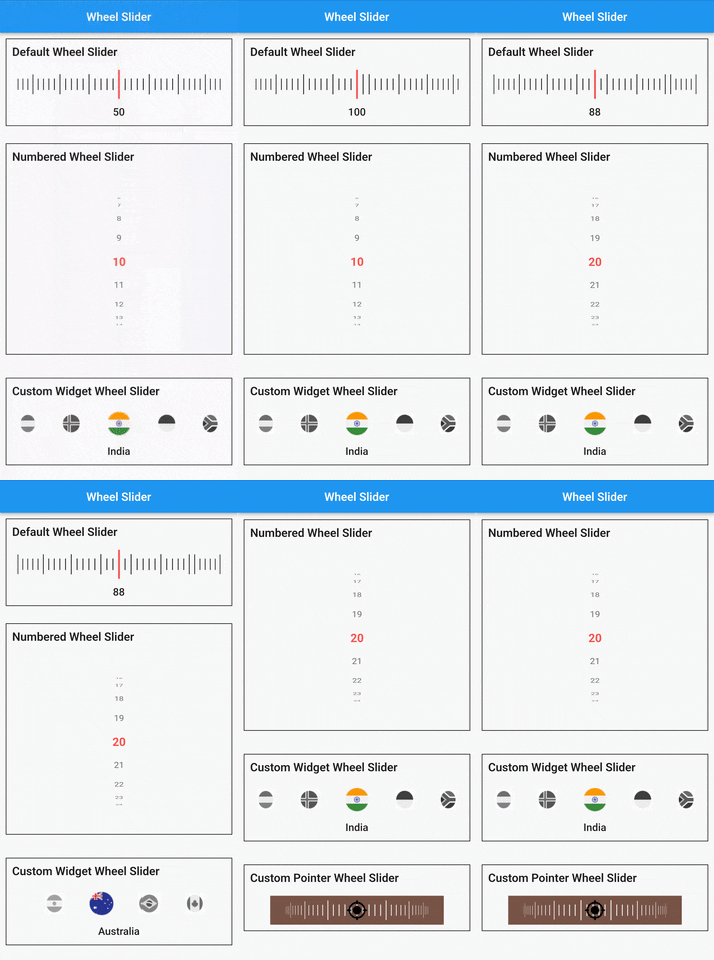
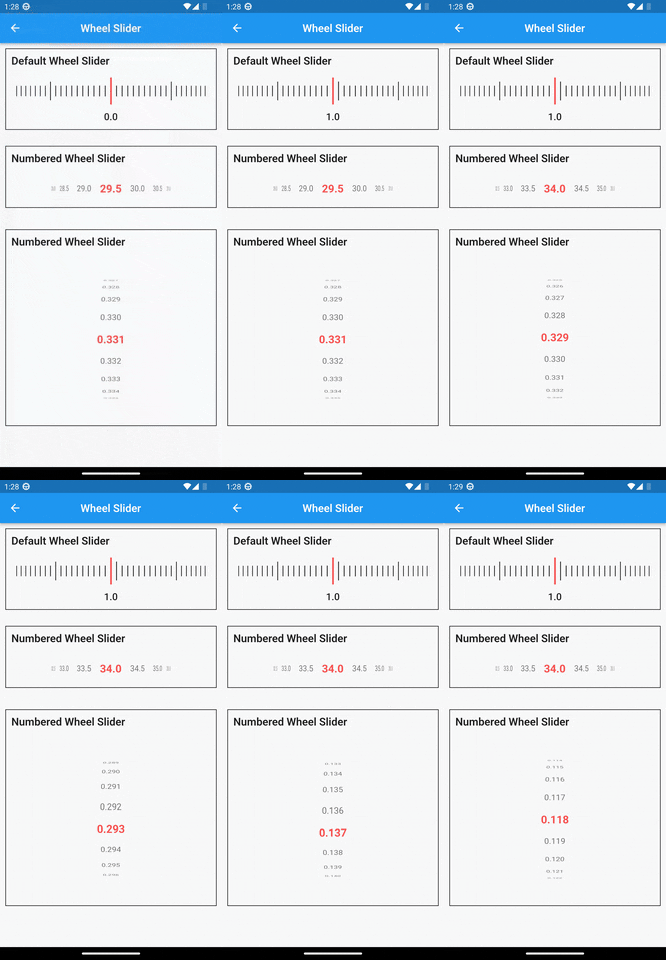
व्हील स्लाइडर को एक व्हील की तरह स्क्रॉल करने की अनुमति देता है, जिसमें कई कस्टमाइजेशन हैं।
यह अंग्रेज़ी मूल स्नैपशॉट है। नवीनतम सामग्री GitHub पर देखें।
A versatile and highly customizable slider widget for Flutter, with a wheel-like scrolling appearance.


Built on top of
wheel_chooserfor an enhanced experience.
Add the following to your pubspec.yaml under dependencies:
  dependencies:
    wheel_slider:
import 'package:wheel_slider/wheel_slider.dart';
Add the vibration permission to your AndroidManifest.xml file:
<uses-permission android:name="android.permission.VIBRATE"/>
Supports vibration with duration and pattern on CoreHaptics devices. On older devices, the pattern is emulated with 500ms long vibrations.
To use Line Slider:
WheelSlider(
    totalCount: _totalCount,
    initValue: _initValue,
    onValueChanged: (val) {
        setState(() {
          _currentValue = val;
        });
    },
    hapticFeedbackType: HapticFeedbackType.vibrate,
),
To use Line Slider with displaying double value:
WheelSlider(
    interval: 0.5,  // this field is used to show decimal/double values
    totalCount: _totalCount,
    initValue: _initValue,
    onValueChanged: (val) {
        setState(() {
          _currentValue = val;
        });
    },
    hapticFeedbackType: HapticFeedbackType.vibrate,
),
To use Number Slider:
WheelSlider.number(
    perspective: 0.01,
    totalCount: _nTotalCount,
    initValue: _nInitValue,
    unSelectedNumberStyle: const TextStyle(
        fontSize: 12.0,
        color: Colors.black54,
    ),
    currentIndex: _nCurrentValue,
    onValueChanged: (val) {
        setState(() {
          _nCurrentValue = val;
        });
    },
    hapticFeedbackType: HapticFeedbackType.heavyImpact,
),
To use Number Slider with displaying double value:
WheelSlider.number(
    interval: 0.5, // this field is used to show decimal/double values
    perspective: 0.01,
    totalCount: _nTotalCount,
    initValue: _nInitValue,
    unSelectedNumberStyle: const TextStyle(
        fontSize: 12.0,
        color: Colors.black54,
    ),
    currentIndex: _nCurrentValue,
    onValueChanged: (val) {
        setState(() {
          _nCurrentValue = val;
        });
    },
    hapticFeedbackType: HapticFeedbackType.heavyImpact,
),
To use Custom Widget Slider:
WheelSlider.customWidget(
    totalCount: 12,
    initValue: 5,
    isInfinite: false,
    scrollPhysics: const BouncingScrollPhysics(),
    children: List.generate(12, (index) => const Center(
        child: FlutterLogo(
            size: 100,
        ),
    )),
    onValueChanged: (val) {
        setState(() {
          _cCurrentValue = val;
        });
    },
    hapticFeedbackType: HapticFeedbackType.vibrate,
    showPointer: false,
    itemSize: 80,
),
controller - A FixedExtentScrollController that allows you to manage and control the scroll position of the slider.interval - To display decimal values. By default it is set to 1, when changed totalCount also to be updated accordingly.currentIndex - Gets the current value as you scroll the Number Slider.perspective - Change the way you want the slider to look from a flat to a wheel like shape and the value must be <= 0.01.squeeze - Adjust the spacing between each item in the slider.isVibrate - To turn on/off vibration while scrolling.hapticFeedbackType - Allows you to change the vibration type.itemSize - Size of each item in the slider.background - Use any widget to add as a background to the slider.allowPointerTappable:
false scroll functionality won't work for the occupied region.false to enable gestures.true.
निर्भरता सूची 4 आइटम
{"sdk":"flutter"}^1.1.2{"sdk":"flutter"}^1.0.0उपयोग के अनुसार छाँटें, गतिविधि की तुलना करें और अपनाने से पहले मूल प्रोजेक्ट की आवश्यकताएँ जाँचें।
“A repository is the most basic element of GitHub.”
GitHub Docs — About repositories ↗