

v0.1.0
slider_side_menu
स्लाइडर साइड मेनू स्क्रीन के पास छिपा होता है, और उपयोगकर्ता नियंत्रण बटन पर क्लिक करने पर ही खुलता है।
20लाइक 25230-दिन डाउनलोड150Pub अंक
AndroidiOSLinuxmacOSWebWindows
स्लाइडर साइड मेनू जो स्क्रीन के पास छिपा होता है, और उपयोगकर्ता नियंत्रण बटन दबाने पर ही खुलता है

यह अंग्रेज़ी मूल स्नैपशॉट है। नवीनतम सामग्री GitHub पर देखें।
Slider Side Menu that is hidden to the side of the screen, and only open when user taps on the controller button.
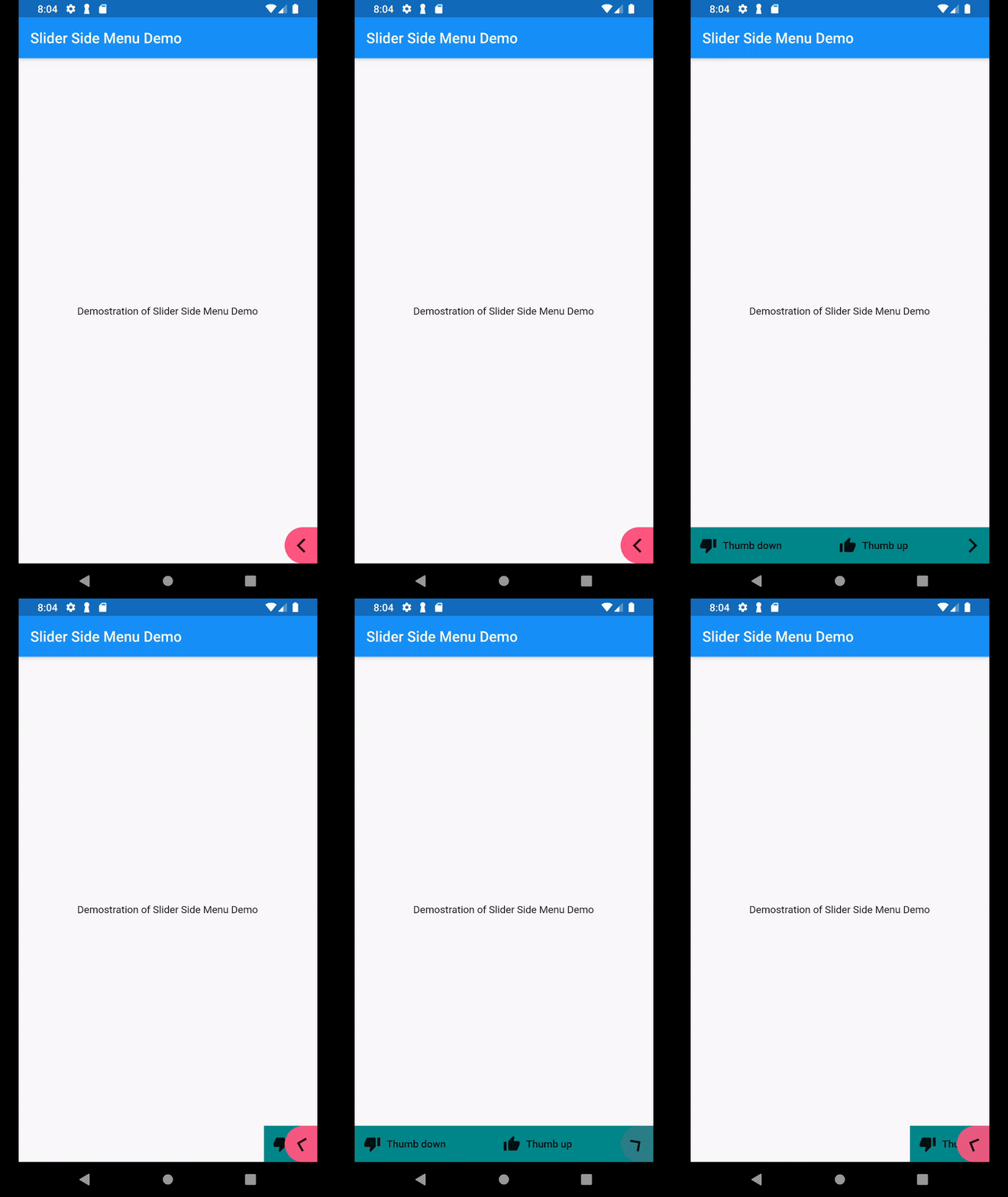
In your pubspec.yaml, include the package dependencies into your pubspec.yaml
In your code, add import
import 'package:slider_side_menu/slider_side_menu.dart';
Then add the widget to your screen
            SliderSideMenu(childrenData: [
              MenuItem(
                  icon: Icon(Icons.thumb_up),
                  label: Text("Thumb up"),
                  onPressed: _thumbUp
              ),
              MenuItem(
                  icon: Icon(Icons.thumb_down),
                  label: Text("Thumb down"),
                  onPressed: _thumbDown
              )
            ], description: "Sample tooltip message")
Sample code: https://github.com/suesitran/slider_side_menu/blob/master/example/lib/main.dart
निर्भरता सूची 2 आइटम
{"sdk":"flutter"}{"sdk":"flutter"}उपयोग के अनुसार छाँटें, गतिविधि की तुलना करें और अपनाने से पहले मूल प्रोजेक्ट की आवश्यकताएँ जाँचें।
“A repository is the most basic element of GitHub.”
GitHub Docs — About repositories ↗