


 v2.1.0
color_picker_field
मैटेरियल और कूपर्टी के लिए रंग चयनकर्ता फ़ील्ड, जिसमें ह्यू आधारित वृत्ताकार रंग चयनकर्ता शामिल है
16लाइक 19930-दिन डाउनलोड150Pub अंक
AndroidiOSWebmacOSWindowsLinux
मैटेरियल और कूपर्टी के लिए रंग चयनकर्ता फ़ील्ड, जिसमें ह्यू आधारित वृत्ताकार रंग चयनकर्ता शामिल है

यह अंग्रेज़ी मूल स्नैपशॉट है। नवीनतम सामग्री GitHub पर देखें।
Color Picker field for Material and Cupertino, including a Radial Color picker(Hue based)
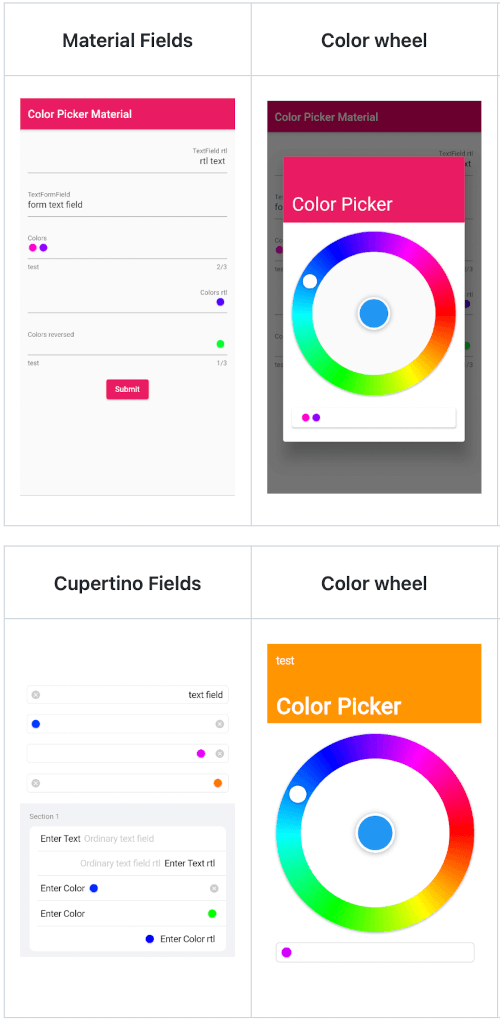
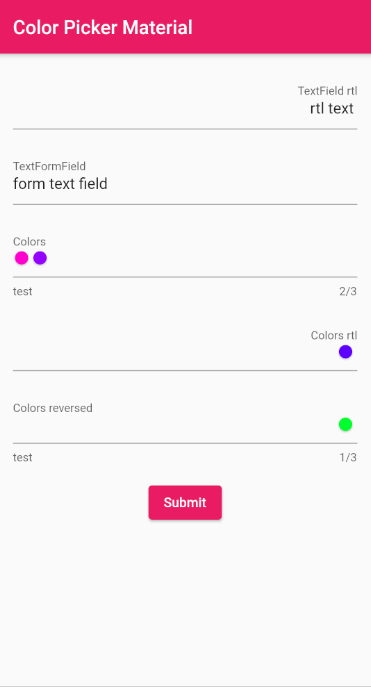
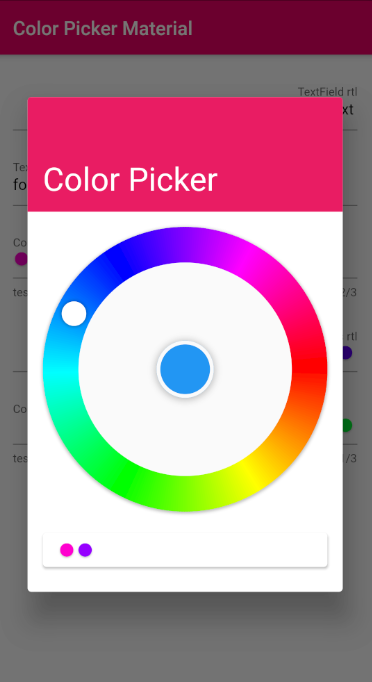
| Material Fields | Color wheel | Remove colors | Saturation and Lightness |
|---|---|---|---|
 |
 |
 |
 |
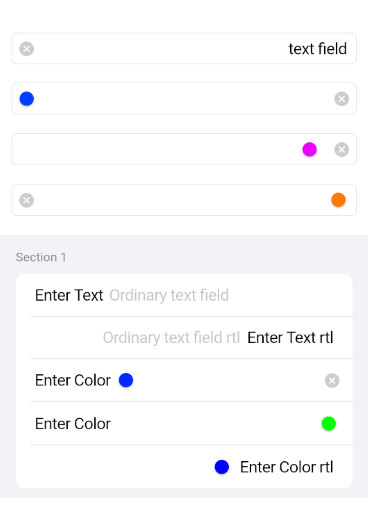
| Cupertino Fields | Color wheel | Remove colors | Saturation and Lightness |
|---|---|---|---|
 |
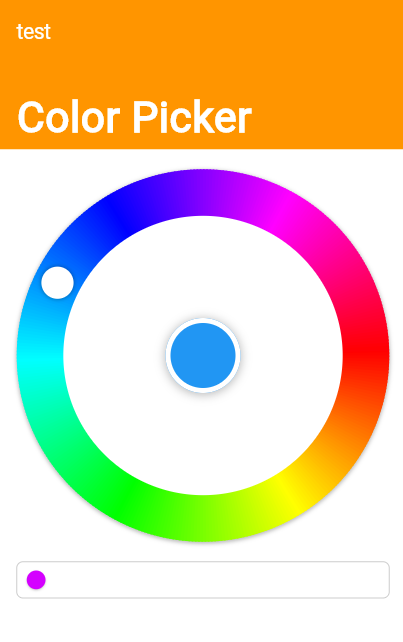 |
 |
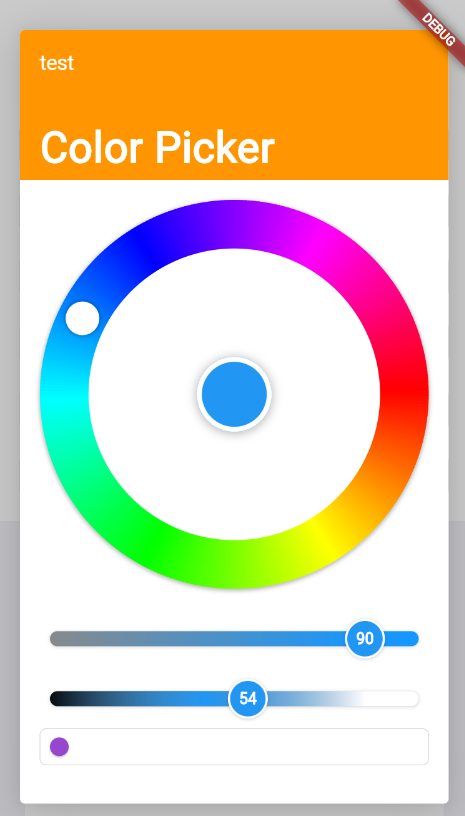 |
final ColorPickerFieldController controller = ColorPickerFieldController();
ColorPickerField(
  colors: [],
  defaultColor: Colors.blue,
  onChanged: (Color value) {},
  controller: controller,
  decoration: InputDecoration(
    labelText: 'Colors',
  ),
),
ColorPickerFormField(
  initialValue: [],
  defaultColor: Colors.blue,
  autovalidateMode: AutovalidateMode.onUserInteraction,
  maxColors: 3,
  decoration: InputDecoration(
    labelText: 'Colors',
    helperText: 'test',
  ),
  validator: (List<Color>? value) {
    if (value!.isEmpty) {
      return 'a minimum of 1 color is required';
    }
    return null;
  },
  onChanged: (Color value) {},
),
CupertinoColorPickerField(
  placeholder: 'CupertinoColorPickerField',
  colors: [],
  defaultColor: Colors.blue,
  onChanged: (Color value) {},
  clearButtonMode: ClearButtonVisibilityMode.always,
),
CupertinoFormSection.insetGrouped(
  header: const Text('Section 1'),
  children: [
    // A field with an always showing clear button
    CupertinoColorPickerFormFieldRow(
      prefix: const Text('Enter Color'),
      defaultColor: defaultColor,
      clearButtonMode: ClearButtonVisibilityMode.always,
      placeholder: 'Enter Color',
      onChanged: _onChanged,
      validator: (List<Color>? value) {
        if (value == null || value.isEmpty) {
          return 'Please enter at least one color';
        }
        return null;
      },
    ),

    // A field with a reversed position and order of the chosen colors list
    CupertinoColorPickerFormFieldRow(
      prefix: const Text('Enter Color'),
      defaultColor: defaultColor,
      placeholder: 'Enter Color',
      onChanged: (Color value) {},
      colorListReversed: true,
      validator: (List<Color>? value) {
        if (value == null || value.isEmpty) {
          return 'Please enter at least one color';
        }
        return null;
      },
    ),

    // Forcing Text Direction using Directionality widget,
    // by default the TextDirection will be read from the Localization
    Directionality(
      textDirection: TextDirection.rtl,
      child: CupertinoColorPickerFormFieldRow(
        prefix: const Text('Enter Color rtl'),
        defaultColor: defaultColor,
        placeholder: 'Enter Color rtl',
        onChanged: (Color value) {},
        validator: (List<Color>? value) {
          if (value == null || value.isEmpty) {
            return 'Please enter at least one color';
          }
          return null;
        },
      ),
    ),
  ],
),
निर्भरता सूची 5 आइटम
^1.0.5{"sdk":"flutter"}^2.1.4^2.0.1{"sdk":"flutter"}उपयोग के अनुसार छाँटें, गतिविधि की तुलना करें और अपनाने से पहले मूल प्रोजेक्ट की आवश्यकताएँ जाँचें।
“A repository is the most basic element of GitHub.”
GitHub Docs — About repositories ↗