
 v0.1.1
insta_like_button
फ्लटर के लिए बनाया गया इंस्टाग्राम पोस्ट शैली के कस्टमाइज़ेबल कार्ड विजेट
43लाइक 2830-दिन डाउनलोड160Pub अंक
AndroidiOSWebmacOSWindowsLinux
इंस्टाग्राम पोस्ट शैली के कस्टमाइज़ेबल कार्ड विजेट, डिफ़ॉल्ट लाइकिंग कार्यक्षमता के साथ
यह अंग्रेज़ी मूल स्नैपशॉट है। नवीनतम सामग्री GitHub पर देखें।


Add this to your package's pubspec.yaml file:
dependencies:
  insta_like_button: ^0.1.1
You can install packages from the command line:
$ flutter pub get
...
Now in your Dart code, you can use:
import 'package:insta_like_button/insta_like_button.dart';
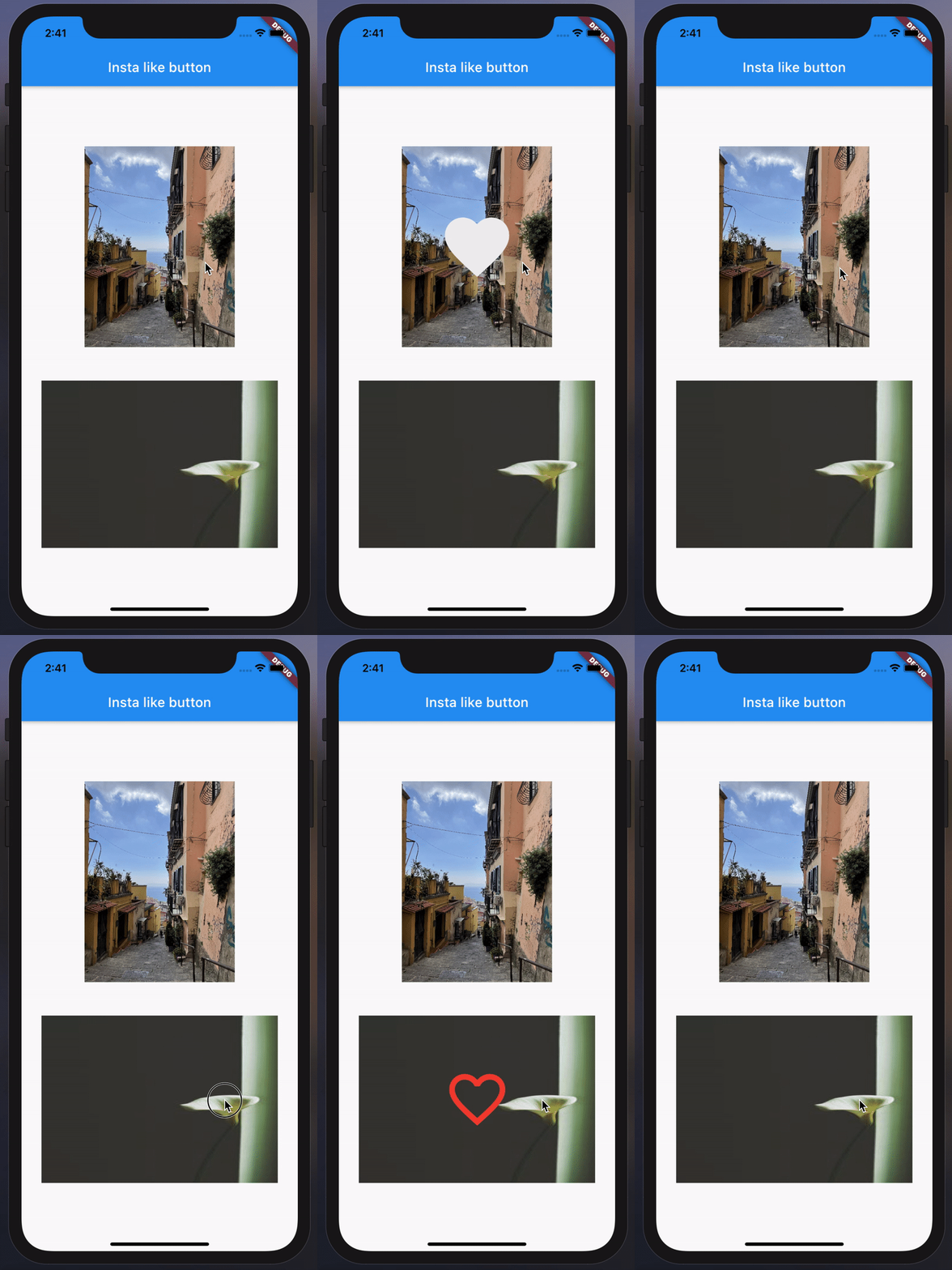
InstaLikeButton(
  image: AssetImage("example/overview/img.jpg"),
  onChanged: () {
    // Do something...
  },
),
InstaLikeButton(
  image: NetworkImage("https://picsum.photos/200/300"),
  onChanged: () {
    // Do something...
  },
  icon: Icons.favorite_border,
  iconSize: 80,
  iconColor: Colors.red,
  curve: Curves.fastLinearToSlowEaseIn,
  height: 200,
  width: MediaQuery.of(context).size.width - 20,
  duration: const Duration(seconds: 1),
  onImageError: (e, _) {
    // Do something...
  },
  imageAlignment: Alignment.topLeft,
  imageBoxfit: BoxFit.fill,
  imageScale: 2.0,
  imageColorFilter: ColorFilter.mode(
    Colors.black.withOpacity(0.5),
    BlendMode.dstATop,
  ),
),

निर्भरता सूची 2 आइटम
{"sdk":"flutter"}{"sdk":"flutter"}उपयोग के अनुसार छाँटें, गतिविधि की तुलना करें और अपनाने से पहले मूल प्रोजेक्ट की आवश्यकताएँ जाँचें।
“A repository is the most basic element of GitHub.”
GitHub Docs — About repositories ↗