
v1.7.0
ua_client_hints
Flutter को उपयोगकर्ता-एजेंट क्लाइंट हिंट्स प्रदान करें।
52लाइक 1.9 लाख30-दिन डाउनलोड130Pub अंक
AndroidiOSWebmacOS
एक Flutter ऐप में User-Agent Client Hints प्रदान करें।
यह अंग्रेज़ी मूल स्नैपशॉट है। नवीनतम सामग्री GitHub पर देखें।
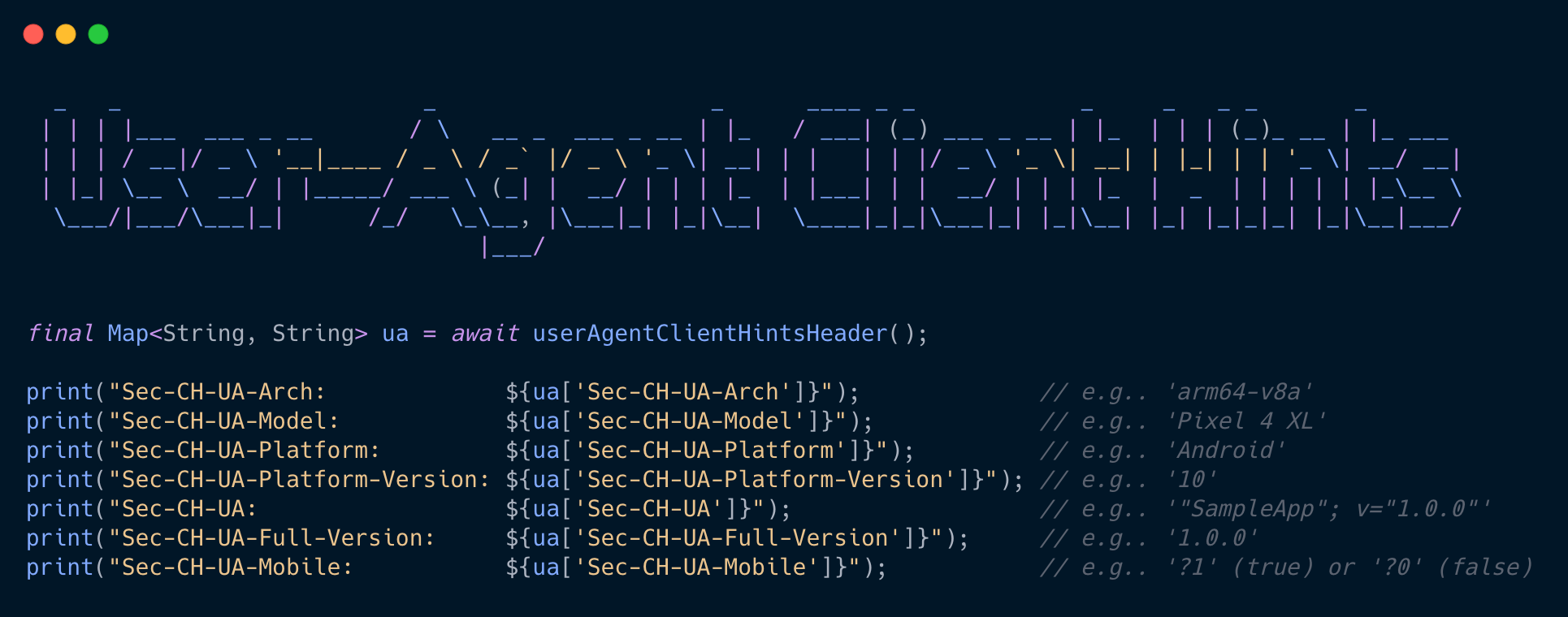


User-Agent Client Hints
Improving user privacy and developer experience with User-Agent Client Hints
User-Agent Client Hints Demo on Browser
| ⬇️ Response Accept-CH | ⬆️ Request header | ⬆️ RequestExample value | Description |
|---|---|---|---|
| UA | Sec-CH-UA | "Chromium";v="84", "Google Chrome";v="84" |
List of browser brands and their significant version. |
| UA-Mobile | Sec-CH-UA-Mobile | ?1 | Boolean indicating if the browser is on a mobile device (?1 for true) or not (?0 for false). |
| UA-Full-Version | Sec-CH-UA-Full-Version | "84.0.4143.2" | The complete version for the browser. |
| UA-Platform | Sec-CH-UA-Platform | "Android" | The platform for the device, usually the operating system (OS). |
| UA-Platform-Version | Sec-CH-UA-Platform-Version | "10" | The version for the platform or OS. |
| UA-Arch | Sec-CH-UA-Arch | "ARM64" | The underlying architecture for the device. While this may not be relevant to displaying the page, the site may want to offer a download which defaults to the right format. |
| UA-Model | Sec-CH-UA-Model | "Pixel 3" | The device model. |
This plugin is set the Null Safety.
Add this to your package's pubspec.yaml file by running the following command
$ flutter pub add ua_client_hints
Supported platforms:
On Web, values depend on browser support for User-Agent Client Hints. Some fields such as architecture, model, or platformVersion can be empty on browsers that don't expose high-entropy hints.
Add to the request header.
class AppDio with DioMixin implements Dio {
  AppDio._([BaseOptions options]) {
    options = BaseOptions(
      baseUrl: 'https://wasabeef.jp',
    );

    this.options = options;
    interceptors.add(InterceptorsWrapper(
      onRequest: (options) async {
        // Add User-Agent Client Hints
        options.headers.addAll(await userAgentClientHintsHeader());
        return options;
      },
    ));
  }

  static Dio getInstance() => AppDio._();
}
final String ua = await userAgent();

print('User-Agent: $ua');  // e.g.. 'SampleApp/1.0.0 (Android 11; Pixel 4 XL; coral; arm64-v8a)'
// macOS example:
// 'SampleApp/1.0.0 (macOS 15.5.0; Mac; Mac15,12; arm64)'
// Web fallback example:
// 'SampleApp/1.0.0 (macOS 15.5.0; Google Chrome; arm64)'
final UserAgentData uaData = await userAgentData();

print('platform:        ${uaData.platform}');              // e.g.. 'Android'
print('platformVersion: ${uaData.platformVersion}');       // e.g.. '10'
print('model:           ${uaData.model}');                 // e.g.. 'Pixel 4 XL'
print('architecture:    ${uaData.architecture}');          // e.g.. 'arm64-v8a'
print('brand:           ${uaData.brand}');                 // e.g.. 'Google'
print('mobile:          ${uaData.mobile}');                // e.g.. true
print('device:          ${uaData.device}');                // e.g.. 'coral'
print('appName:         ${uaData.package.appName}');       // e.g.. 'SampleApp'
print('appVersion:      ${uaData.package.appVersion}');    // e.g.. '1.0.0'
print('packageName:     ${uaData.package.packageName}');   // e.g.. 'jp.wasabeef.ua'
print('buildNumber:     ${uaData.package.buildNumber}');   // e.g.. '1'
final Map<String, dynamic> header = await userAgentClientHintsHeader();

print("Sec-CH-UA-Arch:             ${header['Sec-CH-UA-Arch']}");             // e.g.. 'arm64-v8a'
print("Sec-CH-UA-Model:            ${header['Sec-CH-UA-Model']}");            // e.g.. 'Pixel 4 XL'
print("Sec-CH-UA-Platform:         ${header['Sec-CH-UA-Platform']}");         // e.g.. 'Android'
print("Sec-CH-UA-Platform-Version: ${header['Sec-CH-UA-Platform-Version']}"); // e.g.. '10'
print("Sec-CH-UA:                  ${header['Sec-CH-UA']}");                  // e.g.. '"SampleApp"; v="1.0.0"'
print("Sec-CH-UA-Full-Version:     ${header['Sec-CH-UA-Full-Version']}");     // e.g.. '1.0.0'
print("Sec-CH-UA-Mobile:           ${header['Sec-CH-UA-Mobile']}");           // e.g.. '?1' (true) or '?0' (false)

निर्भरता सूची 4 आइटम
{"sdk":"flutter"}{"sdk":"flutter"}{"sdk":"flutter"}^4.0.0उपयोग के अनुसार छाँटें, गतिविधि की तुलना करें और अपनाने से पहले मूल प्रोजेक्ट की आवश्यकताएँ जाँचें।
“A repository is the most basic element of GitHub.”
GitHub Docs — About repositories ↗