
v0.1.0
flutter_sparkline
Flutter के लिए सुंदर स्पार्कलाइन चार्ट।
72लाइक 42630-दिन डाउनलोड30Pub अंक
प्लेटफ़ॉर्म डेटा नहीं
Flutter के लिए सुंदर स्पार्कलाइन चार्ट
यह अंग्रेज़ी मूल स्नैपशॉट है। नवीनतम सामग्री GitHub पर देखें।

Beautiful sparkline charts for Flutter.
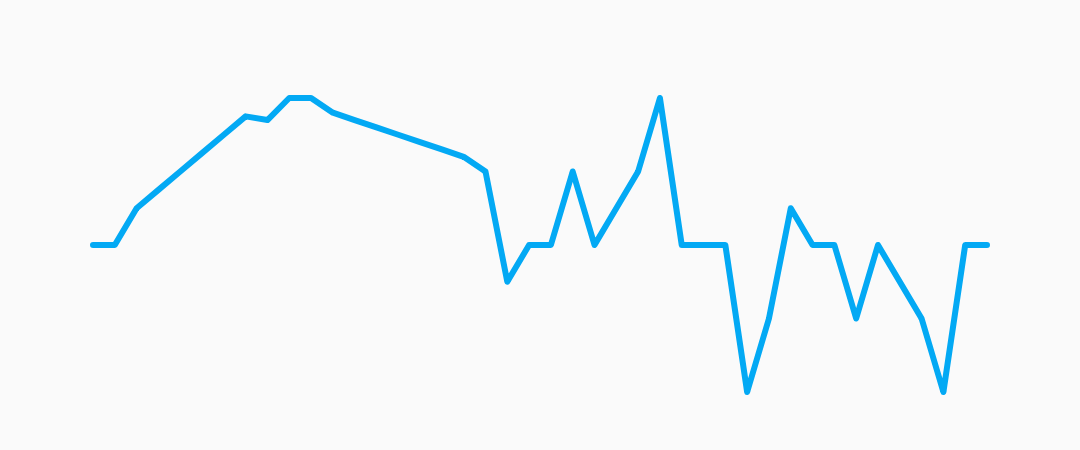
Install the latest version from pub.
Import the package, create a Sparkline, and pass it your data.
import 'package:flutter/material.dart';
import 'package:flutter_sparkline/flutter_sparkline.dart';

void main() {
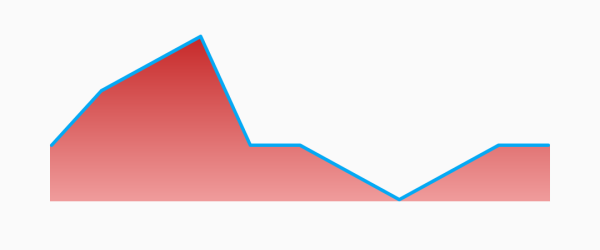
  var data = [0.0, 1.0, 1.5, 2.0, 0.0, 0.0, -0.5, -1.0, -0.5, 0.0, 0.0];
  runApp(
    new MaterialApp(
      home: new Scaffold(
        body: new Center(
          child: new Container(
            width: 300.0,
            height: 100.0,
            child: new Sparkline(
              data: data,
            ),
          ),
        ),
      ),
    ),
  );
}
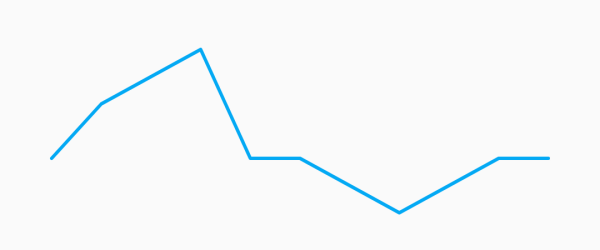
| Property | Default |
|---|---|
| lineWidth | 2.0 |
| lineColor | Colors.lightBlue |
| lineGradient | null |
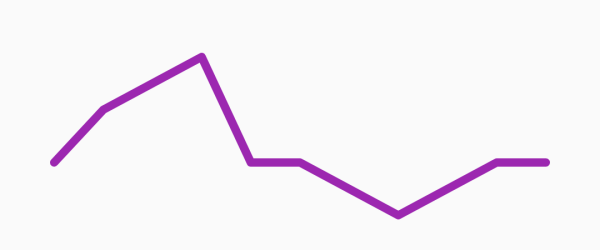
Example:
new Sparkline(
  data: data,
  lineWidth: 5.0,
  lineColor: Colors.purple,
);
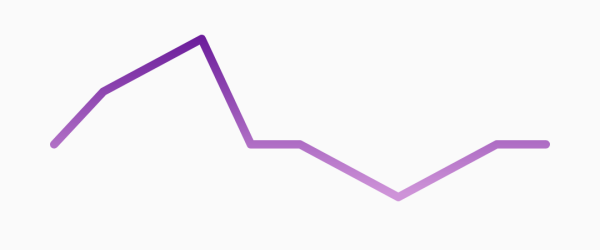
new Sparkline(
  data: data,
  lineWidth: 10.0,
  lineGradient: new LinearGradient(
    begin: Alignment.topCenter,
    end: Alignment.bottomCenter,
    colors: [Colors.purple[800], Colors.purple[200]],
  ),
);
| Property | Default |
|---|---|
| pointsMode | PointsMode.none |
| pointSize | 4.0 |
| pointColor | Colors.lightBlue[800] |
| PointsMode | Description |
|---|---|
| none (default) | Do not draw individual points. |
| all | Draw all the points in the data set. |
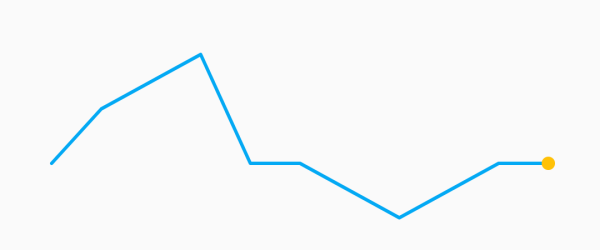
| last | Draw only the last point in the data set. |
Example:
new Sparkline(
  data: data,
  pointsMode: PointsMode.all,
  pointSize: 8.0,
  pointColor: Colors.amber,
);
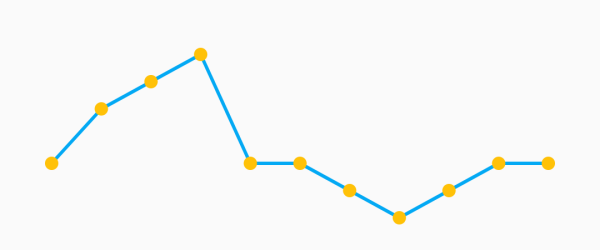
new Sparkline(
  data: data,
  pointsMode: PointsMode.last,
  pointSize: 8.0,
  pointColor: Colors.amber,
);
| Property | Default |
|---|---|
| fillMode | FillMode.none |
| fillColor | Colors.lightBlue[200] |
| fillGradient | null |
| FillMode | Description |
|---|---|
| none (default) | Do not fill, draw only the sparkline. |
| above | Fill the area above the sparkline. |
| below | Fill the area below the sparkline. |
Example:
new Sparkline(
  data: data,
  fillMode: FillMode.below,
  fillColor: Colors.red[200],
);
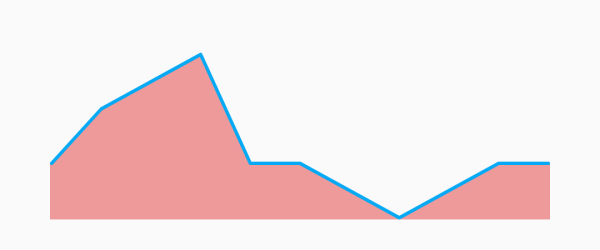
new Sparkline(
  data: data,
  fillMode: FillMode.above,
  fillColor: Colors.red[200],
);
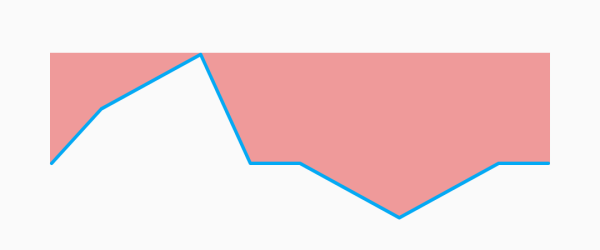
new Sparkline(
  data: data,
  fillMode: FillMode.below,
  fillGradient: new LinearGradient(
    begin: Alignment.topCenter,
    end: Alignment.bottomCenter,
    colors: [Colors.red[800], Colors.red[200]],
  ),
);

निर्भरता सूची 2 आइटम
{"sdk":"flutter"}{"sdk":"flutter"}उपयोग के अनुसार छाँटें, गतिविधि की तुलना करें और अपनाने से पहले मूल प्रोजेक्ट की आवश्यकताएँ जाँचें।
“A repository is the most basic element of GitHub.”
GitHub Docs — About repositories ↗