

 v1.5.1
scroll_to_id
scroll_to_id एक Flutter लाइब्रेरी है जो स्क्रॉलव्यू में प्रत्येक विजेट के लिए परिभाषित आईडी को चुनकर स्क्रीन को स्वचालित रूप से स्क्रॉल करने की अनुमति देता है।
61लाइक 17730-दिन डाउनलोड150Pub अंक
AndroidiOSWebmacOSWindowsLinux
ScrollView में ID पर स्क्रॉल करें

यह अंग्रेज़ी मूल स्नैपशॉट है। नवीनतम सामग्री GitHub पर देखें।
scroll_to_id is a Flutter library for Scroll to id in ScrollView
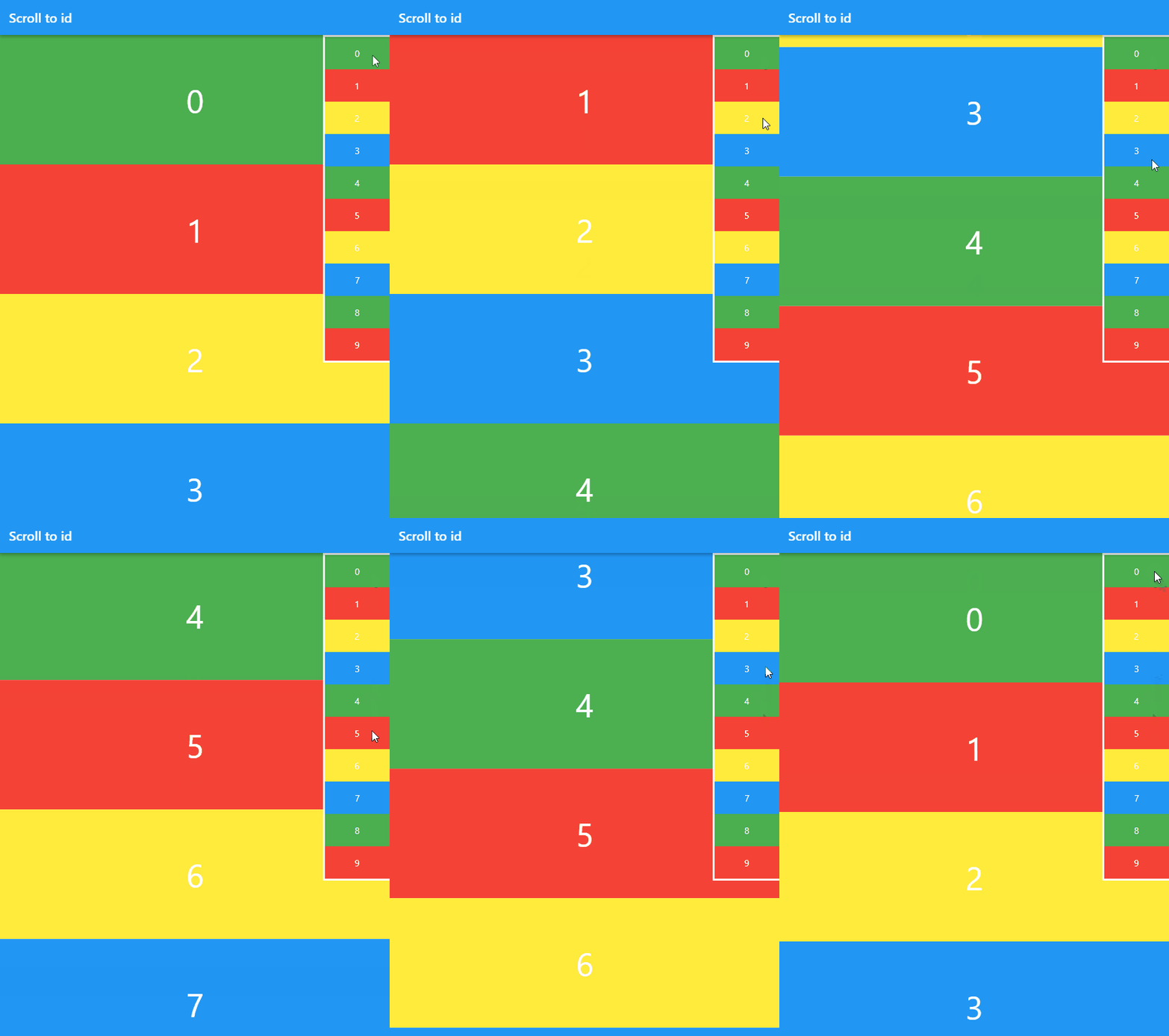 |
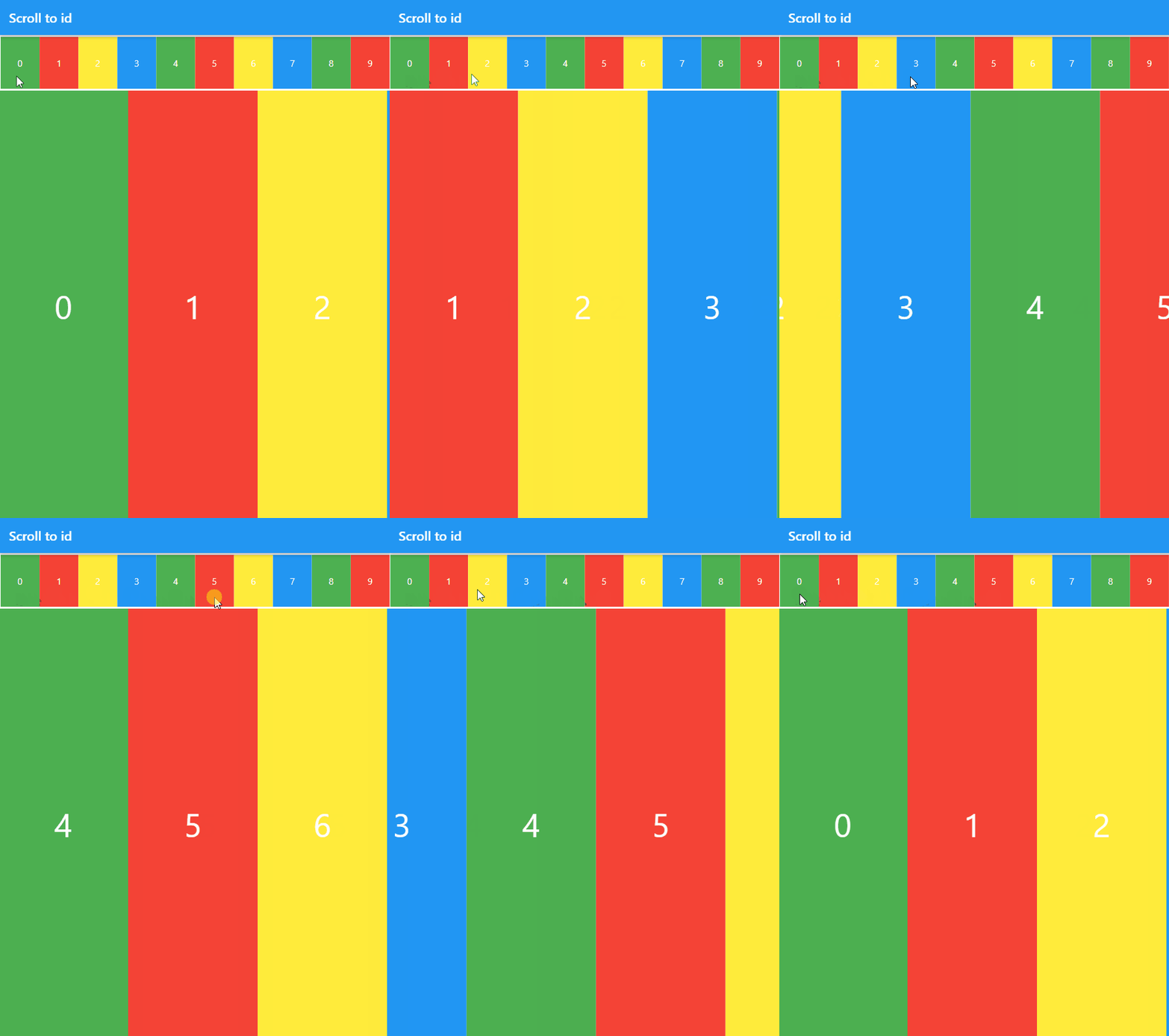 |
|---|
You should add the following to your pubspec.yaml file:
dependencies:
  scroll_to_id: ^1.5.1
To start, import the dependency in your code:
import 'package:scroll_to_id/scroll_to_id.dart';
Next, to define ScrollController:
final scrollController = ScrollController();
Next, to create instance with ScrollController:
ScrollToId scrollToId = ScrollToId(scrollController: scrollController);
Next, to set InteractiveScrollViewer and ScrollContent:
InteractiveScrollViewer(
  scrollToId: scrollToId,
  children: <ScrollContent>[
    ScrollContent(
      id: 'a',
      child: Container(
        color: Colors.red,
        width: 300,
        height: 200,
      )
    ),
    ScrollContent(
      id: 'b',
      child: Container(
        color: Colors.green,
        width: 300,
        height: 200,
      )
    ),
  ],
)
id property is destination of scroll. Do not use the same id.
Next, to scroll to id:
/// animate
scrollToId.animateTo(
  'b',
  duration: Duration(milliseconds: 500),
  curve: Curves.ease
);

/// jump
scrollToId.jumpTo('b');
import 'package:flutter/material.dart';
import 'package:scroll_to_id/scroll_to_id.dart';

void main() {
  runApp(MyApp());
}

class MyApp extends StatefulWidget {
  @override
  _MyAppState createState() => _MyAppState();
}

class _MyAppState extends State<MyApp> {
  ScrollToId scrollToId;
  final ScrollController scrollController = ScrollController();

  List<Color> _colorList = [
    Colors.green,
    Colors.red,
    Colors.yellow,
    Colors.blue
  ];

  void _scrollListener() {
    print(scrollToId.idPosition());
  }

  @override
  void initState() {
    super.initState();

    /// Create ScrollToId instance
    scrollToId = ScrollToId(scrollController: scrollController);

    scrollController.addListener(_scrollListener);
  }

  /// Generate 10 Container
  /// Case [Axis.horizontal] set buildStackHorizontal() to body
  @override
  Widget build(BuildContext context) {
    return MaterialApp(
      debugShowCheckedModeBanner: false,
      title: 'Scroll to id',
      theme: ThemeData(
        primarySwatch: Colors.blue,
      ),
      home: Scaffold(
        appBar: AppBar(
          title: const Text('Scroll to id'),
        ),
        body: buildStackVertical(),
      ),
    );
  }

  /// [Axis.vertical]
  /// https://raw.githubusercontent.com/wiki/yusukeinouehatchout/scroll_to_id/gif/scroll_to_id_vertical.gif
  Widget buildStackVertical() {
    return Stack(
      alignment: Alignment.topRight,
      children: [
        InteractiveScrollViewer(
          scrollToId: scrollToId,
          children: List.generate(10, (index) {
            return ScrollContent(
              id: '$index',
              child: Container(
                alignment: Alignment.center,
                width: double.infinity,
                height: 200,
                child: Text(
                  '$index',
                  style: TextStyle(color: Colors.white, fontSize: 50),
                ),
                color: _colorList[index % _colorList.length],
              ),
            );
          }),
        ),
        Container(
          decoration: BoxDecoration(
            border: Border.all(color: Colors.white, width: 3),
          ),
          child: Column(
            mainAxisSize: MainAxisSize.min,
            children: List.generate(10, (index) {
              return GestureDetector(
                child: Container(
                  width: 100,
                  alignment: Alignment.center,
                  height: 50,
                  child: Text(
                    '$index',
                    style: TextStyle(color: Colors.white),
                  ),
                  color: _colorList[index % _colorList.length],
                ),
                onTap: () {
                  /// scroll with animation
                  scrollToId.animateTo('$index',
                      duration: Duration(milliseconds: 500),
                      curve: Curves.ease);

                  /// scroll with jump
                  // scrollToId.jumpTo('$index');
                },
              );
            }),
          ),
        )
      ],
    );
  }

  /// [Axis.horizontal]
  /// https://raw.githubusercontent.com/wiki/yusukeinouehatchout/scroll_to_id/gif/scroll_to_id_horizontal.gif
  Widget buildStackHorizontal() {
    return Column(
      children: [
        Container(
          width: double.infinity,
          decoration: BoxDecoration(
            border: Border.all(color: Colors.white, width: 3),
          ),
          child: Row(
            mainAxisSize: MainAxisSize.min,
            children: List.generate(10, (index) {
              return Expanded(
                child: GestureDetector(
                  child: Container(
                    alignment: Alignment.center,
                    height: 80,
                    child: Text(
                      '$index',
                      style: TextStyle(color: Colors.white),
                    ),
                    color: _colorList[index % _colorList.length],
                  ),
                  onTap: () {
                    /// scroll with animation
                    scrollToId.animateTo('$index',
                        duration: Duration(milliseconds: 500),
                        curve: Curves.ease);

                    /// scroll with jump
                    // scrollToId.jumpTo('$index');
                  },
                ),
              );
            }),
          ),
        ),
        Expanded(
          child: InteractiveScrollViewer(
            scrollToId: scrollToId,
            scrollDirection: Axis.horizontal,
            children: List.generate(10, (index) {
              return ScrollContent(
                id: '$index',
                child: Container(
                  alignment: Alignment.center,
                  width: 200,
                  child: Text(
                    '$index',
                    style: TextStyle(color: Colors.white, fontSize: 50),
                  ),
                  color: _colorList[index % _colorList.length],
                ),
              );
            }),
          ),
        ),
      ],
    );
  }
}
निर्भरता सूची 2 आइटम
{"sdk":"flutter"}{"sdk":"flutter"}उपयोग के अनुसार छाँटें, गतिविधि की तुलना करें और अपनाने से पहले मूल प्रोजेक्ट की आवश्यकताएँ जाँचें।
“A repository is the most basic element of GitHub.”
GitHub Docs — About repositories ↗