
flutter-marquee-text
एक फ्लटर विजेट जो पाठ को स्वचालित रूप से स्क्रॉल करने की अनुमति देता है।
GitHub पर देखें ↗आर्काइव

- स्टार
- 14
- फ़ोर्क
- 12
- अंतिम पुश (UTC)
- 2 मार्च 2023
- प्रोजेक्ट स्थिति
- आर्काइव
मूल README
यह अंग्रेज़ी मूल स्नैपशॉट है। नवीनतम सामग्री GitHub पर देखें।

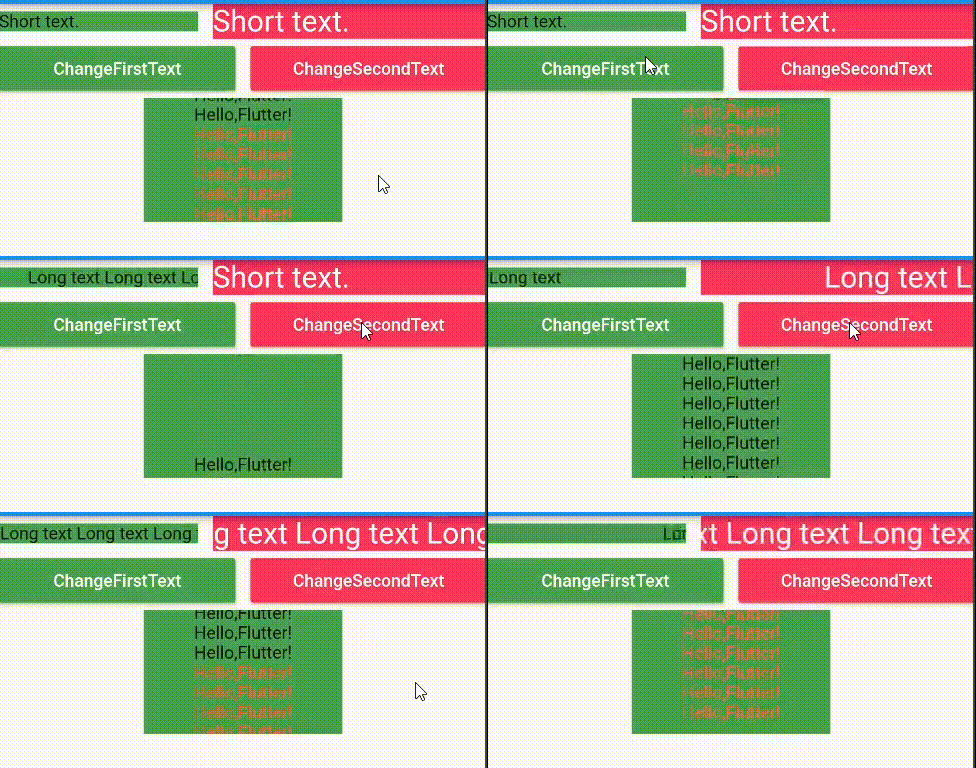
Screenshot
Usage
-
Add marquee_text as a dependency in your pubspec.yaml file.
dependencies: marquee_text: ^2.5.0+1 -
Now in your flutter project, you can use:
Container(
  width: 100,
  color: Colors.green
  child: Column(
    children: [
      /// horizontal marquee
      MarqueeText(
        text: TextSpan(
          text: 'This is long long long text...',
        ),
        style: TextStyle(
          fontSize: 24,
          color: Colors.white,
        ),
        speed: 30,
      ),

      /// vertical marquee
      VerticalMarqueeText(
        text: TextSpan(
          children: <InlineSpan>[
            TextSpan(
              text: '''
              This is long long long text...
              This is long long long text...
              This is long long long text...
              ''',
            ),
          ],
        ),
        style: TextStyle(
          fontSize: 24,
          color: Colors.white,
        ),
        speed: 30,
      ),
    ],
  ),
)
Properties
| Property | Type | Required | Default |
|---|---|---|---|
| text | String | true | / |
| style | TextStyle | false | / |
| speed | double | false | 50 |
| alwaysScroll | bool | false | false |
| textDirection | TextDirection | false | TextDirection.ltr |
| marqueeDirection | MarqueeDirection | false | MarqueeDirection.rtl |
| textAlign | TextAlign | false | TextAlign.start |

GitHub लेखक
zhcode ↗
भाषाएँDartSwiftKotlinObjective-C
उपयोग की गई निर्भरताएँ
निर्भरता सूची 3 आइटम
- flutter
{"sdk":"flutter"} - flutter_testडेवलपमेंट
{"sdk":"flutter"} - flutter_lintsडेवलपमेंट
^1.0.4
अपने प्रोजेक्ट के लिए रिपॉज़िटरी कैसे चुनें?
उपयोग के अनुसार छाँटें, गतिविधि की तुलना करें और अपनाने से पहले मूल प्रोजेक्ट की आवश्यकताएँ जाँचें।
- नाम, लेखक या विवरण से खोजें और तकनीकी विषय से परिणाम सीमित करें।
- स्टार, फ़ोर्क और हाल के पुश की तुलना करें। स्टार रुचि दर्शाते हैं, गुणवत्ता की गारंटी नहीं।
- उपयोग से पहले GitHub पर README, लाइसेंस और Issues जाँचें।
स्रोत और रखरखाव
“A repository is the most basic element of GitHub.”
GitHub Docs — About repositories ↗