

 v2.2.0
circle_nav_bar
패키지는 Flutter 프로젝트에서 원형 버튼 네비게이션 바를 만드는 데 쉬운 방법을 제공합니다
164좋아요 3.5천30일 다운로드160Pub 점수
AndroidiOSWebmacOSWindowsLinux
111coding/circle_nav_bar open-source repository details.

아래는 영문 원문 스냅샷입니다. 최신 내용은 GitHub에서 확인하세요.
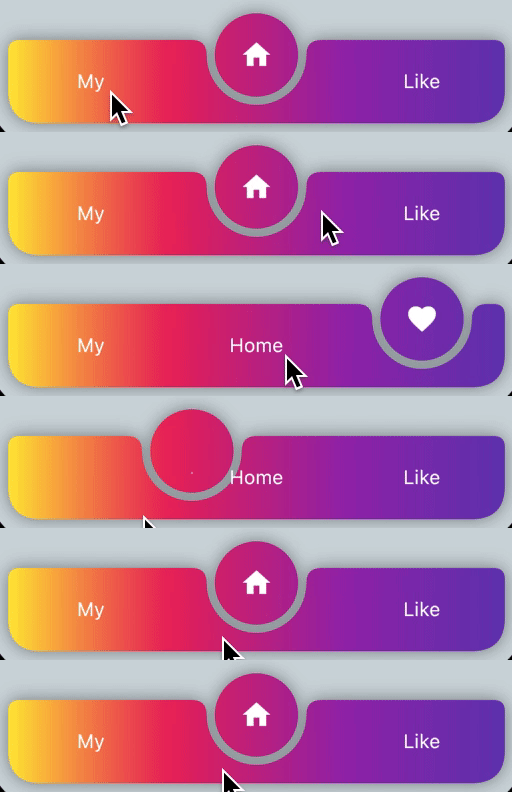
./example| no padding black | padding with gradient |
|---|---|
 |
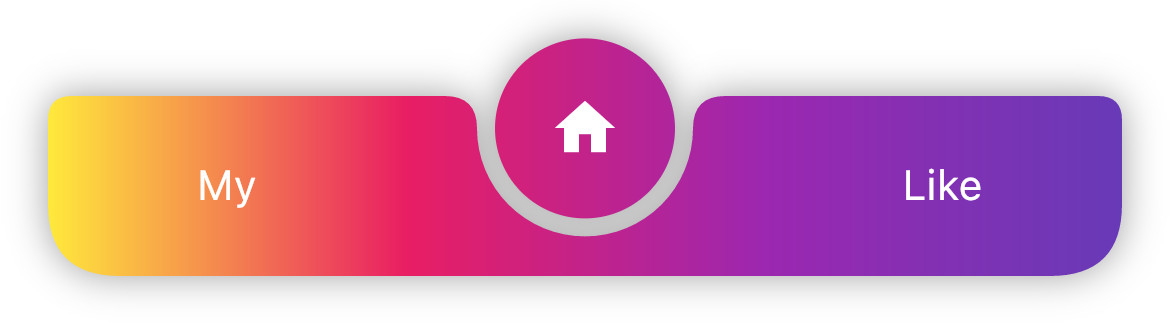 |
./example_two| Level and Icons | only Icons | padding with Levels and icons |
|---|---|---|
 |
 |
 |
dependencies:
  circle_nav_bar: ^latest_version
import 'package:circle_nav_bar/circle_nav_bar.dart';

Scaffold(
      bottomNavigationBar: CircleNavBar(
        activeIcons: const [
          Icon(Icons.person, color: Colors.deepPurple),
          Icon(Icons.home, color: Colors.deepPurple),
          Icon(Icons.favorite, color: Colors.deepPurple),
        ],
        inactiveIcons: const [
          Text("My"),
          Text("Home"),
          Text("Like"),
        ],
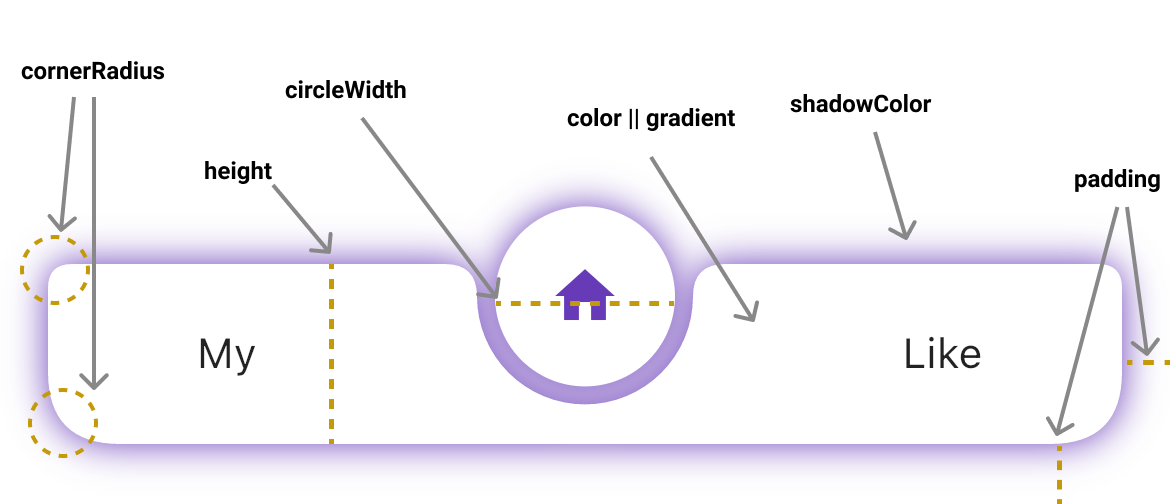
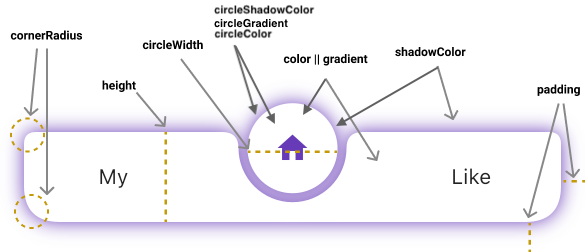
        color: Colors.white,
        circleColor: Colors.white,
        height: 60,
        circleWidth: 60,
        initIndex: 1,
        onChanged: (v) {
          // TODO
        },
        // tabCurve: ,
        padding: const EdgeInsets.only(left: 16, right: 16, bottom: 20),
        cornerRadius: const BorderRadius.only(
          topLeft: Radius.circular(8),
          topRight: Radius.circular(8),
          bottomRight: Radius.circular(24),
          bottomLeft: Radius.circular(24),
        ),
        shadowColor: Colors.deepPurple,
        circleShadowColor: Colors.deepPurple,
        elevation: 10,
        gradient: LinearGradient(
            begin: Alignment.topRight,
            end: Alignment.bottomLeft,
            colors: [ Colors.blue, Colors.red ],
        ),
        circleGradient: LinearGradient(
            begin: Alignment.topRight,
            end: Alignment.bottomLeft,
            colors: [ Colors.blue, Colors.red ],
        ),
      ),
      ...
 Jiwon Lee |
 Rupinderjeet Singh Hans |
 Md Ashraf Ullah |
 mark-kkk |
 kzrnm |
의존성 목록 2 개
{"sdk":"flutter"}{"sdk":"flutter"}사용 목적에 따라 검색하고 개발 활동을 비교한 뒤 원본 저장소에서 요구 사항을 확인하세요.
“A repository is the most basic element of GitHub.”
GitHub Docs — About repositories ↗