
 v4.0.0
linkable
텍스트에 링크를 추가하기 위한 Flutter 위젯입니다. Linkable 위젯은 RichText의 래퍼로, URL로 리디렉션할 수 있는 클릭 가능한 링크를 렌더링할 수 있게 해줍니다.
34좋아요 2.4천30일 다운로드140Pub 점수
AndroidiOSWebmacOSWindowsLinux
텍스트에 링크를 동적으로 추가할 수 있는 Flutter 위젯입니다.

{"sdk":"flutter"}^6.3.2{"sdk":"flutter"}^6.0.0아래는 영문 원문 스냅샷입니다. 최신 내용은 GitHub에서 확인하세요.
A Flutter widget to add links to your text. By default, the Text or RichText widgets render the
URLs in them as simple text which are not clickable. So, Linkable widget is a wrapper
over RichText which allows you to render links that can be clicked to redirect to the URL. That
means that a Linkable widget supports all the attributes of a RichText Widget.
Currently linkable supports the following types:
Note: You don't need to specify the URL scheme (mailto, tel etc). The widget will parse it automatically.
To install the package, add the following dependency to your pubspec.yaml
dependencies:
  linkable: ^4.0.0
  url_launcher: ^6.1.14
Starting from API30 (Android 11), your Android app has to list all apps it interacts with.
The following is required in AndroidManifest.xml or links will fail to launch.
<manifest>

    <!-- Nest within the manifest element, not the application element-->
    <queries>
        <intent>
            <action android:name="android.intent.action.VIEW" />
            <data android:scheme="https" />
        </intent>
        <intent>
            <action android:name="android.intent.action.DIAL" />
            <data android:scheme="tel" />
        </intent>
        <intent>
            <action android:name="android.intent.action.SEND" />
            <data android:mimeType="*/*" />
        </intent>
    </queries>

    <application>
        ....
    </application>
</manifest>
Add the LSApplicationQueriesSchemes entries in your Info.plist file.
<key>LSApplicationQueriesSchemes</key>
<array>
  <string>tel</string>
</array>
import 'package:linkable/linkable.dart';

Linkable(
	text:
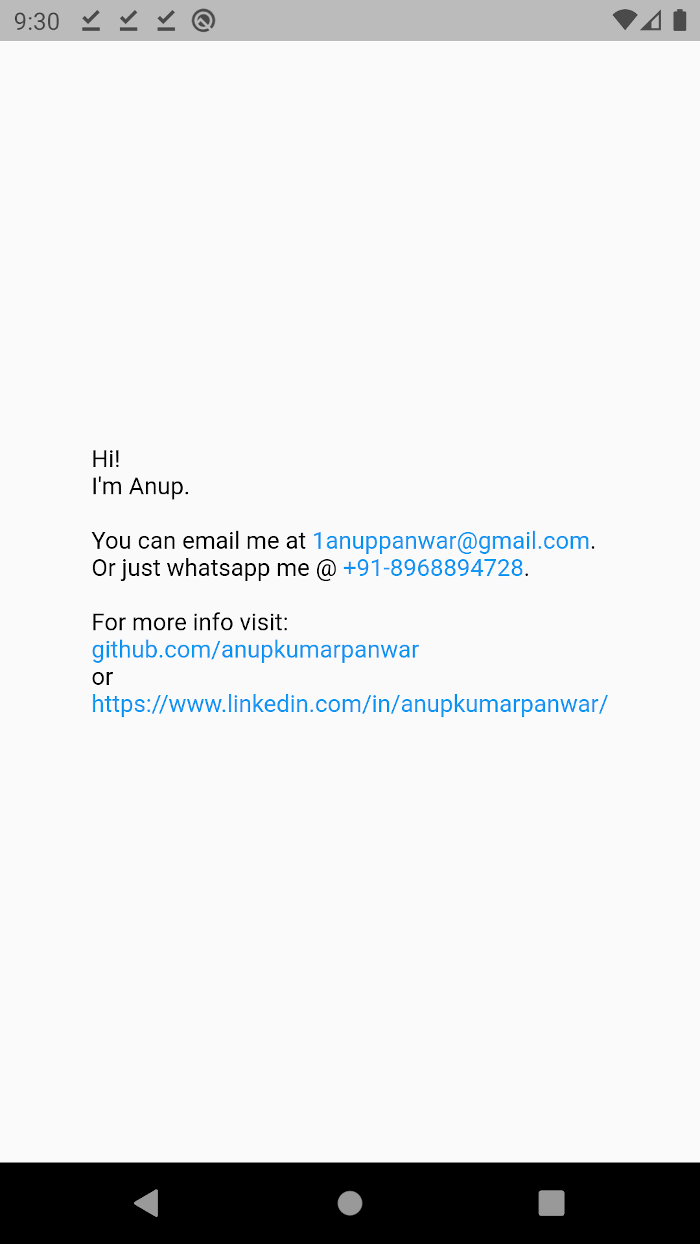
	"Hi!\nI'm Anup.\n\nYou can email me at 1anuppanwar@gmail.com.\nOr just whatsapp me @ +91-8968894728.\n\nFor more info visit: \ngithub.com/anupkumarpanwar \nor\nhttps://www.linkedin.com/in/anupkumarpanwar/",
);
| Key | Description |
|---|---|
text |
The text to be displayed in the widget. |
textColor |
Color of the non-link text. (default: black) |
linkColor |
Color of the links. (default: blue) |
style |
TextStyle to be applied on the widget. |
textAlign |
TextAlign value. (default: TextAlign.start) |
textDirection |
Determines the order to lay children out horizontally. |
maxLines |
Maximum number of lines to be displayed. |
textScaleFactor |
The number of font pixels for each logical pixel. |
Screenshot