

v1.1.0
gate_generator
귀하의 Flutter/Dart 애플리케이션용 종속성 주입 생성기입니다. 이는 주석과 build_runner를 사용합니다.
22좋아요 5230일 다운로드120Pub 점수
macOSWindowsLinux
Flutter용 주입 소스 생성기

아래는 영문 원문 스냅샷입니다. 최신 내용은 GitHub에서 확인하세요.
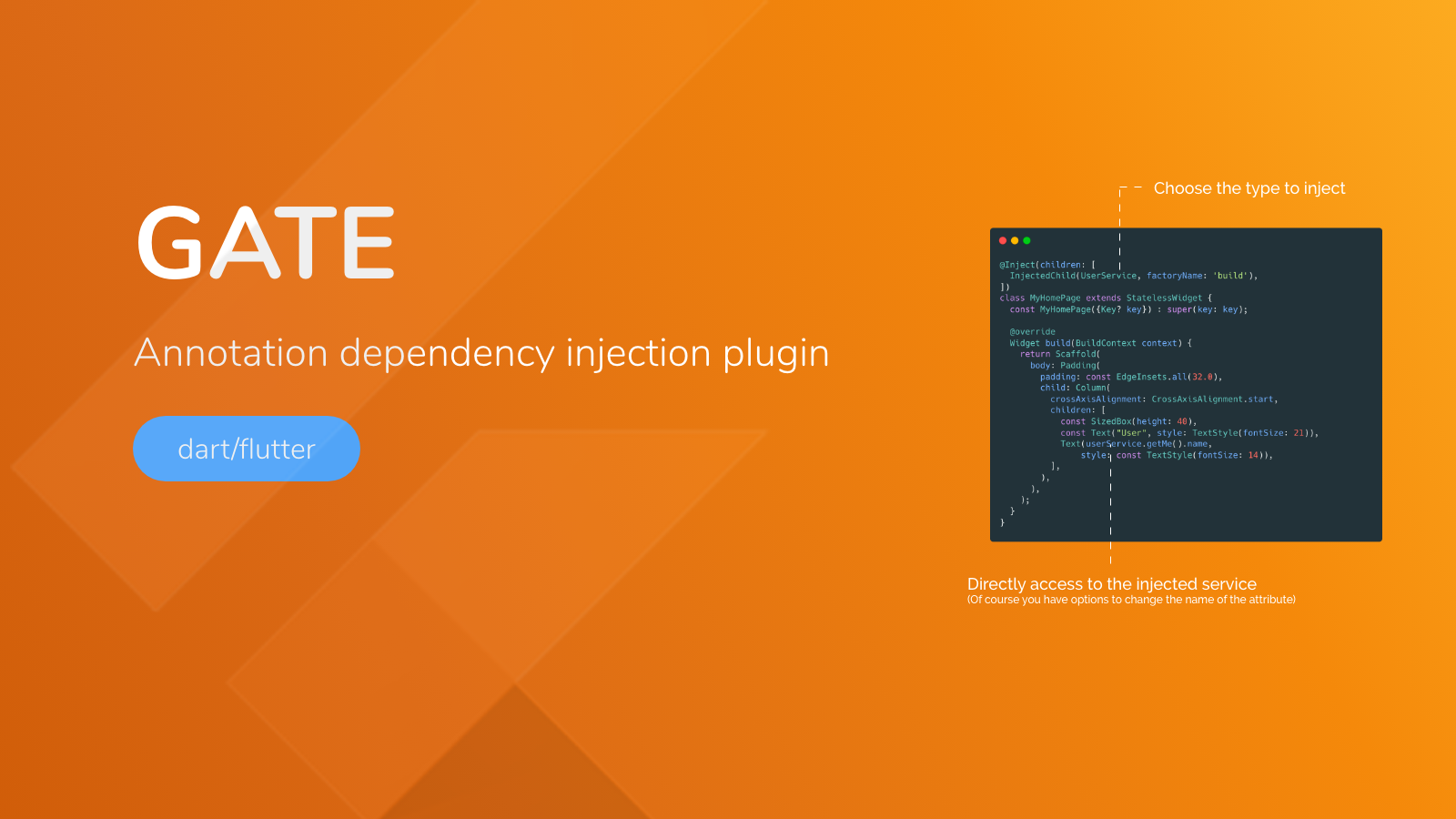


Providing Service should be independent from your pages or other code.
The DI pattern separates the responsibility of creating an object of the service class out of the client class. Also using code generation we can get rid of the boilerplate part.
install gate with build_runner in you pubspec.yaml
dependencies:
  build_runner: ^X.X.X
  gate: ^X.X.X

dev_dependencies:
  gate_generator: ^X.X.X
Note: replace X.X.X with last available version on pub.dev.
import 'package:gate/gate.dart';

@Injectable()
class CoffeeService {
  final S1 s1;

  CoffeeService._(this.s1);

  @Singleton()
  factory CoffeeService.simple(S1 s1) => CoffeeService._(s1);

  void pump() {
    print("CoffeeService it's working");
  }
}
You just have to
- add
@Injectable()above your class- add
@Singleton()or@Provide()above a factory
We can now inject our Injectables using @Inject annotation.
InjectedChild use
import 'package:gate_example/gate/gate_provider.dart';
import 'package:gate_example/gate/coffee_service.dart';
part 'coffee_page.gate_inject.g.part';

@Inject(children: [
  InjectedChild(S1, factoryName: "build"),
  InjectedChild(CoffeeService, factoryName: "simple", attrName: "coffeeService"),
])
class CoffeePage extends StatelessWidget {
  const CoffeePage({Key? key}) : super(key: key);

  @override
  Widget build(BuildContext context) {
    coffeeService.pump();
    return Container();
  }
}
You can inject as many dependency as you want into your class as long as their are Injectable.
part 'coffee_page.gate_inject.g.part';will be be added to your file this file will be genererated on next step don't forget to import "gate_provider.dart" that is generated next
Using build runner you can run the command in your shell
flutter packages pub run build_runner build --delete-conflicting-outputs
Once build runner is done, you can run your flutter app and use all injected class.
If you change your factory or wants to inject other class... just rerun the
build_runner😀
| Annotation | Description |
|---|---|
| Injectable | mark a class as containing Singleton or Provide factories |
| Singleton | mark a factory as a Singleton Injectable |
| Provide | mark a factory as a Dymamic Injectable. Each time you inject will create a new instance of that class |
| Inject | mark a class to inject dependencies |
| Property | Description |
|---|---|
| children | a list of InjectedChild |
| Property | Description |
|---|---|
| type | The type to inject |
| factoryName | The factory name to use |
| attrName | (optionnal) The attribute name to call it from your class |
dart pub global activate coverage
dart test --coverage="coverage"
format_coverage --lcov --in=coverage --out=coverage.lcov --packages=.packages --report-on=lib
To remplace your service by mocks, you have to set them, before testing. Gate will generate all methods for you.
First, declare your mocked services with your preferred libraries.
Then use the appProvider to set mocks.
Finally, don't forget to reset mocks by setting them to null.
class CoffeeServiceMock extends Mock implements CoffeeService {}

class S1ServiceMock extends Mock implements S1 {}

class S2BServiceMock extends Mock implements S2B {}

class TodoServiceMock extends Mock implements TodoService {}

void main() {
  // Initialize mocks
  final CoffeeService coffeeServiceMock = CoffeeServiceMock();
  final S1 s1ServiceMock = S1ServiceMock();
  final S2B s2BServiceMock = S2BServiceMock();
  final TodoService todoServiceMock = TodoServiceMock();

  group('Mock injection group', () {
    setUp(() {
      when(() => coffeeServiceMock.getMenu()).thenReturn("Best menu");
      // Set injected services with mocks
      appProvider.setCoffeeServiceSimpleMock(coffeeServiceMock);
      appProvider.setS1BuildMock(s1ServiceMock);
      appProvider.setS2BBuildMock(s2BServiceMock);
      appProvider.setTodoServiceBeanMock(todoServiceMock);
    });

    tearDownAll(() {
      // Remove mocks from appProvider (real ones will be used)
      appProvider.setCoffeeServiceSimpleMock(null);
      appProvider.setS1BuildMock(null);
      appProvider.setS2BBuildMock(null);
      appProvider.setTodoServiceBeanMock(null);
    });

    test('Test mocks injection', () async {
      expect(appProvider.getCoffeeServiceSimple().getMenu(),
          equals('Best menu')); // Mocked returned value

      appProvider.setCoffeeServiceSimpleMock(null);

      expect(appProvider.getCoffeeServiceSimple().getMenu(),
          equals('No menu')); // True value (not mocked)
    });
  });
}

Initiated and sponsored by Apparence.io.
Contributions are welcome. Contribute by creating a PR or create an issue 🎉.
사용 목적에 따라 검색하고 개발 활동을 비교한 뒤 원본 저장소에서 요구 사항을 확인하세요.
“A repository is the most basic element of GitHub.”
GitHub Docs — About repositories ↗