
flutter_scale_ruler
피트와 인치로 측정할 수 있는 간단한 스케일 자.

- 스타
- 7
- 포크
- 2
- 최근 푸시(UTC)
- 2024. 8. 7.
- 프로젝트 상태
- 활성
원본 README
아래는 영문 원문 스냅샷입니다. 최신 내용은 GitHub에서 확인하세요.
flutter_scale_ruler
A simple scale ruler for adding length in feet and inches and cms (pub.dev).
Screenshots
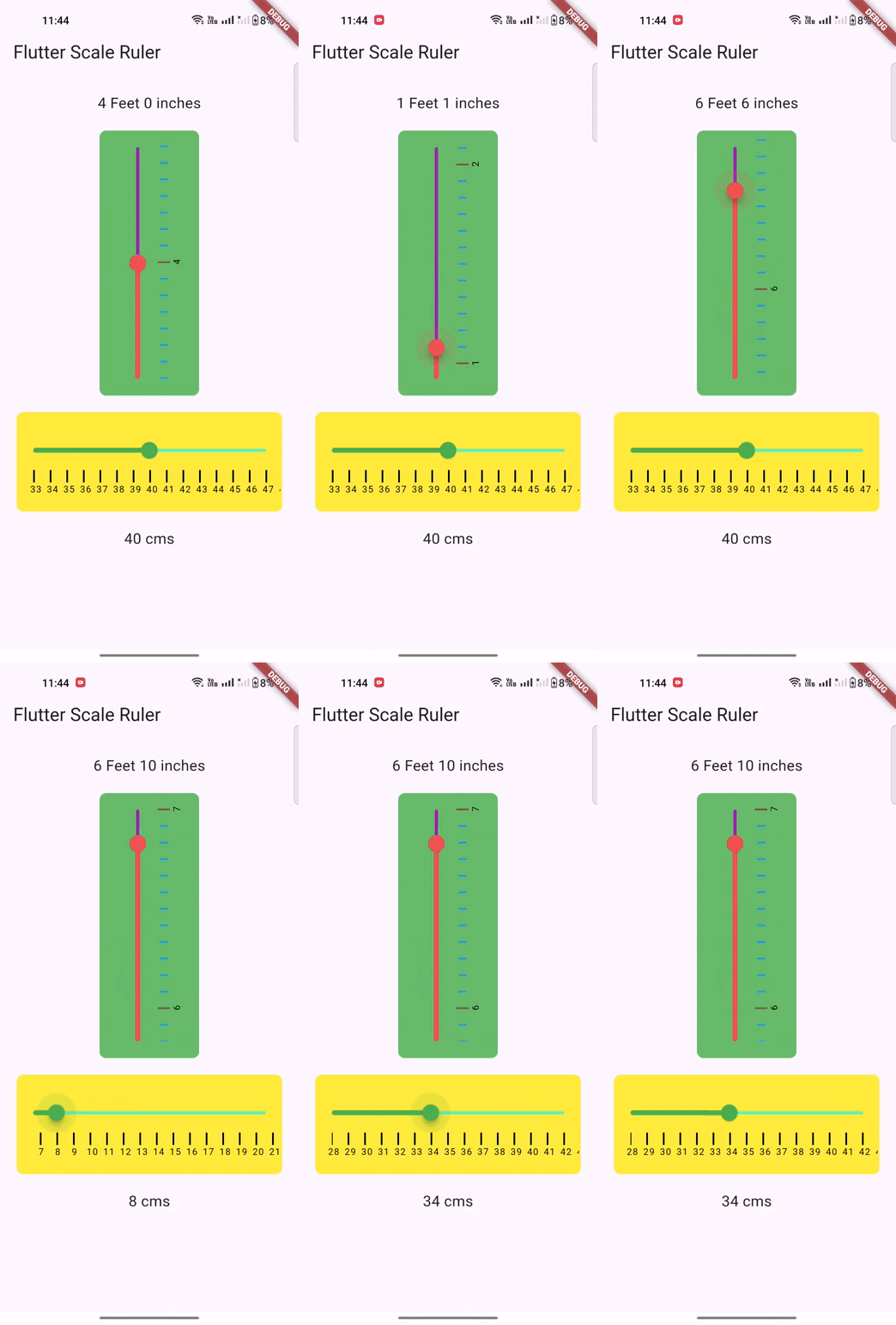
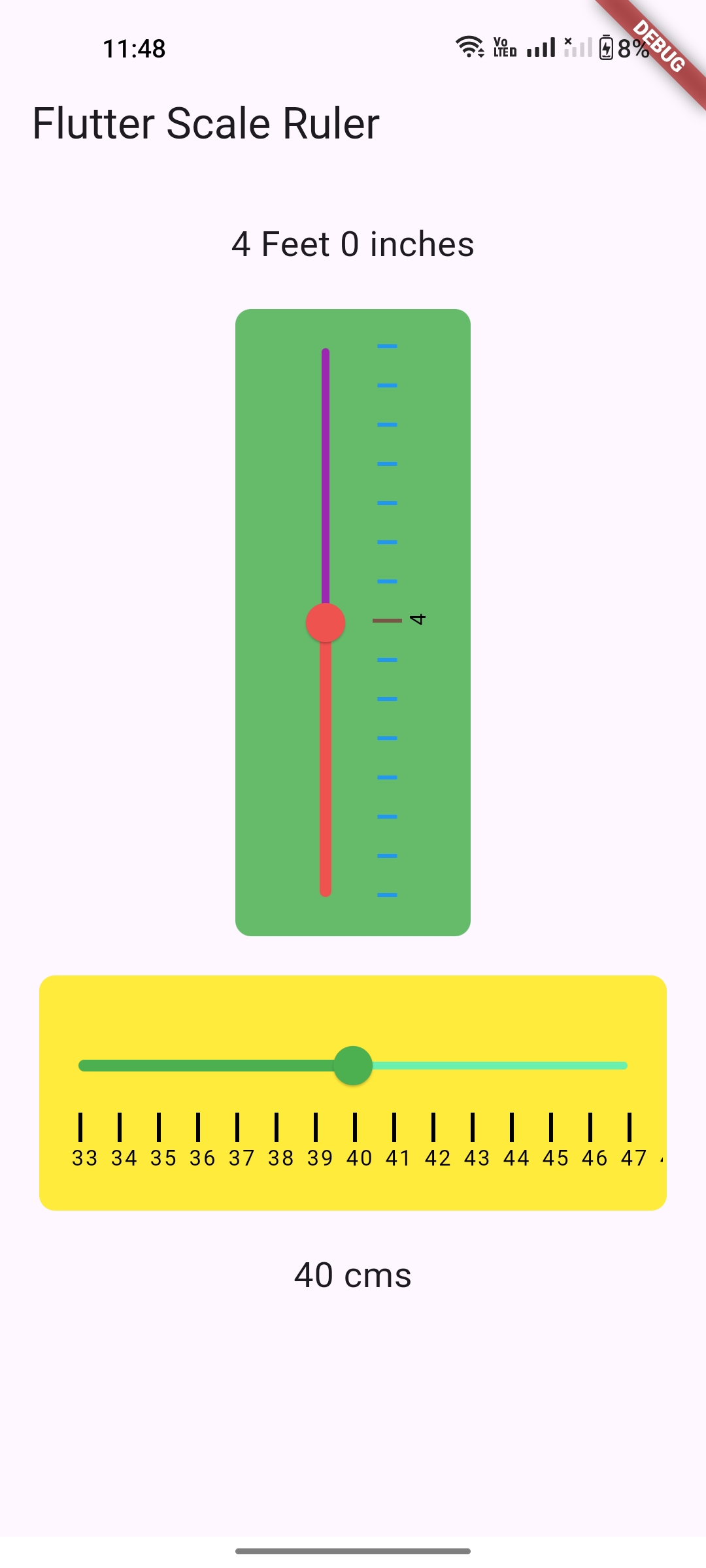
Usage
To use this package :
- add the dependency to your pubspec.yaml file.
dependencies:
   flutter:
     sdk: flutter
   flutter_scale_ruler:
How to use
import 'package:flutter/material.dart';
import 'package:flutter_scale_ruler/flutter_scale_ruler.dart';

void main() {
  runApp(const MyApp());
}

class MyApp extends StatelessWidget {
  const MyApp({Key? key}) : super(key: key);

  @override
  Widget build(BuildContext context) {
    return MaterialApp(
      title: 'Flutter Scale Ruler',
      theme: ThemeData(
        primarySwatch: Colors.blue,
      ),
      home: const MyHomePage(title: 'Flutter Scale Ruler'),
    );
  }
}

class MyHomePage extends StatefulWidget {
  const MyHomePage({Key? key, required this.title}) : super(key: key);

  final String title;

  @override
  State<MyHomePage> createState() => _MyHomePageState();
}

class _MyHomePageState extends State<MyHomePage> {
  ScaleValue? _scaleValue;
  ScaleValue? _scaleValueCms;

  @override
  Widget build(BuildContext context) {
    return Scaffold(
      appBar: AppBar(
        title: Text(widget.title),
      ),
      body: SingleChildScrollView(
        child: Padding(
          padding: const EdgeInsets.all(20.0),
          child: Column(
            crossAxisAlignment: CrossAxisAlignment.center,
            mainAxisAlignment: MainAxisAlignment.center,
            children: [
              Text(
                "${_scaleValue?.feet ?? "0"} Feet ${_scaleValue?.inch ?? "0"} inches",
                style: const TextStyle(fontSize: 18.0),
              ),
              const SizedBox(height: 20.0),
              ScaleRuler.lengthMeasurement(
                maxValue: 8,
                minValue: 0,
                initialValue: 4,
                isFeet: true,
                axis: Axis.vertical,
                stepIndicatorColor: Colors.brown,
                stepIndicatorDividerColor: Colors.blue,
                onChanged: (ScaleValue? scaleValue) {
                  if (mounted) {
                    setState(() {
                      _scaleValue = scaleValue;
                    });
                    debugPrint(
                        "${scaleValue?.feet} Feet ${scaleValue?.inch} inches");
                  }
                },
              ),
              const SizedBox(height: 20.0),
              ScaleRuler.lengthMeasurement(
                maxValue: 80,
                minValue: 0,
                initialValue: 40,
                axis: Axis.horizontal,
                backgroundColor: Colors.yellow[500]!,
                sliderActiveColor: Colors.green[500]!,
                sliderInactiveColor: Colors.greenAccent,
                onChanged: (ScaleValue? scaleValue) {
                  if (mounted) {
                    setState(() {
                      _scaleValueCms = scaleValue;
                    });
                    debugPrint("${scaleValue?.cms} cms");
                  }
                },
              ),
              const SizedBox(height: 20.0),
              Text(
                "${_scaleValueCms?.cms ?? "0"} cms",
                style: const TextStyle(fontSize: 18.0),
              ),
            ],
          ),
        ),
      ),
    );
  }
}
Pull Requests
Pull requests are most welcome. It usually will take me within 24-48 hours to respond to any issue or request.
- Please keep PR titles easy to read and descriptive of changes, this will make them easier to merge :)
- Pull requests must be made against
developbranch. Any other branch (unless specified by the maintainers) will get rejected.
Created & Maintained By
If you found this project helpful or you learned something from the source code and want to thank me, consider buying me a cup of :coffee:
License
Copyright 2018 Boffin Coders Pvt. Ltd.

Licensed under the Apache License, Version 2.0 (the "License");
you may not use this file except in compliance with the License.
You may obtain a copy of the License at

   http://www.apache.org/licenses/LICENSE-2.0

Unless required by applicable law or agreed to in writing, software
distributed under the License is distributed on an "AS IS" BASIS,
WITHOUT WARRANTIES OR CONDITIONS OF ANY KIND, either express or implied.
See the License for the specific language governing permissions and
limitations under the License.

GitHub 작성자
Appriva-labs ↗
언어C++DartCMakeHTMLSwiftCKotlinObjective-C
분류
사용 중인 의존성
의존성 목록 3 개
- flutter
{"sdk":"flutter"} - flutter_test개발 의존성
{"sdk":"flutter"} - flutter_lints개발 의존성
^4.0.0
프로젝트에 맞는 저장소를 선택하려면?
사용 목적에 따라 검색하고 개발 활동을 비교한 뒤 원본 저장소에서 요구 사항을 확인하세요.
- 이름, 작성자 또는 설명으로 검색하고 기술 주제로 범위를 좁힙니다.
- 스타, 포크, 최근 푸시를 함께 비교하세요. 스타는 관심의 지표이며 품질을 보장하지 않습니다.
- 사용하기 전에 GitHub에서 README, 라이선스, Issues를 확인하세요.
출처 및 관리
“A repository is the most basic element of GitHub.”
GitHub Docs — About repositories ↗