

 v0.2.0
flutter_annual_task
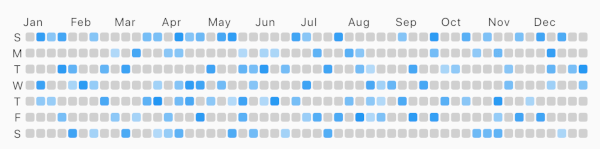
GitHub 기여(깃허브 캘린더)처럼 매일 작업의 그리드 뷰를 표시하는 플러터 패키지.
45좋아요 6330일 다운로드60Pub 점수
플랫폼 정보 없음
GitHub 기여와 유사한 일일 작업의 그리드 뷰를 표시하기 위한 Flutter 패키지입니다.

아래는 영문 원문 스냅샷입니다. 최신 내용은 GitHub에서 확인하세요.
Flutter package for displaying grid view of daily task like Github-Contributions.
Example

Make sure to check out example project.
AnnualTaskView(
  taskItem	// List<AnnualTaskItem>
),
Add to pubspec.yaml:
dependencies:
  flutter_annual_task: ^0.1.3
Then import it to your project:
import 'package:flutter_annual_task/flutter_annual_task.dart';
And finally add AnnualTaskView widget in your project.
AnnualTaskView(
  taskItem	// List<AnnualTaskItem>
),
AnnualTaskItem
class AnnualTaskItem {
  final DateTime date;
  final double proceeding;	// 0.0 ~ 1.0

  AnnualTaskItem(this.date, [this.proceeding = 1.0]);
  ...
}
The value of proceeding affects the opacity on the each cell of daily task.
- For showing the color in visual, the minimum value of displaying is 80(max: 255).
AnnualTaskColorItem
If you want to specify color for each daily task, you can use AnnualTaskColorItem.
class AnnualTaskColorItem extends AnnualTaskItem {
  final Color color;

  AnnualTaskColorItem(
    DateTime date, {
    double proceeding = 1.0,
    this.color,
  }) : super(date, proceeding);
  ...
}
You should generate list of AnnualTaskItem(List<AnnualTaskItem>) to use this package.
Below is an example for building list of AnnualTaskItem.
//AnnualTaskItem
<your_item_list>.map(
  (item) => AnnualTaskItem(
    item.date,
    0.5,
  ),
)
.toList();

//AnnualTaskColorItem
<your_item_list>.map(
  (item) => AnnualTaskColorItem(
    item.date,
    color: <color_for_each_item>
  ),
)
.toList();
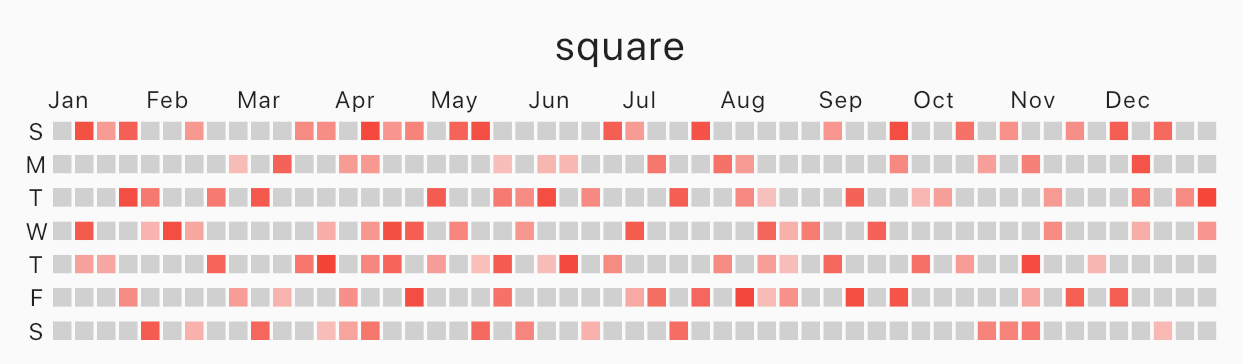
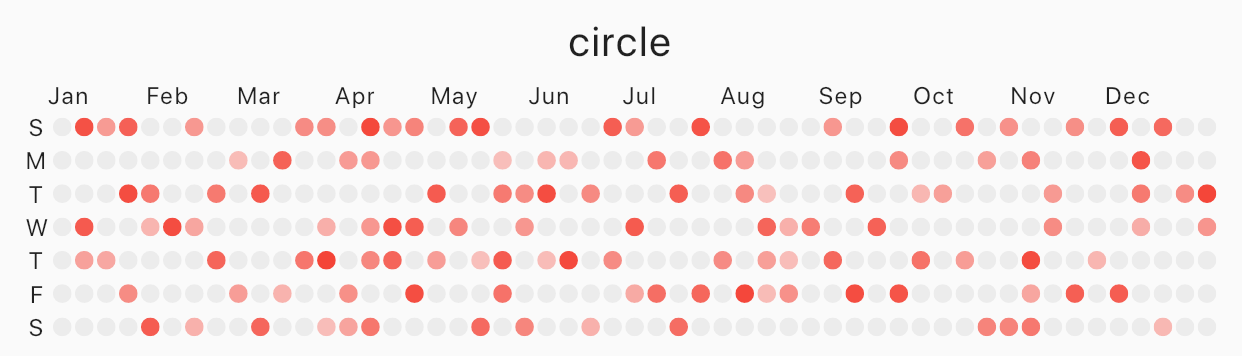
Specify cellShape with AnnualTaskCellShape with AnnualTaskCellShape.ROUNDED_SQUARE(default), AnnualTaskCellShape.SQUARE or AnnualTaskCellShape.CIRCLE.
Square
 |
|---|
| square |
AnnualTaskView(
  taskItem, // List<AnnualTaskItem>
  cellShape: AnnualTaskCellShape.SQUARE,
)
Circle
 |
|---|
| circle |
AnnualTaskView(
  taskItem, // List<AnnualTaskItem>
  cellShape: AnnualTaskCellShape.CIRCLE,
)
AnnualTaskColorItem
 |
|---|
| circle |
AnnualTaskView(
  taskItemWithColor, // List<AnnualTaskColorItem>
)
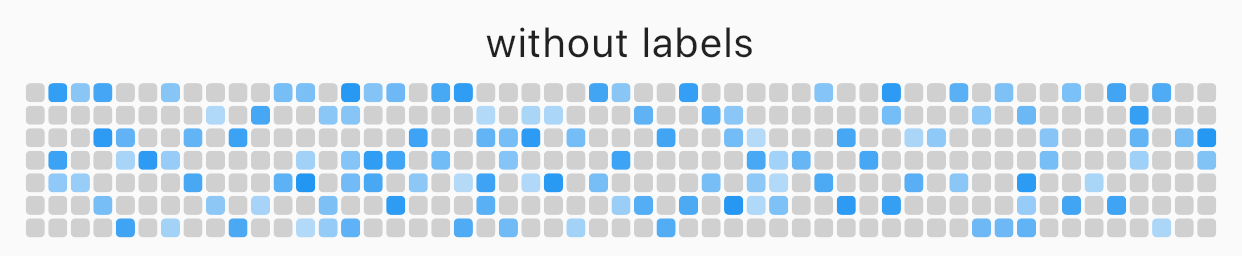
You can edit the labels of week or the labels of month.
AnnualTaskView(
  taskItem, // List<AnnualTaskItem>
  showMonthLabel: false, //default : true
  showWeekDayLabel: false, //default : true
)
 |
|---|
| without labels |
Custom label
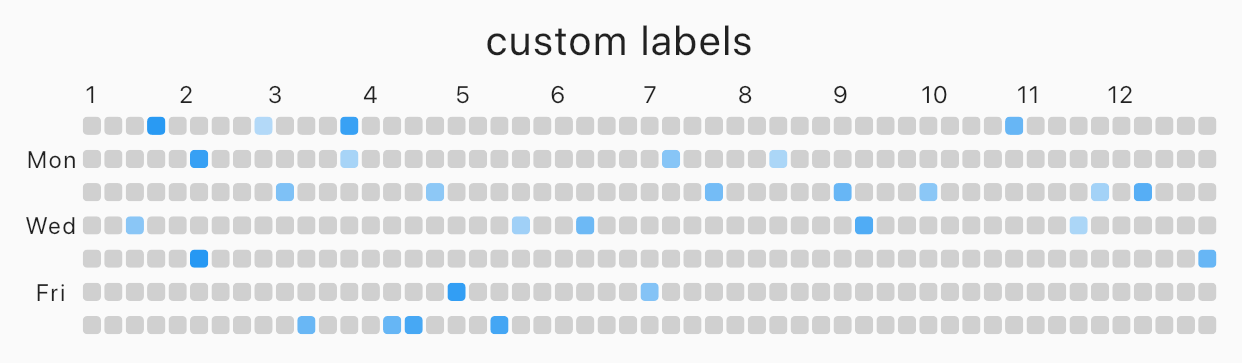 |
|---|
| custom labels |
AnnualTaskView(
  taskItem, // List<AnnualTaskItem>
  weekDayLabels: ['', 'Mon', '', 'Wed', '', 'Fri', ''],
  monthLabels: ['1','2','3','4','5','6','7','8','9','10','11','12'],
)
The type of weekDayLabels and monthLabels is List<String>.
weekDayLabels starts from Sunday.monthLabels' is ['Jan', 'Feb', 'Mar', 'Apr', 'May', 'Jun', 'Jul', 'Aug', 'Sep', 'Oct', 'Nov', 'Dec']`.''). But, weekDayLabels should be length of 7 and, monthLabels should be length of 12.Styled label
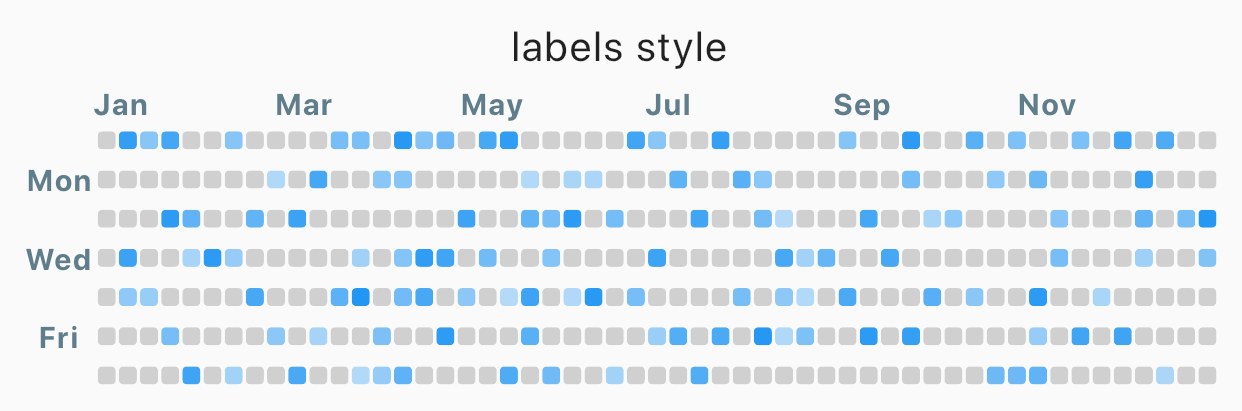 |
|---|
| Styled label |
AnnualTaskView(
  taskItem, // List<AnnualTaskItem>
  labelStyle: TextStyle(
    color: Colors.blueGrey,
    fontSize: 10,
    fontWeight: FontWeight.bold,
  ),	// default label style : TextStyle(fontSize: 8)
)
| props | type | desc |
|---|---|---|
| items | List<AnnualTaskItem> |
List of AnnualTaskItem |
| year | int |
default : DateTime.now().year |
| activateColor | Color |
default : Theme.of(context).primaryColor |
| emptyColor | Color |
Color of cell with proceeding 0.0 or the day which items doesn't contain. default : Color(0xFFD0D0D0) |
| showWeekDayLabel | bool |
Show the labels of week, if true. default : true |
| cellShape | AnnualTaskCellShape |
Shape of cell. One of AnnualTaskCellShape.ROUNDED_SQUARE, AnnualTaskCellShape.SQUARE or AnnualTaskCellShape.CIRCLE.default: AnnualTaskCellShape.ROUNDED_SQUARE |
| showMonthLabel | bool |
Show the labels of month, if true. default : true |
| monthLabels | List<String> |
Labels of month. default: ['Jan', 'Feb', 'Mar', 'Apr', 'May', 'Jun', 'Jul', 'Aug', 'Sep', 'Oct', 'Nov', 'Dec'] |
| weekDayLabels | List<String> |
Labels of week. default: ['S', 'M', 'T', 'W', 'T', 'F', 'S'] |
| labelStyle | TextStyle |
TextStyle of labels.default: TextStyle(fontSize: 8) |
의존성 목록 2 개
{"sdk":"flutter"}{"sdk":"flutter"}사용 목적에 따라 검색하고 개발 활동을 비교한 뒤 원본 저장소에서 요구 사항을 확인하세요.
“A repository is the most basic element of GitHub.”
GitHub Docs — About repositories ↗