
 v3.4.0
top_snackbar_flutter
상단 스낵바 패키지는 사용자에게 일어난 일을 편리하고 쉽게 알리기 위해 만들어졌습니다.
530좋아요 3.9만30일 다운로드160Pub 점수
AndroidiOSWebmacOSWindowsLinux
현대적인 UI 스낵바 위젯

{"sdk":"flutter"}{"sdk":"flutter"}아래는 영문 원문 스냅샷입니다. 최신 내용은 GitHub에서 확인하세요.
Made in lanars.com.
If you need to show the user some information in a nice way, you can use this package. The API is as simple
as API for regular Material method showDialog. If you need to use your own widget to display, you
can pass it into showTopSnackBar function.
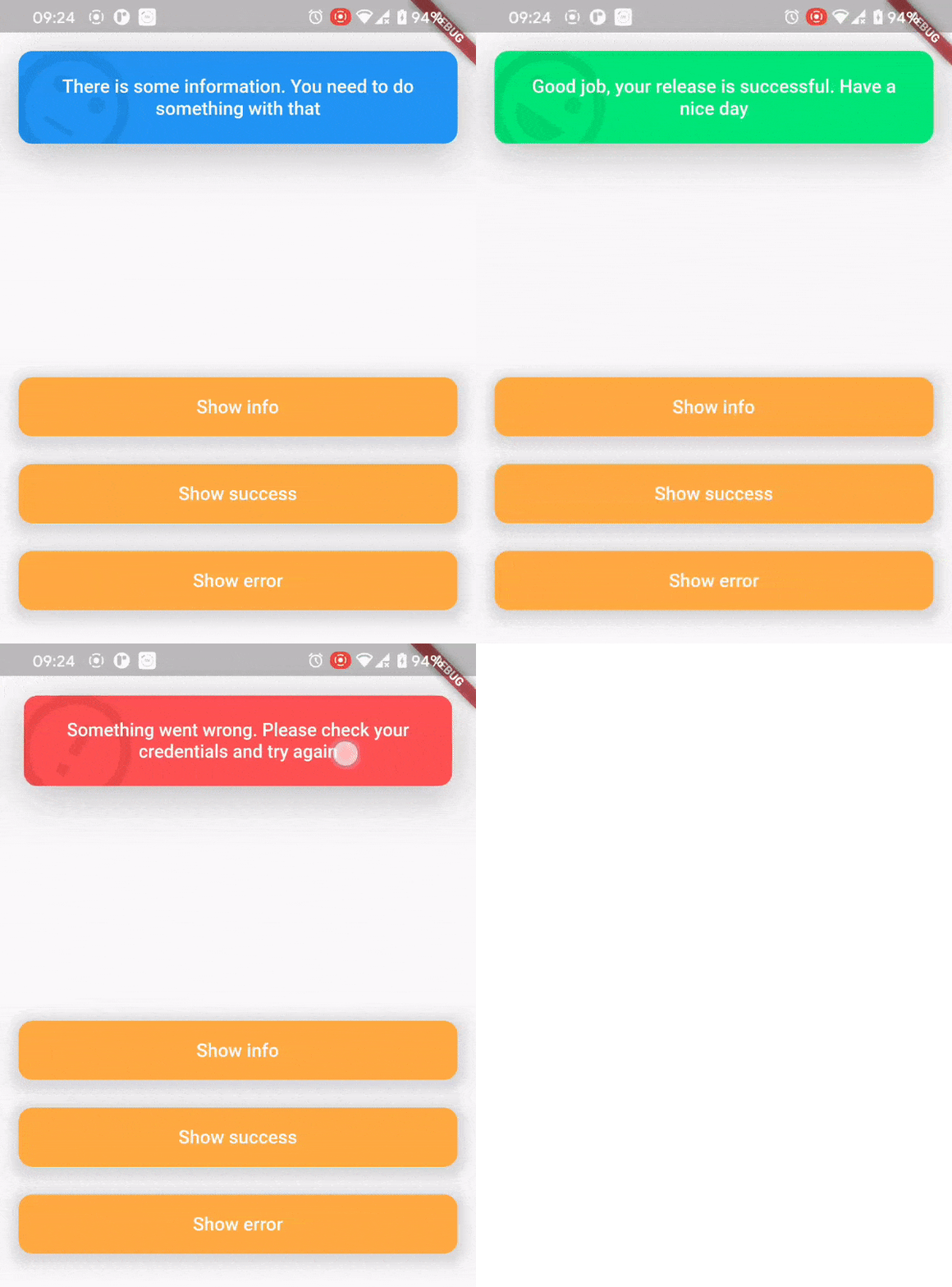
In order to show a CustomSnackBar you need to call a showTopSnackBar function. You can pass there any widget you want but we have a CustomSnackBar for example.
showTopSnackBar(
    Overlay.of(context),
    CustomSnackBar.success(
      message:
          "Good job, your release is successful. Have a nice day",
    ),
);
showTopSnackBar(
    Overlay.of(context),
    CustomSnackBar.info(
      message:
          "There is some information. You need to do something with that",
    ),
);
showTopSnackBar(
    Overlay.of(context),
    CustomSnackBar.error(
      message:
          "Something went wrong. Please check your credentials and try again",
    ),
);
There is a usage example demo example/main.dart
AnimationController localAnimationController;
TapBounceContainer(
    onTap: () {
        showTopSnackBar(
            Overlay.of(context),
            CustomSnackBar.info(
              message: "Persistent SnackBar",
            ),
            persistent: true,
            onAnimationControllerInit: (controller) =>
              localAnimationController = controller,
        );
    },
    child: buildButton(context, "Show persistent SnackBar"),
),
TapBounceContainer(
    onTap: () => localAnimationController.reverse(),
    child: buildButton(context, "Dismiss"),
),