

 v0.0.4
pick_color
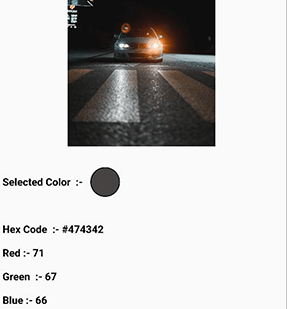
간단한 터치로 이미지에서 색상과 16진수 코드를 추출할 수 있는 플러터 패키지입니다.
29좋아요 3530일 다운로드140Pub 점수
AndroidiOSWebmacOSWindowsLinux
Oauth-Celestial/image_color_picker open-source repository details.

아래는 영문 원문 스냅샷입니다. 최신 내용은 GitHub에서 확인하세요.
Pick_Color allows you to sample specific colors from an image and obtain their hex color code by just dragging over the image area.

pick_color : any
 Image image = Image.asset("assets/b.jpg");
 ColorPicker(
    child: image, # Your Image widget
    onChanged: (response) {
        String hexcode = response.hexCode;
        // Get Selected Color
        Color color = response.selectionColor;
        // Get Red Channel Color
        int redValue = response.redScale;
        // Get Blue Channel Color
        int blueValue = response.blueScale;
        // Get Green Channel Color
        int greenValue = response.greenScale;

});
That's all it takes 😃
Feel Free to contribute or file an issue happy coding.
의존성 목록 3 개
{"sdk":"flutter"}^3.0.1{"sdk":"flutter"}사용 목적에 따라 검색하고 개발 활동을 비교한 뒤 원본 저장소에서 요구 사항을 확인하세요.
“A repository is the most basic element of GitHub.”
GitHub Docs — About repositories ↗