
 v1.1.0
checkout_screen_ui
자신의 로직과 결합하여 사용하도록 설계된 사전 구축된 체크아웃 화면을 나타내는 UI입니다.
45좋아요 6630일 다운로드160Pub 점수
AndroidiOSWebmacOSWindowsLinux
OfficialFlutterButter/checkout_screen_ui open-source repository details.

의존성 목록 6 개
{"sdk":"flutter"}^1.0.0^6.3.2^2.4.2{"sdk":"flutter"}^6.0.0아래는 영문 원문 스냅샷입니다. 최신 내용은 GitHub에서 확인하세요.
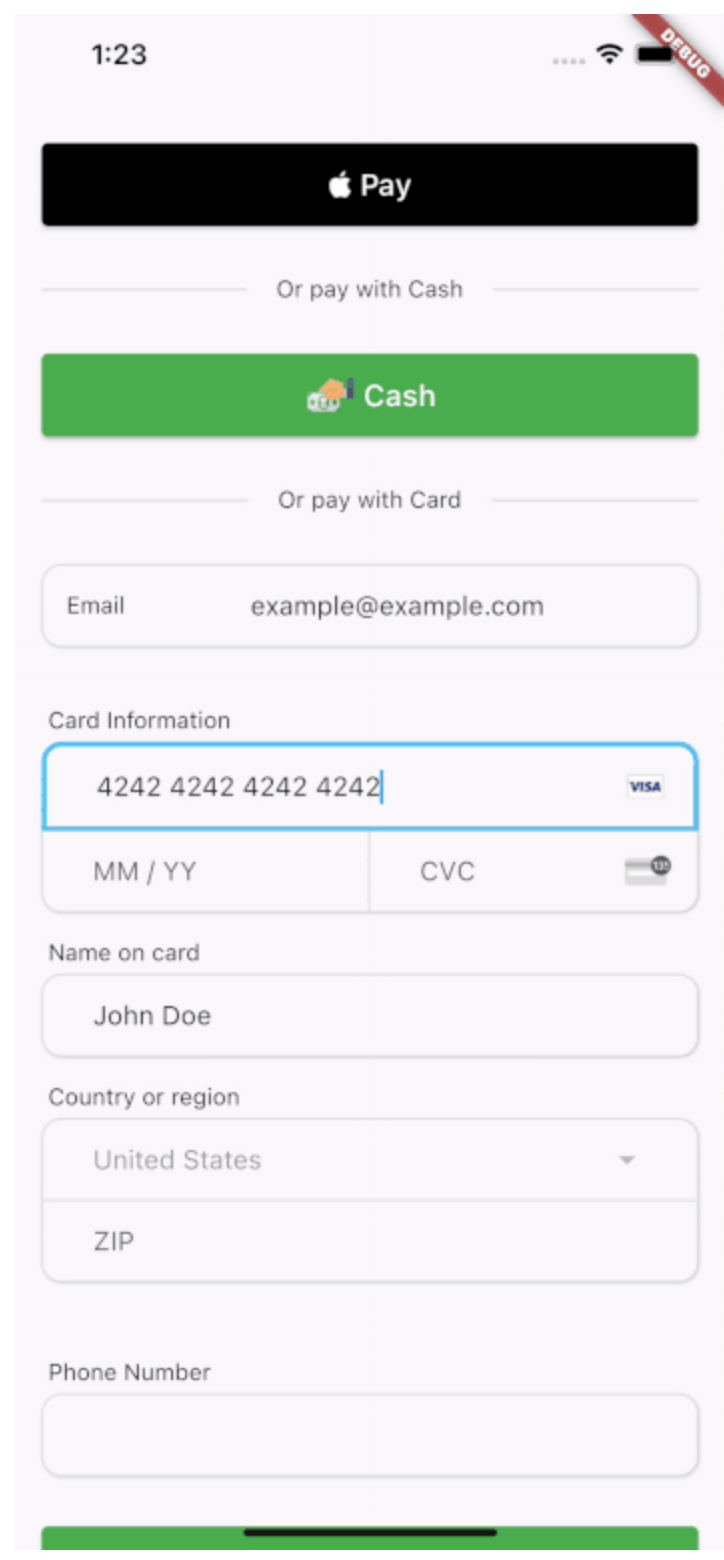
A Widget representing a checkout screen that accepts native and credit card payments along with a button for cash payments if your system has 'in person' payments. This is a UI only widget and is meant to compliment whatever third party transaction api system you are using.
Includes a CreditCardForm widget that allows you to utilize only the credit card form without the rest of the checkout screen if desired.
This package is UI only. Card data exists in memory inside Flutter text controllers while the user types. Never log CardFormResults or raw PAN/CVC in production. In release and profile builds, CardFormResults.toString() is redacted; in debug builds it includes full values for developer convenience—still do not persist it or ship debug logs that contain card data. Send card data only to your PCI-compliant processor (for example Stripe) over TLS, following their integration guidance.
In the pubspec.yaml of your Flutter project, add:
dependencies:
  checkout_screen_ui: ^1.1.0
Import the barrel (recommended) or specific libraries:
import 'package:checkout_screen_ui/checkout_screen_ui.dart';
// or
import 'package:checkout_screen_ui/checkout_ui.dart';
The main entry point is CheckoutPage with a CheckoutData object:
final List<PriceItem> priceItems = [
  PriceItem(name: 'Product A', quantity: 1, itemCostCents: 5200),
  PriceItem(name: 'Product B', quantity: 2, itemCostCents: 8599),
];

CheckoutPage(
  data: CheckoutData(
    priceItems: priceItems,
    payToName: 'Vendor Name',
    taxRate: 0.07,
    displayNativePay: true,
    isApple: Platform.isIOS,
    onNativePay: (result) { /* ... */ },
    onCashPay: (result) { /* ... */ },
    onCardPay: (card, result) {
      // card: CardFormResults — never log in production
      // result: CheckOutResult — items, subtotal, tax, total in cents
    },
    onBack: () => Navigator.of(context).pop(),
  ),
  footer: CheckoutPageFooter(
    termsLink: 'https://example.com/terms',
    privacyLink: 'https://example.com/privacy',
  ),
);
Optional theming:
MaterialApp(
  theme: ThemeData(
    extensions: const [
      CheckoutTheme(
        chargeAmountColor: Colors.teal,
        nativePayBackgroundColor: Colors.black,
        nativePayForegroundColor: Colors.white,
      ),
    ],
  ),
  // ...
);
If a feature is missing (the Dart language is always evolving) or you'd like an easier or better way to do something, consider opening a pull request. You can always file an issue, but generally speaking feature requests will be on a best-effort basis.