


 v1.2.0
weather_animation
이 패키지는 아름다운 날씨 애니메이션을 포함하고 있습니다. 날씨 구성 도구로 쉽게 설정하세요!
133좋아요 97430일 다운로드160Pub 점수
AndroidiOSWebmacOSWindowsLinux
이 패키지는 아름다운 날씨 애니메이션을 포함하고 있습니다. 날씨 구성 도구로 쉽게 설정하세요!

아래는 영문 원문 스냅샷입니다. 최신 내용은 GitHub에서 확인하세요.





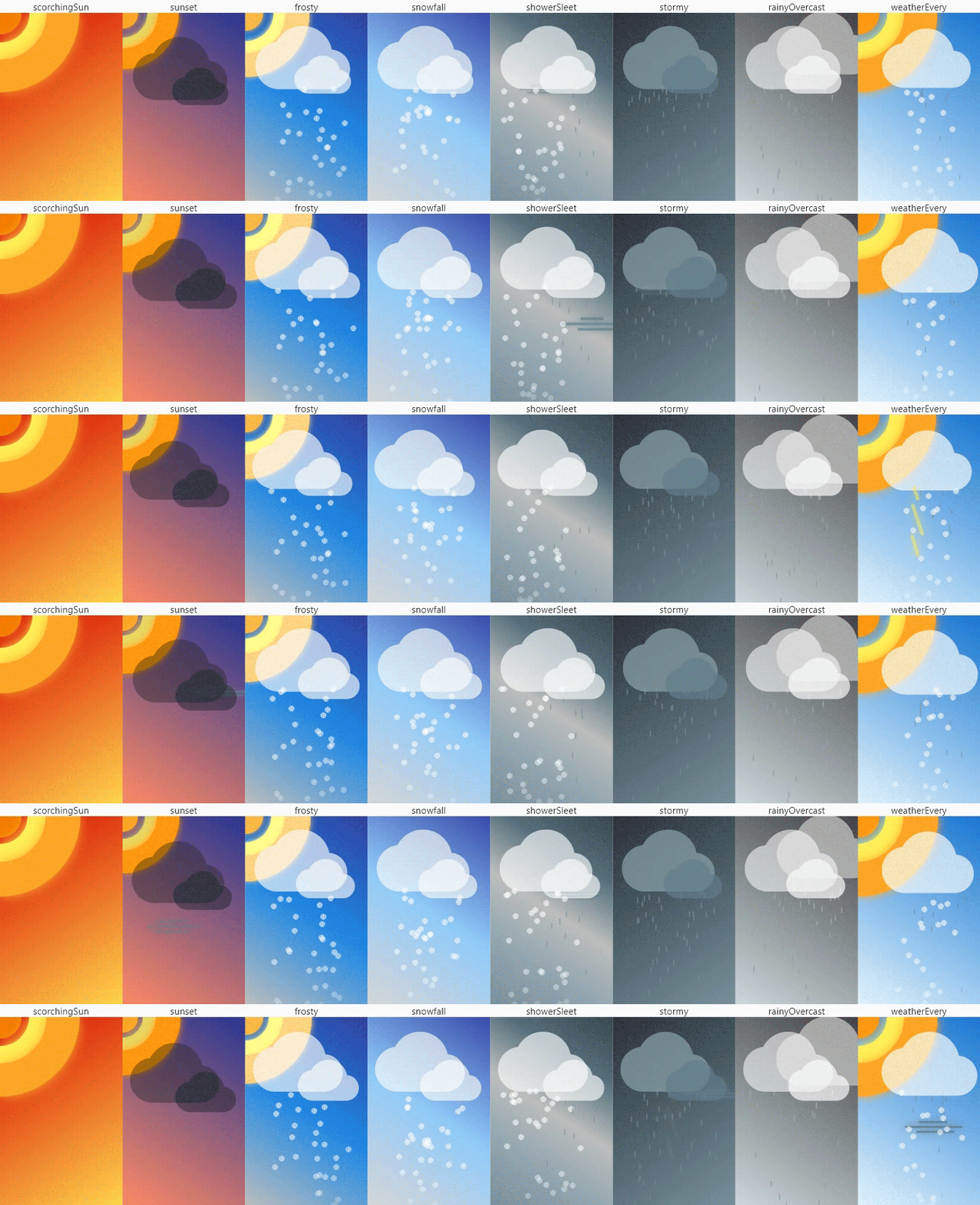
Create weather scenes and animate as your heart desires. Simple and free.
Try the Weathunits configurator for setting weather scenes directly in the WEB!
Put an
on Pub and favorite ⭐ on GitHub to keep up with changes and not miss new releases!
Import the library:
import 'package:weather_animation/weather_animation.dart';
WeatherSceneCheck the provided list of ready-made weather scenes in the WeatherScene enumeration and select
the desired one through the getter:
@override
Widget build(BuildContext context) {
  return WeatherScene.sunset.sceneWidget;
}
or for more customization, use WrapperScene.weather:
@override
Widget build(BuildContext context) {
  return WrapperScene.weather(scene: WeatherScene.sunset);
}
WrapperSceneSpecify a list of weather widgets and a list of colors to create a beautiful background gradient:
@override
Widget build(BuildContext context) {
  return const WrapperScene(
      colors: [
        Color(0xff283593),
        Color(0xffff8a65),
      ],
      children: [
        SunWidget(),
        CloudWidget(),
        WindWidget(),
      ],
    );
}
If necessary, specify a configuration file to fine-tune the weather widget:
// ...
SunWidget(
  sunConfig: SunConfig(
    width: 262.0,
    blurSigma: 10.0,
    blurStyle: BlurStyle.solid,
    isLeftLocation: true,
    coreColor: Color(0xffffa726),
    midColor: Color(0xd6ffee58),
    outColor: Color(0xffff9800),
    animMidMill: 2000,
    animOutMill: 1800,
  ),
),
// ...
weather_configurator appexample/weathunits_configurator. Learn more here)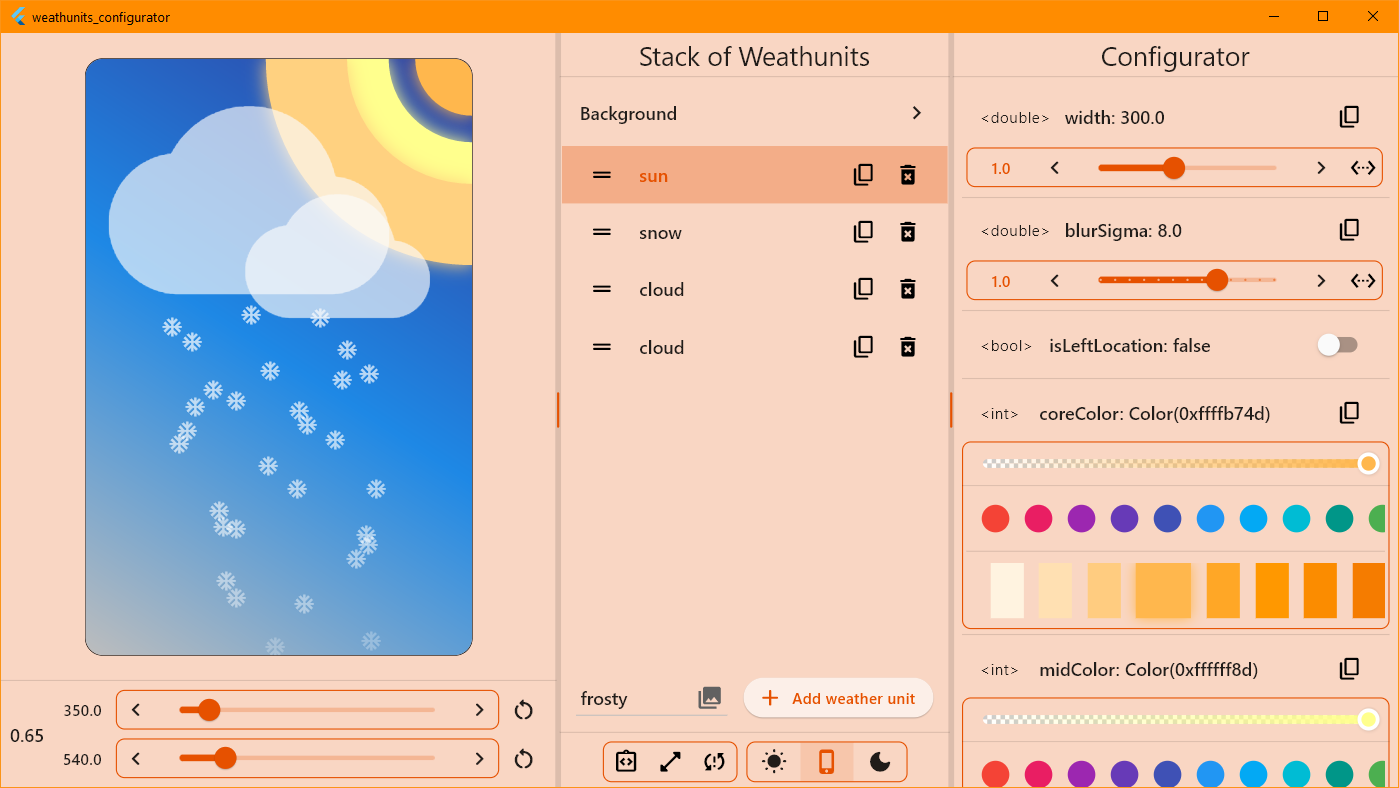
The only point of using the library is to import the following file:
import 'package:weather_animation/weather_animation.dart';
The following weather widgets are available:
| Widget weather | A configuration class |
|---|---|
CloudWidget |
CloudConfig |
RainWidgetRainDropWidget* |
RainConfig |
SnowWidgetSnowflakeWidget* |
SnowConfig |
SunWidget |
SunConfig |
ThunderWidgetSingleThunderWidget* |
ThunderConfig |
WindWidget |
WindConfig |
💡Tip: Widgets under * represent a single weather item. Use these when another Stack setting is required.
Each weather widget accepts an optional configuration parameter to fine-tune the widget.
...ConfigtoString, operator ==, hashCodecopyWith method to clone the objecttoJson and fromJson). Note: not all fieldsWeatherConfigWrapperSceneAlso, there is a WrapperScene widget for quick scene adjustment, which allows you to scale the
weather scene relative to the specified canvas dimensions. Has a clipper and scene widget decoration.
BackgroundWidgetThe BackgroundWidget class allows you to create a color background in the form of a linear gradient.
Specify the desired colors and you're done.
You can contact me or check out my activities on the following platforms:
Made with ❤️. Enjoy it!
의존성 목록 7 개
{"sdk":"flutter"}^4.9.0^3.1.0^3.2.4^6.11.4^2.10.5^2.8.0사용 목적에 따라 검색하고 개발 활동을 비교한 뒤 원본 저장소에서 요구 사항을 확인하세요.
“A repository is the most basic element of GitHub.”
GitHub Docs — About repositories ↗