

 v0.1.0
lightbox
웹 앱의 라이트박스처럼 작동하는 Flutter 플러그인입니다. URL, 자산, 파일, 바이트 등 다양한 유형의 이미지를 슬라이드쇼 오버레이로 표시하고 제어할 수 있어 유용합니다.
33좋아요 3930일 다운로드150Pub 점수
AndroidiOSmacOSWindowsLinux
웹 앱과 유사한 라이트박스를 생성하는 Flutter 플러그인

아래는 영문 원문 스냅샷입니다. 최신 내용은 GitHub에서 확인하세요.
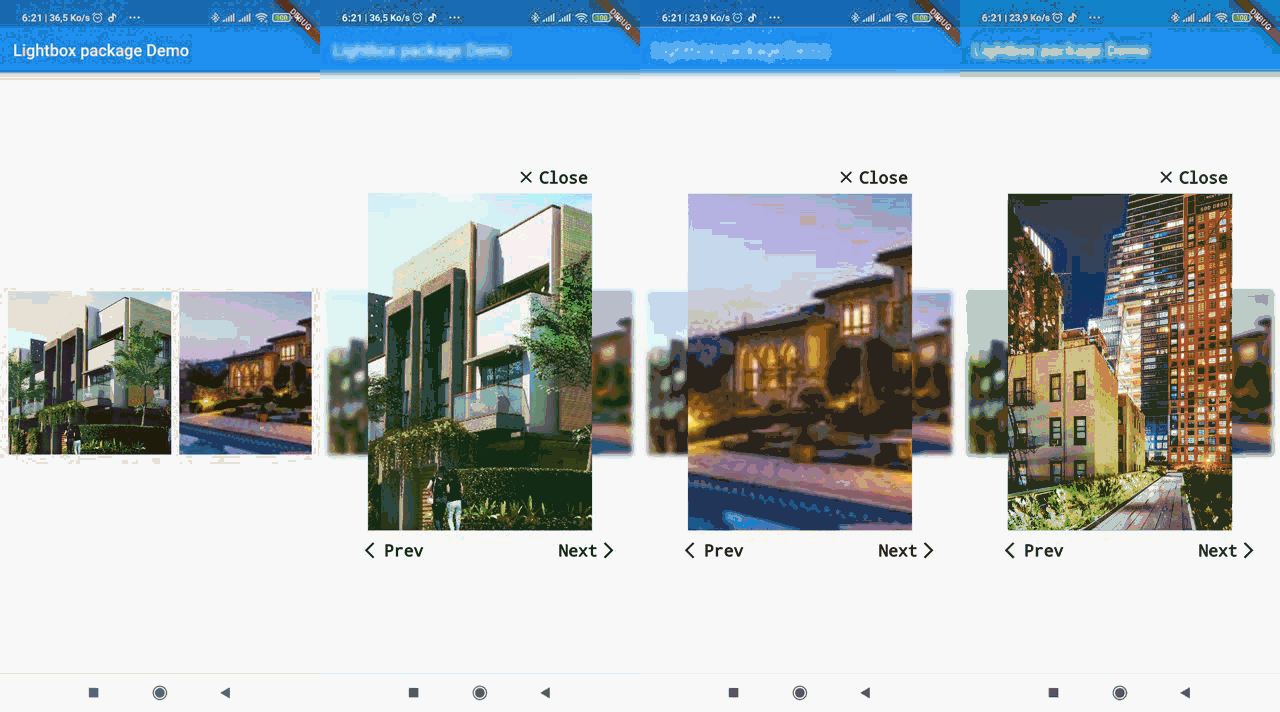
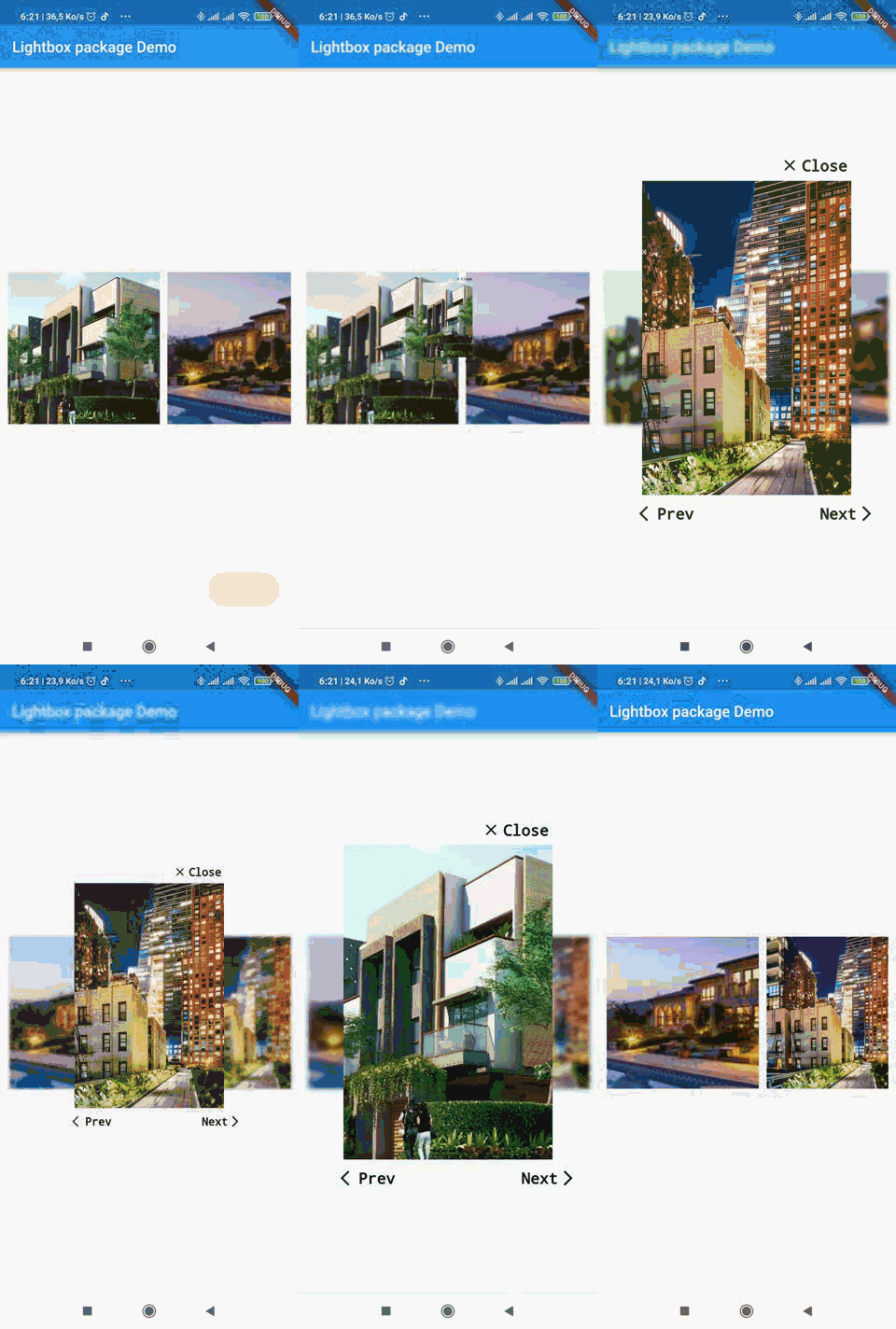
A simple package to recreate web lightbox in Flutter. Ligthbox enables you to show images in an overlay widget with controls to slide between images.
The source code is 100% Dart, and everything resides in the /lib folder.


Add lightbox as a dependency in your pubspec.yaml file.
dependencies:
  lightbox: 0.1.0
Then import lightbox:
import 'package:lightbox/lightbox.dart';
import 'package:lightbox/lightbox.dart';
          // images variable is an array of paths or url of images to load in the lightbox.
                   ListView.separated(
                                       separatorBuilder: (context, index) => SizedBox(width: 10.0),
                                       scrollDirection: Axis.horizontal,
                                       itemCount: imagesAsset.length,
                                       itemBuilder: (context, position) {
                                         return GestureDetector(
                                           child: Container(
                                               height: 200,
                                               width: 200,
                                               child: Image.asset(
                                                 imagesAsset[position],
                                                 fit: BoxFit.cover,
                                               )),
                                           onTap: () {
                                             Navigator.push(
                                                 context,
                                                 LightBoxRoute(
                                                     builder: (BuildContext context) {
                                                       return LightBox(
                                                       images:imagesAsset,
                                                         initialIndex: position,
                                                         imageType: ImageType.ASSET,
                                                       );
                                                     },
                                                     dismissible: false));
                                           },
                                         );
                                       }),
You can find a more detailed example here
Copyright (c) 2020 Lemovou Ivan

Permission is hereby granted, free of charge, to any person obtaining a copy of this software and associated documentation files (the "Software"), to deal in the Software without restriction, including without limitation the rights to use, copy, modify, merge, publish, distribute, sublicense, and/or sell copies of the Software, and to permit persons to whom the Software is furnished to do so, subject to the following conditions:

The above copyright notice and this permission notice shall be included in all copies or substantial portions of the Software.

THE SOFTWARE IS PROVIDED "AS IS", WITHOUT WARRANTY OF ANY KIND, EXPRESS OR IMPLIED, INCLUDING BUT NOT LIMITED TO THE WARRANTIES OF MERCHANTABILITY, FITNESS FOR A PARTICULAR PURPOSE AND NONINFRINGEMENT. IN NO EVENT SHALL THE AUTHORS OR COPYRIGHT HOLDERS BE LIABLE FOR ANY CLAIM, DAMAGES OR OTHER LIABILITY, WHETHER IN AN ACTION OF CONTRACT, TORT OR OTHERWISE, ARISING FROM, OUT OF OR IN CONNECTION WITH THE SOFTWARE OR THE USE OR OTHER DEALINGS IN THE SOFTWARE.
For help getting started with Flutter, view our online documentation.
For help on editing package code, view the documentation.
의존성 목록 3 개
{"sdk":"flutter"}^3.1.0{"sdk":"flutter"}사용 목적에 따라 검색하고 개발 활동을 비교한 뒤 원본 저장소에서 요구 사항을 확인하세요.
“A repository is the most basic element of GitHub.”
GitHub Docs — About repositories ↗