


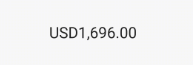
 v2.0.0
animated_text_lerp
숫자 또는 문자열 텍스트 사이를 애니메이션하는 간단한 위젯입니다. 숫자 증감 애니메이션, 통화 가치 애니메이션 또는 문자열 콘텐츠 변경 애니메이션에 유용합니다.
60좋아요 2.1천30일 다운로드150Pub 점수
AndroidiOSWebmacOSWindowsLinux
Flutter용 애니메이션 텍스트 패키지입니다. 통화 값 증감 애니메이션 또는 텍스트 콘텐츠의 보간 애니메이션에 유용합니다.

아래는 영문 원문 스냅샷입니다. 최신 내용은 GitHub에서 확인하세요.
Simple widgets to animate between number or string text. Useful for number increase/decrease animation, currency value animation or string content changing animation.
import 'package:animated_text_lerp/animated_text_lerp.dart';

The widget support lerping between number values. Just setState with the current value and the widget will start animating to it.
AnimatedNumberText(
  value, // int or double
  curve: Curves.easeIn,
  duration: const Duration(seconds: 1),
  style: const TextStyle(fontSize: 30),
  formatter: (value) {
    final formatted =
    intl.NumberFormat.currency(locale: "en").format(value);
    return formatted;
  },
)

The widget support lerping between string values. Just setState with the current value and the widget will start animating to it. Each character will lerp to the new corresponding one respectively.
AnimatedStringText(
  value, // string
  curve: Curves.easeIn,
  duration: const Duration(seconds: 1),
  style: const TextStyle(fontSize: 30),
)
의존성 목록 3 개
{"sdk":"flutter"}{"sdk":"flutter"}^3.0.0사용 목적에 따라 검색하고 개발 활동을 비교한 뒤 원본 저장소에서 요구 사항을 확인하세요.
“A repository is the most basic element of GitHub.”
GitHub Docs — About repositories ↗