
 v0.0.5
empty_widget
Custom_Empty 위젯은 Flutter의 사용자 정의 위젯으로, 사용자에게 특정 이벤트에 대해 알리기 위해 설계되었습니다.
70좋아요 22930일 다운로드65Pub 점수
플랫폼 정보 없음
Custom_Empty 위젯은 특정 이벤트에 대해 사용자에게 알리기 위해 설계된 플러터 플러그인입니다.

{"sdk":"flutter"}{"sdk":"flutter"}아래는 영문 원문 스냅샷입니다. 최신 내용은 GitHub에서 확인하세요.
Open Source Love GitHub last commit GitHub GitHub code size in bytes GitHub stars GitHub forks
pub package Likes Popularity Pub points
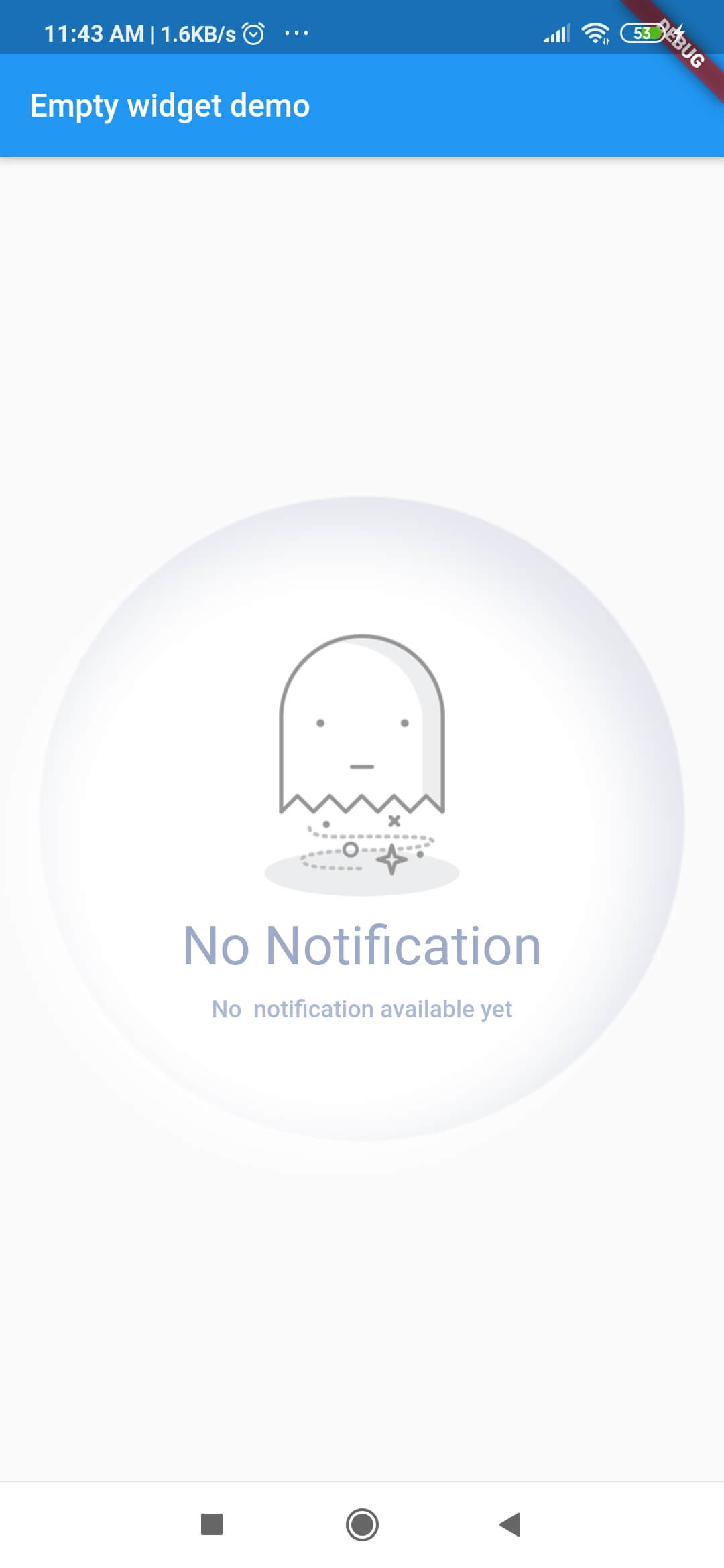
Custom_Empty widget is flutter custom widget which is designed to notify user about some event.
| Screenshots | Screenshots | Screenshots | Screenshots |
|---|---|---|---|
| https://github.com/TheAlphamerc/empty_widget/blob/master/screenshots/screen1.jpg?raw=true | https://github.com/TheAlphamerc/empty_widget/blob/master/screenshots/screen2.jpg?raw=true | https://github.com/TheAlphamerc/empty_widget/blob/master/screenshots/screen3.jpg?raw=true | https://github.com/TheAlphamerc/empty_widget/blob/master/screenshots/screen4.jpg?raw=true |
dependencies:
  empty_widget: ^0.0.3
import 'package:empty_widget/empty_widget.dart';
 EmptyWidget(
   image: null,
   packageImage: PackageImage.Image_1,
   title: 'No Notification',
   subTitle: 'No  notification available yet',
   titleTextStyle: TextStyle(
     fontSize: 22,
     color: Color(0xff9da9c7),
     fontWeight: FontWeight.w500,
   ),
   subtitleTextStyle: TextStyle(
     fontSize: 14,
     color: Color(0xffabb8d6),
   ),
 );
import 'package:empty_widget/empty_widget.dart';
import 'package:flutter/material.dart';

void main() => runApp(MyApp());

class MyApp extends StatelessWidget {
  @override
  Widget build(BuildContext context) {
    return MaterialApp(
      title: 'Flutter Demo',
      theme: ThemeData(
         primarySwatch: Colors.blue,
      ),
      home: MyHomePage(title: 'Empty widget demo'),
    );
  }
}

class MyHomePage extends StatefulWidget {
  MyHomePage({Key key, this.title}) : super(key: key);
 final String title;

  @override
  _MyHomePageState createState() => _MyHomePageState();
}

class _MyHomePageState extends State<MyHomePage> {
  @override
  Widget build(BuildContext context) {
    return Scaffold(
      appBar: AppBar(
        title: Text(widget.title),
      ),
      body: Container(
        alignment: Alignment.center,
        child: EmptyWidget(
          image: null,
          packageImage: PackageImage.Image_1,
          title: 'No Notification',
          subTitle: 'No  notification available yet',
          titleTextStyle: TextStyle(
            fontSize: 22,
            color: Color(0xff9da9c7),
            fontWeight: FontWeight.w500,
          ),
          subtitleTextStyle: TextStyle(
            fontSize: 14,
            color: Color(0xffabb8d6),
          ),
        ),
      ),
    );
  }
}
| Parameter | Type | Description |
|---|---|---|
| title | string |
Set text for title |
| subTitle | string |
Set text for subtitle |
| image | string |
Display images from project assets |
| packageImage | PackageImage |
Display image from package assets |
| titleTextStyle | TextStyle |
Set text style for title |
| subtitleTextStyle | TextStyle |
Set text style for subtitle |
| hideBackgroundAnimation | bool |
Hides the background circular ball animation |
https://playerzon.com/asset/download.png
I welcome and encourage all pull requests. It usually will take me within 24-48 hours to respond to any issue or request.
Sonu Sharma (Twitter) (Youtube) (Insta) Twitter Follow
If you found this project helpful or you learned something from the source code and want to thank me, consider buying me a cup of :coffee: