
 v1.0.4
roller_list
제한된 항목 세트를 무한히 스크롤하는 롤러와 유사하게 작동하는 리스트 위젯입니다.
31좋아요 56630일 다운로드160Pub 점수
AndroidiOSWebmacOSWindowsLinux
Yahhi/roller_list open-source repository details.

{"sdk":"flutter"}^1.1.0{"sdk":"flutter"}^6.0.0아래는 영문 원문 스냅샷입니다. 최신 내용은 GitHub에서 확인하세요.
This widget is a list of values distributed in a circle. The main rules of the list are: a user could scroll it in one direction endlessly, list values are limited and repeated in the same order over and over again. Possible usage scheme: -time selection -piano notes selection -choice of any limited number of items, where it is not important what should go first and what should go last.
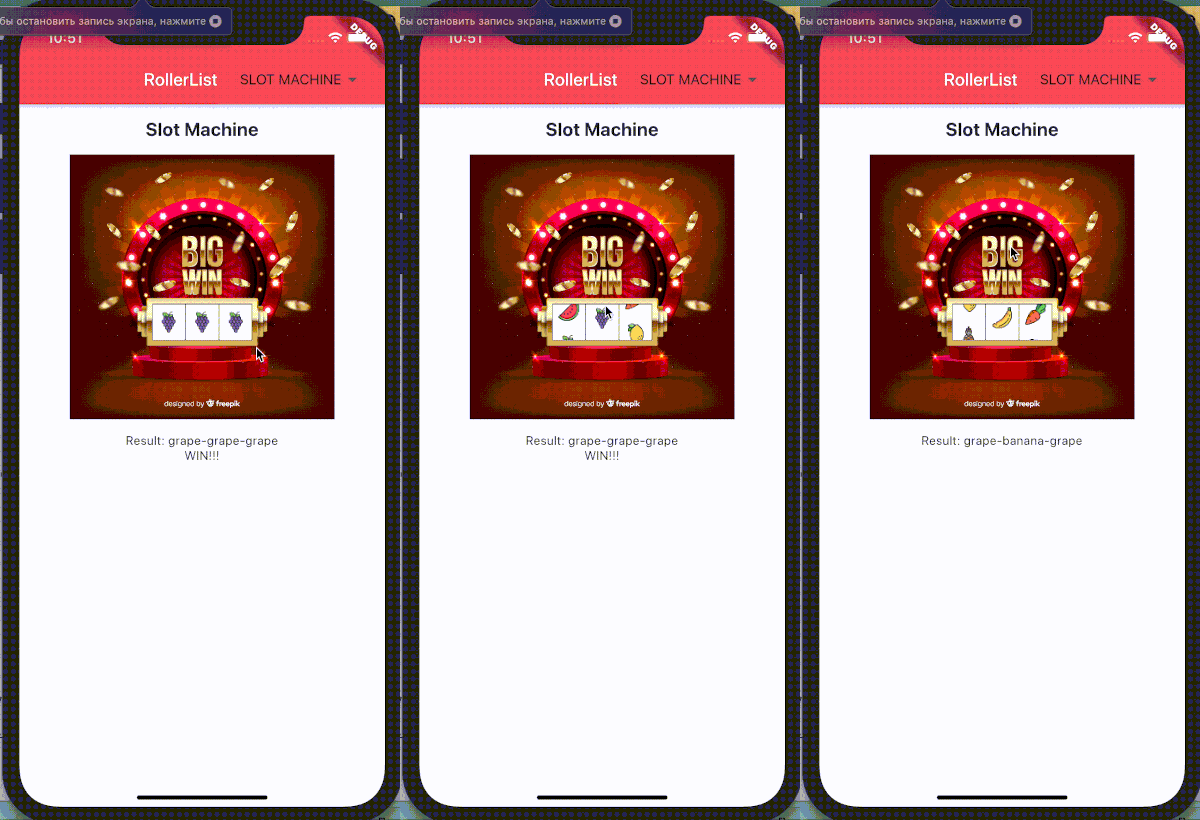
You can check Flutter for web build here Or see how it looks like on iphone: https://raw.githubusercontent.com/Yahhi/roller_list/HEAD/iphone_screen.gif
In the dependencies: section of your pubspec.yaml, add the following line:
roller_list: <latest version>
Then import this class:
import 'package:roller_list/roller_list.dart';
And add your list like this (with only programmatical scroll):
RollerList(
 items: slots,
 enabled: false,
 key: leftRoller,
)
Or like this (with enabled scroll):
RollerList(
  items: months,
  onSelectedIndexChanged: _changeMonths,
  initialIndex: 1,
)
where months is a list of widgets:
static const MONTHS = {
    "January": 31,
    "February": 29,
    "March": 31,
    "April": 30,
    "May": 31,
    "June": 30,
    "July": 31,
    "August": 31,
    "September": 30,
    "October": 31,
    "November": 30,
    "December": 31
  };

final List<Widget> months = MONTHS.keys
  .map((month) => Padding(
        padding: EdgeInsets.all(12.0),
        child: Text(
          month,
          textScaleFactor: 1.3,
          textAlign: TextAlign.center,
        ),
      ))
  .toList();
and _changeMonths will show the selection result somewhere in the widget tree:
void _changeMonths(int value) {
    setState(() {
      selectedMonth = MONTHS.keys.toList()[value];
    });
}