
flutter_개선된_스크롤링
Flutter Web 및 데스크톱용 더 나은 스크롤링을 구현하려고 시도합니다. 키보드, MButton 및 사용자 정의 마우스 휠 스크롤이 포함됩니다.

- 스타
- 50
- 포크
- 25
- 최근 푸시(UTC)
- 2026. 1. 27.
- 프로젝트 상태
- 활성
원본 README
아래는 영문 원문 스냅샷입니다. 최신 내용은 GitHub에서 확인하세요.
This package has been deprecated


An attempt to implement better scrolling for Flutter Web and Desktop.
Includes keyboard, MButton and custom mouse wheel scrolling.
Getting started
Example
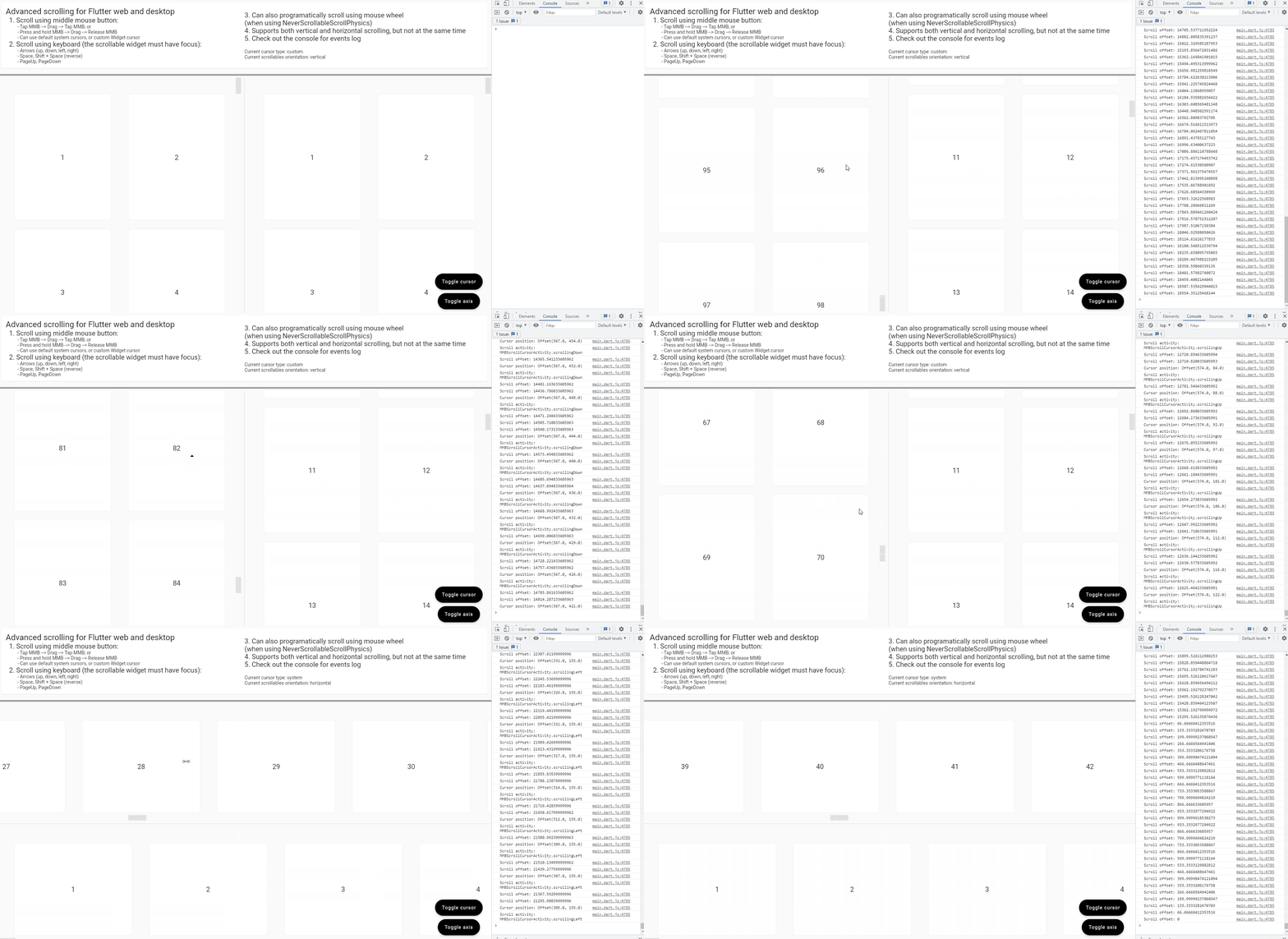
Usage and features
(from the example app)
final controller = ScrollController();

...

ImprovedScrolling(
      scrollController: controller,
      onScroll: (scrollOffset) => debugPrint(
        'Scroll offset: $scrollOffset',
      ),
      onMMBScrollStateChanged: (scrolling) => debugPrint(
        'Is scrolling: $scrolling',
      ),
      onMMBScrollCursorPositionUpdate: (localCursorOffset, scrollActivity) => debugPrint(
            'Cursor position: $localCursorOffset\n'
            'Scroll activity: $scrollActivity',
      ),
      enableMMBScrolling: true,
      enableKeyboardScrolling: true,
      enableCustomMouseWheelScrolling: true,
      mmbScrollConfig: MMBScrollConfig(
        customScrollCursor: useSystemCursor ? null : const DefaultCustomScrollCursor(),
      ),
      keyboardScrollConfig: KeyboardScrollConfig(
        arrowsScrollAmount: 250.0,
        homeScrollDurationBuilder: (currentScrollOffset, minScrollOffset) {
          return const Duration(milliseconds: 100);
        },
        endScrollDurationBuilder: (currentScrollOffset, maxScrollOffset) {
          return const Duration(milliseconds: 2000);
        },
      ),
      customMouseWheelScrollConfig: const CustomMouseWheelScrollConfig(
        scrollAmountMultiplier: 2.0,
      ),
      child: ScrollConfiguration(
        behavior: const CustomScrollBehaviour(),
        child: GridView(
          controller: controller,
          physics: const NeverScrollableScrollPhysics(),
          scrollDirection: axis,
          padding: const EdgeInsets.all(24.0),
          gridDelegate: const SliverGridDelegateWithMaxCrossAxisExtent(
            maxCrossAxisExtent: 400.0,
            mainAxisExtent: 400.0,
          ),
          children: buildScrollableItemList(axis),
        ),
      ),
    );
Requirements
- The
ImprovedScrollingWidget must be added as a parent of your scrollable Widget (List/Grid/SingleChildScrollView/etc). - You must create and provide the same scroll controller to both the
ImprovedScrollingWidget and your scrollable Widget.
- Optional: If you want to programatically scroll when rotating the mouse wheel and not let the framework manage the scrolling, you can set
physics: NeverScrollableScrollPhysics()to your scrollable and then setenableCustomMouseWheelScrolling: trueonImprovedScrollingto enable this feature.
Features:
-
Scrolling using the keyboard (Arrows, Page{Up, Down}, Spacebar, Home, End)
You need to set
enableKeyboardScrolling: trueand then you can configure the scrolling amount, duration and curve by usingkeyboardScrollConfig: KeyboardScrollConfig(...) -
Scrolling using the middle mouse button ("auto-scrolling")
You need to set
enableMMBScrolling: trueand then you can configure the scrolling delay, velocity, acceleration and cursor appearance and size by usingmmbScrollConfig: MMBScrollConfig(...)
There is also a
DefaultCustomScrollCursorclass which is a default custom cursor implementation -
Programatically scroll using the mouse wheel
You need to set
enableCustomMouseWheelScrolling: trueand then you can configure the scrolling speed, duration, curve and throttling time by usingcustomMouseWheelScrollConfig: CustomMouseWheelScrollConfig(...) -
Horizontal scrolling using Left/Right arrows or Shift + mouse wheel
Requires
enableKeyboardScrolling: trueandenableCustomMouseWheelScrolling: trueto be set.
Callbacks:
Other than the above features, there are also a few callbacks available on the ImprovedScrolling Widget:
// Triggers whenever the ScrollController scrolls, no matter how or why
onScroll: (double scrollOffset) => debugPrint(
  'Scroll offset: $scrollOffset',
),

// Triggers whenever the middle mouse button scrolling feature is activated or deactivated
onMMBScrollStateChanged: (bool scrolling) => debugPrint(
  'Is scrolling: $scrolling',
),

// Triggers whenever the cursor is moved on the scrollable area, while the
// middle mouse button feature is active and is scrolling
//
// We also get the current scroll activity (idle or moving up/down/left/right)
// at the time the cursor moves
onMMBScrollCursorPositionUpdate: (
  Offset localCursorOffset,
  MMBScrollCursorActivity scrollActivity,
) => debugPrint(
    'Cursor position: $localCursorOffset\n'
    'Scroll activity: $scrollActivity',
 ),
License

Adrian Flutur ↗
사용 중인 의존성
의존성 목록 3 개
- flutter
{"sdk":"flutter"} - flutter_test개발 의존성
{"sdk":"flutter"} - lint개발 의존성
^1.6.0
프로젝트에 맞는 저장소를 선택하려면?
사용 목적에 따라 검색하고 개발 활동을 비교한 뒤 원본 저장소에서 요구 사항을 확인하세요.
- 이름, 작성자 또는 설명으로 검색하고 기술 주제로 범위를 좁힙니다.
- 스타, 포크, 최근 푸시를 함께 비교하세요. 스타는 관심의 지표이며 품질을 보장하지 않습니다.
- 사용하기 전에 GitHub에서 README, 라이선스, Issues를 확인하세요.
출처 및 관리
“A repository is the most basic element of GitHub.”
GitHub Docs — About repositories ↗