

 v0.1.2
bottom_sheet_expandable_bar
하단 바를 표시하고 하단 시트를 확장하여 표시할 수 있는 기능을 제공하는 패키지
28좋아요 5430일 다운로드140Pub 점수
AndroidiOSWebmacOSWindowsLinux
ajomuch92/flutter-bottom-sheet-expandable-bar open-source repository details.

아래는 영문 원문 스냅샷입니다. 최신 내용은 GitHub에서 확인하세요.
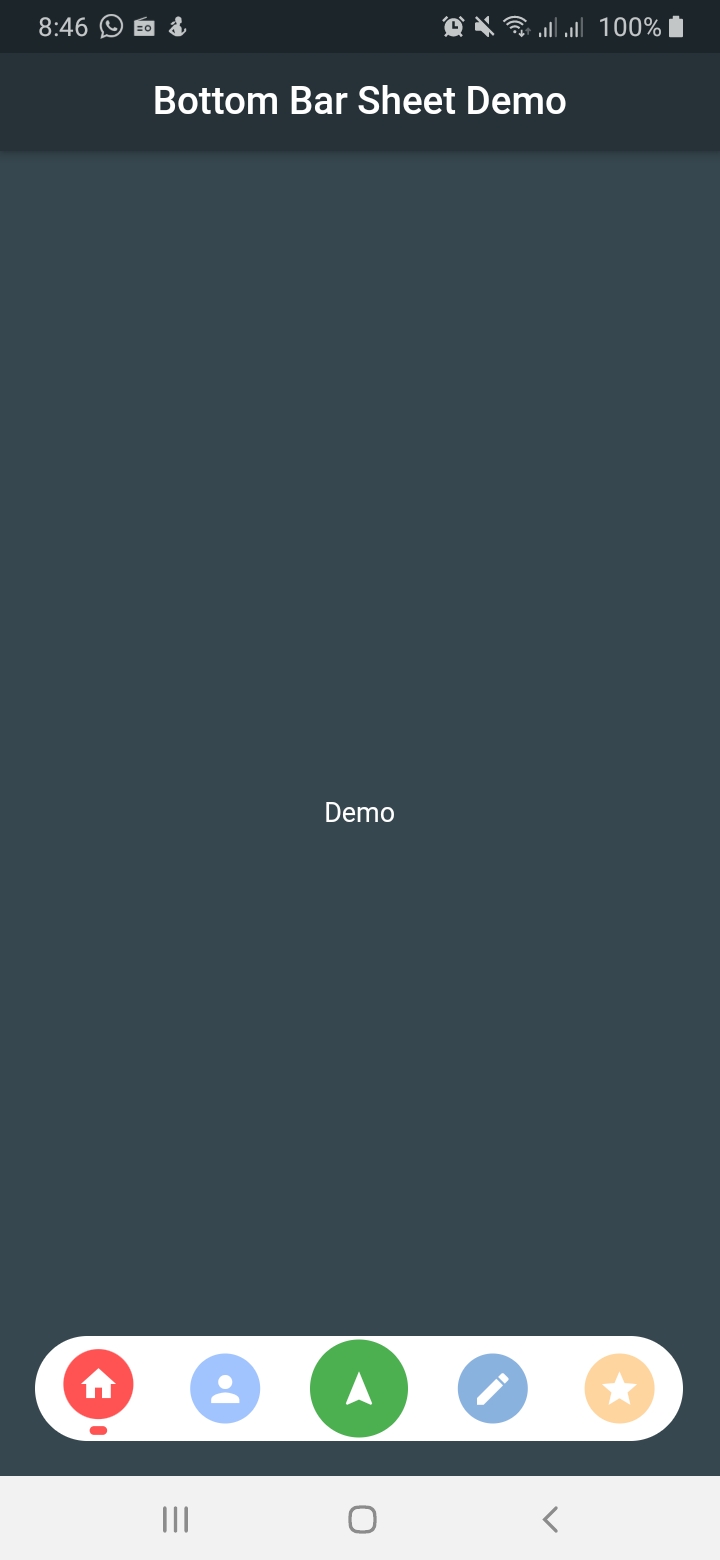
This package create a bottom navigation bar with the capability to show a bottom sheet.
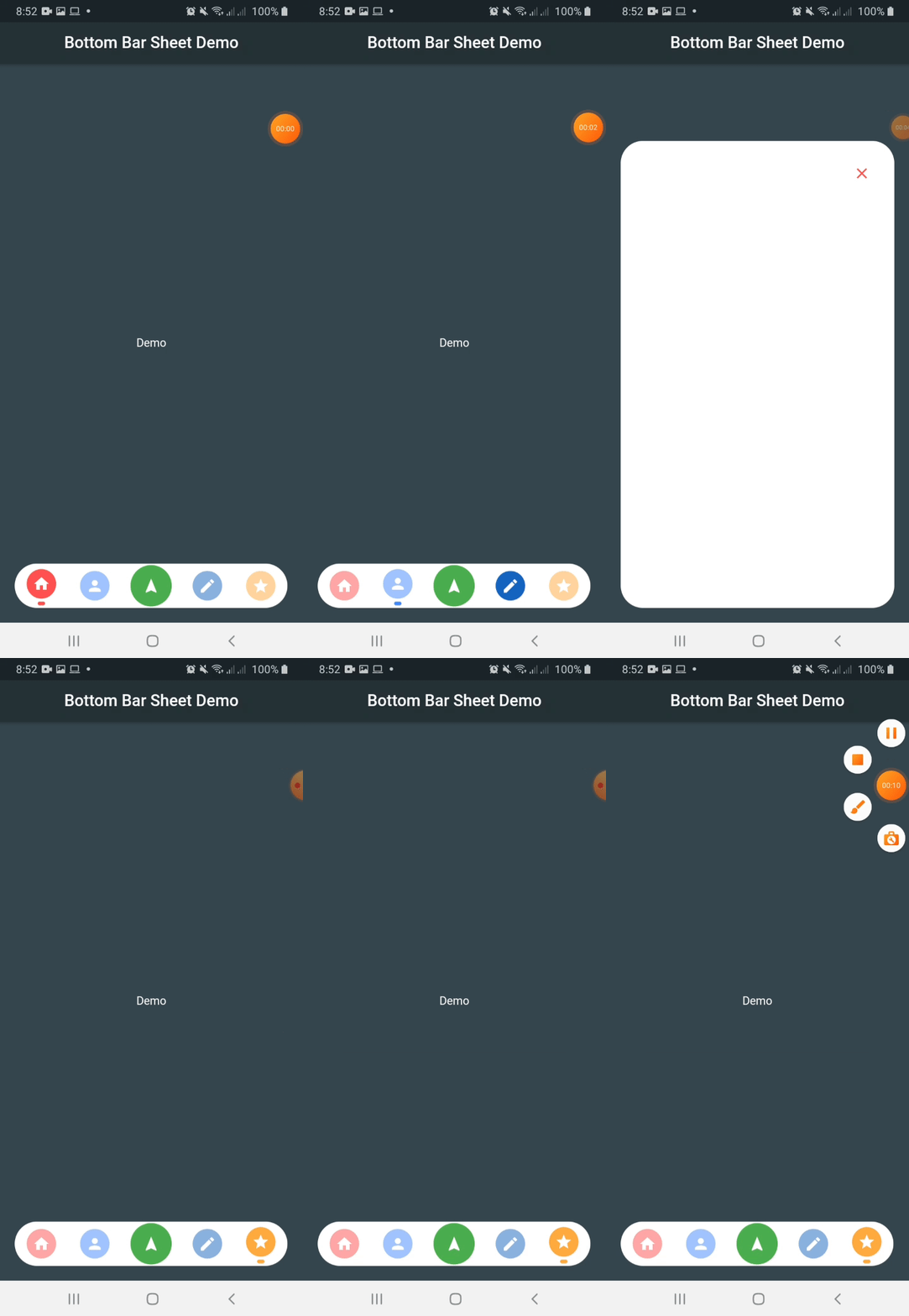
Include bottom_sheet_expandable_bar in your pubspec.yaml file:
dependencies:
  flutter:
    sdk: flutter
  bottom_sheet_expandable_bar: version
To use this package, just import it into your file and enjoy it.
import 'package:bottom_sheet_expandable_bar/bottom_sheet_bar_icon.dart';
import 'package:bottom_sheet_expandable_bar/bottom_sheet_expandable_bar.dart';

...

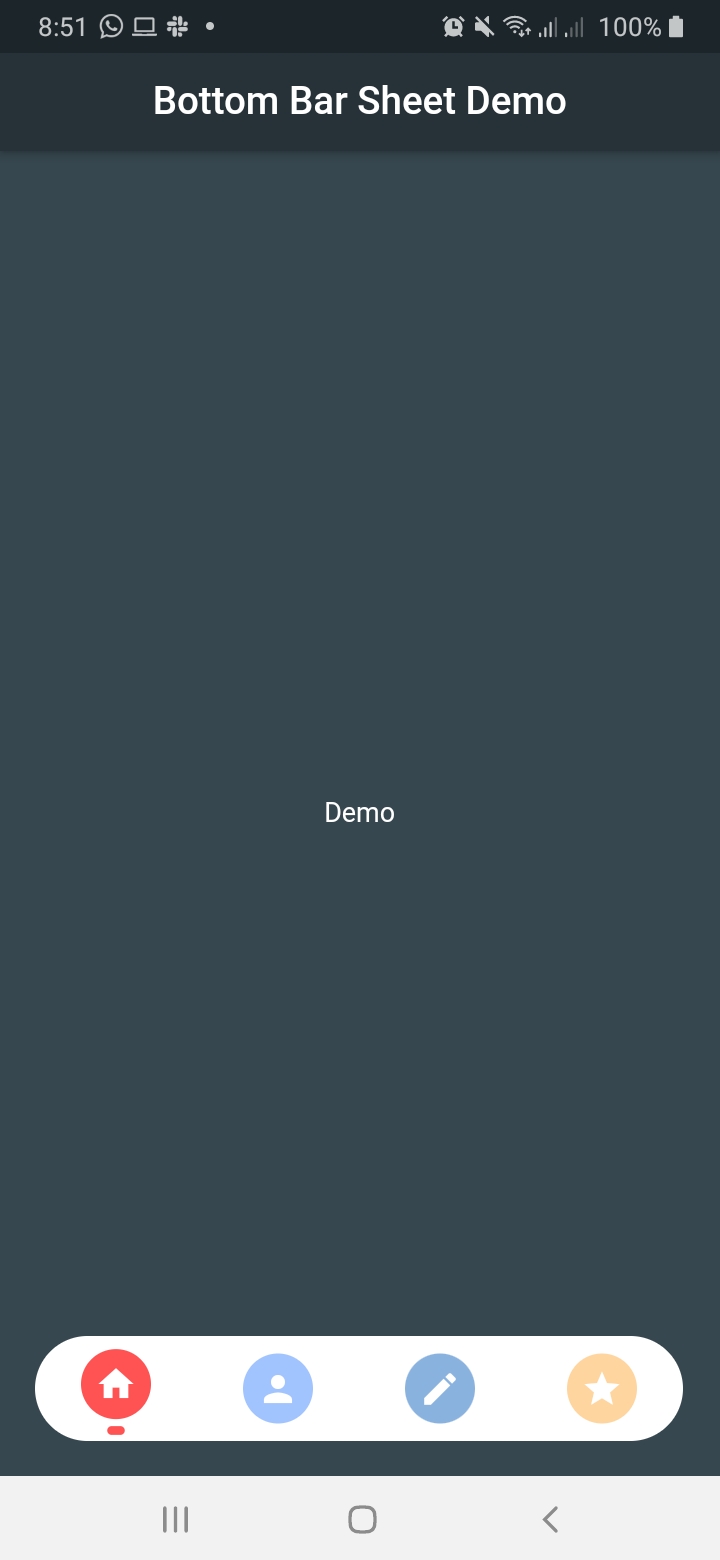
bottomSheet: BottomBarSheet(
  children: [
    BottomSheetBarIcon(
      icon: Icon(Icons.home),
      color: Colors.redAccent,
      onTap: (){
      },
    ),
    BottomSheetBarIcon(
      icon: Icon(Icons.person),
      color: Colors.blueAccent,
      onTap: (){
      },
    ),
    BottomSheetBarIcon(
      icon: Icon(Icons.edit),
      color: Colors.blue[800],
      onTap: (){
      },
    ),
    BottomSheetBarIcon(
      icon: Icon(Icons.star),
      color: Colors.orangeAccent,
      onTap: (){
      },
    ),
  ],
),

...
IMPORTANT: Add this line to your theme to avoid an unexpected behaviour
theme: ThemeData(
  /// Add this line
  bottomSheetTheme: BottomSheetThemeData(backgroundColor: Colors.transparent),
),
This widget allow to generate a dynamic icon
Properties
| Name | Description | Required | Default |
|---|---|---|---|
| icon | Widget to put as button icon | False | |
| color | Color to indicate icon color | False | Colors.black |
| onTap | Function to handle button on tap | True |
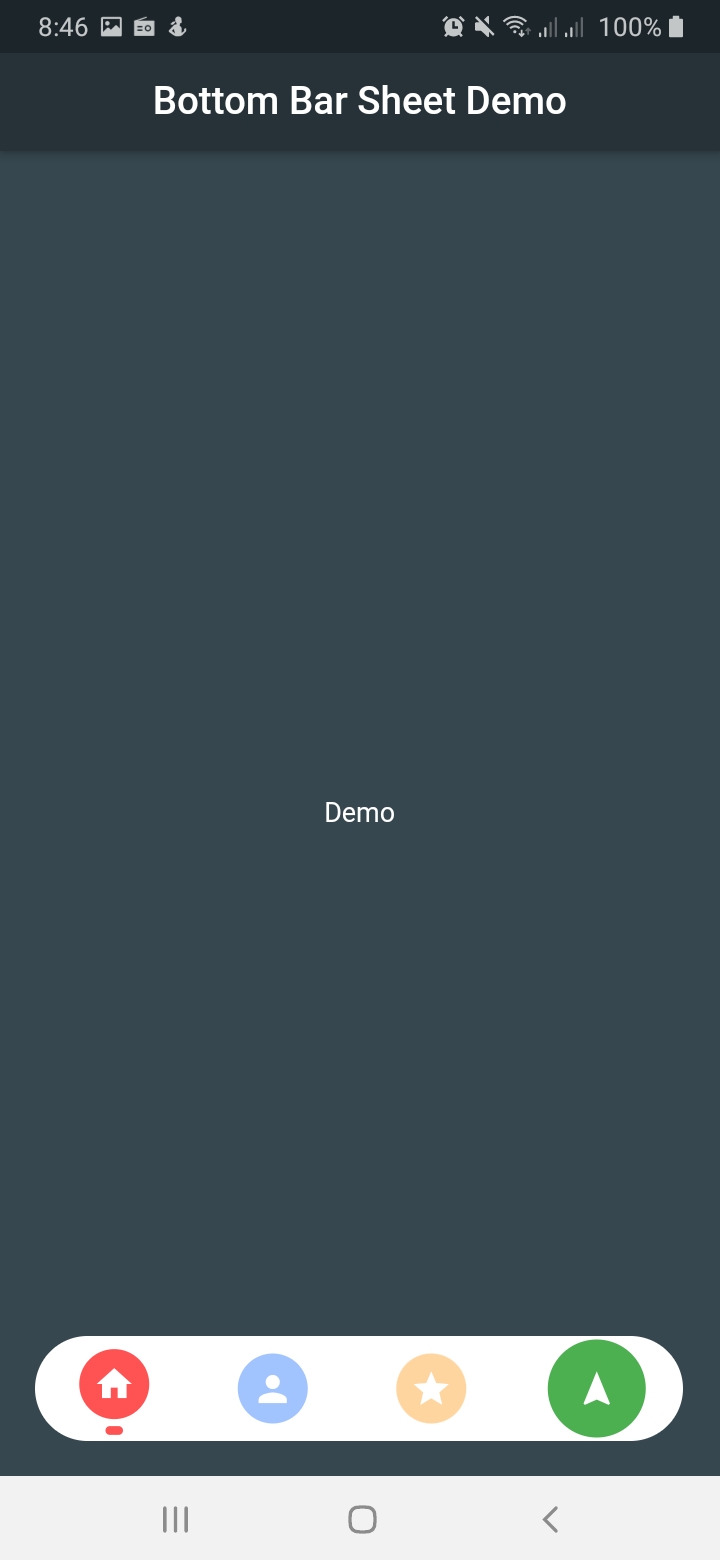
This widget allow to generate a bottom bar with the capability to expanto to a bottom sheet
Properties
| Name | Description | Required | Default |
|---|---|---|---|
| children | List of BottomSheetBarIcon widget to show icons within the bar | False | |
| buttonPosition | ButtonBottomBarPosition to indicate expandable button position (center, end) | False | ButtonBottomBarPosition.center |
| backgroundBarColor | Color to indicate bottom bar background color | False | Colors.white |
| backgroundColor | Color to indicate bottom sheet color | False | Colors.white |
| showExpandableButton | Boolean value to indicate when to show or hide expandable button | False | False |
| innerChild | Widget to show into the bottom sheet | False | |
| bottomRadius | Double value to indicate the corners radius for the bottom bar | False | 50.0 |
| bottomBarHeight | Double value to indicate the bottom bar height | False | 60.0 |
| bottomBarWidth | Double value to indicate the bottom bar height | False | Screen width * 0.9 |
| duration | Duration between show or hide the bottom sheet | False | 250 milliseconds |
| bottomSheetHeight | Double value to indicate the bottom sheet height | False | Screen height * 0.75 |
| iconExpand | Icon to show into the expandable button | False | Icon(Icons.navigation) |
| iconColor | Expandable button color | False | Colors.green |
| onClose | Function to call when bottom sheet is closed | False | (){} |
| currentIndex | Integer value to indicatet which tab is selected | False | 0 |
| curve | Curve to use on enter bottom sheet animation | False | Curves.ease |
의존성 목록 2 개
{"sdk":"flutter"}{"sdk":"flutter"}사용 목적에 따라 검색하고 개발 활동을 비교한 뒤 원본 저장소에서 요구 사항을 확인하세요.
“A repository is the most basic element of GitHub.”
GitHub Docs — About repositories ↗