
flutter_hud
Flutter에서 실행 중인 비동기 작업을 표시하기 위한 깔끔하고 가벼운 프로그레스 HUD입니다.

- 스타
- 44
- 포크
- 10
- 최근 푸시(UTC)
- 2024. 3. 4.
- 프로젝트 상태
- 활성
원본 README
아래는 영문 원문 스냅샷입니다. 최신 내용은 GitHub에서 확인하세요.
Flutter HUD





A clean and lightweight progress HUD to show a running asynchronous task for Flutter.
Features:
- Widget HUD
- PopUp HUD
Installation
Add to pubspec.yaml:
dependencies:
  flutter_hud: any
Import Library
import 'package:flutter_hud/flutter_hud.dart';
Widget HUD
Simple use of progress Widget HUD with FutureBuilder:
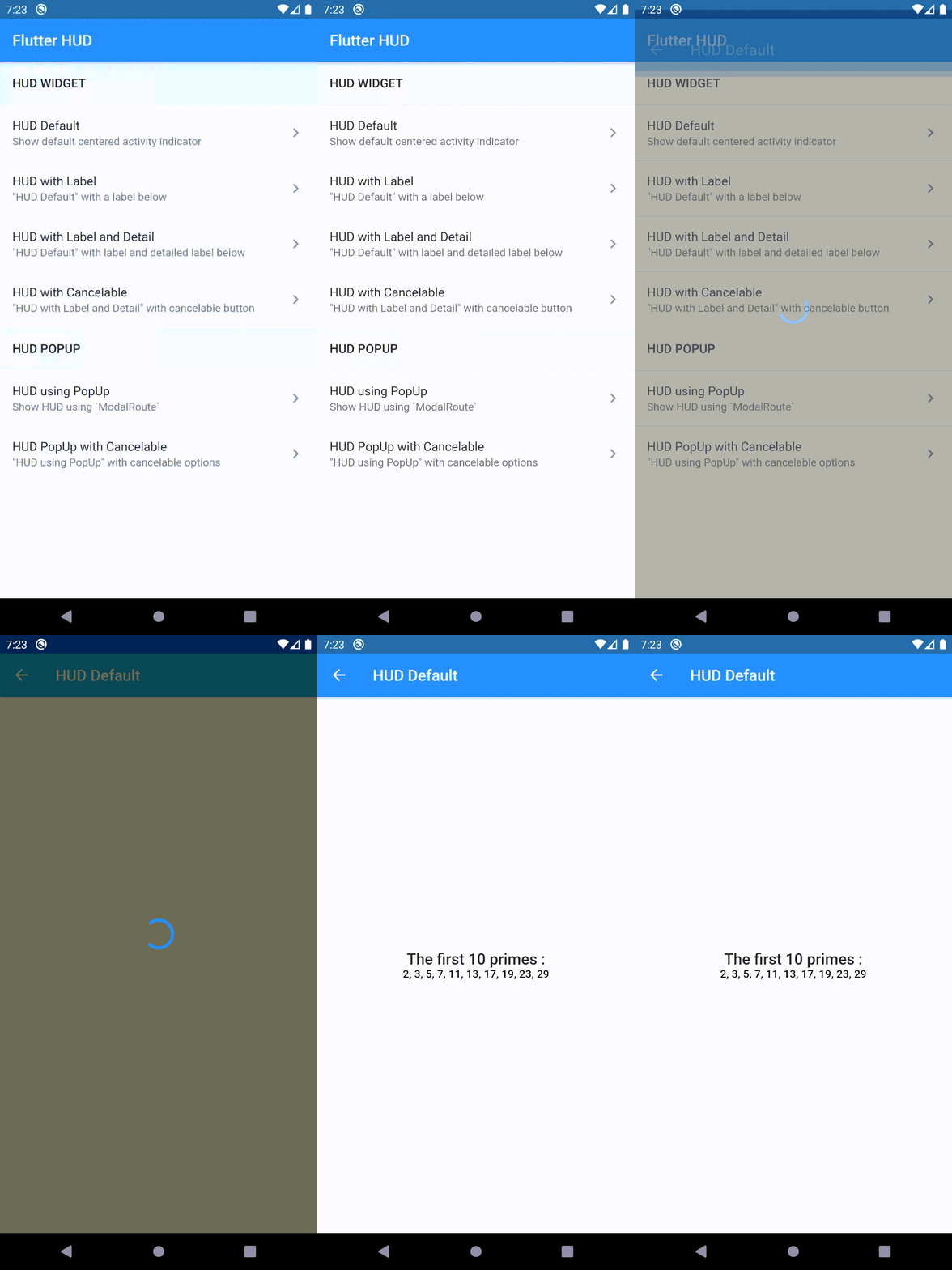
- Default HUD
FutureBuilder<String>(
  future: executeHttpRequest(),
  builder: (context, snapshot) {
    return WidgetHUD(
      builder: (context, child) => Scaffold(
        appBar: AppBar(
          title: Text('Default HUD'),
        ),
        body: Center(
          child: Text(snapshot.hasData ? snapshot.data : ''),
        ),
      ),
      showHUD: !snapshot.hasData,
    );
  },
);
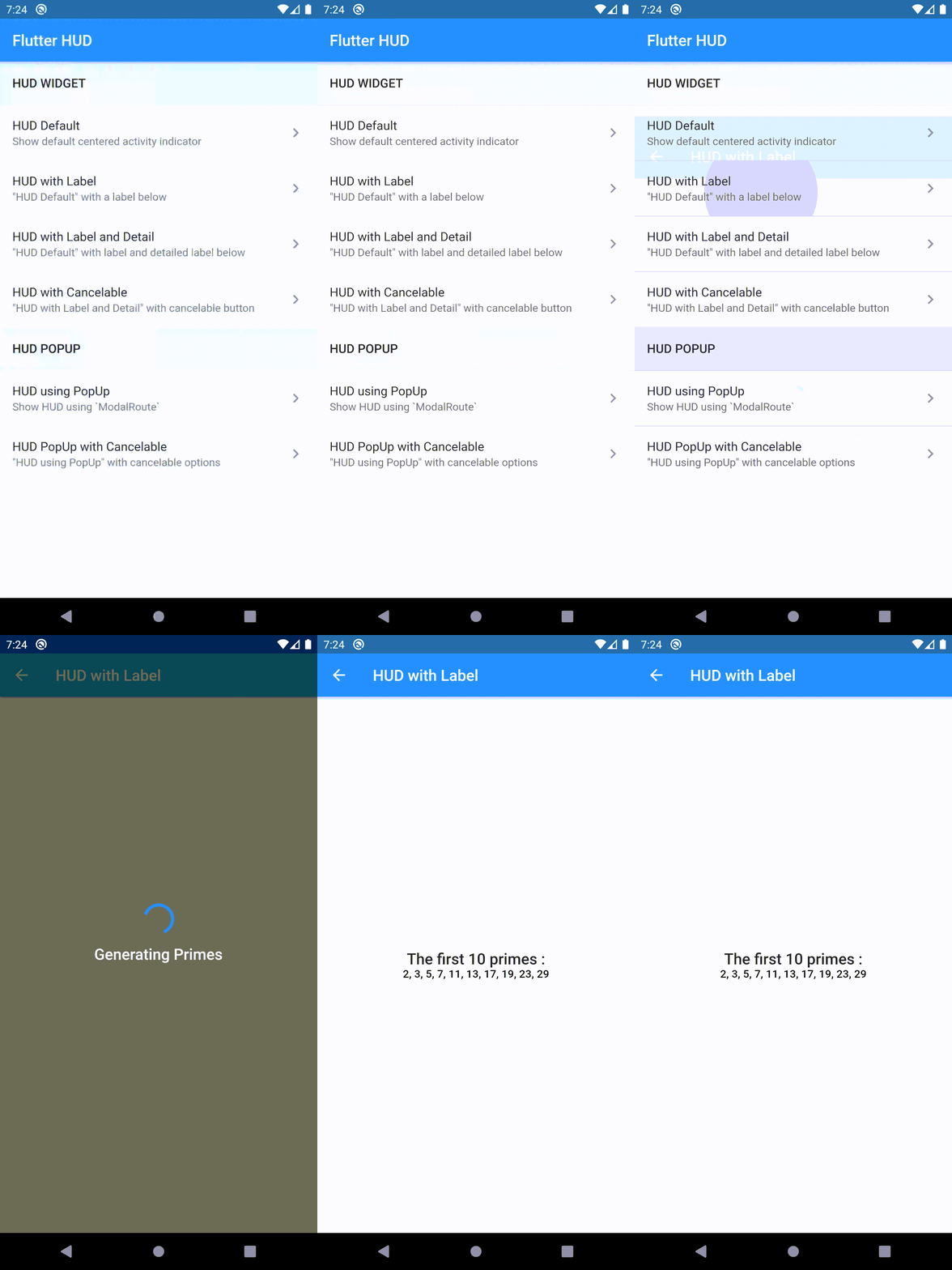
- HUD with Label
FutureBuilder<String>(
  future: executeHttpRequest(),
  builder: (context, snapshot) {
    return WidgetHUD(
      hud: HUD(label: 'Executing Http Request'),
      builder: (context, child) => Scaffold(
        appBar: AppBar(
          title: Text('HUD with Label'),
        ),
        body: Center(
          child: Text(snapshot.hasData ? snapshot.data : ''),
        ),
      ),
      showHUD: !snapshot.hasData,
    );
  },
);
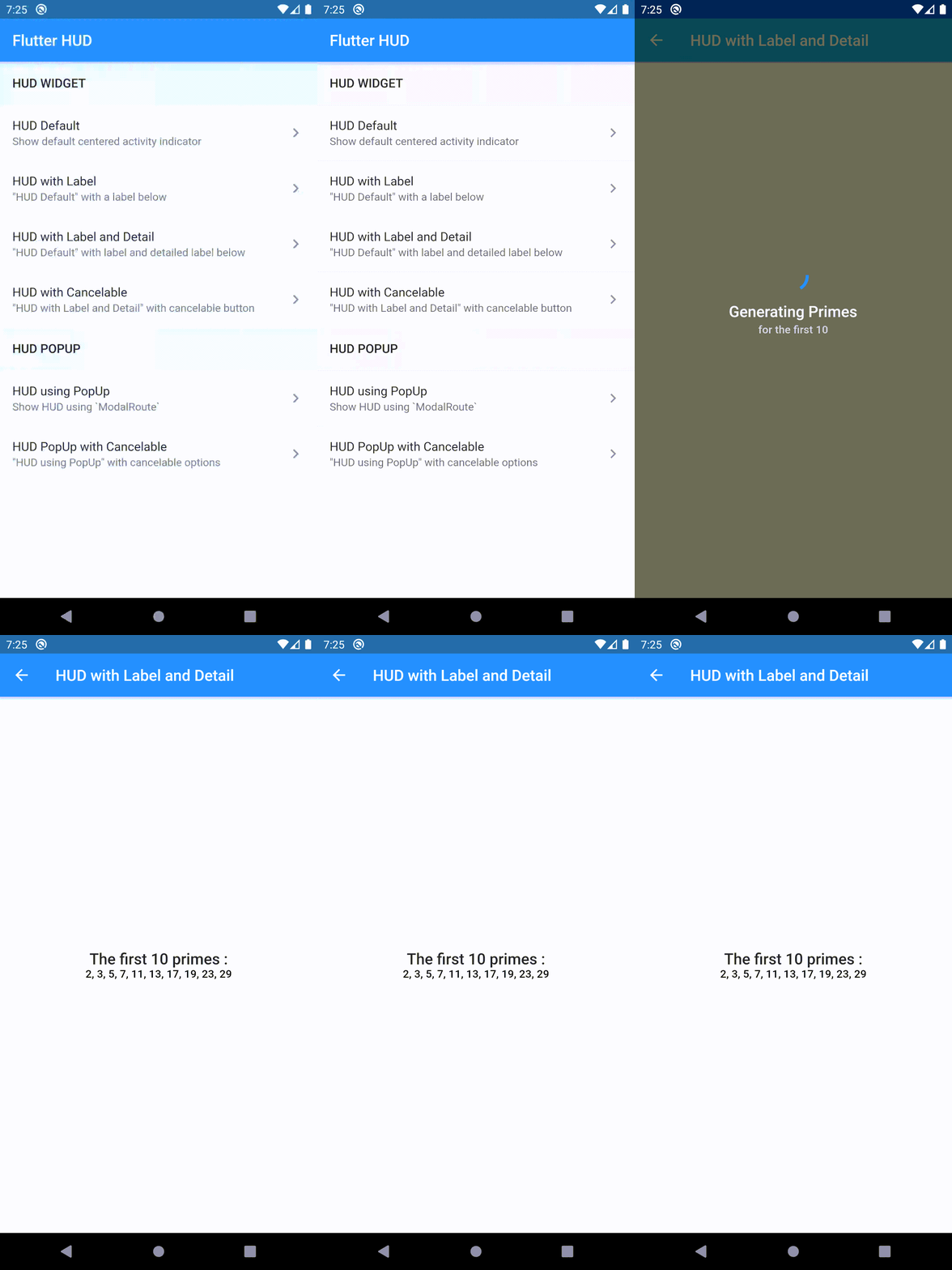
- HUD with Label and Detail Label
FutureBuilder<String>(
  future: executeHttpRequest(),
  builder: (context, snapshot) {
    return WidgetHUD(
      hud: HUD(
        label: 'Executing Http Request',
        detailLabel: 'Please Wait a Moment',
      ),
      builder: (context, child) => Scaffold(
        appBar: AppBar(
          title: Text('HUD with Label and Detail'),
        ),
        body: Center(
          child: Text(snapshot.hasData ? snapshot.data : ''),
        ),
      ),
      showHUD: !snapshot.hasData,
    );
  },
);
PopUp HUD
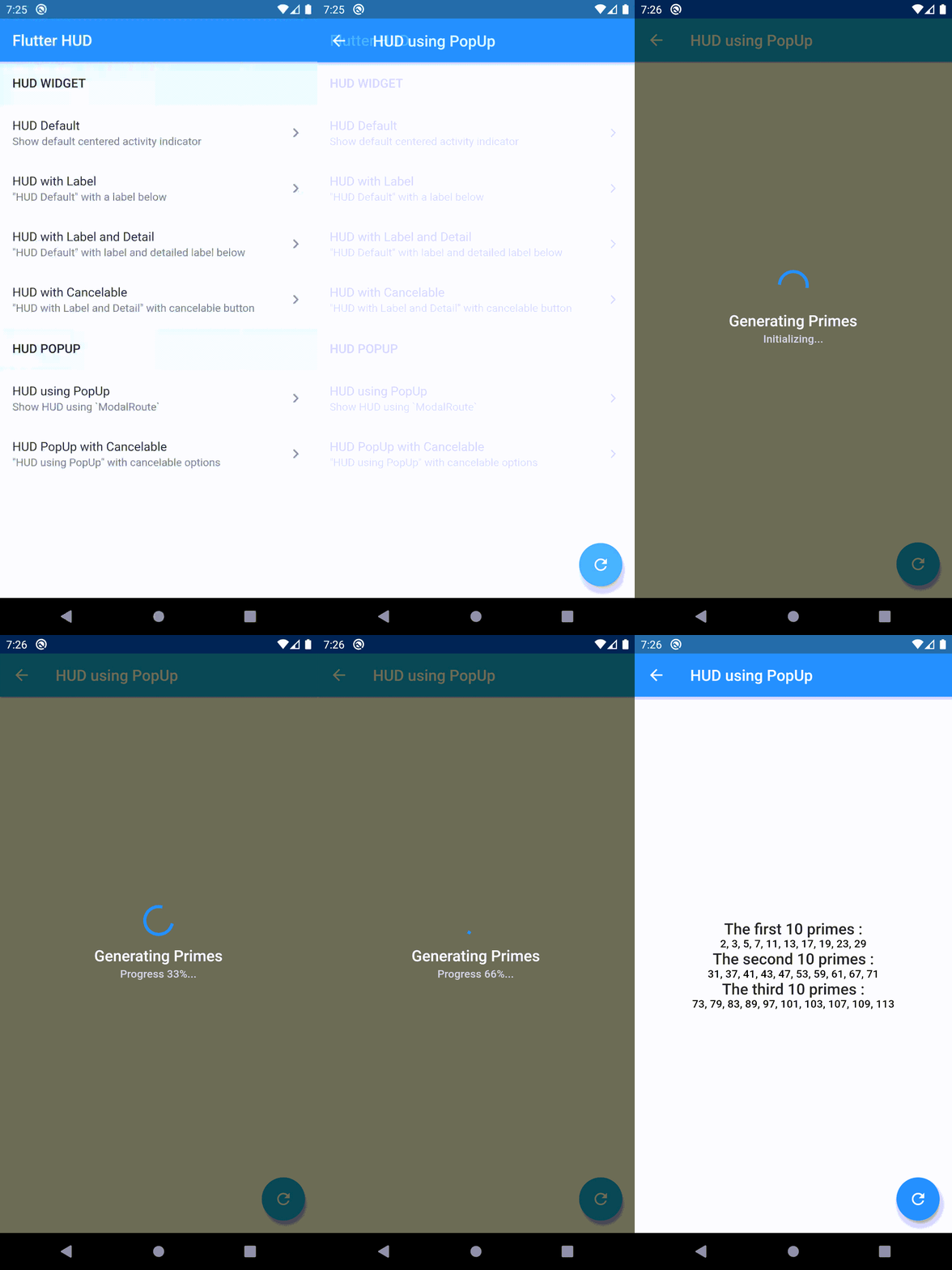
Displaying progress HUD using ModalRoute :
String resultPrimes1;
String resultPrimes2;
String resultPrimes3;

_reload() async {
  setState(() {
    resultPrimes1 = null;
    resultPrimes2 = null;
    resultPrimes3 = null;
  });
  final popup = PopupHUD(
    context,
    hud: HUD(
      label: 'Generating Primes',
      detailLabel: 'Initializing...',
    ),
  );

  popup.show();
  await Future.delayed(Duration(seconds: 2));
  final primes1 = primesMap().take(10).join(', ');

  popup.setDetailLabel('Progress 33%...');
  await Future.delayed(Duration(seconds: 2));
  final primes2 = primesMap().take(20).skip(10).join(', ');

  popup.setDetailLabel('Progress 66%...');
  await Future.delayed(Duration(seconds: 2));
  final primes3 = primesMap().take(30).skip(20).join(', ');

  popup.setDetailLabel('Done 100%...');
  await Future.delayed(Duration(milliseconds: 500));

  popup.dismiss();
  if (mounted) {
    setState(() {
      resultPrimes1 = primes1;
      resultPrimes2 = primes2;
      resultPrimes3 = primes3;
    });
  }
}

@override
Widget build(BuildContext context) {
  return Scaffold(
    appBar: AppBar(
      title: Text(HUDUsingPopup.title),
    ),
    body: Center(
      child: Column(
        mainAxisSize: MainAxisSize.min,
        children: <Widget>[
          if (resultPrimes1 != null)
            Text(
              'The first 10 primes :',
              textAlign: TextAlign.center,
              style: Theme.of(context).textTheme.title,
            ),
          if (resultPrimes1 != null)
            Text(
              resultPrimes1,
              textAlign: TextAlign.center,
              style: Theme.of(context).textTheme.subtitle,
            ),
          if (resultPrimes2 != null)
            Text(
              'The second 10 primes :',
              textAlign: TextAlign.center,
              style: Theme.of(context).textTheme.title,
            ),
          if (resultPrimes2 != null)
            Text(
              resultPrimes2,
              textAlign: TextAlign.center,
              style: Theme.of(context).textTheme.subtitle,
            ),
          if (resultPrimes3 != null)
            Text(
              'The third 10 primes :',
              textAlign: TextAlign.center,
              style: Theme.of(context).textTheme.title,
            ),
          if (resultPrimes3 != null)
            Text(
              resultPrimes3,
              textAlign: TextAlign.center,
              style: Theme.of(context).textTheme.subtitle,
            ),
        ],
      ),
    ),
    floatingActionButton: FloatingActionButton(
      child: Icon(Icons.refresh),
      onPressed: _reload,
    ),
  );
}
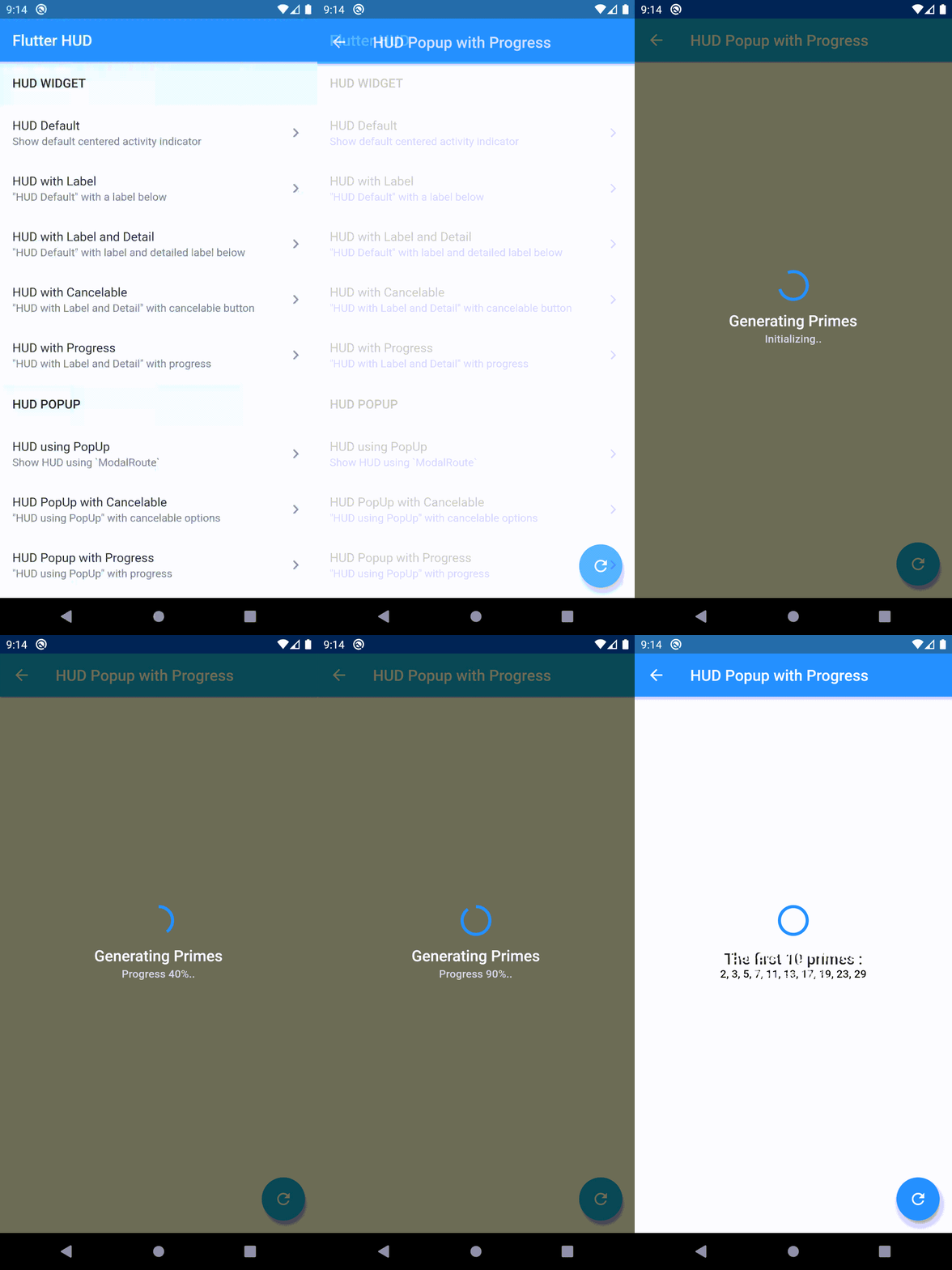
How about adding some progress to it?
final popup = PopupHUD(
  context,
  hud: HUD(
    label: 'Generating Primes',
    detailLabel: 'Initializing..',
  ),
);

popup.show();
final number = await getPrimes(delayedSeconds: 1);
for (int i = 1; i <= 10; i++) {
  await Future.delayed(Duration(milliseconds: 500));
  final value = i * 0.10;
  popup.setValue(value);
  popup.setDetailLabel('Progress ${(value * 100).toInt()}%..');
}

await Future.delayed(Duration(milliseconds: 500));
popup.dismiss();
Please see folder example/lib to view a complete example about using flutter_hud.
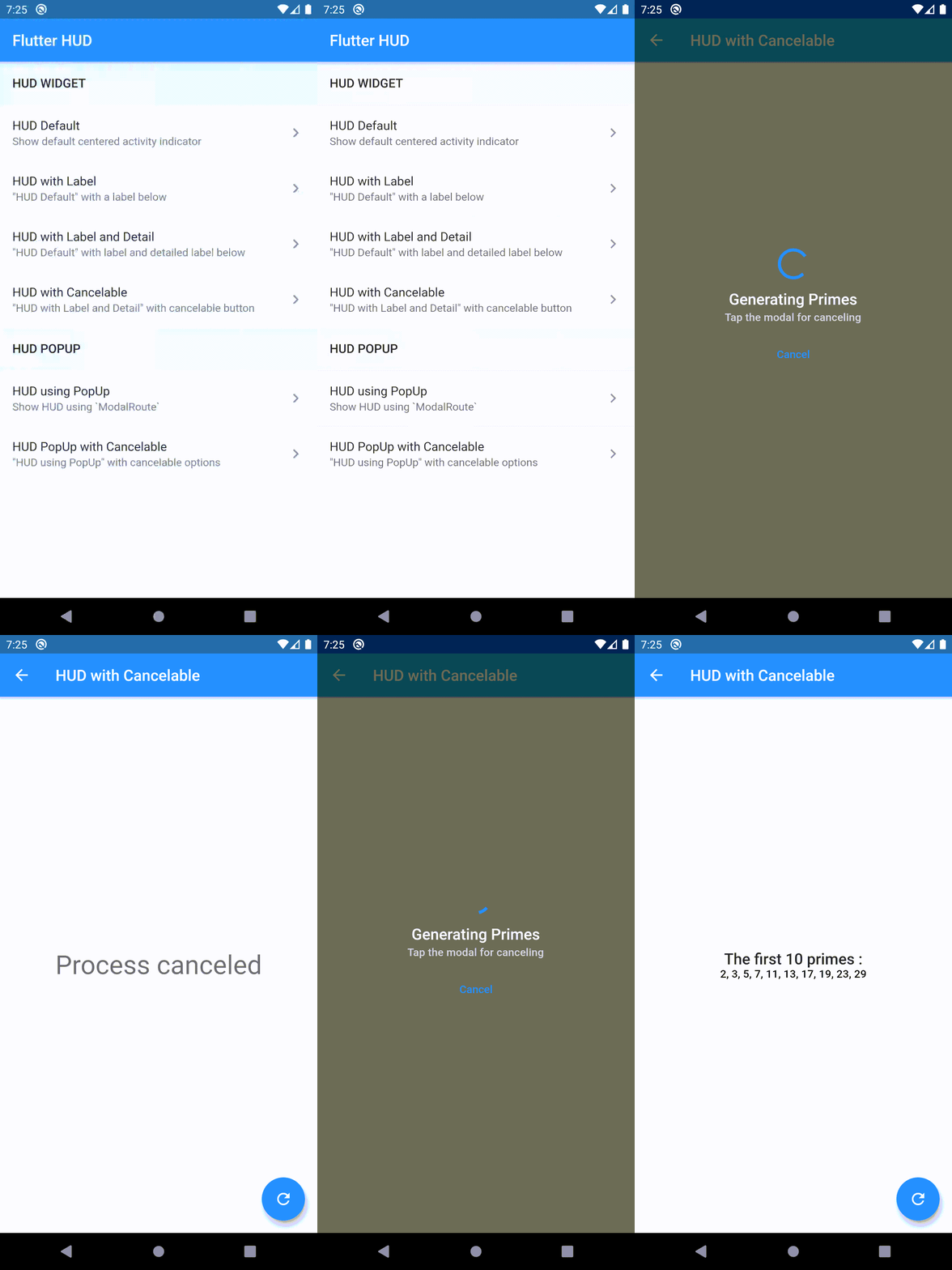
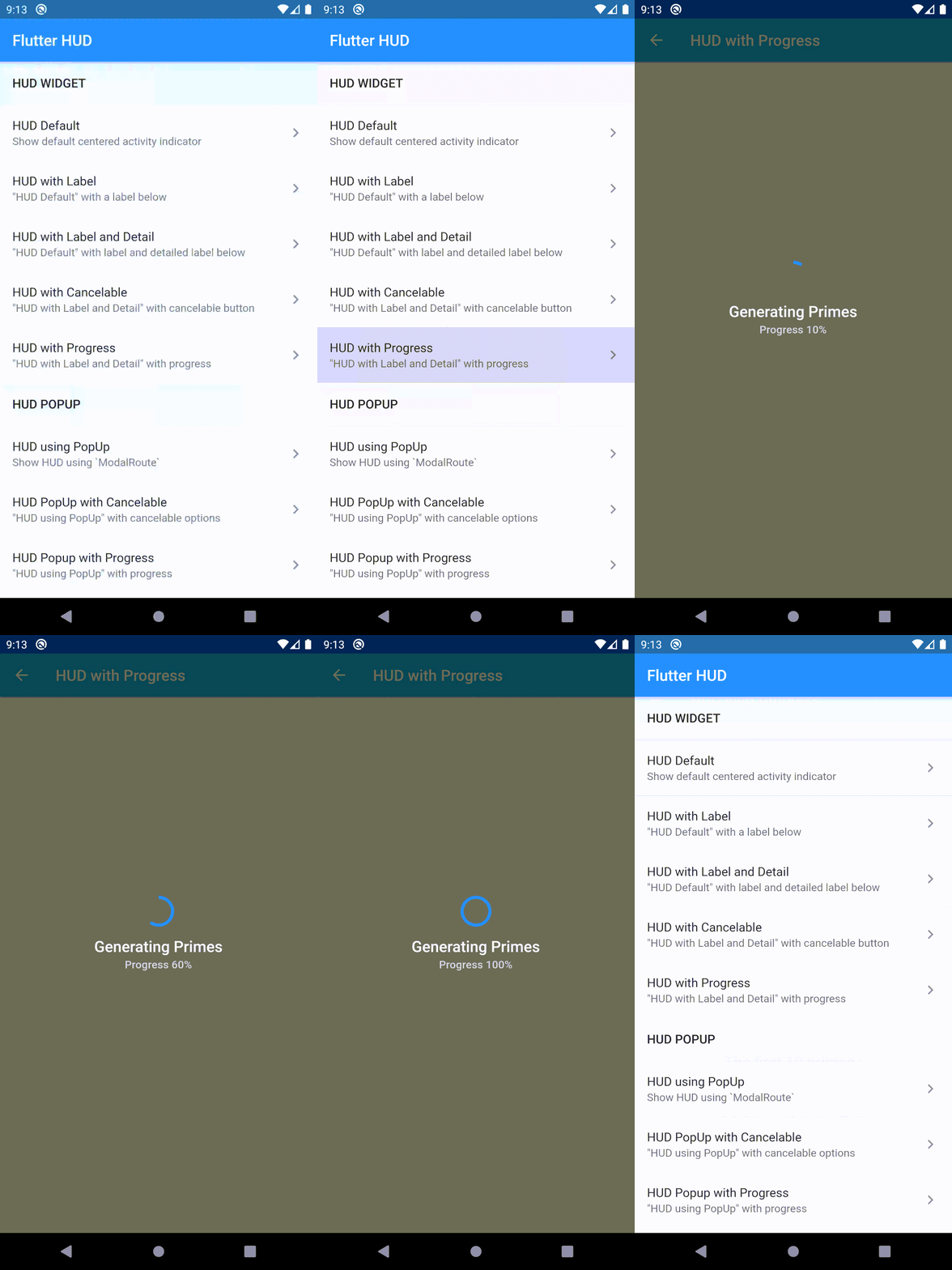
Widget HUD Demo
| Widget HUD | Widget HUD with Label | Widget HUD with Label and Detail |
|---|---|---|
 |
 |
 |
| Widget HUD with Cancelable | Widget HUD with Progress | |
|---|---|---|
 |
 |
Widget HUD Popup
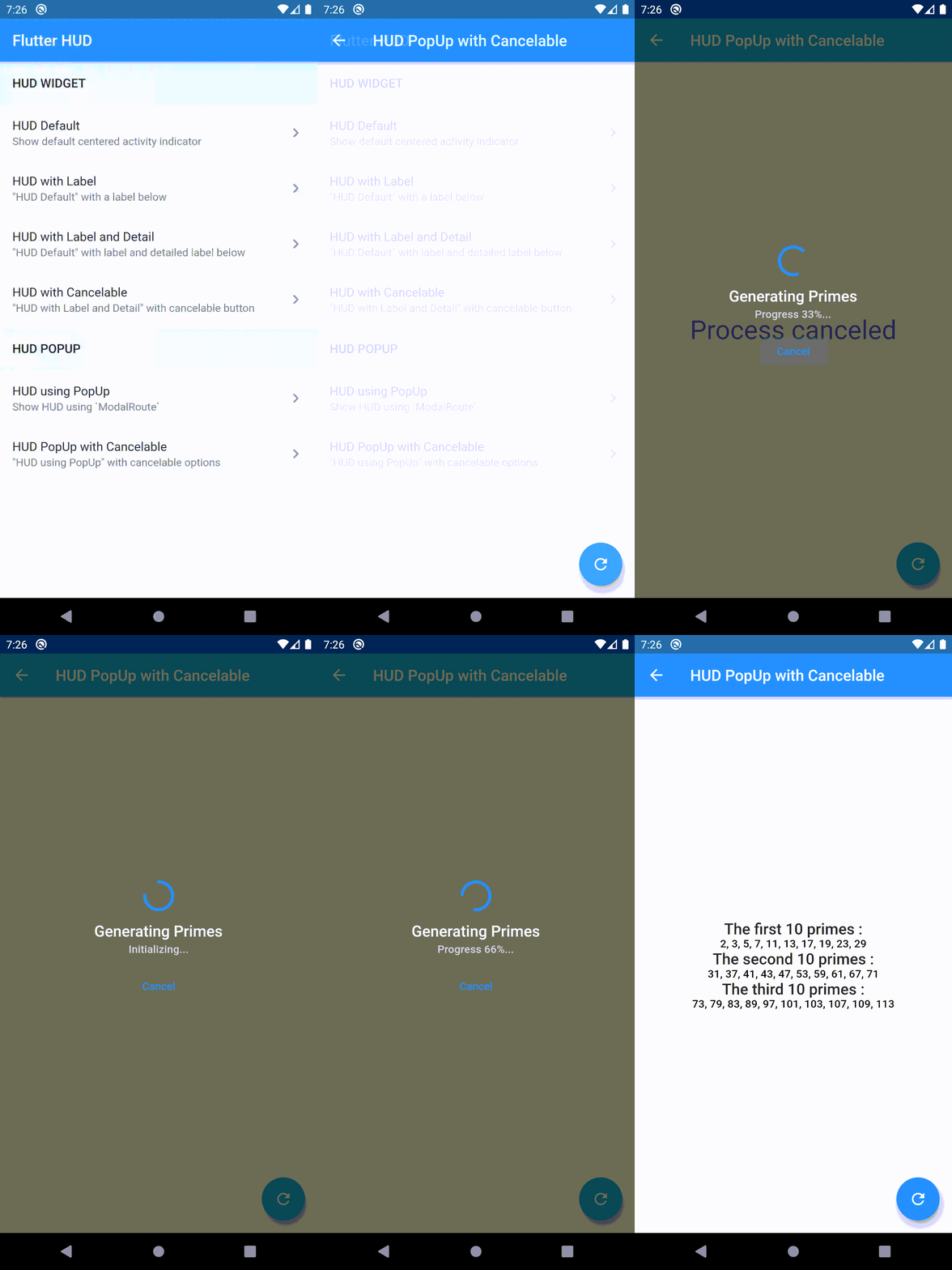
| Popup HUD | Popup HUD with Cancelable | Popup HUD with Progress |
|---|---|---|
 |
 |
 |
Author
Flutter HUD plugin is developed by Alann Maulana. You can contact us me <mas@alan.my.id>.

GitHub 작성자
Alann Maulana ↗
언어DartC++CMakeRubyHTMLCSwiftMakefileShellKotlinObjective-C
분류
사용 중인 의존성
의존성 목록 3 개
- flutter
{"sdk":"flutter"} - flutter_test개발 의존성
{"sdk":"flutter"} - flutter_lints개발 의존성
^2.0.0
프로젝트에 맞는 저장소를 선택하려면?
사용 목적에 따라 검색하고 개발 활동을 비교한 뒤 원본 저장소에서 요구 사항을 확인하세요.
- 이름, 작성자 또는 설명으로 검색하고 기술 주제로 범위를 좁힙니다.
- 스타, 포크, 최근 푸시를 함께 비교하세요. 스타는 관심의 지표이며 품질을 보장하지 않습니다.
- 사용하기 전에 GitHub에서 README, 라이선스, Issues를 확인하세요.
출처 및 관리
“A repository is the most basic element of GitHub.”
GitHub Docs — About repositories ↗